 iPhone Video Converter for Mac
iPhone Video Converter for Mac should be the most professional Mac iPhone Converter to convert all popular video formats to iPhone video/audio on Mac.
$29.00 $23.20 20% OFF
Mac OS X 10.7 or higher
30-Day Money Back Guarantee



Aiseesoft iPhone Video Converter for Mac can convert almost all the popular video formats such as MPG, MPEG, MPEG2, VOB, MP4, M4V, RM, RMVB, WMV, etc. on Mac. In addition, this iPhone video converter can extract audio track from video file and convert them to MP3, M4A, AAC, AC3 and other audio files supported by iPhone. What's more, if you want to input videos and output different formats at a time, you can use it to do this.
With this iPhone Video Converter, you can get any clips from source file exactly by setting the start and end time or just dragging the slider bar, adjust the video aspect ratio to fit for your player screen to get the perfect effect, merge all the files you choose into one output file and add watermarks. Also, more settings are for you to adjust: Brightness, Contrast, Saturation and Volume. For your interlaced video, just check "Deinterlacing" to avoid mosaic.
More output parameters are provided for you to adjust: Video Encoder, Resolution, Frame Rate, Video Bitrate, Audio Encoder, Sample Rate, Channels, and Audio Bitrate. For Resolution, if the pre-set cannot meet your needs, just input your own parameter. For the well-customized profile, you can save it as "User-Defined" profile for your later direct use.
Aiseesoft iPhone Video Converter can support iPod touch 7, iPod touch 6, iPod touch 5, iPod touch 4, iPod touch 3, iPod touch 2, iPod touch, iPhone, iPhone 3G, iPhone 3GS, iPhone 4, iPhone 4S, iPhone 5, iPhone 5c, iPhone 5s, iPhone 6, iPhone 6 Plus, iPhone 6s, iPhone 6s Plus, iPhone 7, iPhone 7 Plus, iPhone X, iPhone 8, iPhone 8 Plus, iPhone XS, iPhone XS Max, iPhone XR, iPhone 11 Pro, iPhone 11, iPhone 11 Pro Max, iPad, Apple TV. This video converter has powerful compatibility and makes your movie life more wonderful.

Preview and snapshot
Preview before converting videos and snapshot during the playback.
Fast convert video
This iPhone Video Converter helps you convert videos at fast speed, saving your time.
Protect privacy
For protecting your privacy, you can safely use Aiseesoft iPhone video converter.
Batch video conversion
Aiseesoft iPhone Video Converter makes output videos/audio in batch without zero quality loss.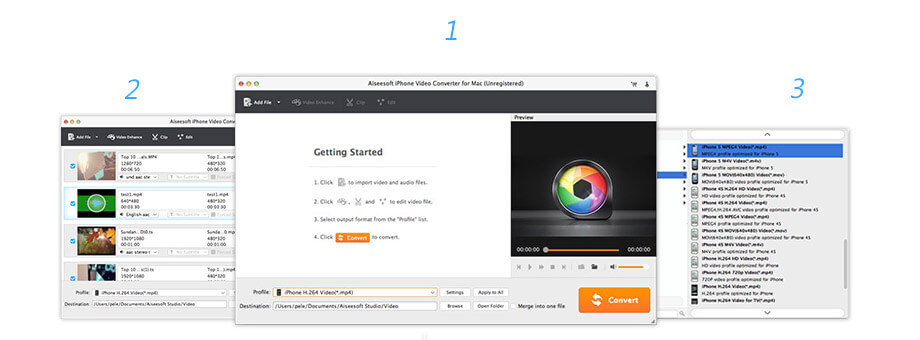
Lifetime License
$29.00$23.20
Use it Lifetime
Use it on 1 Mac
30-Day Money Back Guarantee
Check what famous editor and our customer talk about our product.


First, I wanted to look for one free video converting software, and then I found this iPhone video converter for Mac and I tried. The result is, it can convert so many videos to iPhone on Mac and extract songs from my favorite movie. It is worth trying.
By Suzanne
Ok, if this iPhone Video Converter is not only for iOS devices, but also for Android, I will be more satisfied. But, lots of video and audio formats are supported by this video converter. This is enough.
By Gavin
Because I often use iPhone to see a film, so I use this iPhone Video Converter, and it is helpful, it can convert almost all popular videos, like MP4, MOV, AVI, and I converted one 1.2 G film only taking a few minutes.
By Angela
Aiseesoft iPhone Video Converter for Mac is very powerful to use. I can edit video file with various editing features, and extract the wanted audio track from the video. So powerful.
By Julia
The best video recording tool to easily record screen, meetings, game, webinar, audio, and webcam videos.
BUY NOWBUY NOW
Rotate, clip, crop, watermark and convert video and audio files on your Mac and Windows.
BUY NOWBUY NOW
Transfer photos, messages, contacts, music, videos between iPhone and computer or between iDevices.
BUY NOWBUY NOW
*Required field
*Please enter a valid email

