AnyCoord Location Changer
 100% Secure. No Ads.
100% Secure. No Ads.
Contents
You can set a work location on Google Maps to get faster commute routes, travel time estimates, and personalized navigation. If you've changed jobs, moved offices, or simply want to update your saved address, you can edit your Work location in just a few taps. This guide explains how to change your work location on Google Maps on Android, iPhone, and desktop. It also covers how to change your GPS location if you want to appear somewhere else without editing your saved Work address.
How We Tested
Need to change your Work location quickly?
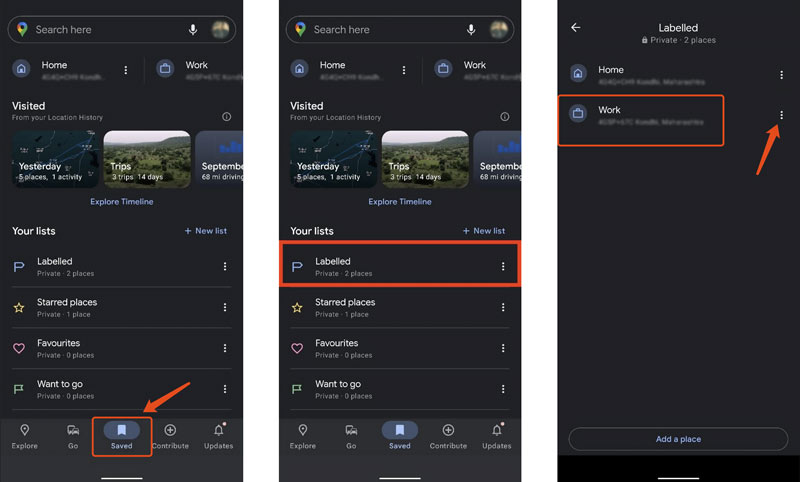
Open “Google Maps” > “Saved” > “Labeled” > “Work”, enter your new work address, and save the changes.
The steps are almost identical on Android, iPhone, and the Google Maps web version. If you only want to change your live GPS location instead of your saved Work address, skip to Bonus Method.
Google Maps is the default mapping app for Android devices to get detailed information about locations, traffic conditions, routes for buses, and more. It is preinstalled on your Android phone to check and manage various addresses.
When you want to change your work location on Google Maps to get more precise estimates for your daily commute or improved recommendations, you can follow the guide below.
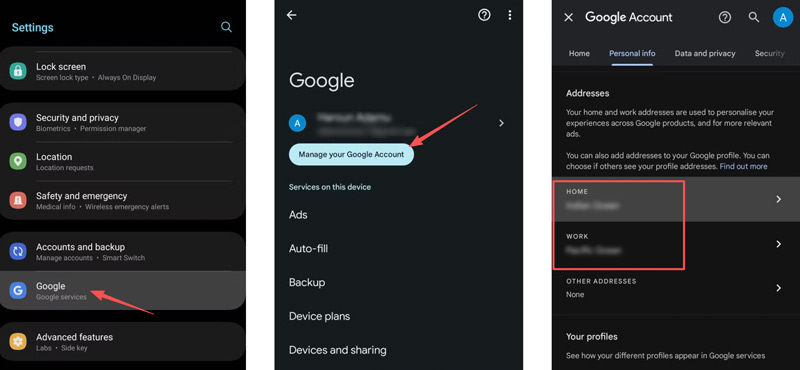
Whether you want to add a new work address on Google Maps or change the location, you can manage it in your Google Account.
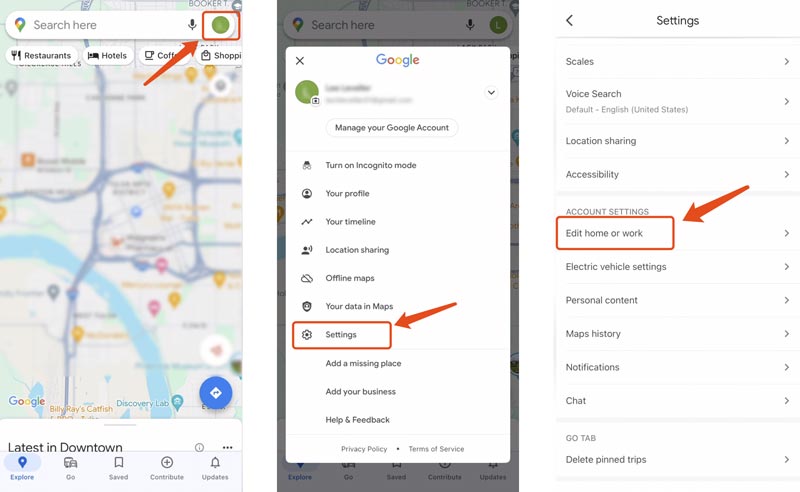
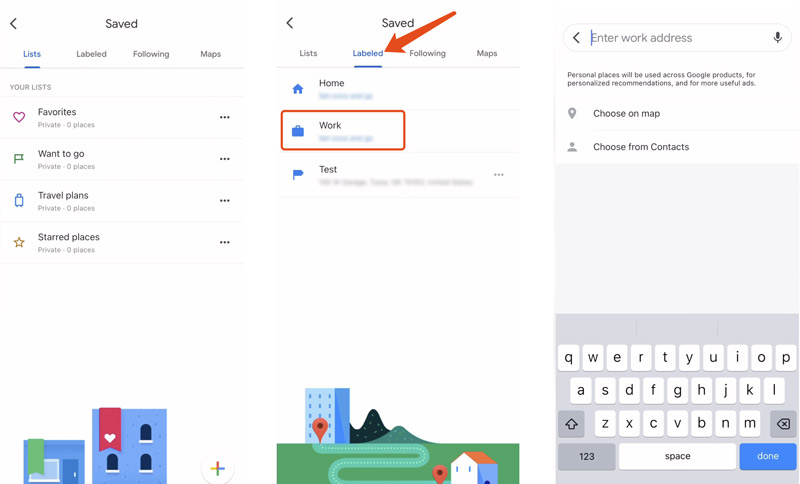
If you use Google Maps on an iOS device, you can take similar steps to edit and change your work location. Go to Saved, select Labeled, and then tap Work to manage the current work address. Also, you can go to Settings to change your work and home locations on Google Maps.
In the Settings interface, tap Edit home or work under the Account Settings section.
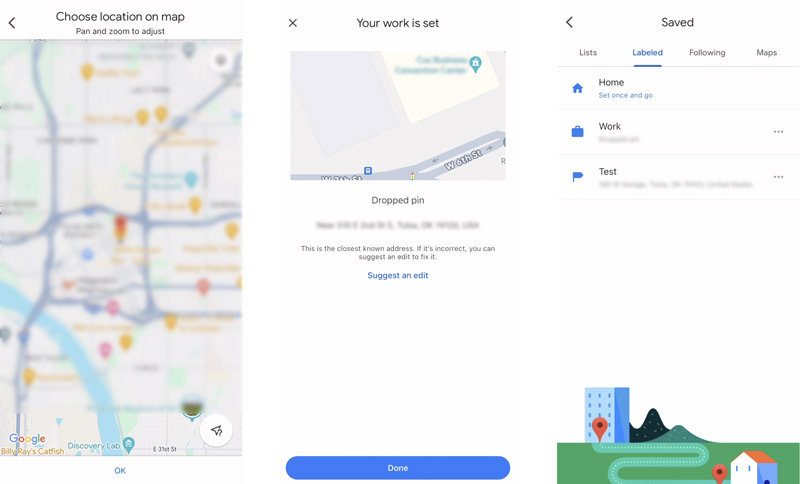
Tap Labeled to show your Home and Work locations. Choose Work to edit and change your work address on Google Maps. Now, you are allowed to select a new work address by entering it, choosing it on the map, or selecting it from contacts.
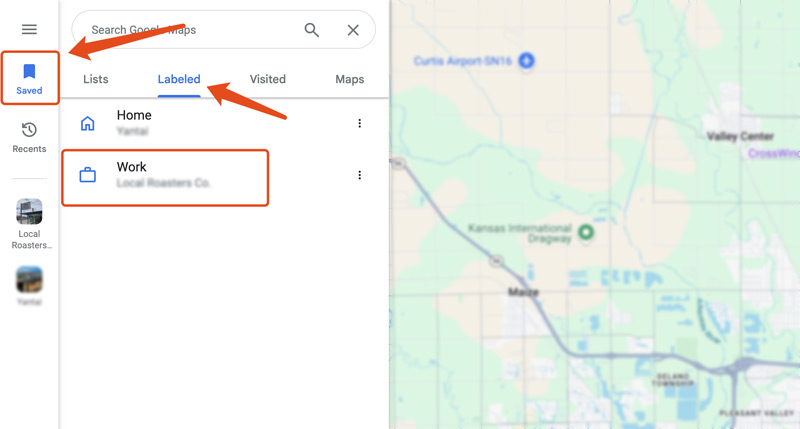
If you often use the web version of Google Maps on your computer and set your work address there, you can navigate to the official website to change the work location with ease.
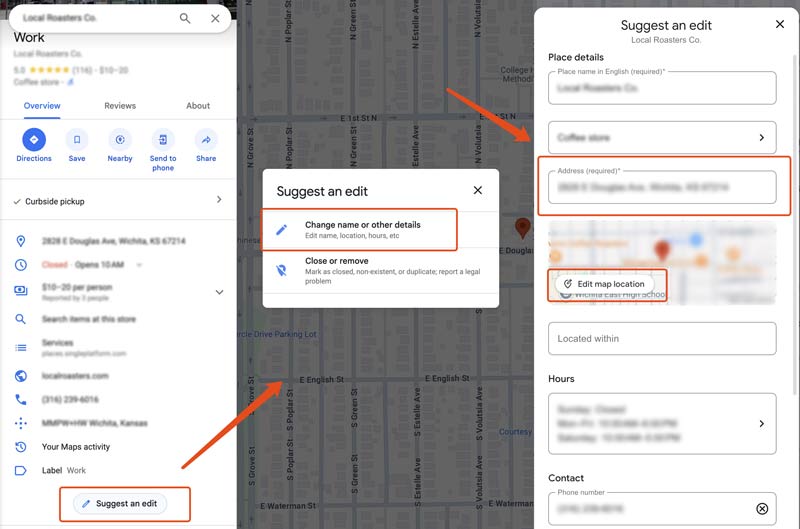
The first three methods update the Work address saved in your Google account.
If you don't want to change your saved Work location but simply want apps to think you're somewhere else, you'll need to change your phone's GPS location instead.
In that case, you can use AnyCoord to simulate a virtual GPS location for Google Maps and other location-based apps.
100% Secure. No Ads.
100% Secure. No Ads.
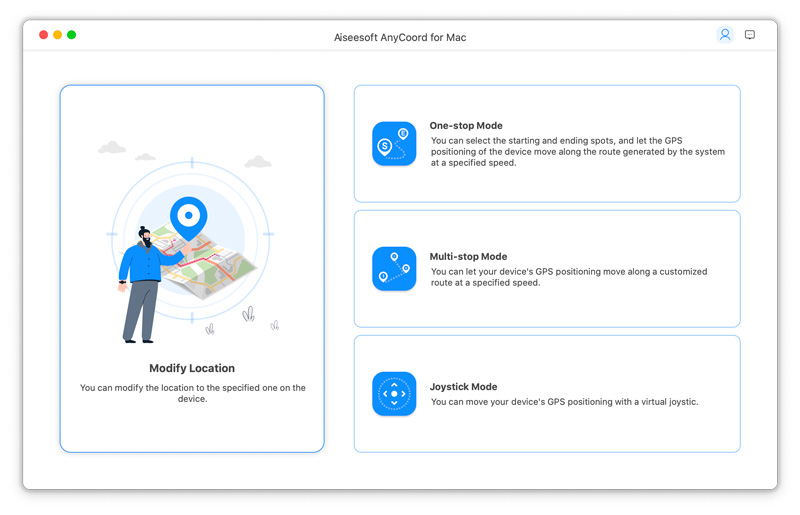
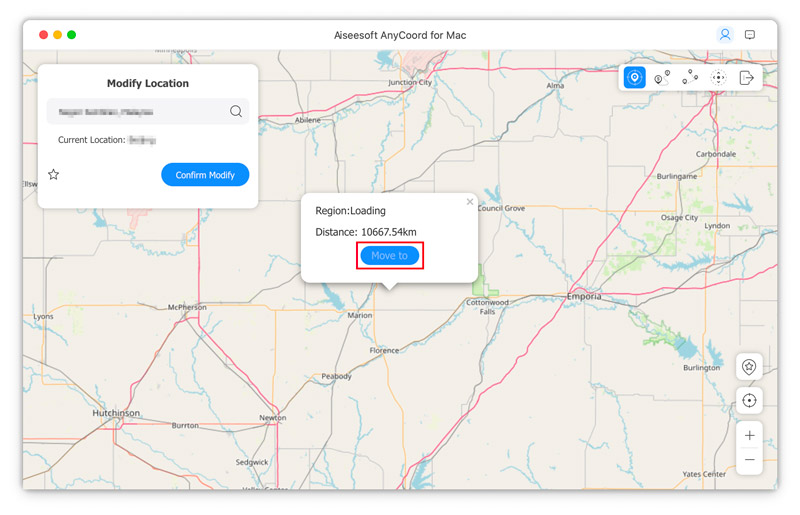
AnyCoord gives you a simple way to mock the real-time location of your iPhone or Android phone. It lets you freely change your GPS locations for various needs. For instance, that can help to protect your privacy, hide your online activities, play geo-based games, view content, and more.
How do you delete your work address on Google Maps?
When you want to delete your work location on Google Maps, you can open the app, tap Saved, choose Labeled, and then tap More next to the Work option. Select Remove work from the drop-down list and proceed with your removal operation.
Can I change the icon for my work location on Google Maps?
Yes, Google Maps allows you to select your preferred icon for the work or home address. Open the Maps app and go to Saved. Tap Labeled to access your work location. Tap the More icon next to the Work option and choose the Change icon option. You can then select a new icon for this work address. Tap Save to update the address icon on Google Maps.
How can I add multiple work addresses on Google Maps?
Google Maps doesn't allow you to add a second address for your work or home. However, you can label different locations for multiple workplaces. For instance, you can add labels like Work 1, Work 2, and Work 3 to locate them on Google Maps quickly. What’s more, you can use third-party mapping apps to store multiple work addresses.
Does changing my Work location affect my Google Maps history?
No. Changing your Work address only updates the saved destination in your Google account. It does not delete your navigation history, Timeline, or previously searched places.
Conclusion
Changing your Work location on Google Maps only takes a few minutes, whether you're using Android, iPhone, or a computer.
If you simply need to update your saved Work address, the built-in Google Maps feature is all you need.
If your goal is to simulate a different location for privacy, testing, or location-based apps, a GPS location changer like AnyCoord provides an alternative without modifying your saved Work address.
100% Secure. No Ads.
100% Secure. No Ads.
 How to Delete Google Search and Google Maps History
Want to clear Google search history and Google Maps search history for privacy protection? This post will show you the detailed ways of deleting Google history on desktop and mobile phone.
 Solutions to Screenshot Google Maps on Windows/Mac/iOS/Android
How do I save an image from Google Maps? Taking screenshots. This page shows you various ways to take screenshots of Google Maps on Windows, Mac, iOS and Android.
 Fix Maps Not Working or Location Not available on iPhone
Why does it say location not available on iPhone? What does it mean when someone's location is not available? Get 5 effective ways to fix this location issue.
 Leave your comment and join our discussion
Aiseesoft AnyCoord can help you hide, fake, or change your GPS location to any other place with ease. You can even plan a moving route if needed.
100% Secure. No Ads.
100% Secure. No Ads.

*Required field
*Please enter a valid email

