Aiseesoft iPhone Unlocker
 100% Secure. No Ads.
100% Secure. No Ads.
You bought your iPhone through Xfinity Mobile, signed a 24‑month installment agreement, and now you want to switch to another carrier. You may wonder, can you unlock an Xfinity iPhone, and if so, how?
The truth is, you can easily unlock your Xfinity Mobile phone and use it with another wireless carrier as long as you fit their unlock rules. This post provides details on Xfinity iPhone unlock requirements. I will guide you through the official steps to unlock your Xfinity iPhone. Besides, a dedicated iPhone Unlocker is introduced to help you handle an Xfinity‑locked device.

Yes, your Xfinity iPhone can be unlocked if you meet the unlocking rules. According to Xfinity’s official policy, a device is eligible for unlocking after at least 60 consecutive days of activity on Xfinity Mobile. What’s more, the installment balance should be paid in full, and the account should be in good standing.
Note that if you have bought the Xfinity iPhone outright at full retail price, the 60‑day activation period still applies before they will process the unlock.
Unlocking your Xfinity iPhone gives you the freedom to switch carriers whenever you want. If you often travel internationally, an unlocked iPhone is necessary to freely pop in a local SIM card and avoid the international roaming fees Xfinity charges.
Another benefit is that unlocking an Xfinity iPhone lets you use advanced features like Wi‑Fi calling and visual voicemail with any compatible carrier.
Sometimes, you want to unlock an Xfinity Mobile iPhone before selling it. An unlocked iPhone sells for 15 to 25 percent more than a carrier‑locked device. Most buyers want the flexibility to choose their own network.
There are two primary ways to unlock an iPhone locked by Xfinity Mobile. One is official and reliable‑ but it requires you to meet the carrier’s eligibility criteria. The other is a third‑party carrier‑lock removal software approach.
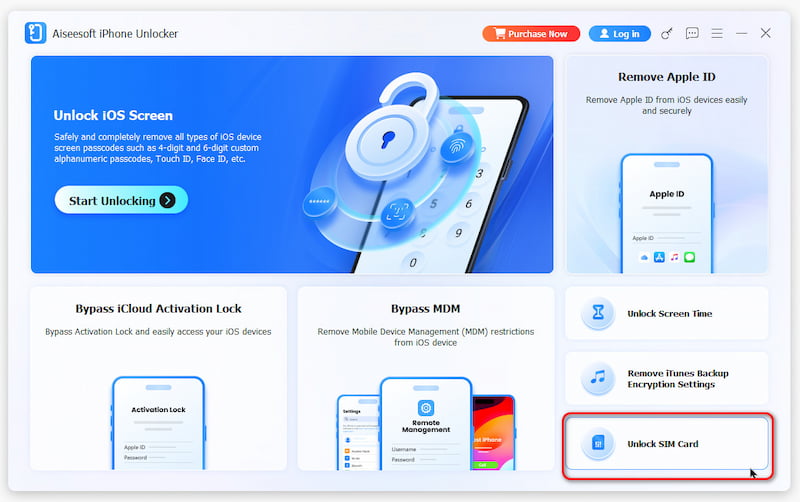
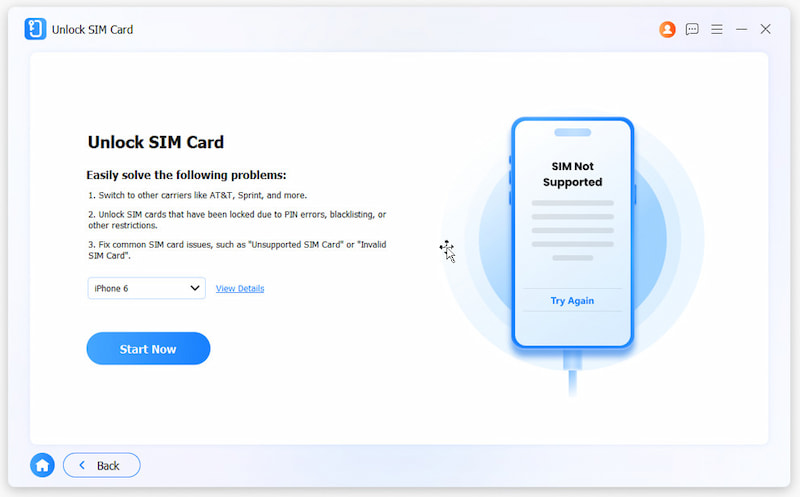
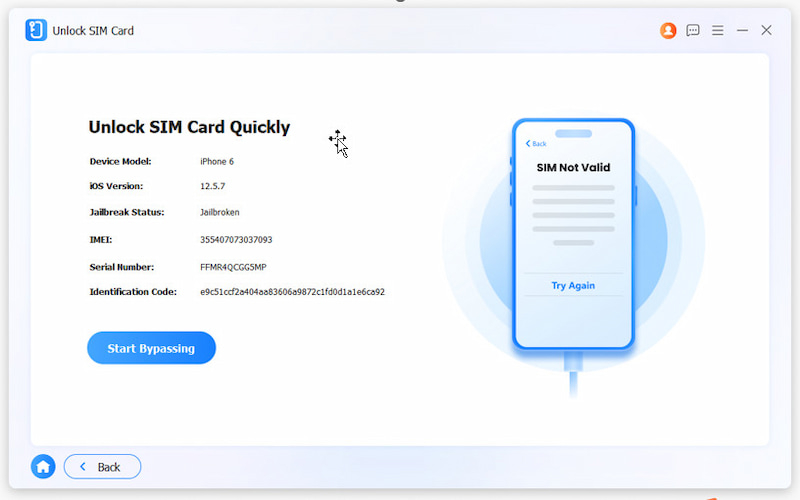
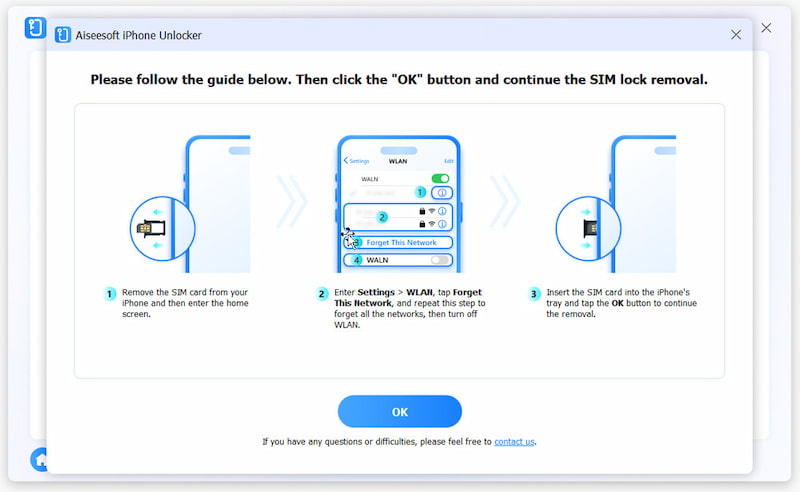
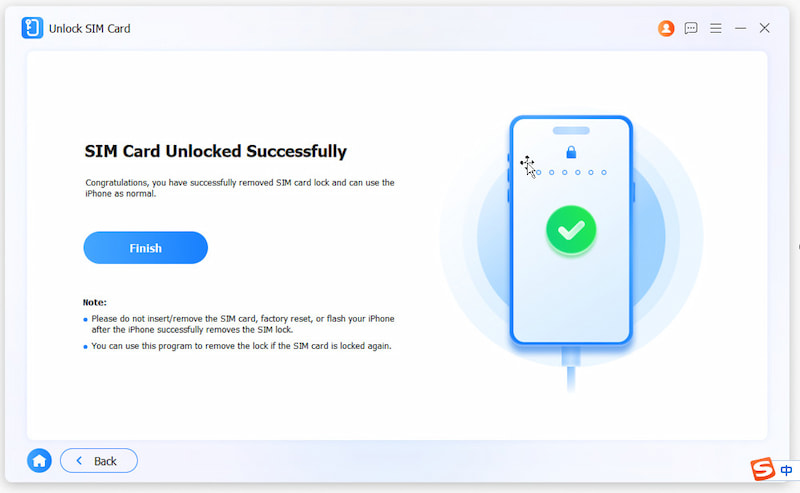
If you don’t meet Xfinity’s requirements‑ perhaps you owe money on the device, or you have not hit the 60‑day mark‑ the official route is blocked. In that case, you should turn to a third‑party unlocking tool like Aiseesoft iPhone Unlocker. It can safely bypass the carrier (Xfinity Mobile, Verizon, T‑Mobile, AT&T, and more) lock and unlock your Xfinity iPhone. The tool does not require jailbreaking your phone. In my test, the software detected the Xfinity lock, connected with the unlocking server, and removed the carrier restriction within about 15 minutes.
100% Secure. No Ads.
100% Secure. No Ads.
You May Also Need:
If you fit the official unlock rules and want zero risk to your device, you can request an unlock through Xfinity Mobile.
Log in to your Xfinity Mobile account on the web or with the app. Navigate to Device Unlock, select the target iPhone you want to unlock, and submit your unlocking request. The Xfinity iPhone unlock process may take up to two business days.
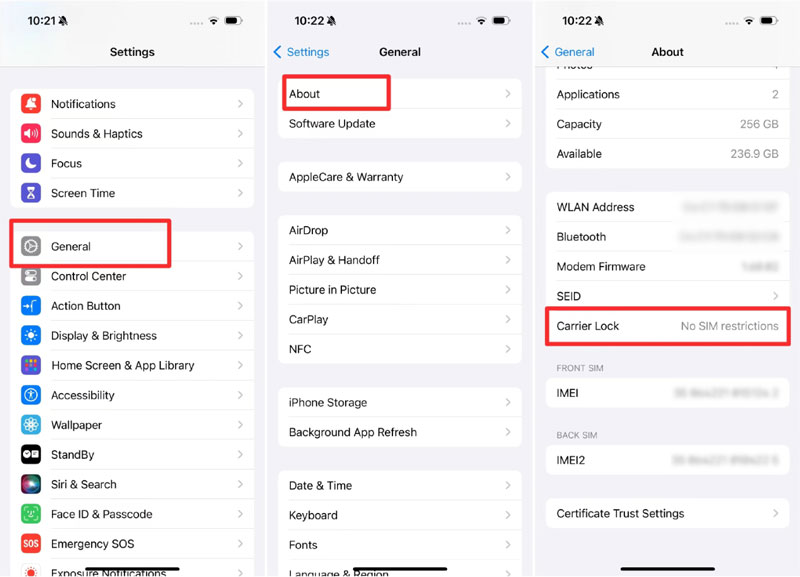
After Xfinity approves the request, your iPhone receives a carrier settings update that removes the lock. Go to Settings > General > About to check whether your iPhone displays “No SIM restrictions.” If you see that message, it means the Xfinity carrier unlock has been removed permanently.
To unlock your Xfinity iPhone through the official process, you can get help from an Xfinity Mobile Specialist in a store or by calling 1‑888‑936‑4968.
Again, this method only works if your iPhone is fully paid off, the Xfinity Mobile account has been active for at least 60 days, and there are no outstanding balances. If you meet those conditions, you can get a free iPhone with an Xfinity Mobile unlock code.
Read more: How to Bypass Screen Time Passcode in 2026
How long does it take Xfinity to unlock an iPhone?
As you can see above, the official unlock is often processed within 24 hours, though Xfinity Mobile says to allow up to 2 business days. If you use the recommended Aiseesoft software to unlock your Xfinity iPhone, you can complete the process in about 10 minutes.
Are Xfinity Mobile iPhones unlocked by default?
No. Every iPhone sold through Xfinity Mobile has a carrier lock that ties it exclusively to Xfinity’s network. The only way to remove that lock is through the official unlock request process or, in rare cases, through third‑party tools like iPhone Unlocker that can bypass the carrier’s authorization server.
Will unlocking my Xfinity iPhone void the warranty?
Using the official path to unlock your Xfinity phone does not void the warranty. If you choose third‑party unlocking tools to remove the carrier lock, they may modify the carrier settings. Even though Apple rarely checks for this, it is a risk worth acknowledging. Surely the removal won’t affect the device itself or cause hardware damage problems.
Conclusion
This guide shares two standard methods to unlock an Xfinity iPhone. If your device is paid off and you have been with Xfinity for at least 60 days, the official free method through the Xfinity app is the clear choice. If you can't meet the carrier’s requirements, third‑party software such as Aiseesoft iPhone Unlocker offers a viable alternative. Select your desired way to remove the carrier lock with ease.
 iPhone is Disabled? Top 5 Ways to Unlock it Without Data Loss (iOS 26)
iPhone is disabled, connect to iTunes? Can I unlock a disabled iPhone without a computer? Learn top 5 methods to fix a disabled iPhone without losing data.
 [Step by Step] How to Unlock iPhone With Siri for all iOS
Do you know that Siri can help some people turn on their cell phones? Want to see how that works? This article will show how to unlock an iPhone with Siri.
 Best Review of EaseUS MobiUnlock: Unlock Anything?
Want to buy EaseUS MobiUnlock? Don’t rush yet! This in-depth review will reveal its pros, cons, and alternatives to unlocking iPhone and Android devices.
 Leave your comment and join our discussion
To fix iPhone screen locked, wiping password function can help you a lot. And you also can clear Apple ID or Screen Time password easily.
100% Secure. No Ads.
100% Secure. No Ads.

*Required field
*Please enter a valid email

