Video Converter Ultimate
 100% Secure. No Ads.
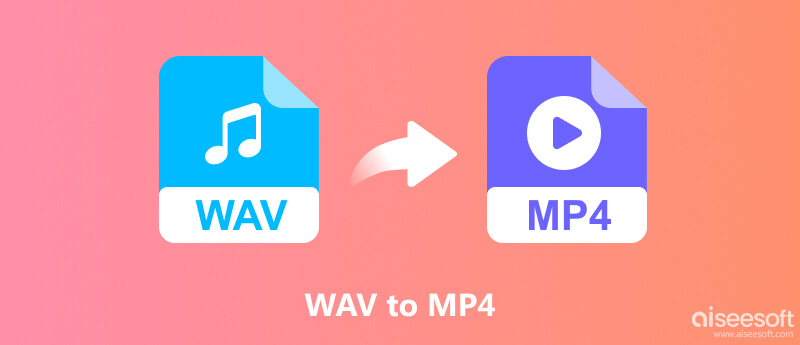
WAV is an audio file format that provides excellent quality lossless sound, while MP4 is a multimedia file container usually used for videos. If you have to upload an audio file to a video-sharing website or create a video from the music with a cover photo, converting WAV to MP4 will suit you.
It should be mentioned that WAV contains an audio track only. In order to create a usual MP4 video, you will need to put an image, background, or video in it. Here we provide you with some options for converting WAV to MP4.
| Feature | WAV | MP4 |
| File type | Audio format | Multimedia container |
| Main use | High-quality audio storage | Video and audio playback |
| Content | Usually audio only | Video, audio, subtitles, and metadata |
| File size | Often large | Depends on the codecs and settings |
| Common extensions | .wav | .mp4 |
Online conversion programs make it easy for the user since all that is required is to use them from a web browser without downloading any program onto their computer.
Media.io is an online website for converting media into different formats of audio, images, and videos. Make sure that the particular tool being used has the capability to convert WAV file format into MP4. It supports batch conversion of videos, audio files, and images to 45+ formats, including WAV and MP4.
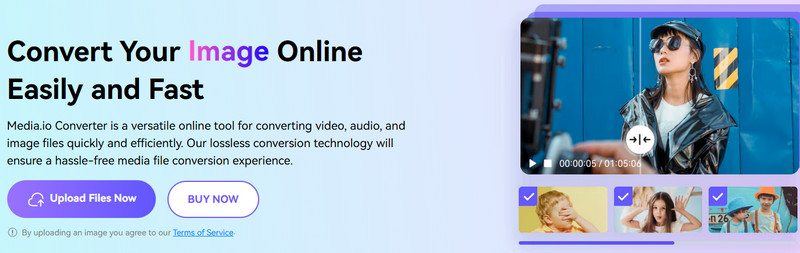
However, Media.io requires you to register and log in with an account, which is not as easy as other online converters, like Aiseesoft Free Video Converter Online.
Restream provides an online WAV-to-MP4 converter designed for browser-based conversion. Unlike Media.io Converter, Restream needn’t log in. The method is suitable for users who want a straightforward online workflow.
Desktop programs can come in handy if you require greater flexibility in output settings or deal with longer files. Some good free options are VLC and Shotcut, and Aiseesoft Video Converter Ultimate is an alternative that provides a simpler conversion process.
VLC is an open-source media player that also comes with a built-in media conversion facility. But you may need a profile and video for the media conversion from audio to MP4 in some versions of VLC.
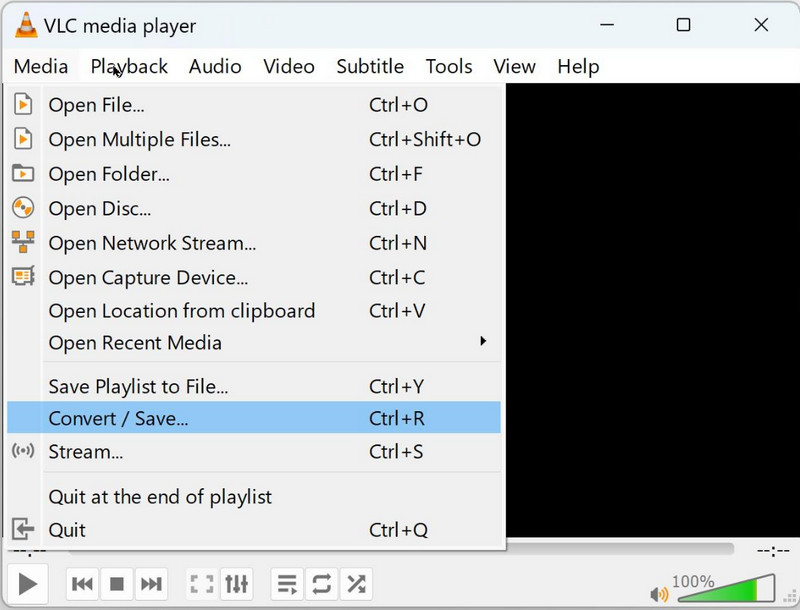
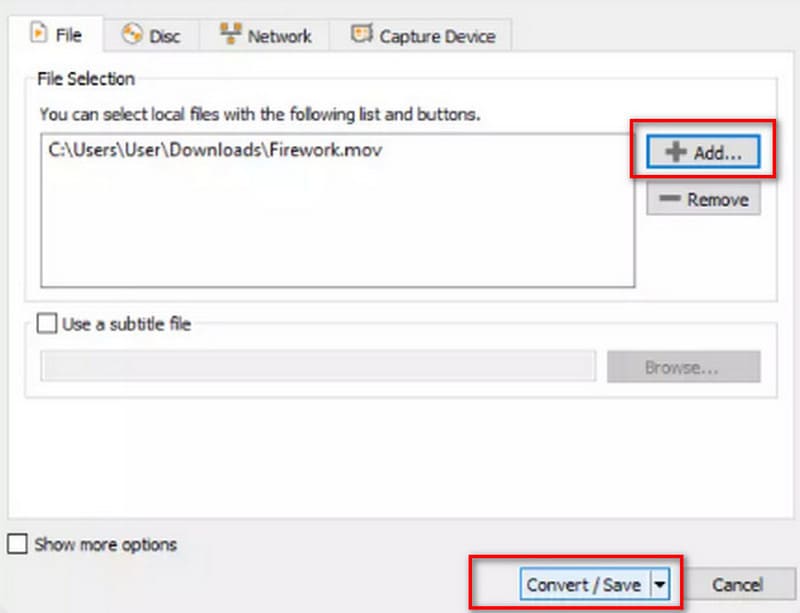
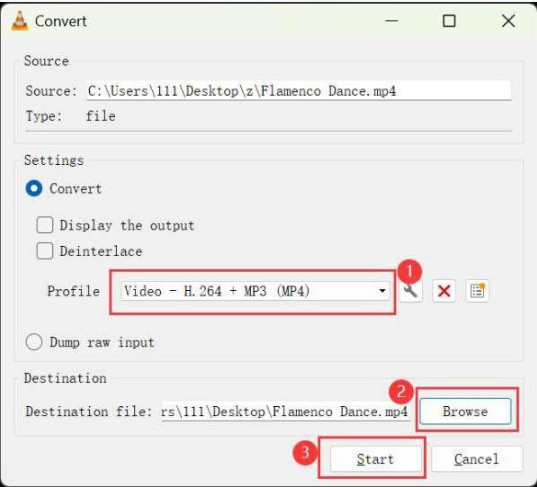
VLC is a reliable tool for basic media conversion at no cost. However, the default conversion screen in VLC is not meant for video generation using cover art. If there is no picture in the output or if the conversion is unsuccessful, you should use a video editing tool.
You May Also Need:
If you need to convert WAV files to MP4 for better compatibility, easier sharing, or further editing, Aiseesoft Video Converter Ultimate is worth considering. It supports a wide range of audio and video formats, including WAV, OGV, OGG, and MP4, as well as over 1,000 other formats. In addition to fast, high-quality conversion, it offers built-in editing and enhancement tools to help you refine your videos. Therefore, it can be used as a one-stop video processing tool.
Downloads
100% Secure. No Ads.
100% Secure. No Ads.
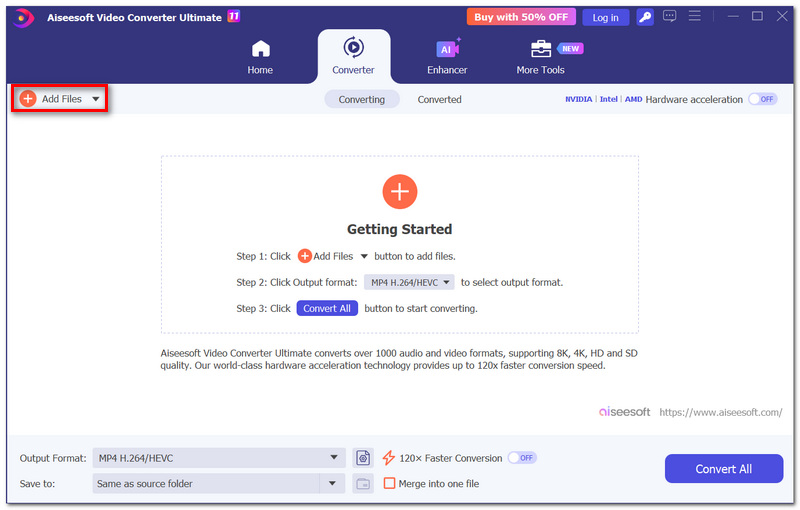
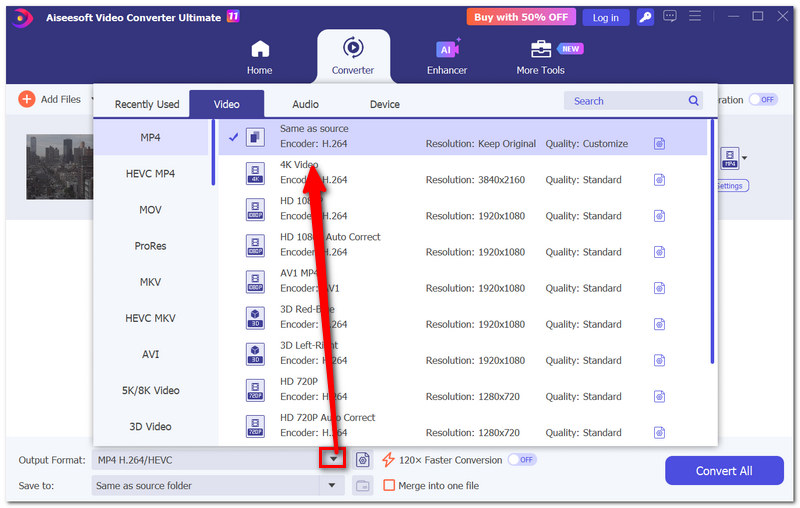
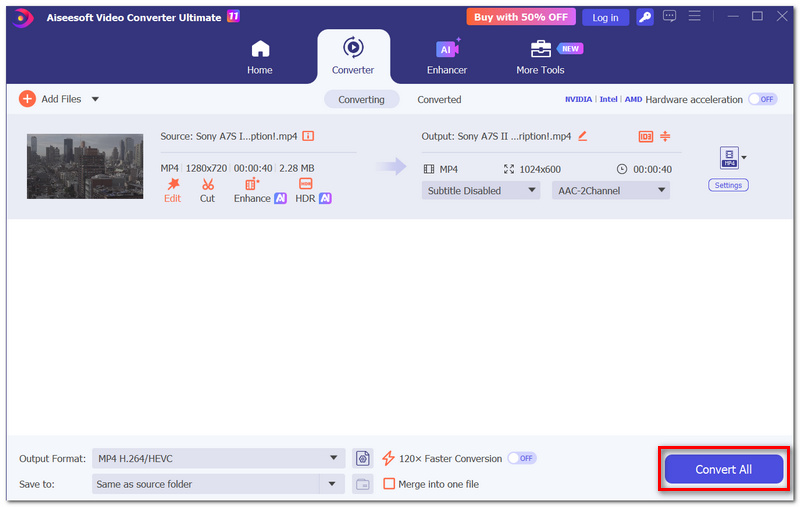
Aiseesoft is worth considering if you frequently convert media files. Keep in mind that a basic audio conversion to MP3 or another audio format is different from creating an MP4 video. Make sure your workflow generates a video track before exporting.
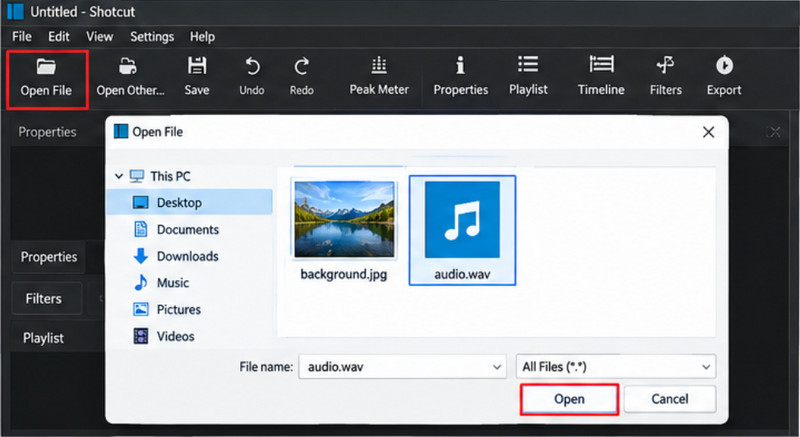
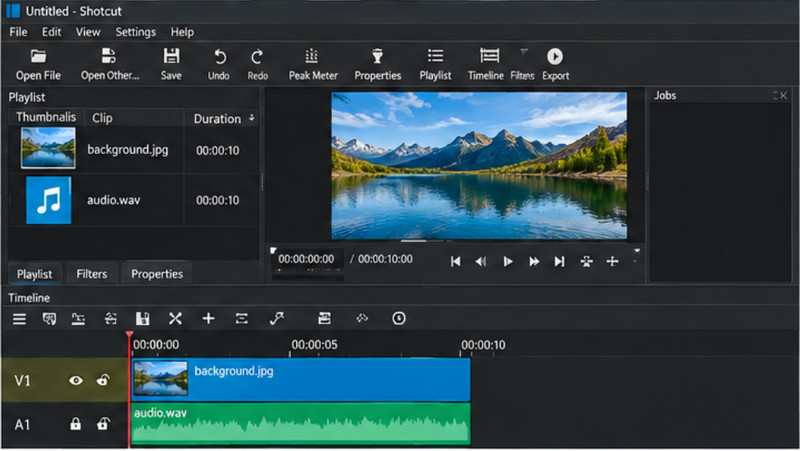
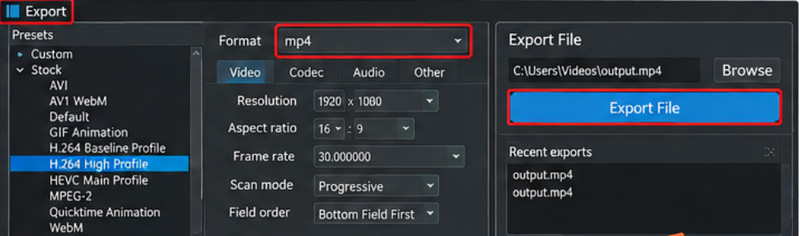
Shotcut is a free, open-source video editor for Windows, Mac, and Linux. It lets you combine WAV audio with images or video clips to create MP4 videos, making it ideal for music videos, podcast videos, and audio slideshows. You can also add text, transitions, and other visual effects before exporting your project.
Can I convert WAV to MP4 for free?
Yes. VLC, Shotcut, and some online converters offer free options. However, online tools may impose file-size limits, usage restrictions, or uploading files carries the risk of leaking personal privacy.
Can I convert WAV to MP4 without an image?
Sometimes, the converter creates an MP4 file that is accompanied by a solid color background or other such default visual. Normally, there should be a video track for any standard MP4 video, and hence this is one sure way.
Will converting WAV to MP4 reduce audio quality?
This will depend on how the conversion is done. WAV files are frequently not compressed, whereas MP4 files use AAC audio. There might be some deterioration in the process of encoding WAV to AAC. Selecting a good bitrate for the audio helps maintain the quality, but this will not make the encoding lossless.
Why is my converted MP4 file not playing?
There may be an issue with the format being incompatible, a partial conversion, or the file format used is not correct. It would help to export using a widely accepted H.264 video and AAC audio format.
Conclusion
The process of converting WAV to MP4 becomes easy once you know which method works best for you. You have the convenience of online converters, VLC offers basic file conversion, while Aiseesoft allows for desktop-based file conversion. If you wish to add a visual element to your video, like a cover, then you have the option of using Shotcut.
While exporting, make sure that the visual content included in your MP4 is the one you wanted and that the audio works fine. Make sure that you select the right export format and audio settings for a shareable video.
 How to Convert MP3 to MP4 on Windows/Mac (Free & Online)
What would you do if you want to playback MP3 on PS3 or YouTube? The article mainly introduces several methods to convert MP3 to MP4.
 4 Ways to Convert WAV to MP3 Audio Files [Free & Online]
Want to convert WAV to MP3 easily on Windows or Mac? This article shows how to convert WAV to MP3 with iTunes, Audacity and Free WAV to MP3 Converter.
 Convert Audio Files – How to Convert Audio to MP3/WAV/WMA
Convert audio files – Guide about how to convert audio files with Audio Converter. Free download Audio Converter to convert MP3, AAC, FLAC, WMA, OGG, WAV, etc.
 Leave your comment and join our discussion
Convert/Download/Edit SWF
1.1 SWF 1.2 SWF to MP4 1.3 SWF to GIF 1.4 SWF to MOV 1.5 SWF to HTML5 1.6 SWF to AVI 1.7 SWF to WMV 1.8 SWF to 3GP 1.9 SWF to DVD 1.10 SWF Converter Mac 1.11 Edit SWF
Video Converter Ultimate is excellent video converter, editor and enhancer to convert, enhance and edit videos and music in 1000 formats and more.
100% Secure. No Ads.
100% Secure. No Ads.

*Required field
*Please enter a valid email