
Video Converter Ultimate
 100% Secure. No Ads.
100% Secure. No Ads.
How We Test
Tested on: Windows 11 and macOS Sequoia, Chrome and Edge.
Samples: 2 SWF files — one animation with audio, one interactive game demo.
What we checked: whether the tool accepts .swf at all, conversion success, audio sync, visible quality loss, batch support, size limits and registration requirements.
SWF (Small Web Format) was used for web animation and browser game. Now that Flash has been retired, browsers and most players can not play SWF files. If you still have old swf files, you can convert them to MP4.
This guide covers five ways to convert SWF to MP4 quickly and easily.
Aiseesoft Video Converter Ultimate is one of the best one-stop video converters. This converter is available on Windows and Mac and can convert your video while keeping the original quality. It also supports editing, compressing, and enhancing video and audio files with this one-stop video converter directly.
Downloads
Aiseesoft Video Converter Ultimate
100% Secure. No Ads.
100% Secure. No Ads.
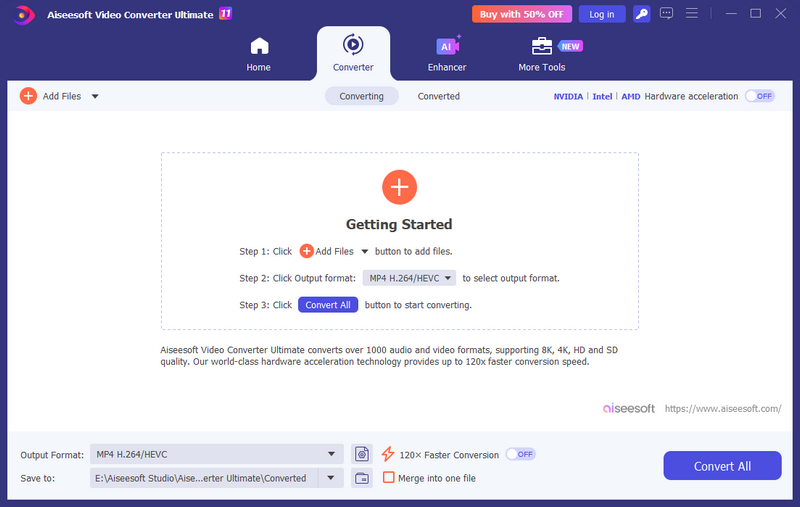
Free download and install Video Converter Ultimate. Then launch this program on your computer to prepare for converting SWF files to MP4. Click "Add Files" on the left top to import multiple SWF files.
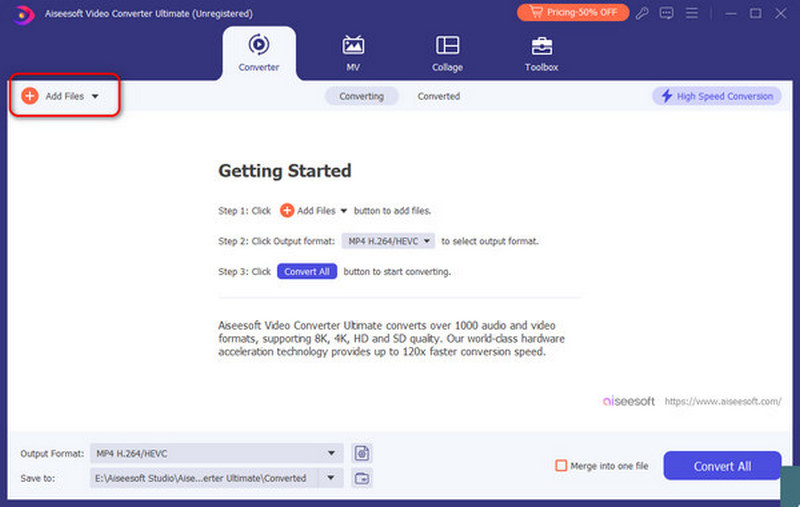
Choose the drop-down list at the bottom to access all available output formats. You can choose MP4 as your output format change to other formats you like.
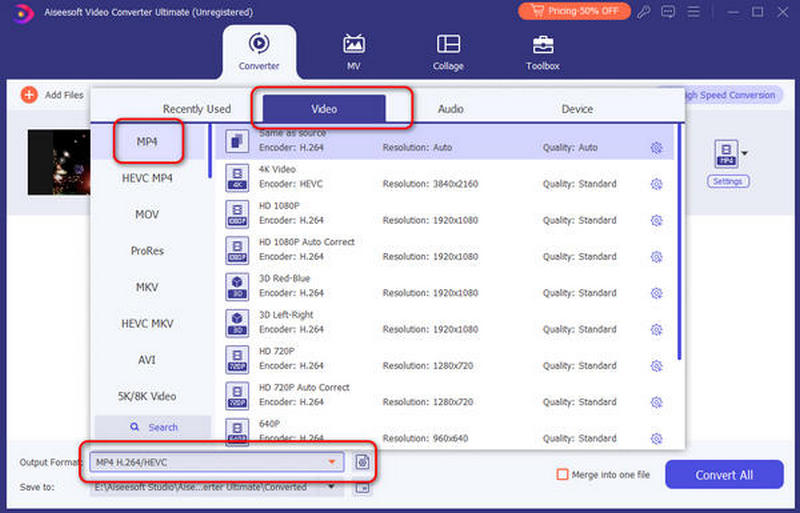
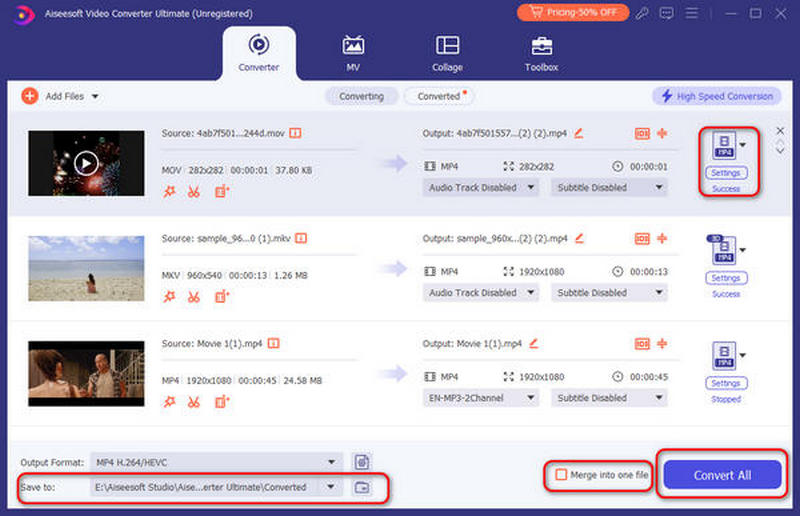
Click the "Settings" option on the left to adjust the output video or audio settings. Later, click the drop-down list beside the folder icon at the bottom to select your destination folder. You can check the small box beside "Merge into one file" to merge selected clips into one file. At last, click "Convert All" to start to convert SWF to MP4.
The disadvantages of online video converters are easy to find. And you need to check if you are OK with those limitations before converting a SWF file to MP4 online.
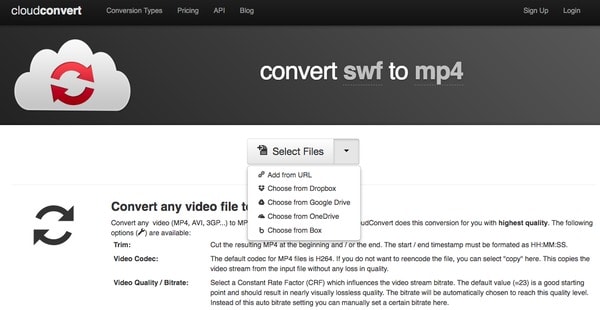
CloudConvert is an online popular converter that allows you to convert SWF to MP4 or other file formats easily. It supports over 200 formats from video, audio, document, ebook, etc. You can use it to convert an SWF file to MP4 or other formats for free online with a limited 25 conversions per day.
Search CloudConvert on your web browser. Then choose "Select Files" to add SWF video from computer, URL, Dropbox, Google Drive, OneDrive or Box.
Click its video editing icon near "Ready" option. You can access general video editing tools to trim and adjust video profile with ease. Choose "Okay" when the process finishes. Later, click "Start Conversion" to start to convert SWF to MP4 format online.
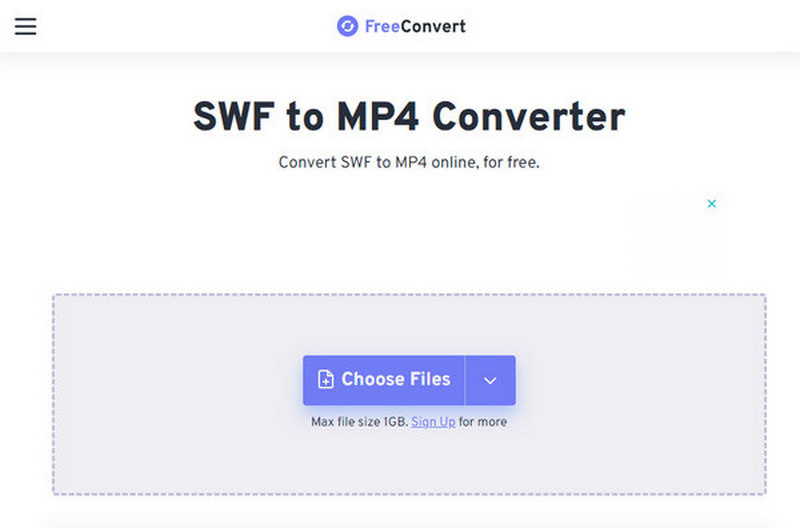
FreeConvert is another online convert to help you convert SWF format to MP4. You can use it to convert not only video but also images, audio, and e-books. As an online converter, you can use it as long as you have a major browser. It is also safe to use, protecting your file security with 256-bit SSL encryption. You can convert files up to 1 GB with it.
Navigate the FreeConvert website on your computer, which is specially designed to convert SWF files to video online. You can locate the "Choose File" section to add SWF video from your computer.
Click the small box beside "Output" to set "MP4" as the output format. Then click "Convert" to get your result. It may take a long time to complete the SWF to MP4 conversion process.
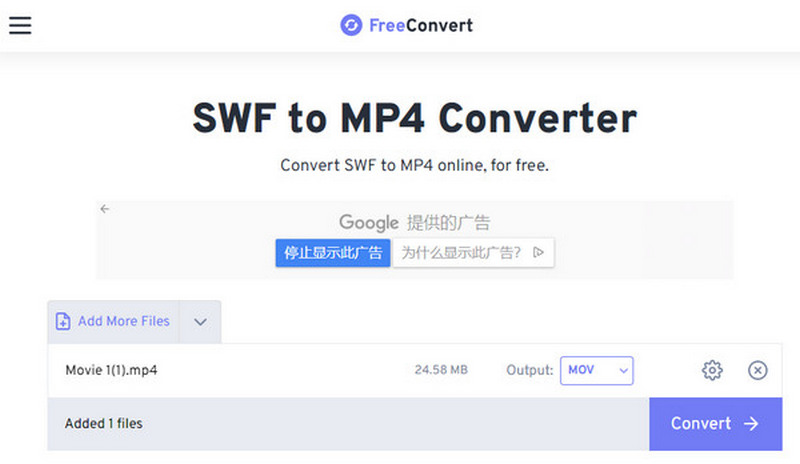
Note: large SWFs can take a long time and sometimes fail. If a file is over the size cap, or contains private material, use the desktop method below.
In spite of online video converters, there are also free SWF to MP4 converter software you can get. And all of them are open sources.
HandBrake is an open-source tool to save SWF as MP4. It supports Windows, Mac, and Linux. It supports hardware-accelerated encoding to help you convert your files faster. You can use it to convert various formats, including SWF, MP4, MP3, AAC / HE-AAC, FLAC, AC3, etc.
Free download HandBrake on Windows, Mac or Linux. Launch this program and choose "Open Source" to add SWF file.
Select "MP4 File" from the "Format" option. And you can get some editing tools to manage the output video effect here. For instance, you are able to move the slider to adjust the video quality freely. After everything has been done, you can convert SWF to MP4 free with HandBrake.
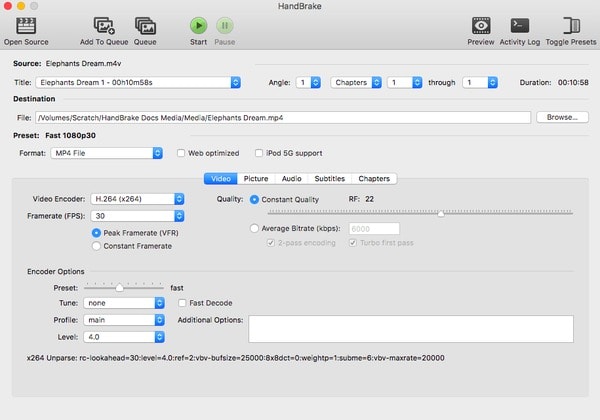
See how to uninstall HandBrake on Mac here.
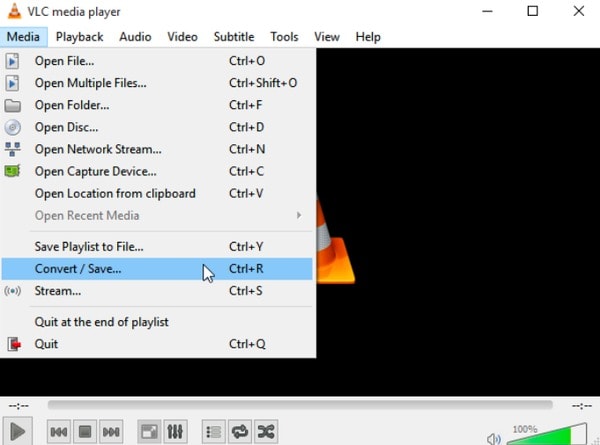
Download and install VLC Media Player. Double click its icon to run this program. Then choose "Media" on the top. Select "Convert/Save" from its drop-down menu. Later, you can click "Add Files" and select which SWF video to import.
Choose "Convert/Save" at the bottom. Then set "MP4" as the output format under the "Profile" section. Change a destination folder if necessary. At last, click "Start" to convert SWF files to MP4 free with VLC Media Player.
To help you better recognize the characteristics of all those converters, you can check the list below.
| Supported platform | Ads-free | Supported output format | Batch Conversion | Conversion speed | |
| CloudConvert | A browser | Yes | 15 different formats, including MP4, AVI, MKV, MOV, etc. | Yes | Spend about 1h to convert a 300MB MP4 video |
| FreeConvert | A browser | No | 19 different formats, including 3GP, MKV, MOV, MP4, etc. | Yes | Spend about 1h to convert a 300MB MP4 video |
| HandBrake | Windows, Mac and Linux | Yes | 3 output formats, including MP4, MKV, and WebM. | No | Spend no more than 2min to convert a 300MB MP4 video |
| VLC Media Player | Windows, Mac, Linux, iOS and Android | Yes | 23 video and audio formats, including MP4, WebM, TS, OGG, ASF, etc. | Yes | Spend no more than 2min to convert a 300MB MP4 video |
How to use Adobe Media Encoder to convert SWF to MP4?
Click the plus button on the left top to upload your SWF file, then select export formats as MP4. You can also choose custom settings to adjust your video. After selecting the output location, you can click Start to convert.
How to play SWF files in Chrome?
Since Adobe Flash is no longer supported. You can add a Flash emulator extension to view your SWF file. I recommend Ruffle, or another community-created Flash player.
Can you convert flash video to MP4?
Yes, you can. You can use the Aiseesoft Video Converter Ultimate to achieve the conversion. Just upload your flash video and choose the output formats. Then, click Convert All to start conversion.
Conclusion
With the method we mentioned above, you can convert SWF to MP4 online or offline in easy ways. If you prefer online choice, then the FreeConvert and CloudConvert can suit your needs. Go desktop with HandBrake or VLC.
Once the conversion is done, a general-purpose converter like Aiseesoft Video Converter Ultimate is handy for re-encoding, trimming and enhancing. Just try them to start your conversion now.
 How to Convert 3GP to MP4 on Windows 10/8/7 in 2 Quick Ways
How can I view 3GP movies from my smart phone on my computer or MP4 player? How to convert 3GP to MP4? You can learn two simple methods to help you convert 3GP to MP4 with ease.
 How to Convert Video to iPod with Aiseesoft iPod Movie Converter
Want to convert Video to iPod? Guide for you How to Convert all sorts of Video to iPod with Aiseesoft iPod Movie Converter.
 How to Convert Video to 4K
Here provides you the easiest way to convert your 1080P video to 4K. With only 4 steps and a few minutes, you can get the converted video with ease.
 Leave your comment and join our discussion
Convert/Download/Edit SWF
1.1 SWF 1.2 SWF to MP4 1.3 SWF to GIF 1.4 SWF to MOV 1.5 SWF to HTML5 1.6 SWF to AVI 1.7 SWF to WMV 1.8 SWF to 3GP 1.9 SWF to DVD 1.10 SWF Converter Mac 1.11 Edit SWF
Video Converter Ultimate is excellent video converter, editor and enhancer to convert, enhance and edit videos and music in 1000 formats and more.
100% Secure. No Ads.
100% Secure. No Ads.

*Required field
*Please enter a valid email

