Aiseesoft 4K DVD/Blu-ray Player
 100% Secure. No Ads.
100% Secure. No Ads.
Windows Media Player lacks compatibility with many frequently used video and audio formats. Moreover, with the development of Windows Media Center ceasing in 2009, you won't see any Windows Media Player updates in newer Windows systems. So if you are using a Windows 10 PC, you can't easily play any frequently-used video/audio format with Windows Media Center, not to mention DVD and Blu-ray. Microsoft offers a paid DVD player app for Windows 10, and you don't need an external DVD codec to play DVDs, but you may still want to freely play DVDs on Windows. In this article, we will recommend 5 great free DVD players to help you enjoy DVDs on Windows 10/11.

How We Test & Review
We download each player directly from the official developer’s website. We scan the installers with VirusTotal and monitor the installation process for "dark patterns," such as hidden bundled software, adware, or forced browser changes. Only "clean" software makes our list.
We test each player with a variety of physical and digital media: commercial DVDs (Region 1 and Region 2) to test region-code bypassing; discs with CSS (Content Scramble System) to ensure the player can handle DRM; and DVD folders (VIDEO_TS) and ISO images to verify playback without a physical drive.
Using Windows Task Manager and Resource Monitor, we measure CPU and RAM usage, battery drain, and startup speed.
We evaluate the "extra" features that enhance the viewing experience: upscaling of 480p DVD content to 4K output, audio output, and UI/UX.
| Player | Best For | Price | Ads/Bundles | Ease of Use | Key Feature |
| VLC Media Player | The All-Rounder | Free | None (Open Source) | ⭐⭐⭐⭐⭐ | Bypasses most region codes. |
| PotPlayer | Performance | Free | None (Clean) | ⭐⭐⭐⭐ | Best hardware acceleration. |
| MPC-HC (BE) | Old/Slow PCs | Free | None (Open Source) | ⭐⭐⭐⭐ | Ultra-lightweight & pure. |
| KMPlayer | Visual Quality | Free | Some Ad-bars | ⭐⭐⭐ | 3D/VR & 4K upscaling. |
| 5KPlayer | Wireless Streaming | Free | Ads Included | ⭐⭐⭐ | Built-in AirPlay & DLNA. |
| Aiseesoft Blu-ray Player | Premium Cinema | $15.60/mo | Professional/Safe | ⭐⭐⭐⭐⭐ | Plays Commercial Blu-rays & DVDs. |
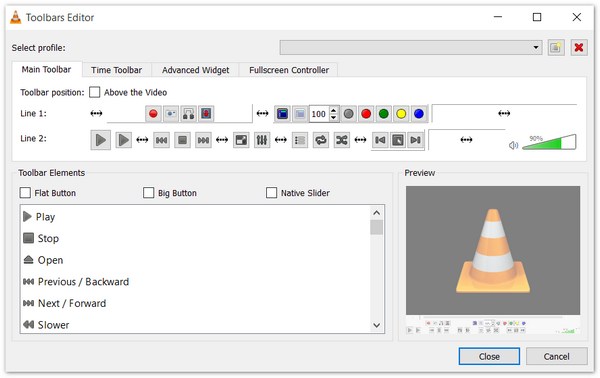
VLC remains the "Swiss Army Knife" of media. In 2026, it is still the most reliable tool for bypassing restrictive DRM and region codes. VLC Media Player is one of the most popular open-source video players. This free DVD player has a lot of great features like granular speed control, customizable toolbars, and more. It has native support for almost all codecs (MPEG-2, Libdvdcss) without extra downloads. With advanced Hardware Acceleration, VLC allows smooth 4K upscaling even on aging hardware.
PROS
Cons
My Usage Experience:
VLC offers a pristine installation experience with zero bloatware. Thanks to its built-in libdvdcss, it successfully plays Region 2 DVDs on Region 1 drives without requiring firmware changes. Performance is highly optimized, consuming only 3-5% CPU and moderate RAM (~120MB). On the downside, its upscaling is basic, resulting in soft 480p visuals on 4K monitors. The signature 200% audio volume boost remains a practical feature for quiet speakers, despite the trade-off in sound clarity.
Often cited as the spiritual successor to KMPlayer, PotPlayer is the current gold standard for Windows power users. It utilizes DXVA, CUDA, and QuickSync for seamless playback. PotPlayer also has extreme customizability with a tiny memory footprint. Furthermore, it also supports superior subtitle rendering and support for external shaders to enhance low-resolution DVD textures.

PROS
Cons
My Usage Experience:
PotPlayer’s installer employs dark patterns, pre-selecting bundled antivirus and toolbars that users must manually decline. Though DVD menu navigation feels slightly sluggish compared to VLC, its H/W Upscaling is unparalleled. Utilizing 'Video Super Resolution,' it transforms 480p DVD footage into a superior 4K viewing experience that far surpasses VLC’s standard rendering.
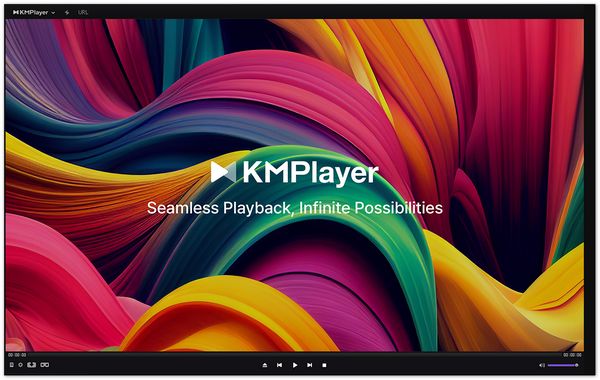
KMPlayer is another free DVD Player that can generally handle plenty of DVD discs on Windows 10/11 system by supporting DVD playback. It includes an extensive library of filters to sharpen and color-correct old DVD footage and has a built-in support for 3D and VR 360° playback modes. It is a lightweight audio and video player for Windows that supports a wide range of different file formats, including AVI, ASF, WMV, FLV, MKV, and many more.
PROS
Cons
My Usage Experience:
Flagged as Adware/PUA by VirusTotal, KMPlayer offers smooth playback but a tainted user experience. The 'Right Side View' sidebar forces ads upon every launch, cluttering an already dense UI. While the audio performance is solid, the distracting advertisements during windowed mode detract from its overall utility.
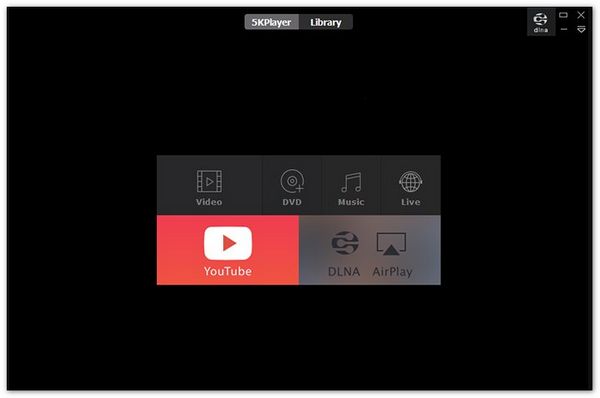
5KPlayer is another free DVD player to give you a smooth DVD playback on Windows 10/11. It is a modern hybrid player designed for the era of multi-screen entertainment. Just like the recommended free DVD players for Windows 10/11 above, it can play media files in MP4, MOV, AVI, FLV, HEVC, AVCHD, M2TS, MOD, MP3, AAC, M4A, APE, FLAC, and other formats perfectly. With an elegant and clear UI, quick response in DVD detecting, ,this free DVD player can do you a great favor when you want to enjoy DVD discs on PC.
PROS
Cons
My Usage Experience:
The software launched automatically post-installation, instantly flagging firewall alerts. ISO playback was functional, but DVD menu navigation was glitchy. Removal was notably difficult, necessitating a reboot and manual cleanup of leftover directory files. This invasive behavior and poor uninstaller make it hard to recommend for clean systems.
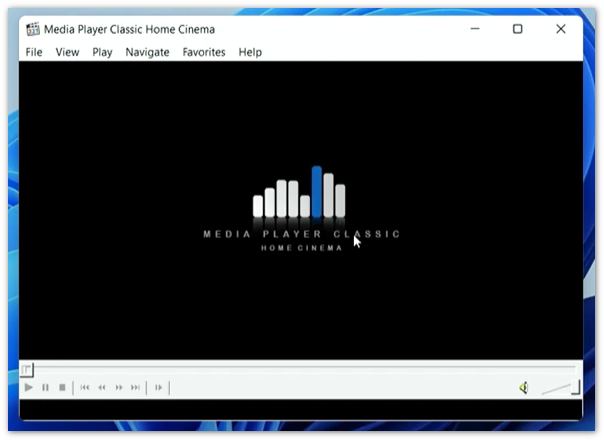
For those who miss the simplicity of the classic Windows Media Player, the "Black Edition" (BE) is the modern, dark-themed evolution. It is 100% clean, no-nonsense interface with zero background processes. Highly optimized for modern HDR displays and ultra-wide monitors, it can make your DVD viewing experience clearer and smoother.
PROS
Cons
My Usage Experience:
Installation is clean via a standard MSI package. ISOs played perfectly, but encrypted DVDs required helper tools (e.g., AnyDVD) or configuration to bypass region codes, unlike VLC. The interface is Spartan. While native upscaling is absent, adding MadVR produces superior visuals at the cost of higher GPU demand.
The free option is inducing but limited due to its lack of advanced features like plug-and-play for commercial DVDs. If you want a more advanced solution, you can try Aiseesoft Blu-ray Player. This is the only player in this group that offers a "plug-and-play" premium experience for commercial Blu-rays/DVDs. While VLC struggles with DRM and MPC-HC requires complex external decoders, Aiseesoft handles encrypted Region 2 discs and complex Blu-ray menus with zero configuration. The installer is pristine and free of dark patterns, a welcome relief compared to PotPlayer or KMPlayer. You are paying for legal convenience and stability.
100% Secure. No Ads.
100% Secure. No Ads.
Why you should choose Aiseesoft Blu-ray Player
• Superior handling of commercial DRM and full Blu-ray menu interaction.
• Aiseesoft’s cloud database automatically handles the latest protection protocols for true "insert-and-play" functionality.
• It bypasses Region A/B/C restrictions natively.
• It provides a seamless interactive experience, allowing users to navigate as smoothly as they would.
• Aiseesoft is specifically tuned for DTS-HD Master Audio and Dolby TrueHD passthrough.
How to play DVDs using Aiseesoft Blu-ray Player:
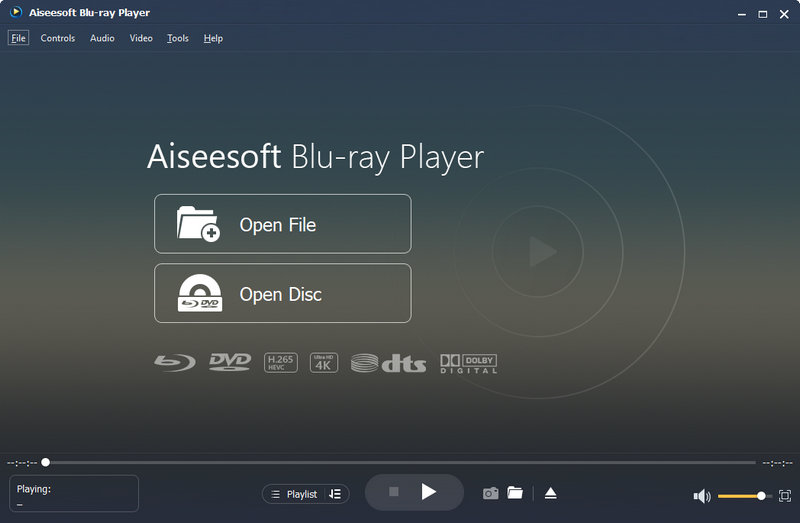
After connecting the DVD drive to your Windows computer, you can download and install Aiseesoft Blu-ray Player on your computer.
Insert your DVD disc into the DVD drive. Then, click "Open Disc" button to load the DVD file.
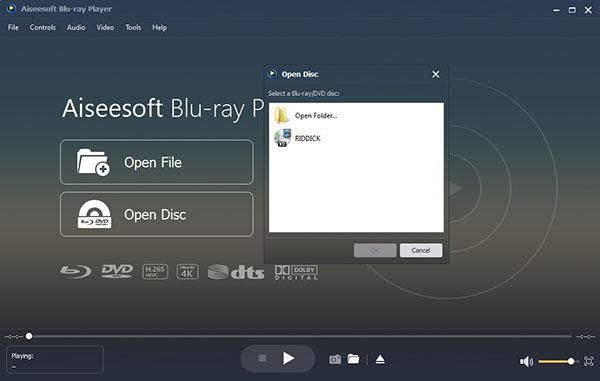
Choose the DVD disc and click "OK" button to play your DVD disc.
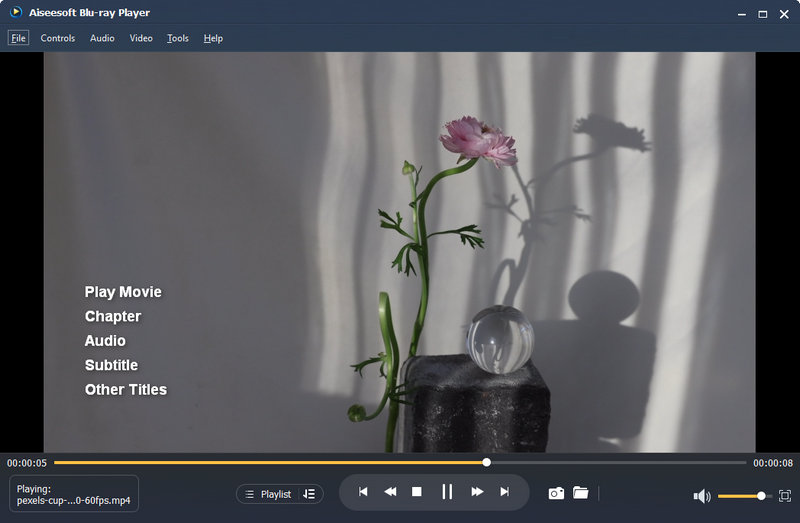
This professional DVD player also gives you multiple options, including Play Movie, Chapter, Audio, Subtitle and Other Titles for better visual experience. After that, you can enjoy your favorite DVD movies on your computer at ease.
Does Windows 10 have a built-in DVD player?
You can buy Windows DVD Player in the Microsoft Store. Windows DVD Player enables you to play DVD movies with an optical disc drive on Windows 10.
Can Windows Media Player play DVDs on Windows 10?
Windows Media Player cannot play DVD-Video discs on Windows 10 by default. While it can read data DVDs containing individual files, Microsoft removed the built-in DVD decoder in Windows 10 due to licensing costs. To play a physical DVD, you must either purchase the official Windows DVD Player from the Microsoft Store or use a third-party alternative.
What format do I need to burn a DVD to play on a DVD player?
MPEG-2 is the proper format if you want to burn a DVD to play on a DVD player. Thought MPEG-1 can also play on DVD player, they stay in lower quality.
Conclusion
In summary, the ideal media player depends on your specific priorities: VLC remains the most reliable "all-rounder" for its clean installation and universal compatibility, while MPC-HC (BE) is the top choice for purists seeking a lightweight, high-performance experience. For those prioritizing visual quality, PotPlayer offers superior upscaling but requires caution during installation due to its ad-heavy "dark patterns." Meanwhile, Aiseesoft stands out as the only seamless solution for commercial Blu-rays and encrypted discs, offering a premium "plug-and-play" experience that free DVD players cannot fully replicate.
100% Secure. No Ads.
100% Secure. No Ads.
 5 Best Free MP4 Splitter for Windows and Mac
You can find 5 best free MP4 splitter for Windows and Mac to split MP4 video.
 How to Play DVD on Windows 7/8/8.1/10
Want to find a reliable Windows DVD Player for Windows? Read this article and find the best DVD Player for Windows.
 Top 5 Free Blu-ray Player for Windows
Want to find free Blu-ray player for Windows? We will introduce you with some free Blu-ray players in this post.
 Leave your comment and join our discussion
DVD Player

Blu-ray Player is a powerful player that can play Blu-ray disc, Blu-ray folder, DVD disc/folder/ISO file, acting as common media player for any HD/SD video files.
100% Secure. No Ads.
100% Secure. No Ads.

*Required field
*Please enter a valid email

