
Best for: Most casual users who want safety, realism, and stable location-changing services. It is also recommended as a top choice for games like Pokémon GO.
Anycoord
 100% Secure. No Ads.
100% Secure. No Ads.
With a location changer app, you can easily set a virtual address for playing location-based games, streaming, and using dating apps. Also, you can choose to fake your current location to stop someone from tracking your phone. This post gives you a detailed review of the 5 best location changer apps for iPhone and Android phones. You can keep reading and pick your preferred one to change your real-time location with ease.
| Location Changer | Key Strengths | Main Drawbacks | Best For | Platform | Rating |
| Aiseesoft AnyCoord | Reliable location-changing capabilities. Move iPhone/Android with customized routes. Realism & safety features. |
The full functionality requires a paid license. | Most users who need a safe and stable location spoofing experience, especially for games like Pokémon GO. | iOS & Android (via PC) | Highly rated in expert reviews |
| iTools (Virtual Location) | No jailbreak required Hardware option for safer spoofing Joystick & route simulation. |
Only for iOS. Requires a PC to run. May have compatibility issues. |
iOS users want a feature-rich spoofing solution. | iOS (via PC) | Some reports of crashes. Highly rated for other features. |
| Netlinkd Location Changer | User-friendly with a minimal learning curve. Lightweight app. |
The free version has excessive ads. Often crashes. | Android users need a simple location spoofing app to protect their privacy. | Android | 4.6/5 on Google Play Store |
| Fake GPS location | Free with no ads Frequently recommended as stable and reliable in guides. |
Lacks an address search bar. | Android users who seek a reliable and ad-free app for basic spoofing needs. | Android | 4.7/5 on Google Play Store |
| ByteRev Fake GPS | Simple, user-friendly interface. Easy to select anylocation. |
Location spoofing is unstable. Plagued by frequent crashes and freezing. |
Very casual Android users for occasional, simple location changes. | Android | 4.6/5 on Google Play Store |
Many related location changer apps or GPS spoofer tools are available on the market. Some are popular among gamers for titles like Pokémon GO, and some are widely used for social apps and software testing, and some are mainly for privacy. It can be hard to quickly find a reliable location changer for your iPhone or Android phone. To ensure a fair recommendation, we used the same testing protocol below.
Define your specific need. You should know clearly what you want the app to do. Are you changing locations for a game, a social app, or privacy? This determines the features you need to test.
Check device and system compatibility. You should ensure the selected location changer supports your phone (iOS or Android) and its operating system version. Some apps only support iPhones, and some may only work on Android phones.
PC-based tools or mobile-based apps. Some location spoofer programs require a computer to change your phone’s location, such as Anycoord and iTools. If you don’t have a PC nearby, maybe a dedicated mobile app is a better choice.
Verify effectiveness and stability. Check your location on a location-sensitive app like Google Maps or a dating app. Ensure the app can fake your location to the desired address correctly. Moreover, it should be there until you change the virtual location.
Ease of Use. Most users will select a powerful location changer without a complex setup and jailbreak.
Test advanced features. Test if the location changer can simulate realistic movement, avoid specific app detection, has a game mode, and more.
Many location changer apps are offered on the market that can help you change your location on iOS and Android devices. You can easily access associated location spoofer apps in the app store of your phone. This section gives you a detailed review of the five recommendations. You can compare them and select the best one based on your specific location spoofing needs.
Best for: Most casual users who want safety, realism, and stable location-changing services. It is also recommended as a top choice for games like Pokémon GO.
To quickly change your iPhone location, you can use the popular location changer app, AnyCoord. It offers a simple way to set a fake location for your iOS device for different needs. Compared with other GPS location changer apps, it can give you a stable user experience. More importantly, this location changer can switch your current address to any other place and let apps and games on your iPhone identify the virtual location.
Downloads
AnyCoord - Best Location Changer App for iPhone
100% Secure. No Ads.
100% Secure. No Ads.
This location changer application enables you to change your current GPS location on both Mac and Windows computers. You can free download the right version based on your system and then use it to set fake locations for your iPhone or iPad.
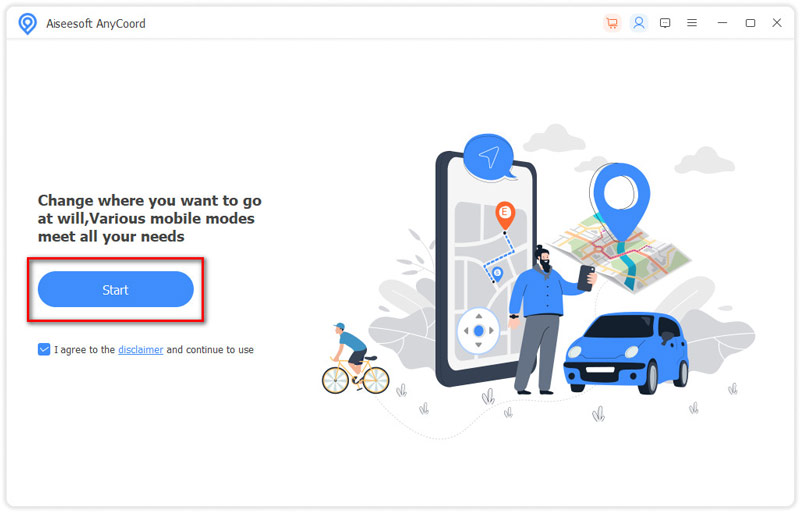
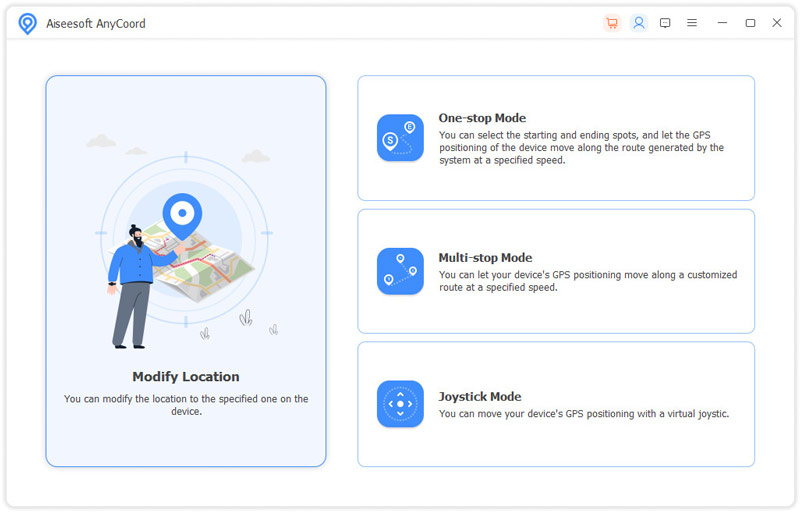
AnyCoord is designed with four key features to help you change your location, Modify Location, One-stop Mode, Multi-stop Mode, and Joystick Mode. When you want to switch your iPhone location to another place, you can use the Modify Location option.
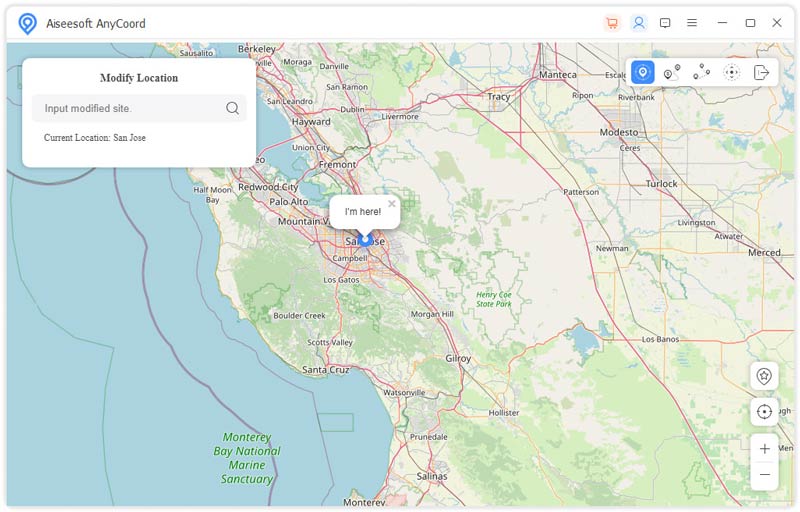
This location changer is equipped with a built-in map for you to check your real-time location and nearby places. Your current location will be displayed as a blue dot on the map. You are allowed to freely drag the map, zoom in or zoom out it to check details.
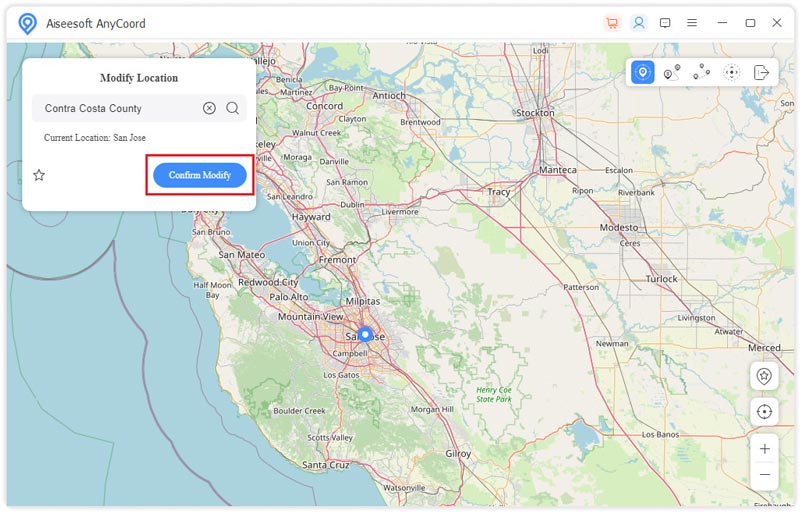
You can search for the target place to quickly locate it and then change your real location to there. Also, you can directly select the destination address on the map. When you find a suitable location, you can click the Confirm Modify button to set a virtual location.
While using this location changer app, you won't face any issues like slow internet, app crashes, heating, freezing, and others. With it, you can play AR games like Pokemon Go, use dating apps like Tinder and Grindr, and streaming online content limited to another country, and more.
Pros
Cons
Best for: iOS users who already have the iTools software for other device management tasks.
ThinkSky's iTools is a popular desktop app for iOS data management. It allows you to transfer data between your Apple device and computer. Moreover, it designs many useful tools, including Virtual Location, File Explorer, Battery Master, Desktop Manager, Mobile Storage, and more in its Toolbox. Its Virtual Location can work as a great location changer app for iPhone to spoof your iPhone's location with ease. Similar to AnyCoord, it is compatible with both macOS and Windows computers.
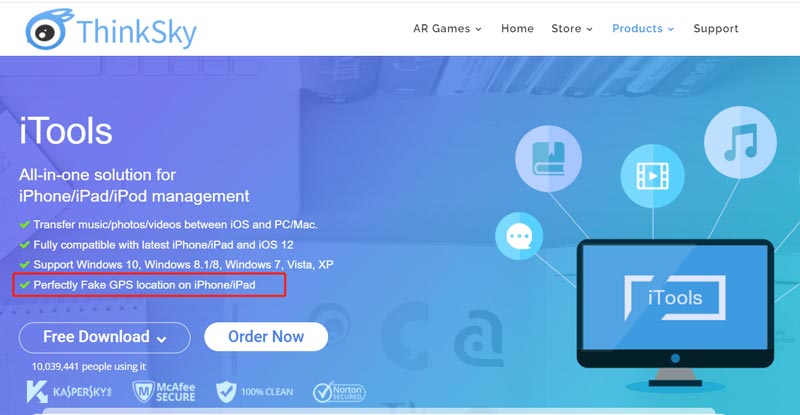
You can free download this location changer for iPhone from the official website of ThinkSky. After that, you can launch it and click on the Toolbox tab to access the Virtual Location tool. To use it, you should first connect your iOS device to the computer and make the connection successfully.
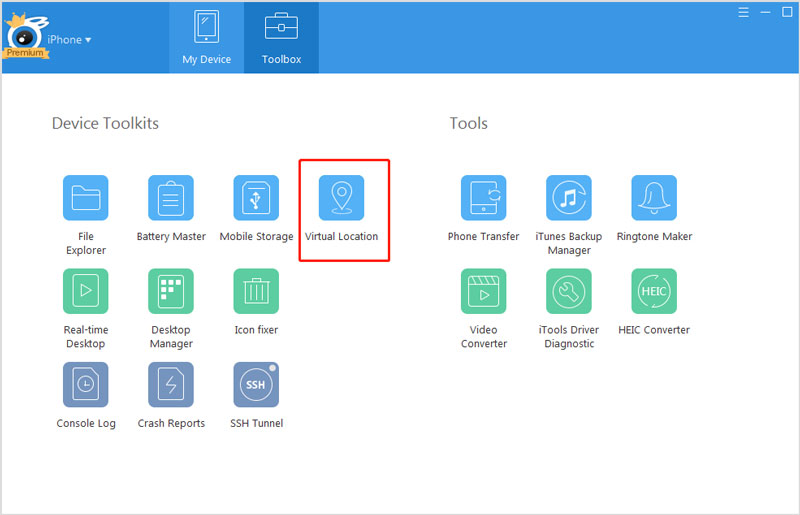
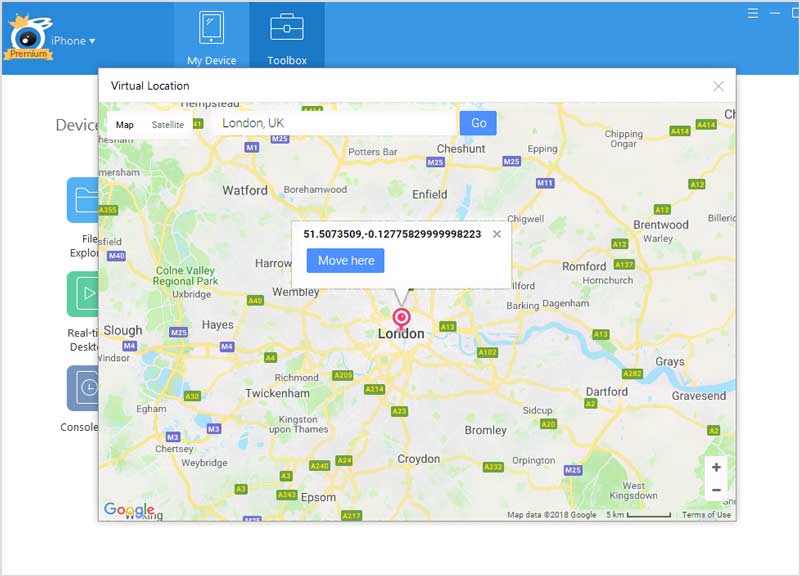
iTools offers the Hosted Mode and Developer Mode for you to change your location. To use the Hosted Mode, you need to install its iTools mobile App. Here you can choose to active Developer mode to change your iPhone location. Enter the target address or GPS coordinates in the blank frame and then click on the Go button to locate it on the map. After that, you can simply click the Move here button to change the GPS location on your iPhone. Note that this feature does not support the latest iOS 18/17.
Pros
Cons
Best for: Android users looking for a quick solution for casual spoofing, mainly for protecting privacy.
Netlinkd Location Changer, or Location Changer - Fake GPS, is a popular GPS location spoofing app for Android users. It is mainly used to prevent apps and websites from tracking your Android phone and to protect your privacy. Also, you can use it to use various location-based apps and games. It allows you to easily change your real-time location with a joystick.
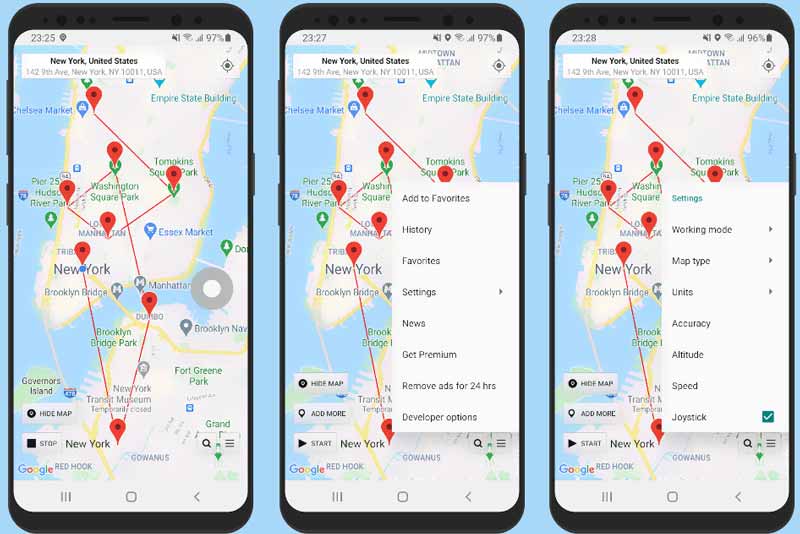
You can install this location changer app from the Google Play Store. When you open it, you can long-press a point on its map to set a pin and then change your current location to there. You can also double-tap the map to zoom in or zoom out to check detailed location information. When you want to turn off the location changing, you should tap on the Stop button. Note that this Android location changer is not a VPN and does not change your IP address.
Pros
Cons
Best for: Android users who want an ad-free location changer app that works reliably once configured.
Fake GPS location is equipped with many useful features for you to set fake locations on your Android phone. You can freely download it from the Google Play Store. This location changer app can easily fake your current location and let apps on your phone identify the virtual address. When you enter the Fake GPS location app, you can move the pin to any place on its map and then tap on the Start button to switch your real-time location to that place.
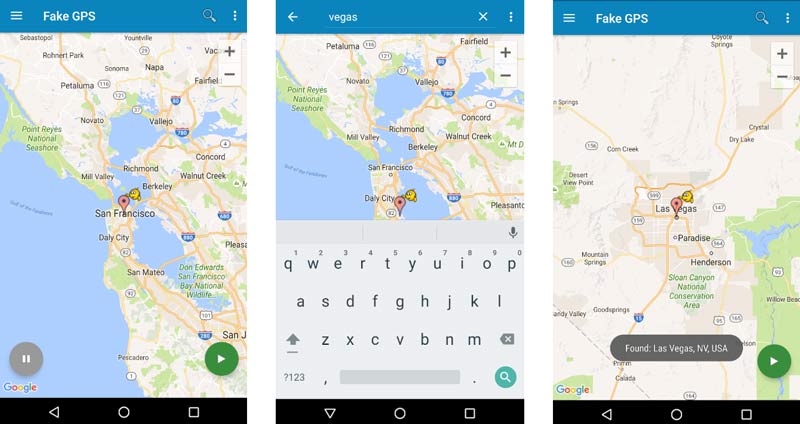
When you want to change back to your real location, you need to restart your Android phone or rely on its GPS Status app to do that.
Pros
Cons
Best for: Most casual Android users who need simple location changes and don’t mind potential instability.
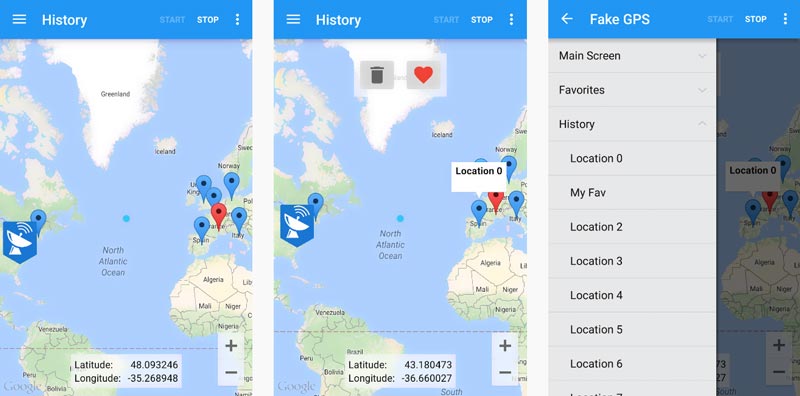
ByteRev Fake GPS is an easy-to-use location changer app to set Android locations anywhere in the world. It is mainly designed to develop or test location-based apps. When you open this GPS location spoofer app, you can simply select the target place on its map and then tap on the Start button to change your Android location.
Pros
Cons
Can I fake my real-time location with a VPN?
Yes. There are lots of VPN tools that can help you fake your locations for iPhone and Android phones. If you don't know which VPN you should use, you can try using ProtonVPN, NordVPN, Surfshark, or AtlasVPN first.
How to enable Mock Location on an Android phone?
Before you choose to change your Android location using a GPS changer app, you should allow mock locations first. You can open the Settings app, go to the About Phone option, choose Build Number, and then tap on the Build Number option seven times to put your Android device in developer mode. After that, you can find a Mock Location option and turn it on.
How do you change your location in Chrome?
You can re-install the Chrome browser and manually spoof your location during the setup process. When you are prompted if you want to allow location services, choose to deny the request. During this step, you should also disable the location services. To change your location in Chrome, you can also rely on a VPN.
Conclusion
After reading this post, you can get five great location changer apps for your iOS and Android devices. If you have any better location changers or VPN recommendations, please share them in the comment section below with our other readers.
 How to Stop Someone from Tracking Your iPhone and Android
How do you know if your iPhone is being tracked? How to stop someone from spying on my cell phone? Learn how to stop someone from tracking your mobile phone.
 FGL Pro Review: Features, Pros, Cons, and Brief Guide
How to use FGL Pro for Pokémon Go? Here is the detailed guide for you along with a brief review of FGL Pro as well as the best iOS alternative.
 What You Need to Know about Fake GPS Go and How to Use It
Learn the major features of the Fake GPS Go app on Android with a brief review here as well as a detailed guide and explore the best alternative to it for iOS.
 Leave your comment and join our discussion
Aiseesoft AnyCoord can help you hide, fake, or change your GPS location to any other place with ease. You can even plan a moving route if needed.
100% Secure. No Ads.
100% Secure. No Ads.

*Required field
*Please enter a valid email
