When it comes to transferring files from iPad to Mac, you may think of the Apple official iPad to Mac transfer, iTunes or iCloud. However, both tools only offer one kind of syncing way to move your data. In fact, they give you a backup solution to transfer files between iOS device and Mac.
Are you searching for a method to transfer files from iPad to Mac without iTunes?
Different from Android, you are not allowed to directly copy various iOS data from iPad/iPhone to Mac/PC. As a closed system, iOS can better protect your data and privacy. In exchange, data transferring becomes a little bit complex. Considering that, this post like to guide you to move iPad data to Mac with 5 iOS data transfer tools.
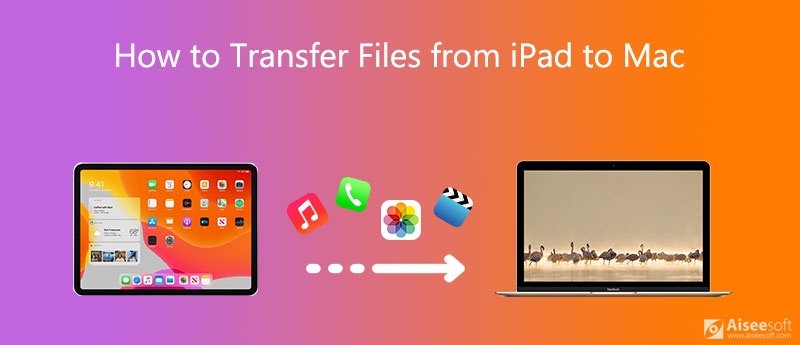
If you prefer a straight-forward way to transfer data between iPad, iPad and Mac, just like an Android phone, you should give the popular iOS data transfer, FoneTrans a try.
FoneTrans is a great iTunes alternative tool which can manage and transfer all frequently-used iOS files including messages, photos, videos, notes, music, call logs, contacts, calendars, Safari, ebooks, and more. It is specially designed to deal with various data transferring between iOS device and computer.
Downloads
FoneTrans - Best iPad to Mac transfer
 100% Secure. No Ads.
100% Secure. No Ads.
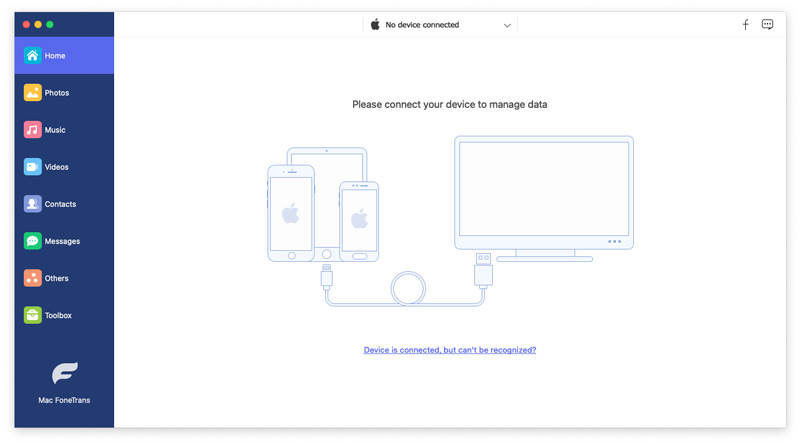
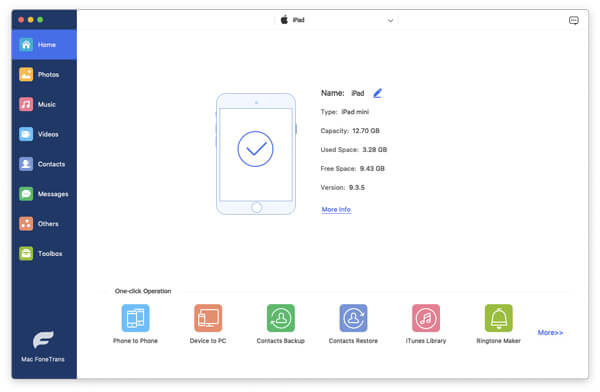
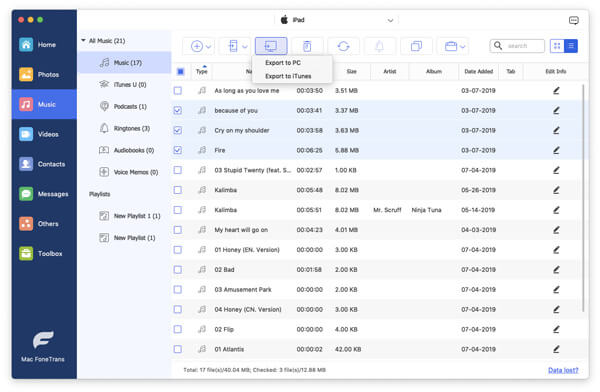
More than just an iPad to Mac transfer, it enables you to directly manage and edit different files on your iOS device. In fact, it provides you with a convenient way to backup iPad data to Mac.
This iOS data transfer tool also allows you to transfer iPhone files to Mac with ease. In addition, it has the capability to copy and add files from Mac or Windows 10/8/7 PC to your iPhone or iPad. If you want to transfer data from one old iPhone to a new iPhone, you can also rely on it.
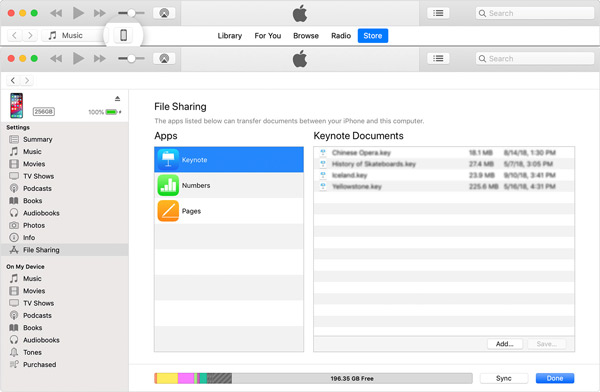
Besides the old data syncing way, iTunes now has a File Sharing feature for you to transfer files from iPad to Mac, or copy Mac data to your iPad.
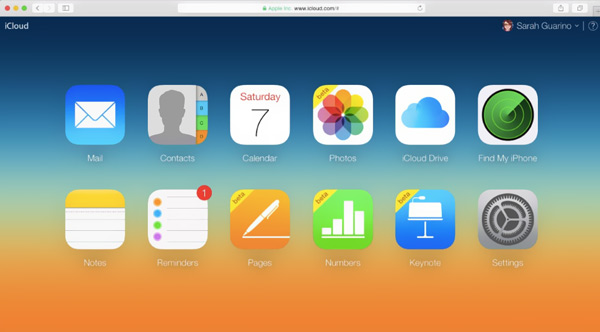
iCloud offers a simple way to easily backup all kinds of iOS data from iPhone, iPad and iPod touch to its cloud service. On your Mac, you can sign in with the same iCloud account to access these files.
Unlock your iPad and open Settings app. Tap your account and go to iCloud section. When you get there, you can select the files you want to backup. Tap iCloud Backup and then Back Up Now to create a new backup.
We know that iCloud only provides each user with 5GB free storage space for photos, mails, contacts, calendar, notes, reminders, and Safari data. It cannot sync text messages, music and some other files. If you want to access iPad data files on Mac, you have to download them from iCloud site. For this complicated situation, you can restore backup from iCloud with an iCloud data extractor program.
On your Mac, go to iCloud Drive or iCloud site and sign in with the same Apple account. Now you can view these iPad files with ease.
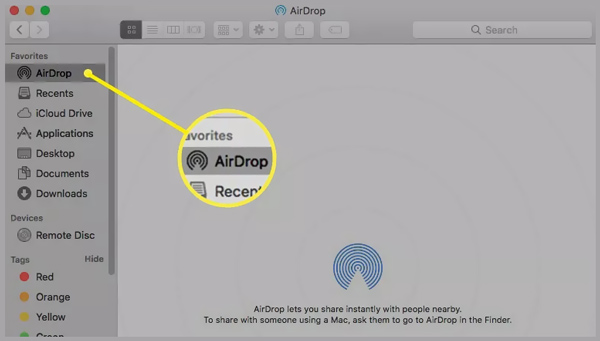
AirDrop is one kind of Wi-Fi transferring way to share files wirelessly between your Mac and iOS devices. It allows iOS users to instantly share photos, videos, locations, and more with other Apple devices nearby.
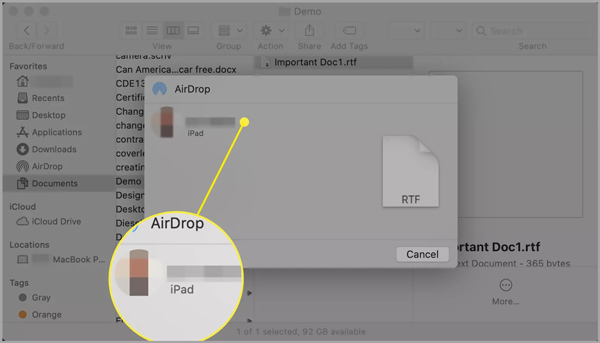
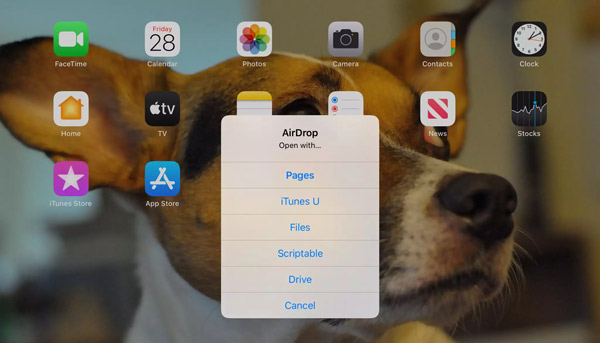
When you want to copy iPad files to Mac, you can choose to connect your iOS device to Mac via a lightning cable, and then transfer files between two Apple devices.
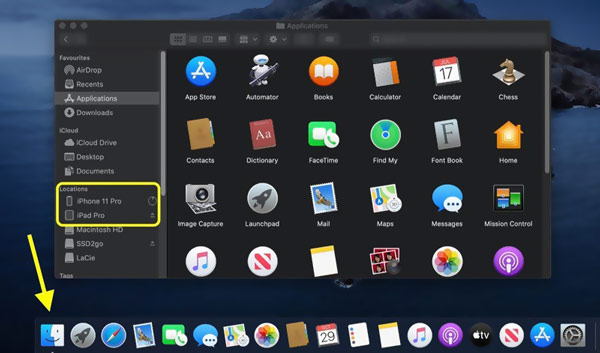
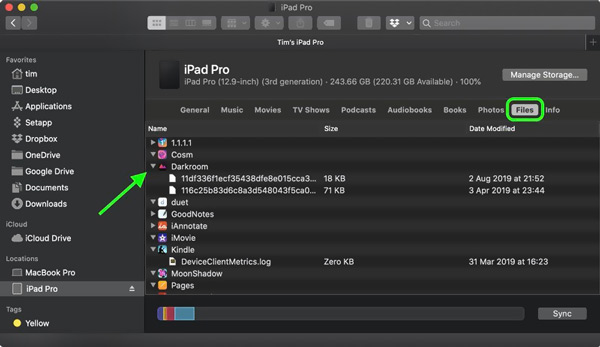
Question 1. How to transfer files from iPad to Mac using Bluetooth?
Bluetooth is a common way to share files. Both Mac and iPad are equipped with the Bluetooth function. So, you can rely on it to transfer your iPad data to Mac.
You can click on Apple menu on the top, choose the System Preferences option, click Bluetooth, and then select Show Bluetooth in menu bar. Now you can click the Bluetooth status icon and connect it to your iPad. Surely, you should turn on Bluetooth on your iPad to make the connection. After that, you can select file on iPad, click Send, select Mac and start the transferring.
Question 2. How do I mirror my iPad to my Mac?
To use iPad as a second display on your Mac, you can rely on the AirPlay feature. Enable it on both Mac and iPad and then make the connection. By doing so, you can easily mirror iPad to Mac.
Question 3. Can I AirDrop iPad files to a Windows PC?
No. AirDrop can only be used among Apple products like iOS devices and Mac. You can't use it on a Windows PC or an Android phone.
Conclusion
How to transfer files from iPad to Mac? After reading this page, you can learn 5 effective methods to copy or share your iPad data to Mac. In fact, when it comes to transferring iOS data, you should free download the recommended FoneTrans to manage and transfer your iPhone, iPad or Mac files.
 How to Transfer Music from iPod to MP3 Player With/Without iTunes
To transfer music from iPod to an MP3 player is easy. Follow the 3 ways here to take music off iPod and put it into the other MP3 players with or without iTunes.
 How to Copy Notes from iPod touch to Computer
How to transfer notes from iPod touch to computer? Here are 3 ways to sync iPod notes on PC and Mac for backup and viewing.
 How to Transfer Music and Playlist from Mac to iPod (3 Ways)
How to put Mac music on iPod for listening? This post shows 3 ways to transfer songs from Mac to iPod with or without iTunes.
 Leave your comment and join our discussion
Transfer iPad File
1.1 Transfer iPad Photos to Computer 1.2 Transfer iPad Music to Computer 1.3 Transfer iPad Files to Computer 1.4 Transfer iPad Photos to Mac 1.5 Transfer iPad Videos to Mac 1.6 Transfer iPad Music to Mac 1.7 iPad to Mac Transfer 1.8 iPad to Computer Transfer 1.9 Sync iPad Files to PC
The best iOS Transfer software to manage and transfer iOS files from iPhone/iPad/iPod to your computer or reversely without running iTunes.
100% Secure. No Ads.
100% Secure. No Ads.

*Required field
*Please enter a valid email

