
Use this if: the phone was set up with your own Apple ID and you can still receive a verification code, or you can reset the password from another device.
Aiseesoft iKnockin iPhone Unlocker
 100% Secure. No Ads.
The iCloud Activation Lock is an important security feature that protects your iPhone or iPad if it is lost or stolen. However, users who purchase a second-hand device or forget their Apple ID credentials may see the Activation Lock screen and need help removing it properly.
So how can you bypass iCloud Activation Lock on an iPhone? This guide explains official methods and available solutions to remove the iCloud lock depending on your situation; the following steps will be of great help.

Quick Guide
Activation Lock is enforced by Apple's activation servers. It is cleared in one of four ways: the owner signs in with the Apple ID, the owner removes the device from iCloud remotely, Apple Support verifies proof of purchase, or Aiseesoft iKnockin iPhone Unlocker removes it with a computer.
| Methods | Needs original owner | Needs PC | Needs proof of purchase | Wipes data | Best for |
| Reset Apple Account | No | No | No | No | You remember the account, or can reset its password |
| Ask the owner to remove it | Yes — they must act | No | No | Usually yes | You bought it used and the seller still replies |
| Aiseesoft iPhone Unlocker | No | Windows / macOS | No | Yes | Your own device, no account access. |
| Apple Support request | No | No | Yes | No | You own it but cannot access the account at all |
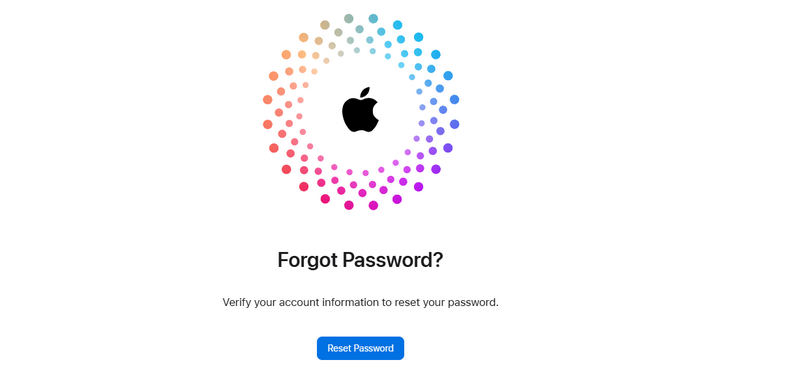
Use this if: the phone was set up with your own Apple ID and you can still receive a verification code, or you can reset the password from another device.
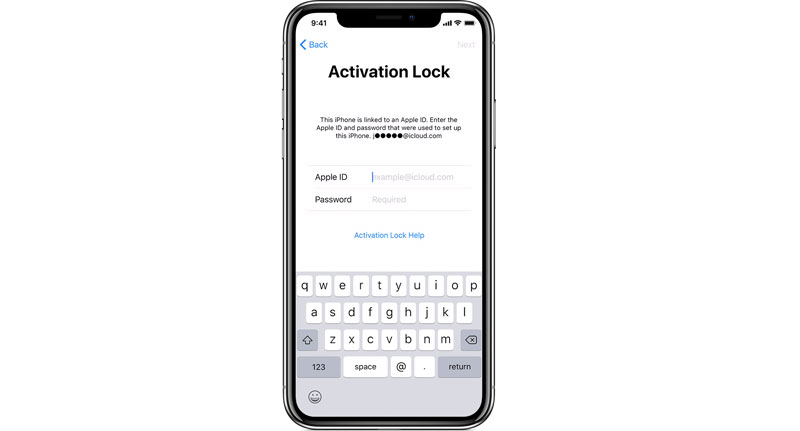
The simplest way to remove iCloud activation lock is to enter the Apple ID and password directly on the device during the setup process. If you’ve forgotten your password, you can reset it at iforgot.apple.com.
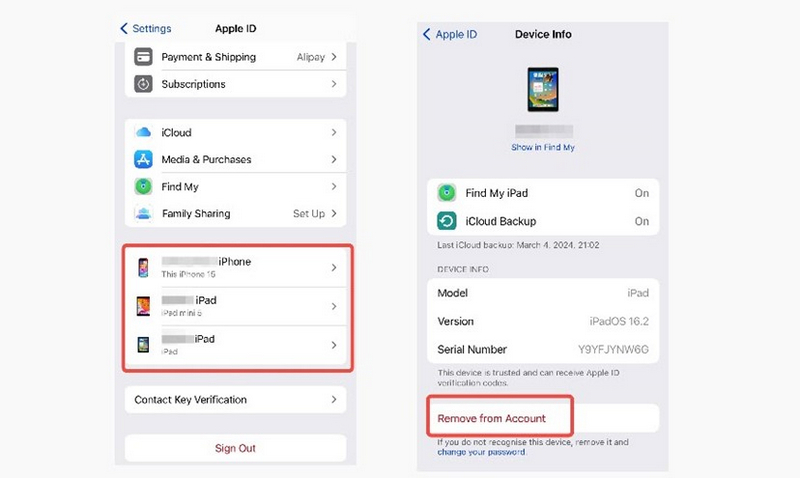
Use this if: you bought the phone used and the seller is still reachable. This is the cheapest and fastest route.
If the screen says iPhone Locked to Owner instead, that is the same check under Apple's newer wording. This often appears on second-hand iPhones when the sellers forget to remove the device from their account
Use this if: the device is yours and you cannot get the account back. Or you bought a second-hand iPhone with iCloud Lock.
When users cannot access their Apple ID or encounter device lock issues, a professional unlocking tool may provide additional assistance in supported scenarios. Another effective solution is to remove the Apple ID from your iPhone. Aiseesoft iKnockin iPhone Unlocker can assist you when you forget your iPhone passcode or Apple ID credentials. What's more, this software is designed with straightforward buttons and detailed built-in tutorials, helping users manage certain iPhone lock issues without requiring complicated steps. In addition, you can also use this iOS-27-compatible unlocking tool to bypass Screen Time and remove MDM.
100% Secure. No Ads.
100% Secure. No Ads.
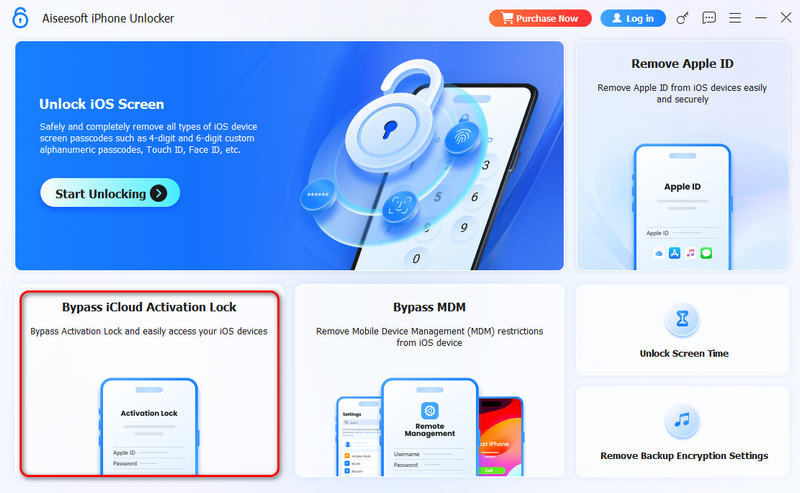
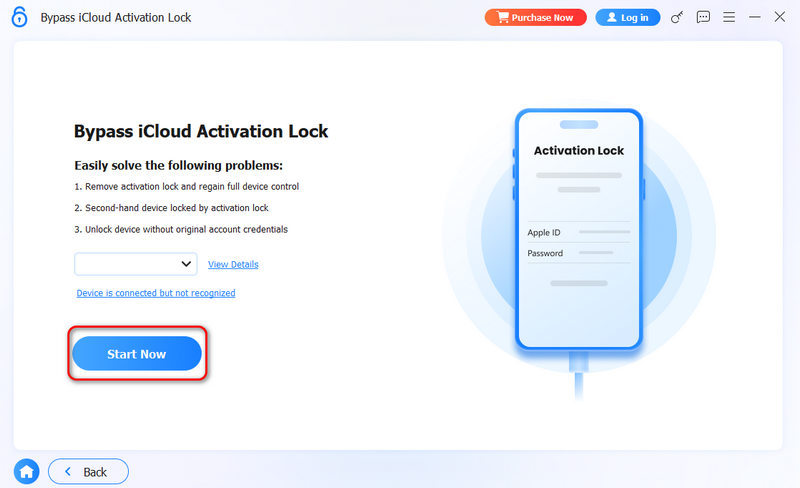
As you can see, Aiseesoft iKnockin iPhone Unlocker is a powerful iCloud activation bypass tool. The whole process is very smooth and easy. Thus, many users choose this solution for iPhone Activation Lock bypass on all iPhones, including the latest iPhone 18 series.
Use this if: You have no way to get back your Apple Account and you have the original purchase proof like an invoice.
If you are the rightful device owner, you can turn to official Apple Support for assistance by providing proof of ownership, such as a sales receipt or order record.
Can I bypass the iCloud activation lock with jailbreak?
No. Jailbreaking does not remove the iCloud Activation Lock because the lock is connected to Apple's activation servers. Some unlocking processes may require jailbreak steps for specific device functions, but jailbreaking itself does not remove the original ownership verification.
Can you bypass the iCloud activation lock on iPad?
Yes, but the available method depends on whether you are the original owner, have Apple ID access, or can provide proof of purchase.
What should I do if my iPhone says ‘iPhone Locked to Owner’?
The ‘iPhone Locked to Owner’ message means that Activation Lock is enabled on the device. If you own the device, sign in with the Apple ID linked to it. If you bought it second-hand, ask the previous owner to remove the device from their Apple Account before setting it up.
Does DNS bypass permanently remove Activation Lock?
No. DNS-based methods cannot permanently remove Activation Lock. They were temporary workarounds shared for some older iOS versions and do not remove the Apple ID linked to the device.
Will I lose my photos and data?
Yes, in every route that wipes the device — which is all of them except signing in on the lock screen. Photos already synced to iCloud Photos or Google Photos come back after you sign in; anything that only existed on the phone, including WhatsApp chats without an iCloud backup, does not. Check iCloud.com/photos from another device before you erase.
Can Apple remove Activation Lock for me?
Yes, if you can prove you own the device. Apple's Activation Lock support request asks for proof of purchase showing the date, the seller, the serial number or IMEI and the price. Approval is not guaranteed, and a second-hand phone bought without an invoice is usually declined.
Conclusion
If you forget the Apple Account, reset it on the official site and log in to remove iCloud Activation Lock. If you are using a second-hand iPhone and the seller is reachable, ask them to remove the device at icloud.com. Apple Support is also helpful if you can provide the required proof of purchase. Lastly, Aiseesoft iKnockin iPhone Unlocker is your ultimate solution to remove iCloud Activation Lock with no limit.
100% Secure. No Ads.
100% Secure. No Ads.
 5 Easy Methods to Unlock an iPhone without Passcode/Face ID/ Touch ID
You recently changed your passcode on your iPhone, and you forgot it already. You can still access it with these solutions on how to get into a locked iPhone.
 How to Reset iPhone with Activation Lock With or Without Apple ID
Learn how to reset iPhone with Activation Lock using Apple ID, iCloud, iTunes, or without Apple ID. Step-by-step guide with unlocker tool included.
 How to Bypass Screen Time Passcode with 4 Effective Ways [2025 Guide]
How do you hack screen time without the passcode? You can read this guide to bypass screen time passcode with or without Apple ID.
 Leave your comment and join our discussion
iOS Activation Lock
Bypass iOS Activation Lock
Unlock iOS Screen
iCloud Tips
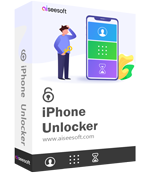
Help to unlock an iPhone screen, the wipe passcode. And you also can clear Apple ID or Screen Time password easily.
100% Secure. No Ads.
100% Secure. No Ads.

*Required field
*Please enter a valid email