Aiseesoft iKnockin iPhone Unlocker
 100% Secure. No Ads.
100% Secure. No Ads.
It can be pretty bothersome to get stuck on the iCloud Activation Lock screen, particularly if you recently bought a used iPhone or have forgotten your Apple ID. If you're trying to figure out how to bypass Activation Lock on iPhone 11, including the 11 Pro and 11 Pro Max models, you’re in the right place. In this article, we’ll walk you through the top 3 proven methods to bypass iCloud Activation Lock on the iPhone 11 series. Whether you have access to the original Apple ID or not, we’ll cover options like using Aiseesoft iPhone Unlocker, resetting via the iForgot site, and getting help from the previous owner. Let’s help you regain access to your device quickly and safely.
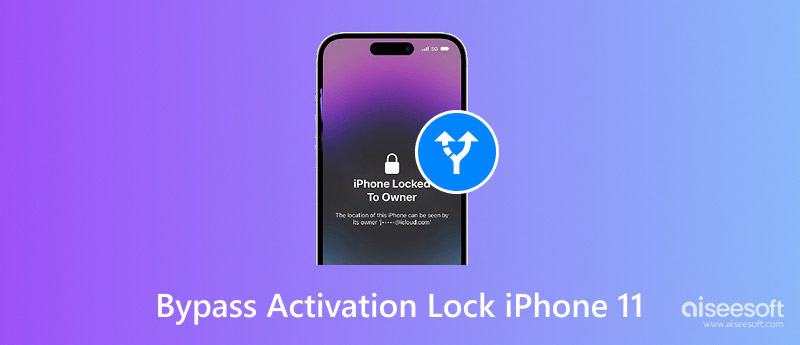
The iCloud Activation Lock is a security feature introduced with Find My iPhone. It binds your device to your Apple ID. Even after an iPhone reset, no one can activate your iPhone 11 without your Apple ID password. This feature is very effective against theft.
However, since iOS 16 and later, Apple has made the Activation Lock bypassing process harder, especially on A13 chip devices like iPhone 11, 11 Pro, and 11 Pro Max. In 2026, most third-party bypass tools come with significant functional limitations. Understanding how the Activation Lock works on the iPhone 11 series is the first step to safely removing it.
Before trying any method, check the comparison table of iPhone 11 activation lock bypass methods below to understand your best option.
| Method | Success Rate | Time Required | iCloud Functions Preserved? | Cost | Risk Level |
| Aiseesoft iKnockin | 85–90% | 10–20 minutes | NO (no calls, no cellular data, no iMessage) | Paid | Low |
| Apple iForgot Recovery | 100% (if eligible) | Minutes to 2+ weeks | YES | Free | Low |
| f Contact Previous Owner | 100% (if cooperative) | 5–10 minutes | YES | Free | None |
Aiseesoft iKnockin is a desktop tool that can bypass the Activation Lock screen without the original Apple ID. It works on iPhone 11, 11 Pro, and 11 Pro Max running iOS 13 up to iOS 26. This method is ideal if you can’t reach the previous owner or unlock the Apple ID. Aiseesoft makes activation lock bypass iPhone 11 straightforward, even for non-tech-savvy users. See more things that Aiseesoft iPhone Unlocker can do for you:

Downloads
100% Secure. No Ads.
100% Secure. No Ads.
Steps to Use Aiseesoft for Activation Lock Bypass:
100% Secure. No Ads.
100% Secure. No Ads.
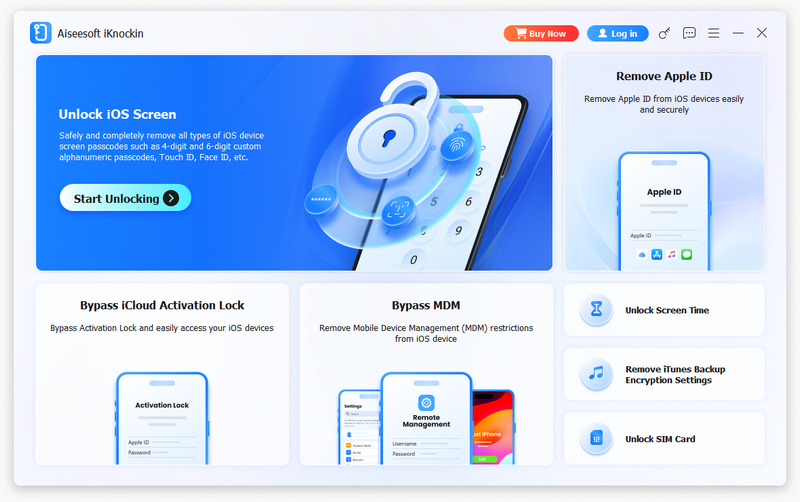
Note: To connect, place the device in Recovery Mode if it cannot be identified.
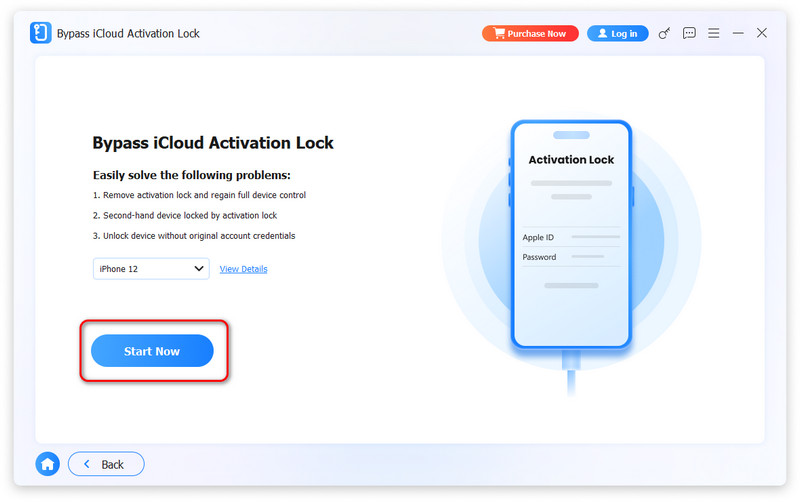
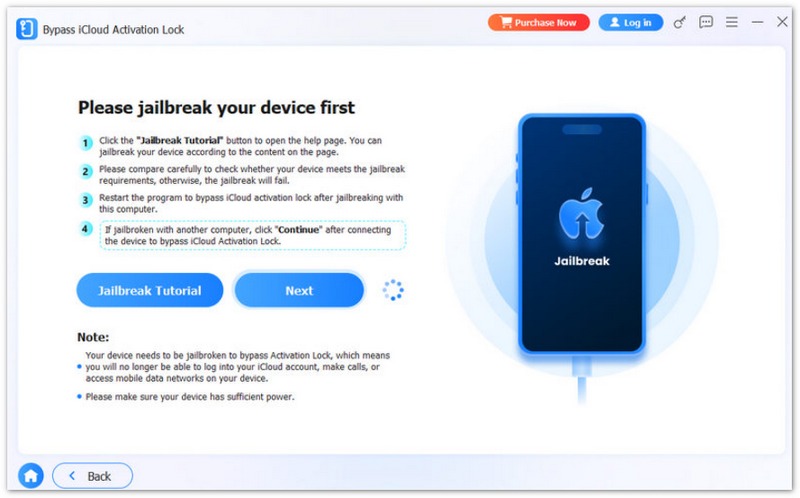
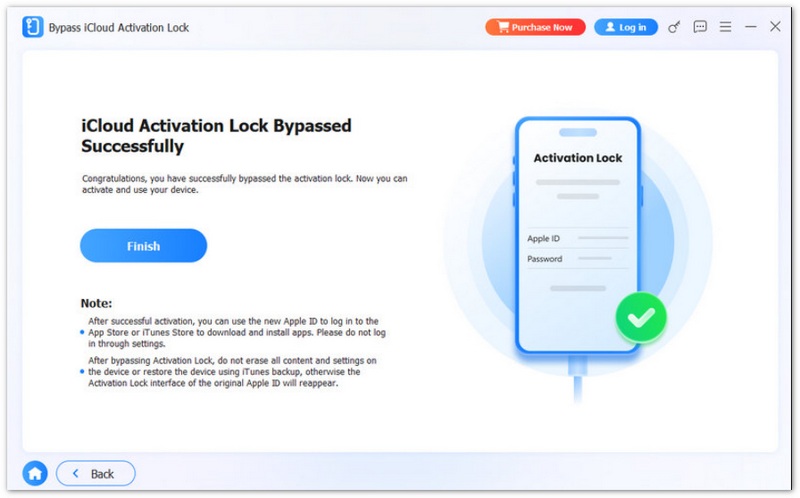
After bypass, certain iCloud features like calls and iMessage may be disabled. Additionally, rebooting or updating iOS may cause the bypass to fail, and the device will return to the Activation Lock screen. If you need full iPhone functionality, use Method 2 or 3 instead.
Suppose you’re locked out due to a forgotten Apple ID or password. In that case, Apple’s official iForgot site offers a legitimate and free method iPhone 11 activation lock removal provided you can access the linked email or phone number. It is a secure way to recover your Apple ID and regain access without paying for third-party software.
How to Reset Your Apple ID from iForgot
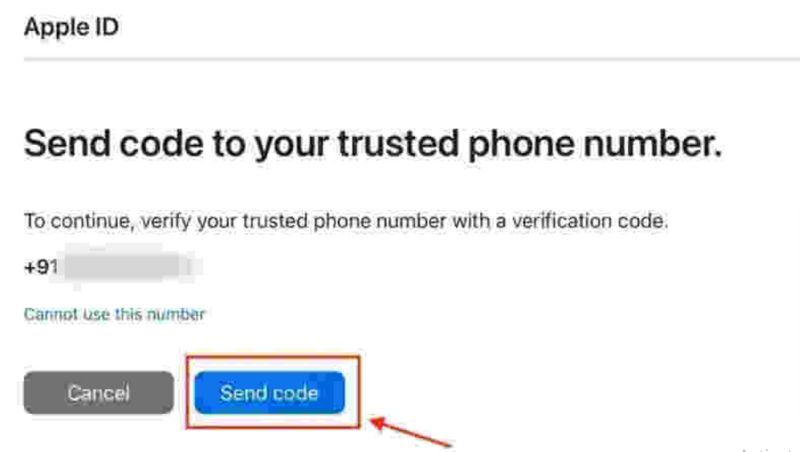
This method only works if you’re the original owner or can access the Apple ID's recovery email or phone number. It’s the safest and official iPhone 11 activation lock removal free method offered directly by Apple.
If you no longer have access to your trusted devices or phone number, Apple will start an account recovery waiting period. For iPhone 11 users, this can take 2 to 4 weeks or longer, depending on account security.
To speed up the process, prepare the following before contacting Apple Support: 1) Original purchase invoice or receipt; 2) iPhone 11 model, serial number, and IMEI; 3) Original box packaging (if available).
If you’re using a secondhand and locked, one of the most effective and bypass activation lock iPhone 11 free methods is to contact the previous device owner. If they still have access to their Apple ID, they can help you bypass the iCloud activation lock without any cost or third-party tools.
Ask the Previous Owner to operate as follows:
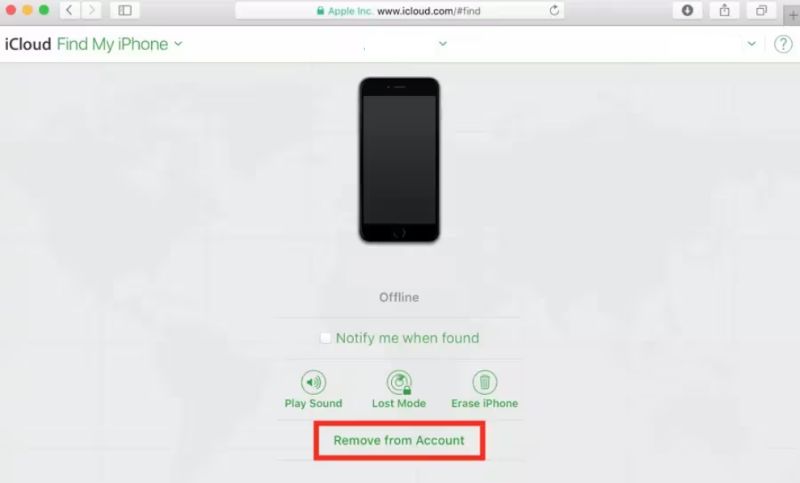
Or, they can operate as follows if they are physically with the device:
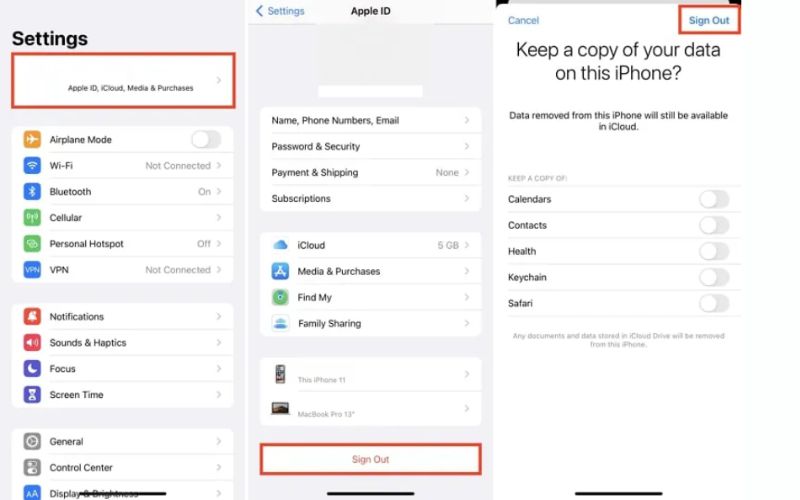
It is the most straightforward and 100% legal way to bypass the activation lock on an iPhone 11 free, especially when the previous owner is cooperative and reachable.
Can I bypass Activation Lock on iPhone 11 without an Apple ID?
Yes, using third‑party tools like Aiseesoft iKnockin, but with severe limitations (no cellular, no iMessage). Official methods always require Apple ID verification.
Does factory resetting remove Activation Lock?
No. Factory reset does NOT remove Activation Lock. The lock is stored on Apple‘s servers. You must remove the device from Find My iPhone or bypass it.
Can I use iCloud DNS bypass for iPhone 11?
No. The DNS bypass method works only on iOS 11 and earlier. iPhone 11 ships with iOS 13 or later, so DNS bypass is completely ineffective.
Will jailbreaking my iPhone 11 help bypass Activation Lock?
No. Popular tools like palera1n or Applera1n only support A11 chips or older (iPhone 8 / iPhone X). iPhone 11 uses the A13 chip, which is not supported by any public jailbreak‑based Activation Lock bypass.
Conclusion
Dealing with an iPhone 11 iCloud locked can be frustrating, especially if you don’t have the original Apple ID and password. Fortunately, this guide has shown you the top ways to bypass Activation Lock, whether by using a professional tool like Aiseesoft iKnockin, recovering credentials through Apple’s iForgot page, or contacting the previous owner for help. Whichever method you choose, ensure it’s safe and legitimate to regain full access to your device quickly and securely.
 A Complete Guide to Checkra1n iCloud Bypass
Does checkra1n support iOS 17 and bypass iCloud activation lock? Is there a checkra1n alternative to remove iCloud lock? Know more about checkra1n iCloud bypass.
 How to Remove Activation Lock Without the Previous Owner [4 Ways]
iPhone locked to owner? Learn how to unlock or bypass this so-called activation lock without Apple ID or the previous owner safely, fast, and effectively.
 How A Thief Unlocks A Stolen iPhone? [Full Tutorial]
Can a stolen iPhone be unlocked if it was locked? We will answer it and clarify how to unlock a stolen iPhone and prevent it from being stolen.
 Leave your comment and join our discussion
iOS Activation Lock
Bypass iOS Activation Lock
Unlock iOS Screen
iCloud Tips
To fix iPhone screen locked, wiping password function can help you a lot. And you also can clear Apple ID or Screen Time password easily.
100% Secure. No Ads.
100% Secure. No Ads.

*Required field
*Please enter a valid email

