
Video Converter Ultimate
 100% Secure. No Ads.
100% Secure. No Ads.
I put this article together to help you decide whether Nero AI Video Upscaler is worth your time. Instead of just repeating feature lists, I wanted to see how it performs in real use, how well it upscales videos, how fast it runs, and whether the results are worth the price. In this review of the Nero AI video upscaler, I describe the tool’s primary features and the differences between the paid and free versions. After testing it alongside similar tools, I reveal what stood out to me the most. The goal is to deliver a straightforward, no-nonsense, honest explanation from which you can confidently pick the right video upscaler, without guessing or spending money unnecessarily.
At the very first moment I used Nero AI Video Upscaler, I wanted to see whether it had anything more to offer than its brand name. Without bombarding users with a myriad of sophisticated settings, the app mainly relies on AI-powered, largely automatic, step-by-step video-quality upgrades. In this Nero AI video upscaler review, I found that its features are designed for users who want quick improvements without needing advanced technical knowledge.
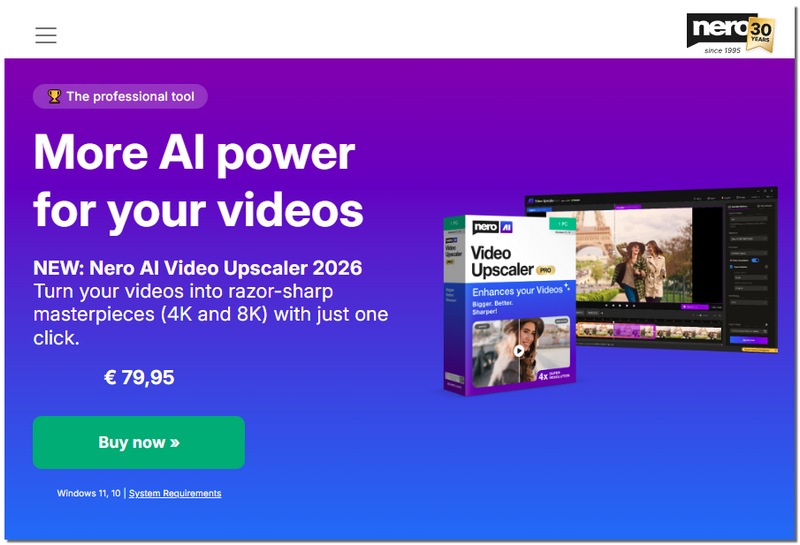
Here are the key features that stood out to me:
All things considered, these characteristics make Nero AI Video Upscaler a sensible choice for consumers who want simple AI upscaling without dealing with complex controls or a lengthy setup.
When I tested Nero AI, I was wondering not only about the quality of its outputs but also how comfortably and rapidly it can upscale the video. Here are my thoughts on its performance after trying with a variety of clips and settings.
Speed
From my experience, Nero processes short and standard videos fairly quickly, while larger or higher-resolution files naturally take more time.
Rendering Effect
I noticed the output looks sharper and cleaner, with less noise and better clarity, although very low-quality footage still has its limits.
Comparison with Similar Tools
When I compare it with other upscalers, Nero stands out for its simplicity rather than deep customisation, making Nero AI Video Upscaler Pro a good choice if you want consistent results without complicated settings.
When I looked into Nero AI video upscaler free and paid plans, I wanted to see what’s included for free and what upgrades unlock with the Pro version.
Free Version
Pro Version
Upgrading to Pro significantly improves speed, resolution options, and total output freedom. However, the free version is helpful for brief tests or short films. If you plan to use the tool regularly or on longer videos, the Pro plan is worth considering.
After spending some time with Nero AI Video Upscaler, I came away with a balanced view of its pros and cons, in particular if you are trying to decide between the free version and the full tool.
Pros
Cons
Some customers search for Nero AI Video Upscaler Pro crack or other workarounds. However, using cracked versions is risky and not advised.
Best For
Nero is definitely a go-to for a simple AI video upscaler that yields decent quality for regular use. The moment you crave deeper controls or professional-level customisation, you should look into other tools or advanced alternatives then.
If you want a more powerful alternative to Nero, especially one with more advanced AI integration and a larger arsenal of enhancement tools, Aiseesoft Video Converter Ultimate is highly recommended. This program distinguishes itself from basic upscalers by coupling robust video enhancement features with conversion, editing, and multiple AI models to offer you greater flexibility and control in upgrading your videos.
Downloads
Aiseesoft Video Converter Ultimate
100% Secure. No Ads.
100% Secure. No Ads.
How to Use Aiseesoft Video Converter Ultimate
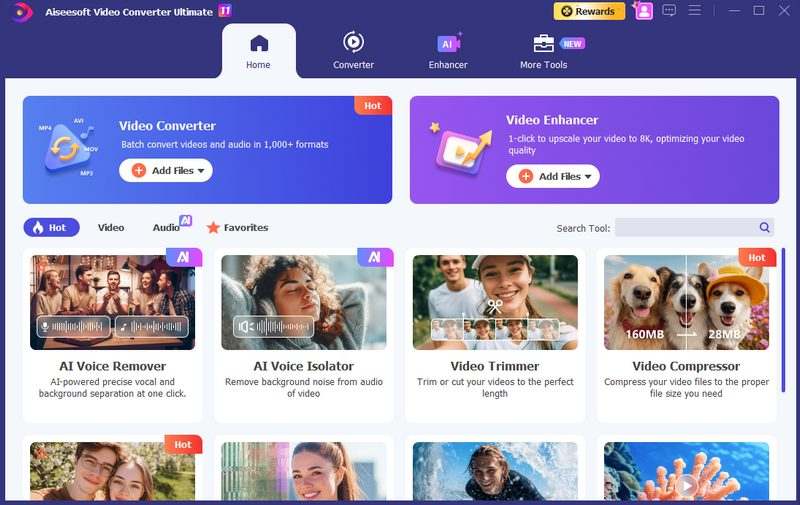
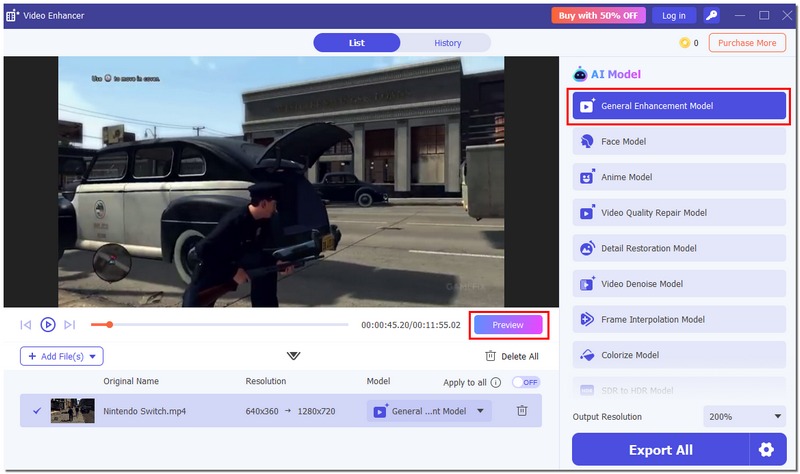
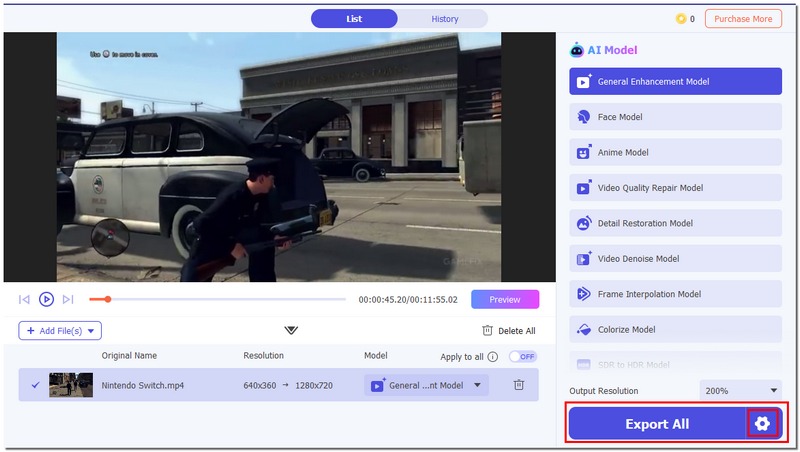
In my experience, Aiseesoft Video Converter Ultimate offers much more control and more thorough enhancements than the simple upscalers available. It is ideal if you want more than a quick upgrade and are serious about improving video quality across multiple aspects.
100% Secure. No Ads.
100% Secure. No Ads.
Conclusion
After trying out Nero AI Video Upscaler, I figured that the Nero AI video upscaler free is perfect for fast fixes and brief clips, whereas the Pro version gives you more control and advanced features. It is a dependable, user-friendly tool for anybody who wants to upgrade video quality without a difficult learning curve.
 Top 4 Anime Upscalers - Let the Advanced AI Editor Help You
In this article, we will recommend the 4 best Anime Upscalers that have applied AI technology. You can make your choice after knowing their pros and cons.
 How to Increase Photo Resolution Online for Free with AI Technology
When you need to increase the photo resolution for free, you can learn more about the advanced method to upscale and enlarge photos with AI technology from the article.
 Review of A Sharper Scaling: Your Image Clarity Upgrade
Is A Sharper Scaling the ultimate image upscaling tool? You will get some details from this A Sharper Scaling software review. Read to know more!
 Leave your comment and join our discussion
Video Converter Ultimate is excellent video converter, editor and enhancer to convert, enhance and edit videos and music in 1000 formats and more.
100% Secure. No Ads.
100% Secure. No Ads.

*Required field
*Please enter a valid email

