
Video Converter Ultimate
 100% Secure. No Ads.
100% Secure. No Ads.
While audio editing in Audacity, you may wonder if you can remove vocals and create a karaoke track using it.
In most cases, you need to remove background music and enhance the human voice. Many audio editors can do that. What if you need to sample an instrumental for a remix, or perform the vocal removal for other purposes? Can Audacity remove vocals from a song?
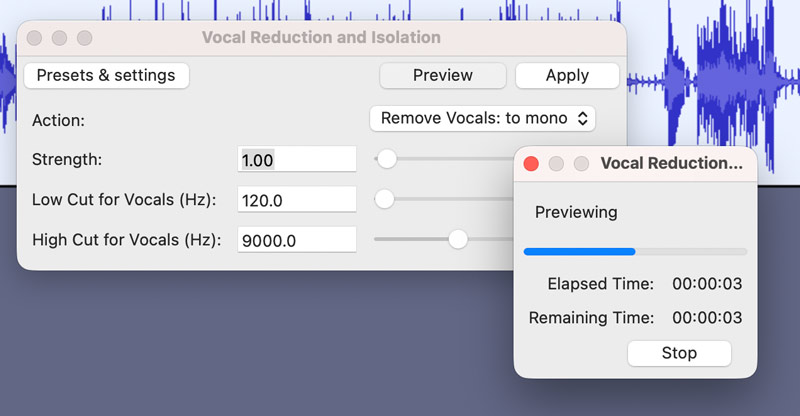
Audacity is a free, open-source audio editor that carries all the necessary editing functions. However, when it comes to vocal removal in Audacity, most users don’t know how to do it. Considering that, this section tells two main methods to remove vocals from a song using it.
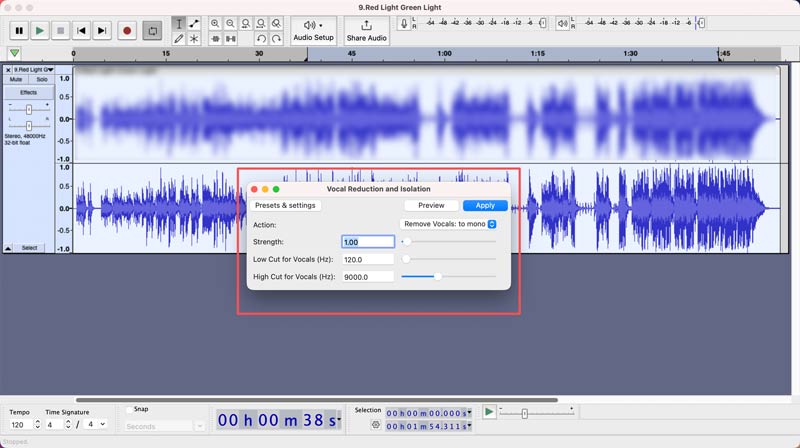
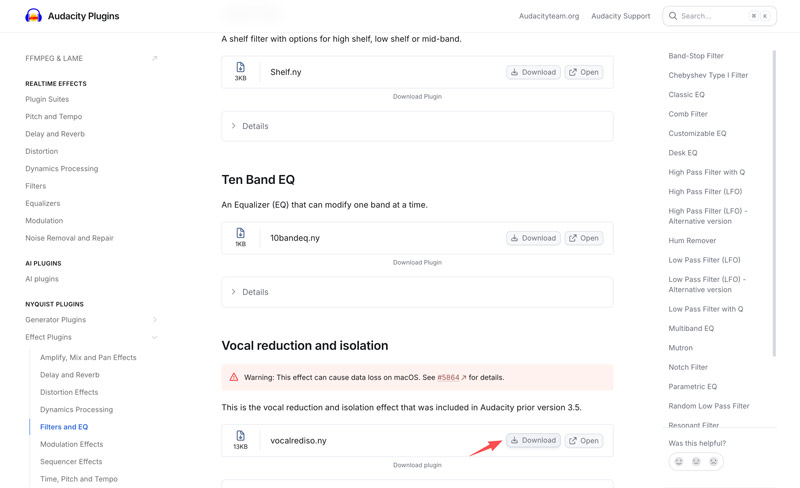
Note that if you are using a relatively new Audacity version like 3.5 or above, you may need to manually download the “Vocal Reduction and Isolation” effect from the official Audacity Plugins.
Besides the standard vocal removal solution in Audacity, you can rely on a modern AI way to do that. The OpenVINO AI Plugins can actually locate the human voice and remove it.
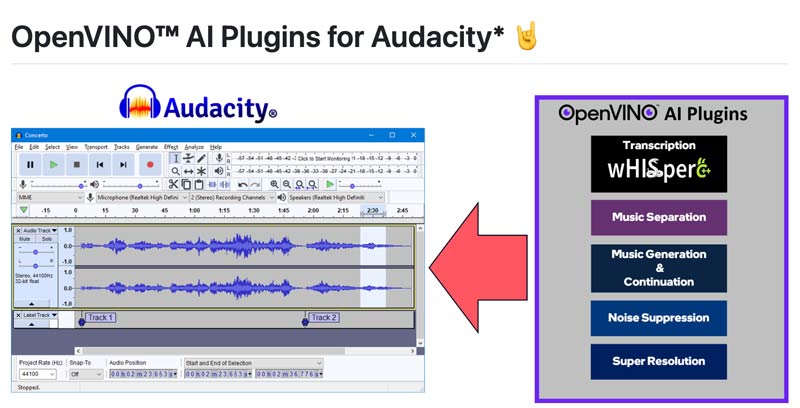
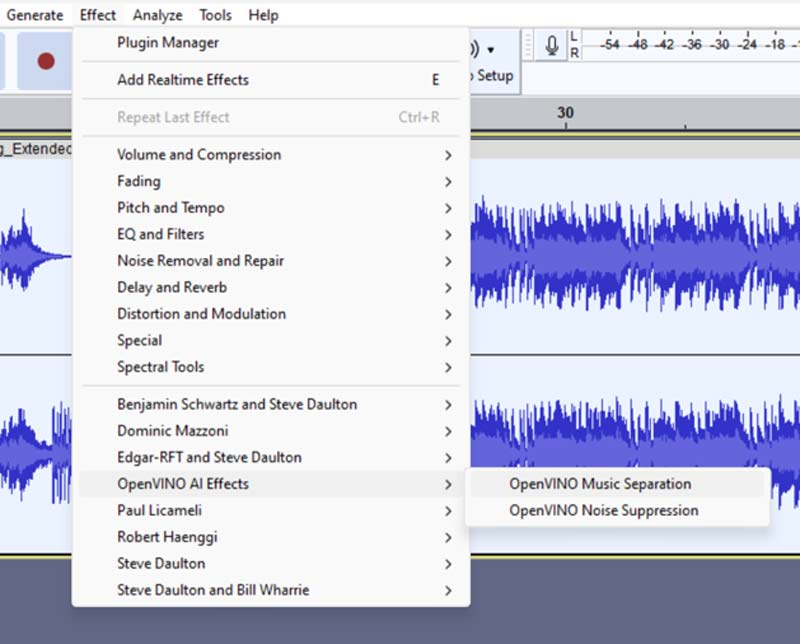
Sometimes, you want to directly remove vocals from videos or don’t want to install the AI plugins. In those cases, you can turn to a dedicated vocal removal tool for better results.
Aiseesoft Video Converter Ultimate has a powerful AI Voice Remover to easily remove vocals from videos and audio.
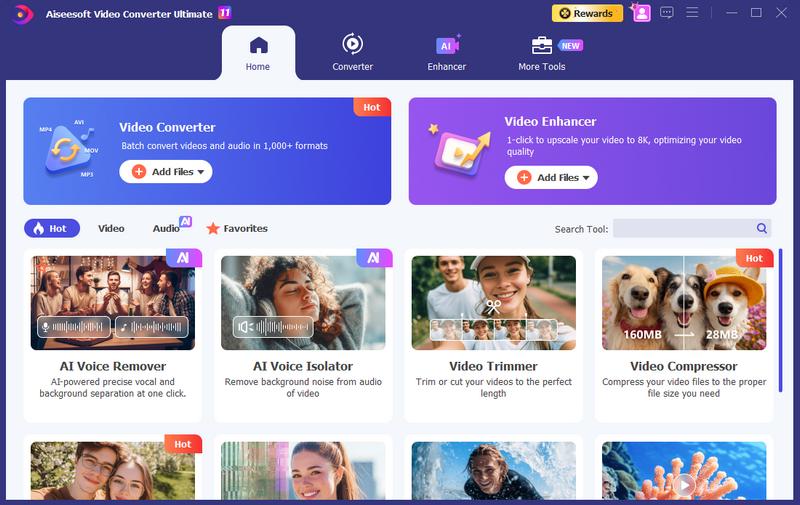
100% Secure. No Ads.
100% Secure. No Ads.
Key Features:
Steps to Remove Vocals from a Song Using the Audacity Alternative
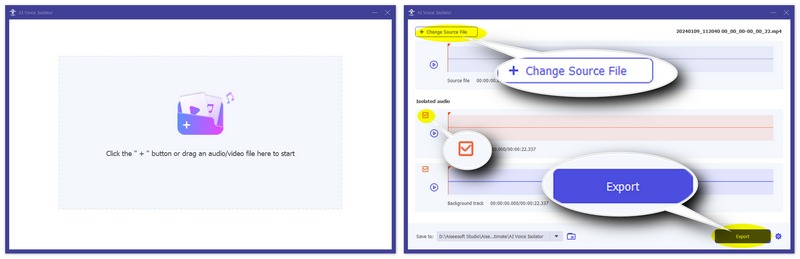
If you prefer quick edits and don’t want to install anything, LALAL.AI is a great choice to replace Audacity for vocal removal. It is widely used for browser-based stem separation.
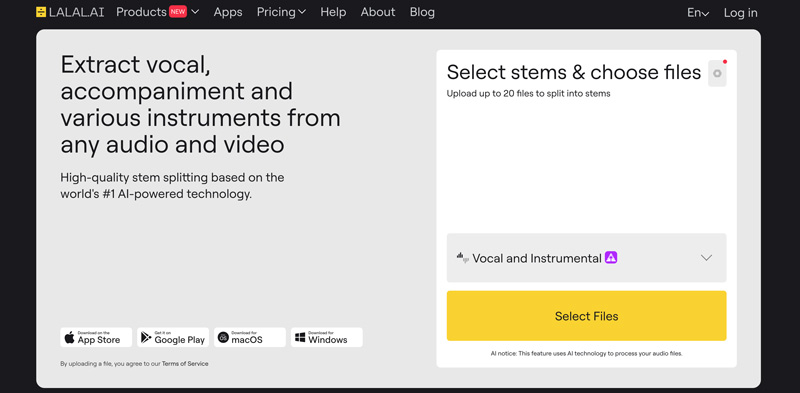
Key Features:
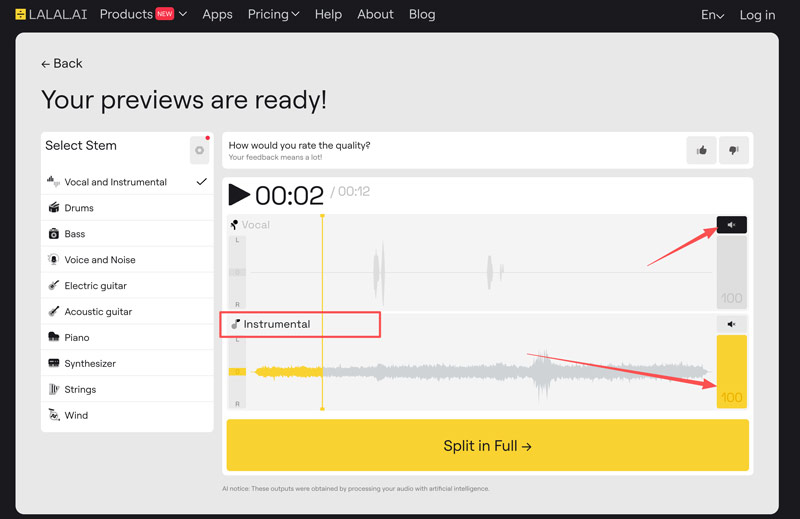
Steps to Remove Vocals from a Song Using LALAL.AI
Question 1. How can I clean my voice with Audacity?
Audacity has a dedicated Noise Reduction effect to effectively clean the voice. So, it is easy to remove background noise in Audacity, such as microphone hiss, computer fan hum, air conditioner rumble, and more. You can find it in Effect > Noise Reduction.
Question 2. Is Audacity’s vocal remover completely free?
Yes, the Audacity vocal remover is completely free. As mentioned, it is an open-source tool. All the built-in functions and official AI plugins are available for downloading and using for free. There are no subscriptions or hidden fees.
Question 3. Can Audacity remove vocals from videos?
Audacity can remove vocals from videos, but not directly. It is strictly an audio editor, not a video editor. The software does not support video files by default. It cannot open a video for vocal removal or other audio edits. To do that, you need to install the FFmpeg Library, which allows Audacity to read and access the audio track inside a video container.
Conclusion
This guide has mainly talked about how to remove vocals from a song using Audacity. Considering that the software is free and open-source, you are suggested to download it and follow the steps above to erase the human voice and only leave the instruments. However, if you are unsatisfied with it, turn to a great vocal remover alternative like Aiseesoft.
 Audacity Voice Recorder Review and Learn the Audio Recording
Is Audacity suitable for vocal recording? How do you capture voice on it? Here is a detailed Audacity review to show its features, usage, and drawbacks. Learn it carefully!
 How to Compress an Audio File in Audacity into Ideal Size & Quality
Do you want to know how to compress an audio file in Audacity without losing the quality? Read this carefully to know more about it.
 5 Best Apps to Remove Background Noise from Audio Files Like a Pro
With the best apps to remove background noise from audio, you wouldn't need to worry if the audio clip that you have a noisy background. Read this to know more!
About AMV
1.1 Best AMV Maker Apps 1.2 How to Make AMV on Computer 1.3 How to Make AMV on iPhone/iPad 1.4 How to use Windows Movie Maker 1.5 AMV - What Is AMV 1.6 Best AMV Editor Apps 1.7 Top 5 AMV Converters
Video Converter Ultimate is excellent video converter, editor and enhancer to convert, enhance and edit videos and music in 1000 formats and more.
100% Secure. No Ads.
100% Secure. No Ads.

*Required field
*Please enter a valid email

