
Highlight: All-in-one conversion and editing suite that supports 1000+ formats and 4K/8K conversion.

Video Converter Ultimate
 100% Secure. No Ads.
100% Secure. No Ads.
“I get some MP4 videos and want to convert them to AMV for my player. Is there a free AMV file converter? I tried converting AMV online, but it took too much time. Any simple and quick way to convert?”
For various reasons, you need to convert AMV. For instance, you may need to convert videos to AMV for your MP3/MP4/MTV player. Or you have to convert AMV to MP4, AVI, MP3, etc., due to the unsupported format issue. It is quite easy to convert AMV format as long as you get a good AMV converter.
The good thing is that lots of video converting tools, including many free online ones, are available. You can use them to make the AMV file conversion with ease. In case you don’t know which AMV converter you should choose, here we make a list of the 5 best AMV converters for you.
How to Choose The “Best” AMV Converters
| AMV Converter | Best For | Platform | Output Quality | Rating | Pricing |
| Video Converter Ultimate | All-in-one professional video conversion & editing | Windows, macOS | High (No quality loss) | 4.8/5 | Freemium/Paid |
| Aiseesoft Free Online | Quick, free online conversions | Online (Browser) | Good | 4.2/5 | Free |
| Program4Pc Video Converter | Converting for a wide array of devices (300+) | Not Specified (Likely Windows) | High | 4.5/5 | Freemium/Paid |
| Convert.Files | URL to AMV conversion | Online (Browser) | Standard | 4.4/5 | Free |
| AMV Video Converter 4.15 | AWV conversions on older PCs | Windows XP/2000/Vista only | Basic | 4.1/5 | Free |
Highlight: All-in-one conversion and editing suite that supports 1000+ formats and 4K/8K conversion.
Score:4.8/5
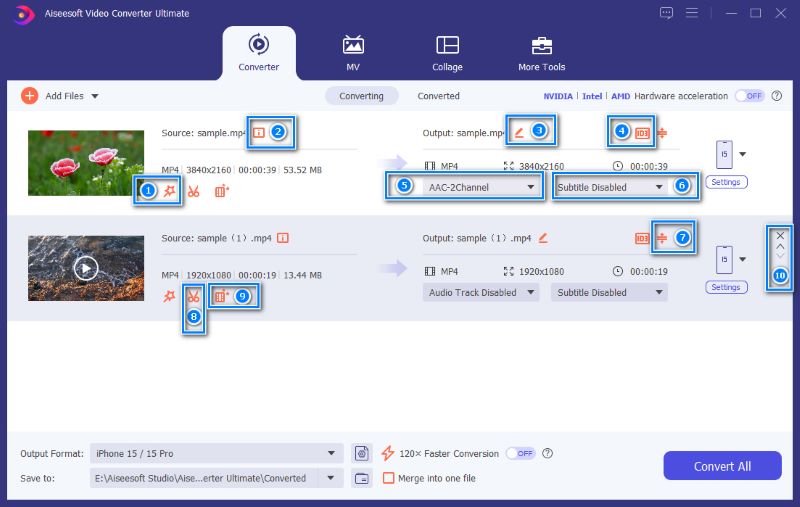
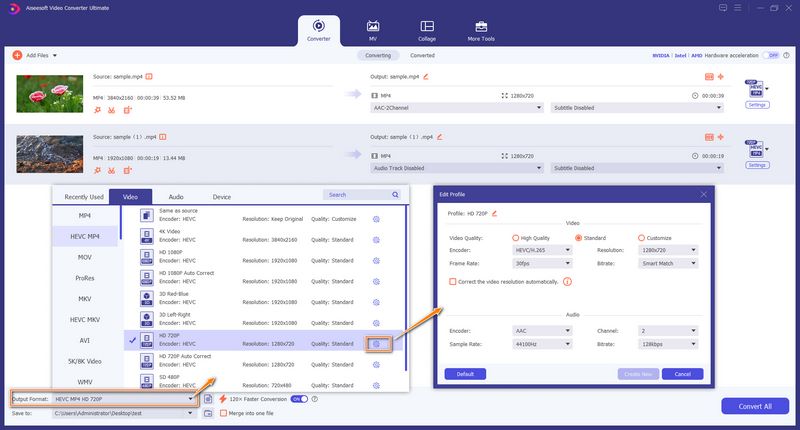
Aiseesoft Video Converter Ultimate is a very popular and reputable video/audio conversion, editing, and enhancement tool. Now, multiple AI-powered tools are updated to the software, effectively improving the overall capabilities. As an AMV converter, it lets you convert MP4/AVI/M4V to AMV, or convert AMV to another preferred format with no quality loss. Actually, it is an AI video enhancer that allows you to upscale resolution and enhance the final output quality.
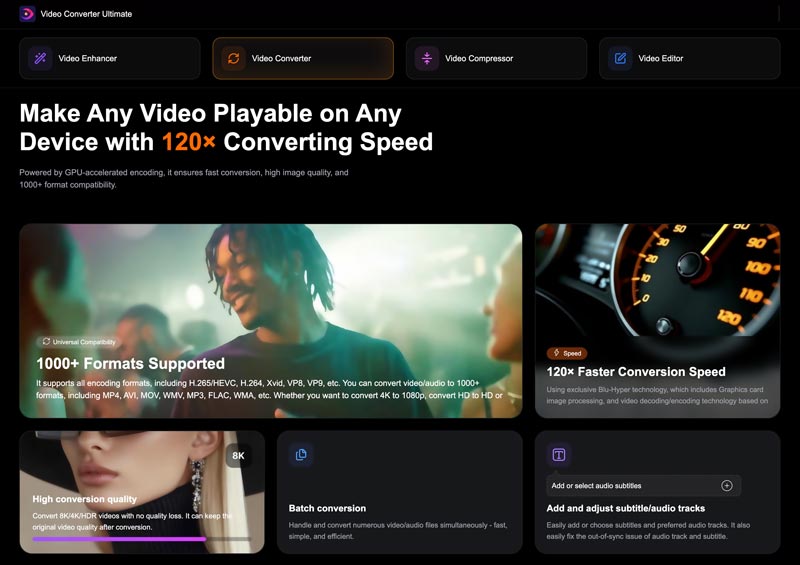
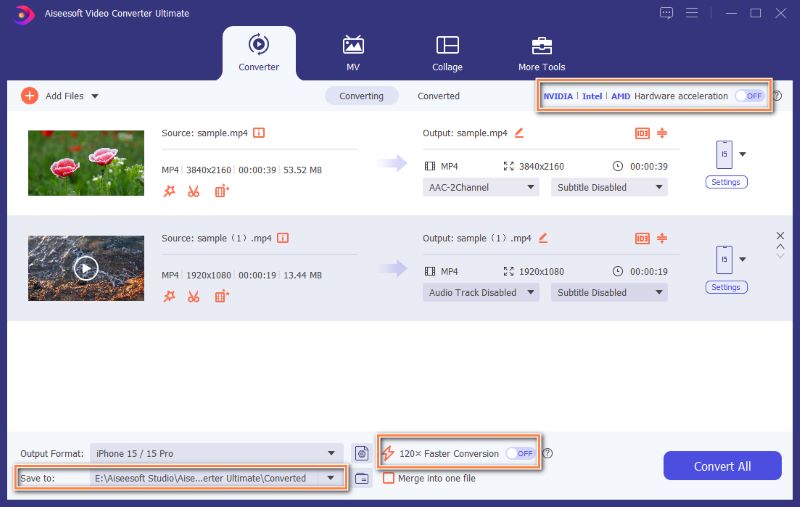
Core Strengths: Extremely fast conversion speeds (120x faster), batch processing, and built-in AI-powered video enhancement tools.
Pros
Cons
Downloads
Video Converter Ultimate - Best AMV Converter
100% Secure. No Ads.
100% Secure. No Ads.
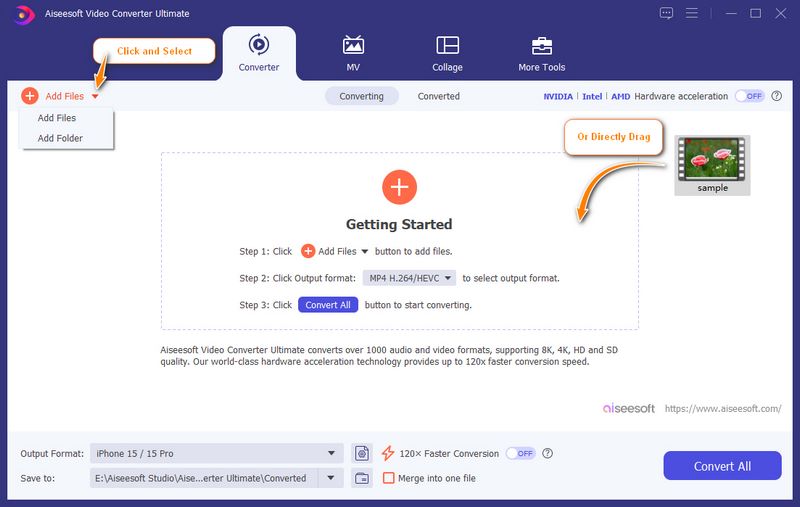
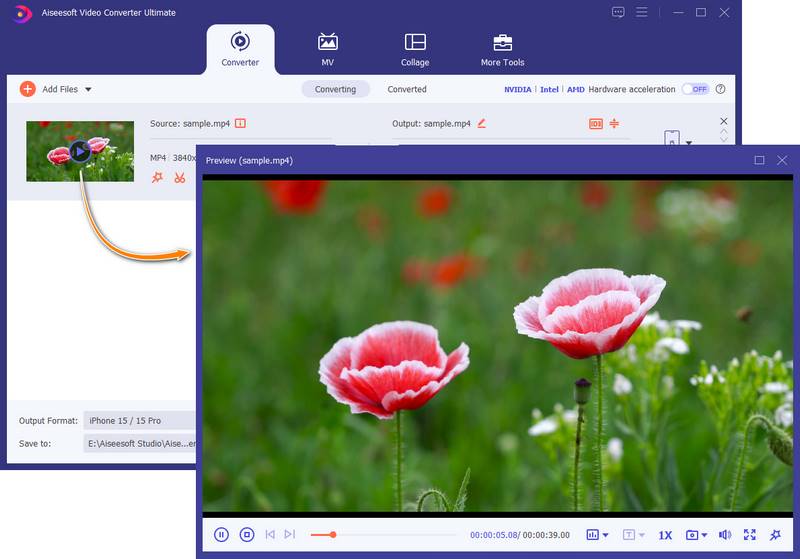
There is a built-in media player designed into this AMV converter. You can directly view the file, edits, and effect changes.
Highlight: Free, web-based converter to easily access and start AMV conversions.
Score:4.2/5
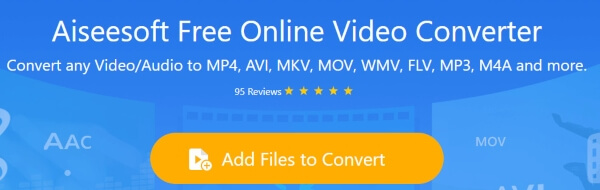
Aiseesoft Free Online Video Converter is a free online AMV converting tool which can help you convert AMV to MP4, MP3 and other video/audio formats. It provides a very convenient and simple way to convert AMV format. Just download the converter launcher, load AMV file and choose a suitable output format, you can finish the AMV conversion. Moreover, it lets you create animated GIF images from the AMV videos with optionally adjust the video resolution, bitrate, etc., even the big AMV file can be compressed to a small one.
Pros
Cons
Highlight: Offers over 300 preset profiles for different devices, making it easy to get the right specs for specific players.
Score:4.2/5
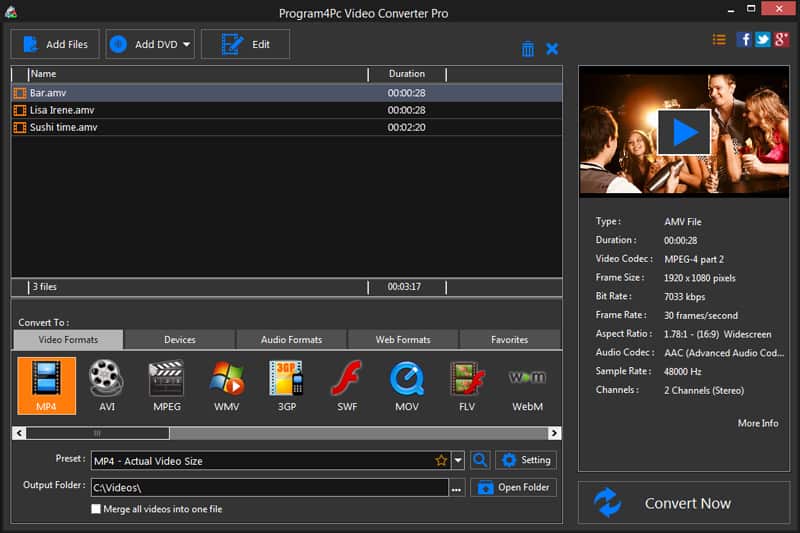
Program4Pc Video Converter is the powerful video converting software which can help you convert AMV format. It has the capability to convert over 300 video audio formats for your mobile devices like iPhone, iPad, iPod, and Android devices.
Similar to Video Converter Ultimate, Program4Pc also carries some basic editing features. You can edit your media file before final conversion. Also, it offers a simple way to convert AMV video. Just load video and choose a suitable output format, you can complete the AMV video conversion.
Pros
Cons
Highlight: Converts online URLs directly to AMV or another format without downloading the source file first.
Score:4.2/5
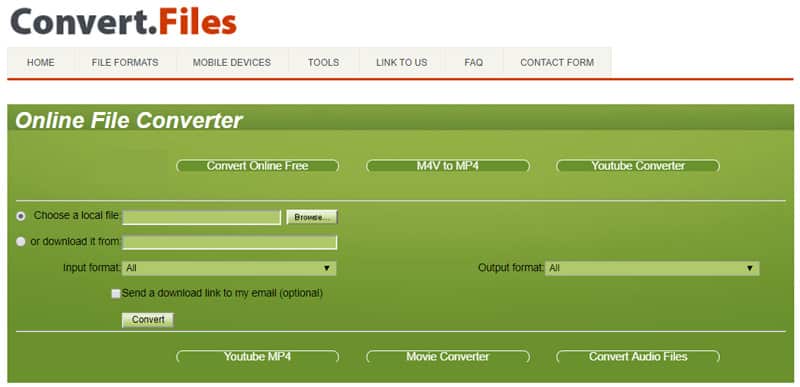
Convert.Files is another free online video to AMV converter. It offers an instant way to make the conversion from video to AMV. Surely, you can use it to convert AMV to MP4, MP3, AVI and other frequently-used video/audio formats. Besides local files, it enables you to convert URL to AMV. In that case, you can handily download online video and then convert it to AMV.
Pros
Cons
Highlight: Lightweight utility designed for older Windows systems and the original AMV codec requirements.
Score:4.1/5
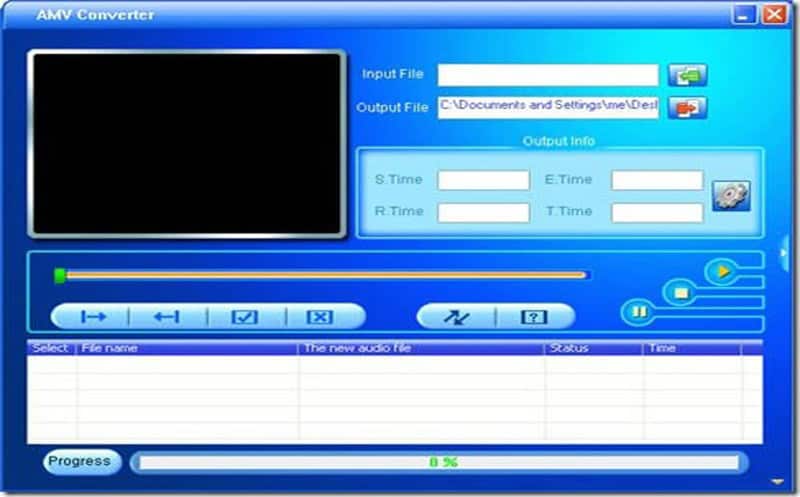
AMV Video Converter is a free converting tool for Windows users to convert AMV videos. It is compatible with Windows operating systems like Windows XP/2000/2003/Vista. This AMV converter allows you to free convert AVI, WMV, M4V, MOV and MP4 to AMV with ease. Though this AMV player converter provides an easy way to convert AMV format, it can't be used on Mac or Window 10/8/7 computer.
Pros
Cons
Question 1: Is AMV the same as AVI?
No, AMV and AVI are different video formats. AMV is a proprietary video file format designed for older portable media players. It is a modified version of the AVI container. However, the AMV format uses a simplified compression method for playback on weak processors.
Question 2: How to watch AMV files?
You can use the introduced AMV converters above to convert your AMV files for playing on your devices. If you prefer to directly view them, use a powerful media player like VLC, PotPlayer, or MPC-HC.
Question 3: What software is used for AMVs?
Many related editing, playing, or conversion tools support AMV files. As mentioned, you can use the recommended AMV converters to convert them. If you want to watch AMV files, turn to VLC or PotPlayer. If you look for an editor, you can choose Video Converter Ultimate, Premiere Pro, or DaVinci Resolve.
Conclusion
We mainly talked about the AMV converter on this page. Five reliable AMV video converters are recommended for you to make the conversion. You can easily find what you need, whether you want a free online AMV converter or a professional one. Please share it with other readers if you have any better AMV converter recommendations.
 The Simplest Way to Convert Videos to HD with 4K/1080p/720p Resolution
You can easily get your video with high quality after converting it to 4K or 1080p HD video. Read this article and get the way.
 Free Download 5 Best HD Video Players for Windows 10/8/7/XP and Mac
What is the best HD video player? This post lists 5 best full HD video player apps (1080p/720p video player) to help you play media files on Windows 10/7/8/XP and Mac computer with great visual experience.
 10 Best Online Video Converter for Free FLV Conversion
Read and get one of the best FLV converter freeware from this article. In addition, there are other 10 free online FLV converters here.
 Leave your comment and join our discussion
About AMV
1.1 Best AMV Maker Apps 1.2 How to Make AMV on Computer 1.3 How to Make AMV on iPhone/iPad 1.4 How to use Windows Movie Maker 1.5 AMV - What Is AMV 1.6 Best AMV Editor Apps 1.7 Top 5 AMV Converters
Video Converter Ultimate is excellent video converter, editor and enhancer to convert, enhance and edit videos and music in 1000 formats and more.
100% Secure. No Ads.
100% Secure. No Ads.

*Required field
*Please enter a valid email
