
Best for: Batch conversion, large files, lossless quality, and users who want one tool that handles everything.

Video Converter Ultimate
 100% Secure. No Ads.
100% Secure. No Ads.
You just recorded a video on your iPhone or digital camera, and now you only need the audio — maybe a lecture recording, a voice memo, a podcast clip, or a sound effect. The file is in MOV format, but your audio editor, DAW, or playback device wants WAV. So the question is simple: how do you convert MOV to WAV without losing quality?
In this guide, we walk through working methods to turn MOV files into WAV audio files. We compare them so you can choose the right one for your situation.
Best for: Batch conversion, large files, lossless quality, and users who want one tool that handles everything.
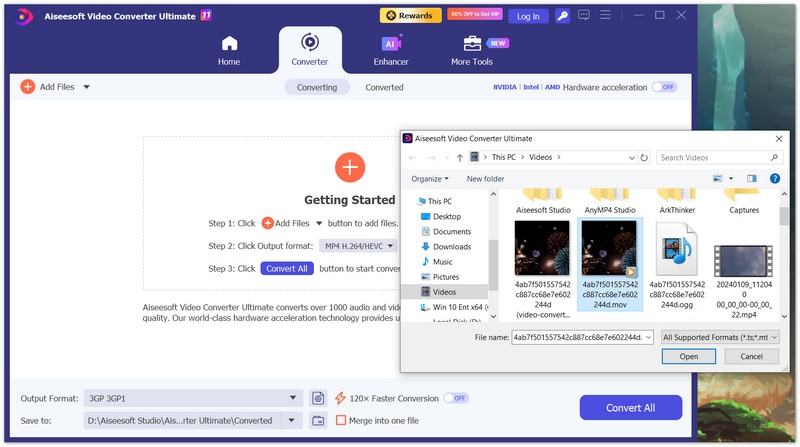
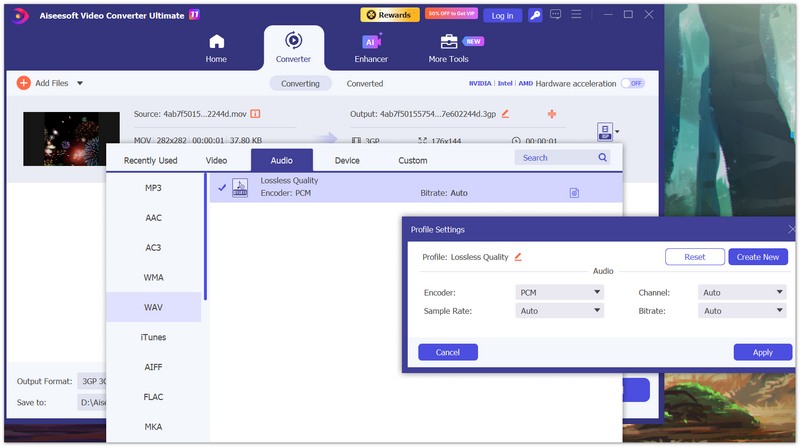
Aiseesoft Video Converter Ultimate is a desktop application for Windows and Mac that converts between almost any video and audio format — including MOV to WAV. Unlike online converters, it works on files of any size, runs locally on your computer, and supports batch conversion so you can process dozens of MOV clips at once.

Downloads
Why choose Aiseesoft Video Converter Ultimate
100% Secure. No Ads.
100% Secure. No Ads.
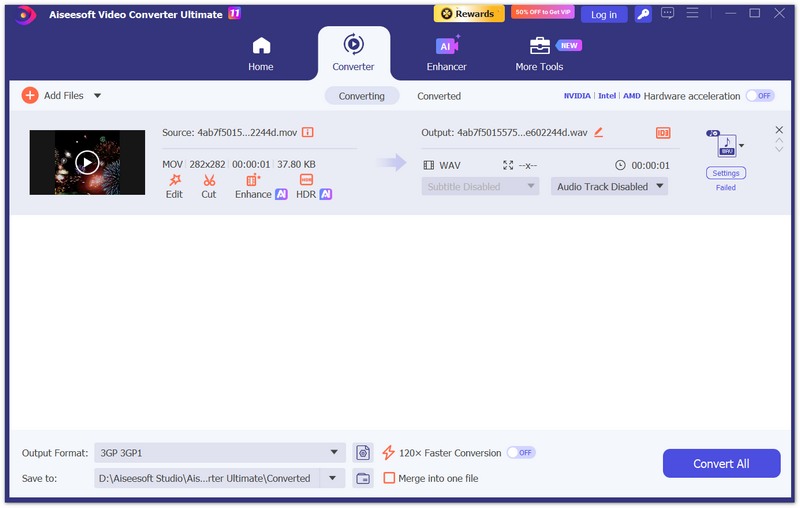
Step-by-step: How to convert MOV to WAV
Best for: Users who want a polished, browser-based tool with plenty of format options and no signup.
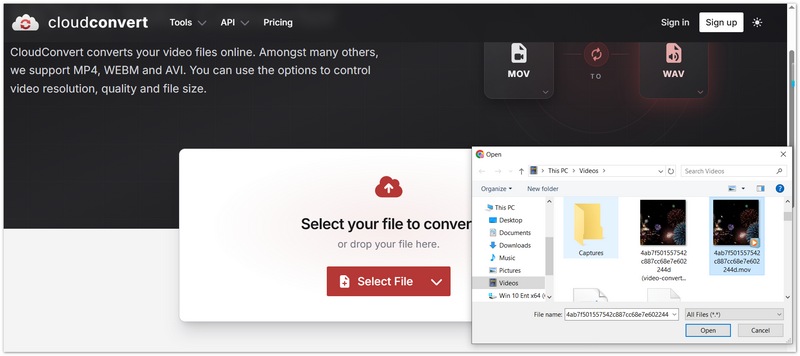
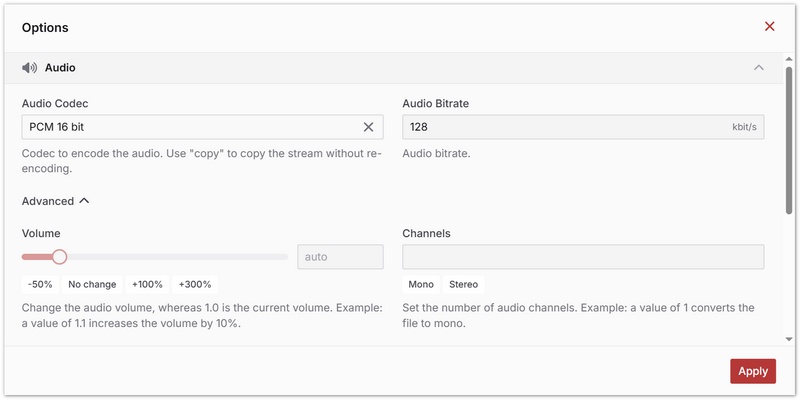
CloudConvert is one of the most popular online file converters. It supports MOV to WAV directly in the browser, with no software installation and no account required for basic use. It has a clean interface, supports importing from cloud storage, adjustable audio settings, and no watermark. Note that the free tier limits you to 25 conversion minutes per day
How to convert MOV to WAV with CloudConvert
Best for: Users who already have VLC installed and want a free, no-extra-download option.
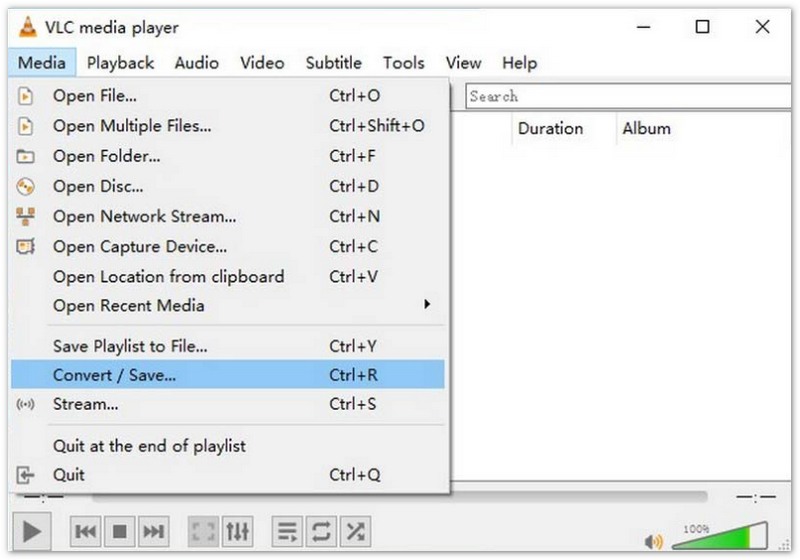
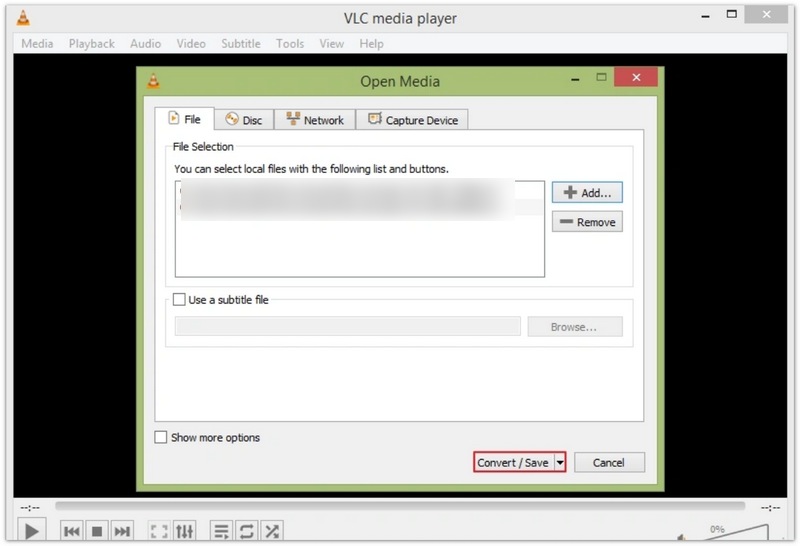
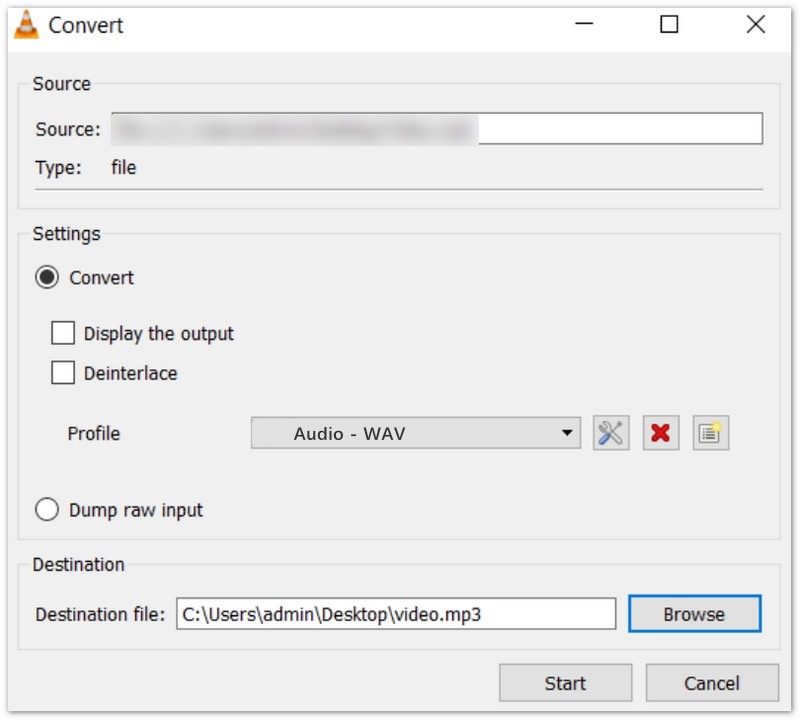
VLC is a free, open-source media player that also hides a powerful converter. It can extract audio from MOV and save it as WAV on both Windows and Mac. If you just want to convert simply, you can use VLC. But if you want to convert files in a batch, adjust the quality presets of the output WAV file, or trim/edit the audio during conversion, this tool doesn't suit you. Furthermore, its interface for conversion is hidden; you can refer to the steps below for MOV to WAV conversion.
How to convert MOV to WAV using VLC
What's the difference between WAV and MP3?
WAV is uncompressed audio — full quality, larger file size. MP3 is compressed — smaller file but with some quality loss. Choose WAV if you're editing, archiving, or need studio-quality audio. Choose MP3 for everyday listening and storage saving.
Will converting MOV to WAV result in any loss of audio quality?
It depends on the tool and settings you use. If you use a tool like Aiseesoft Video Converter Ultimate, which rips the original audio track without re-encoding, there is zero quality loss. However, keep in mind that converting a compressed source audio track (like AAC from an iPhone) to WAV creates a lossless container for that audio, but it cannot magically restore frequencies that weren't in the original recording. For editing and archiving, WAV is still the best choice.
Are WAV files typically large? Is there a way to make them smaller?
Yes, because WAV is uncompressed, expect file sizes to be quite large (for example, a 10-minute stereo WAV file at 44.1 kHz / 16-bit is about 100 MB). If you don't need studio-quality uncompressed audio and want to save storage space for everyday listening or sharing, consider converting to MP3 or FLAC or use an WAV compressor instead.
Conclusion
Converting MOV to WAV is straightforward once you pick the right tool. If you only have a small file and don't want to install software, CloudConvert or Convertio get the job done in your browser. But if you value speed, privacy, batch processing, and lossless quality, Aiseesoft Video Converter Ultimate is the best choice — it handles MOV files of any size, extracts audio without quality loss, and gives you full control over the output WAV settings.
100% Secure. No Ads.
100% Secure. No Ads.
Download the free trial and try it on your first MOV file — the conversion takes less than a minute.
 6 Best MOV Players You Can Have on Your Devices for Free
When a MOV player is needed there is the market you can go to. But which one is the best? Find out what are the best MOV players to have today.
 MOV VS. MP4: Which Video Format Should You Choose
Differentiate MOV VS. MP4 in terms of compression, file size, and quality. Also, check the best video converter to change file extensions professionally.
 Top 5 MOV Recorders for Windows 10/8/7/XP/Vista and Mac OS
This is a top list of 5 best MOV recorder software to capture your screen on PC and Mac, and save it as QuickTime MOV file.
 Leave your comment and join our discussion
Convert/Download/Edit SWF
1.1 SWF 1.2 SWF to MP4 1.3 SWF to GIF 1.4 SWF to MOV 1.5 SWF to HTML5 1.6 SWF to AVI 1.7 SWF to WMV 1.8 SWF to 3GP 1.9 SWF to DVD 1.10 SWF Converter Mac 1.11 Edit SWF
Video Converter Ultimate is excellent video converter, editor and enhancer to convert, enhance and edit videos and music in 1000 formats and more.
100% Secure. No Ads.
100% Secure. No Ads.

*Required field
*Please enter a valid email
