Video Converter Ultimate
 100% Secure. No Ads.
The popularity of MP4 files as the best choice for video content lies in the fact that video and audio information can be included in one file at once. But when all that is needed from the file is an audio track, there may be no need to keep the whole MP4 file.
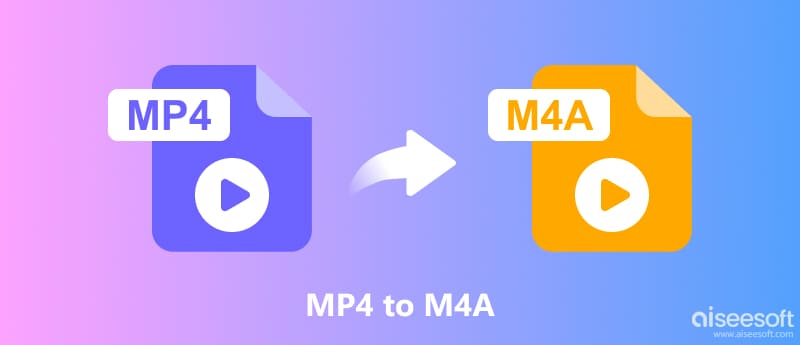
To convert an MP4 file into an M4A, one can use different methods. There are online converters that do not require any software to be installed, as well as desktop applications with more options concerning the output quality and batch conversion. It is also natural to ask whether renaming the .mp4 file to .m4a would suffice. In this guide, we will explain whether you can directly change the extension and show several practical ways to convert MP4 to M4A online and on Windows or Mac.
| Tool | Platform | Ease of Use | Best For |
| FreeConvert | Online | Very Easy | Quick conversions |
| Aiseesoft Free Video Converter Online | Online | Very Easy | Simple audio extraction |
| Zamzar | Online | Easy | Occasional conversions |
| Aiseesoft Video Converter Ultimate | Windows/Mac | Easy and batch conversion | |
| HandBrake | Windows/Mac | Free video transcoding | |
| FFmpeg | Windows/Mac | Advanced and automated conversion | |
| Audacity | Windows/Mac | Audio editing and export |
No. Simply renaming an MP4 file from .mp4 to .m4a does not actually convert the file.
However, altering the file extension will not change the content of the audio/video file because the file extension will inform the media player about how to decode the file. Therefore, there is still a video in the M4A file even if it was originally an MP4 file.
For example, changing music.mp4 to music.m4a only changes the filename. It does not remove the video track or create a proper M4A file.
If you actually want an M4A file, you would have to resort to some audio extraction software or conversion tool. This is especially necessary if you want to shrink the file size, open the file using an audio player, or manipulate the file using some audio editing software.
Online converters are a good choice if you only convert a few MP4 files. They usually work directly in a browser, so you do not need to install additional software.
FreeConvert is an online file conversion service. It supports various video and audio formats. Therefore, it can extract audio from an MP4 and save it in M4A format.
How to convert MP4 to M4A with FreeConvert:
Moreover, FreeConvert gives you further options to customize audio settings prior to the conversion. However, there might be some restrictions regarding the maximum size of files in the free version. Moreover, in order to use FreeConvert, you will have to upload your video on some online platform.
Aiseesoft Free Video Converter Online is another browser-based option for extracting audio from video files. It is useful if you want a straightforward way to convert MP4 to M4A without installing desktop software.
How to use it:
The program is particularly useful for infrequent conversion as everything takes place online, yet the quality is dependent on your Internet connection. What's more, big MP4 files may take more time to process.
Zamzar is a well-known website that is used for converting files into different formats. It offers numerous file formats, including video and audio file formats. The site is very user-friendly, since it does not require configuration of complex settings.
Steps to convert MP4 to M4A:
Free online converters usually have restrictions on file size or the number of conversions. Uploading and downloading large files can also take time.
If you only need to convert one or two small videos, an online converter can save time. However, for large files, repeated conversions, or more control over audio quality, desktop software is usually more practical.
Desktop applications are better suited to users who regularly convert files or need more control over the output. They also avoid uploading videos to an online service, which is safer for your privacy.
Aiseesoft Video Converter Ultimate is a desktop video conversion tool for Windows and Mac. Besides converting video formats, it can extract audio from videos and save it in formats such as M4A.
100% Secure. No Ads.
100% Secure. No Ads.
Use Aiseesoft to convert MP4 to M4A:
HandBrake is a free, open-source video transcoder available for Windows, Mac, and Linux. Although it is primarily designed for video conversion, it can be useful when you need to process the audio track of an MP4.
Steps of MP4 to M4A with HandBrake:
HandBrake is mainly designed for video transcoding rather than dedicated audio extraction. Depending on your desired M4A workflow, it requires more configuration than a dedicated converter.
You may also like:
FFmpeg is a powerful command-line multimedia framework. It is particularly useful when you need to extract audio from many MP4 files or automate the conversion process.
For example, the following command can extract the audio track and encode it as AAC inside an M4A file:
ffmpeg -i input.mp4 -vn -c:a aac -b:a 192k output.m4a
Here, -vn tells FFmpeg to exclude the video stream, while -c:a aac specifies AAC audio encoding.
For batch conversion on Windows, you can use:
for %f in (*.mp4) do ffmpeg -i "%f" -vn -c:a aac -b:a 192k "%~nf.m4a"
This processes multiple MP4 files in the same folder.
Using FFmpeg requires a lot of effort on the part of new users. This is because one has to first install the software and learn the basics of command line.
Audacity is a free, open-source audio editor available for Windows, macOS, and Linux. It can be useful when you want to extract audio and edit it before exporting.
Steps for using Audacity:
M4A/AAC support can depend on the version and installed components. Audacity is also primarily an audio editor, so it may be less convenient than a dedicated video-to-audio converter for simple MP4-to-M4A conversion.
Does converting MP4 to M4A remove the video?
Sure. MP4 to M4A conversion will include extracting the audio stream or converting it into an audio format. Thus, the output M4A format will not have any video track at all.
Does converting MP4 to M4A reduce audio quality?
Sure. There will be some quality loss while re-encoding the original audio into a lossy format. In order to retain the quality, the right bitrate should be used and try not to re-encode.
Can I convert MP4 to M4A without installing software?
Indeed, online converters like FreeConvert, Aiseesoft Free Video Converter Online, and Zamzar are capable of doing the conversion process directly via the browser.
Which method should I use for multiple MP4 files?
FFmpeg with a batch command works best for many files. A desktop converter such as Aiseesoft Video Converter Ultimate that has a batch process works well if you want an easy approach.
Conclusion
MP4 to M4A conversion is a handy option for cases where you just require the audio track from a video and are looking to discard the unrequired video portion. It is not enough to simply rename the extension from .mp4 to .m4a; an actual conversion process is necessary.
If the conversion will be a one-time occurrence, the best way out is through websites like FreeConvert, Aiseesoft Free Video Converter Online, and Zamzar. Desktop programs like Aiseesoft Video Converter Ultimate are recommended for people who deal with heavy files on a regular basis. Advanced users can use FFmpeg for batch conversion, and Audacity comes in handy if some audio editing is also required along with conversion.
 What is M4A? How to Convert and Play M4A
What is M4A? How to convert M4A to MP3? Read this guide to convert M4A to MP3/WAV/M4R and more with M4A to MP3 Converter, also know about video/audio to M4A and play M4A file.
 How to Convert M4A to MP3 Losslessly with 5 Tools [Solved]
The detailed guide will tell you how to convert M4A to MP3 online and on a computer. You can follow the 5 methods to make your M4A to MP3 conversion here.
 How to Convert MP4 to MP3 on Windows/Mac for Free
Want to turn MP4 to MP3 to extract the music from a movie? Learn comprehensive ways to change MP4 to MP3 on Windows and Mac for free.
 Leave your comment and join our discussion
Convert/Download/Edit SWF
1.1 SWF 1.2 SWF to MP4 1.3 SWF to GIF 1.4 SWF to MOV 1.5 SWF to HTML5 1.6 SWF to AVI 1.7 SWF to WMV 1.8 SWF to 3GP 1.9 SWF to DVD 1.10 SWF Converter Mac 1.11 Edit SWF
Video Converter Ultimate is excellent video converter, editor and enhancer to convert, enhance and edit videos and music in 1000 formats and more.
100% Secure. No Ads.
100% Secure. No Ads.

*Required field
*Please enter a valid email