
Video Converter Ultimate
 100% Secure. No Ads.
100% Secure. No Ads.
Moises is known as the Musician’s AI app. You should have likely heard of Moises AI Studio if you are a musician or often handle various audio edits. It is widely used for practicing, removing vocals and instruments, creating backing tracks, and deconstructing songs. However, it is certainly not a totally free app. You are probably wondering if Moises worth it, or are there similar AI vocal remover tools like Moises?
This post provides an in-depth review of Moises AI vocal remover, testing its core features, explaining its pricing, and giving a step-by-step guide on how to use it. Moreover, a powerful Moises alternative is introduced in case you are seeking a powerful AI vocal removal tool.
How We Test & Review
Moises is widely used by musicians and producers to deal with stem separation, vocal isolation, and other audio editing tasks. The AI app can work as a personal assistant, offering various helpful tools that go far beyond simple removal. This section explains its key highlights.
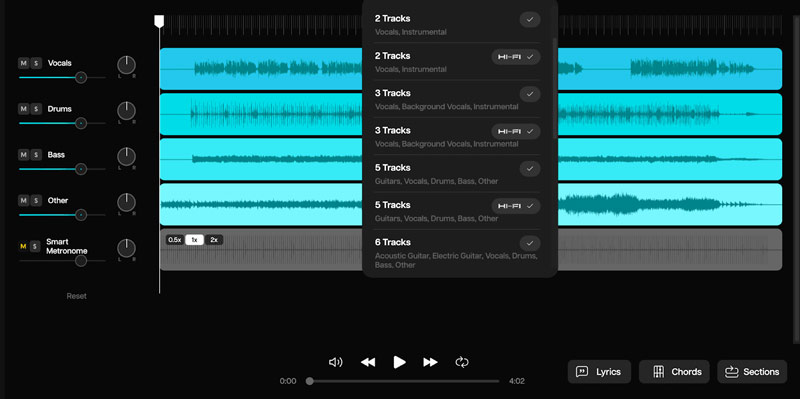
AI Stem Separation: The core feature and advantage of the Moises AI app. It allows you to split a song into individual tracks/stems. You can extract vocals, bass, drums, and more based on your subscription. This is quite useful for learning complex music parts. Premium or Pro users can further isolate tracks.
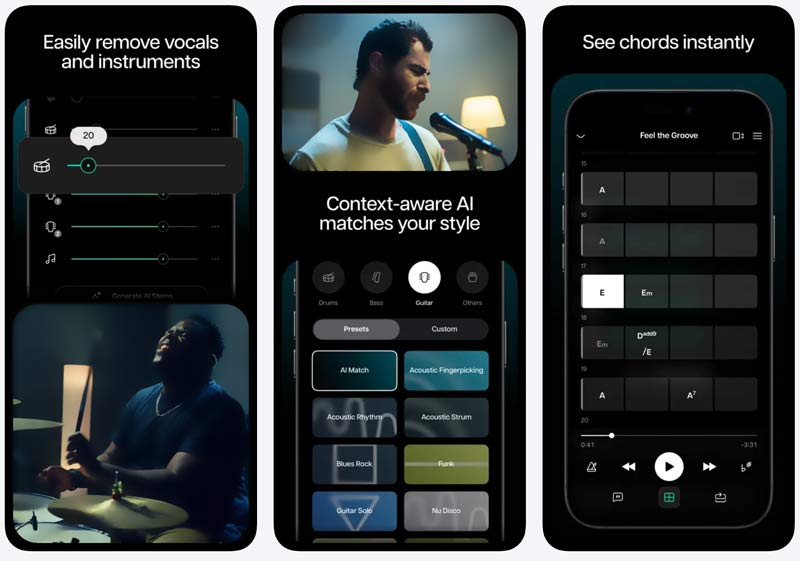
AI Chord Detection: The Moises app uses advanced AI to analyze a song and display the chords in real-time. When you change the pitch of the song, the chords will automatically transpose to the new key.
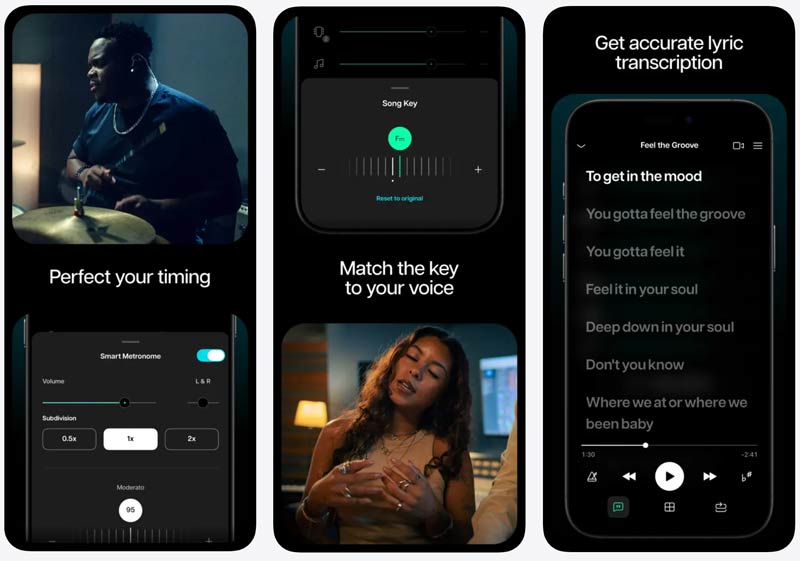
Smart Metronome and Speed Changer: Moises can automatically detect the BPM (beats per minute) of any song. Moreover, it syncs perfectly with the detected BPM. That helps you practice with perfect timing. Moises also enables you to slow down a complex track to 50% speed without changing the pitch.
Pitch and Tempo Changer: You can freely change the pitch of the song to fit your vocal range. Moreover, it lets you change the instrument tuning and slow down difficult sections.
AI Lyric Transcription: The Moises app can generate lyrics and synchronize them with your music. It turns any song into a karaoke track with ease.
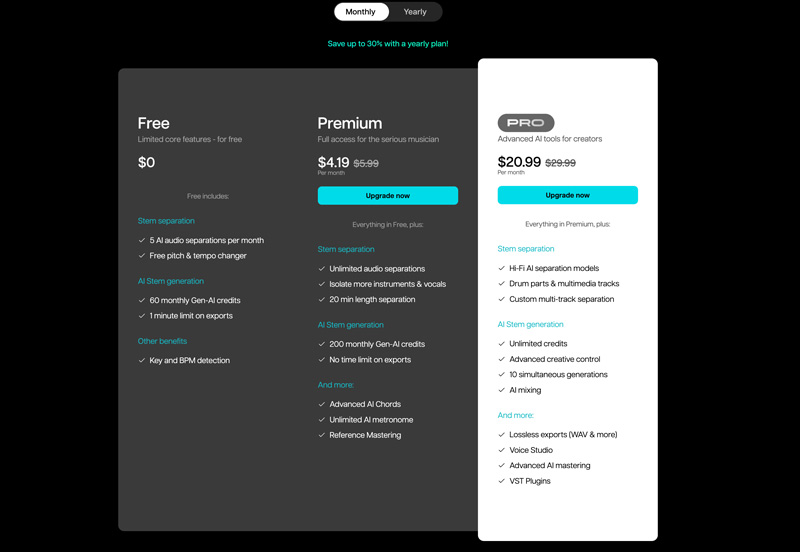
Moises offers a free trial version to access its basic functions. You can test its vocal removal capabilities and then make your decision if you want to upgrade. The final choice depends entirely on how you intend to use Moises. Below is a breakdown of the plans.
| Moises | Free Plan | Premium Plan | Pro Plan |
| Price | $0 | ~$2.33 - $3.33 (Per month, paid annually) ~$4.19 - $5.99 (Per month, paid monthly) |
~$11.66 - $16.66 (Per month, paid annually) ~$20.99 - $29.99 (Per month, paid monthly) |
| Stem Separation | 5 AI audio separations per month (Vocals, Drums, Bass) | 5 AI audio separations per month (including Piano, Strings) | Hi-Fi models, Drum parts, Multimedia stems |
| Upload Limits | 5 per month, 1 mins per file | Unlimited, up to 20 mins per file | Unlimited |
| Audio Quality | MP3/M4A Export | WAV Export (Desktop) | High-Fidelity WAV |
| Key Features | Basic chord detection, metronome Key and BPM detection |
Stem separation Advanced AI Chords Unlimited AI metronome |
VST Plugin Voice Studio Unlimited AI Studio credits |
Moises is worth the subscription if you are a musician or a student who practices daily. However, for casual users or video editors who only need occasional vocal removal, the subscription model is not necessary.
Moises offers a straightforward way to remove vocals, whether on desktop or mobile devices.
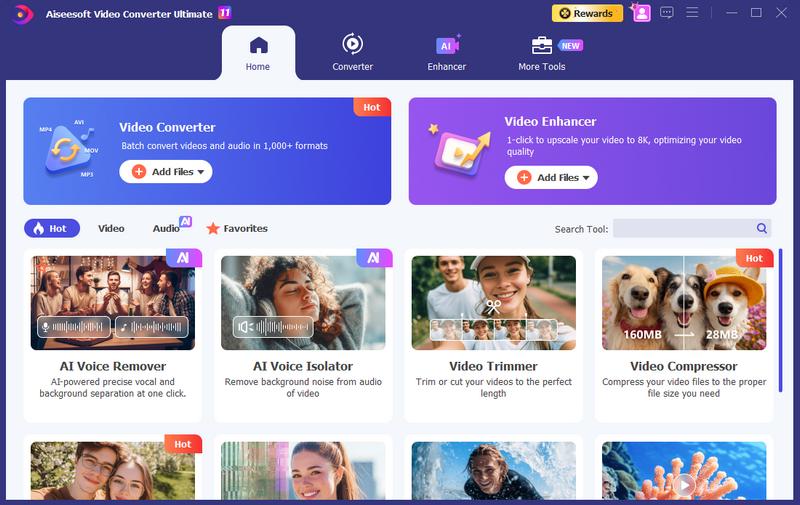
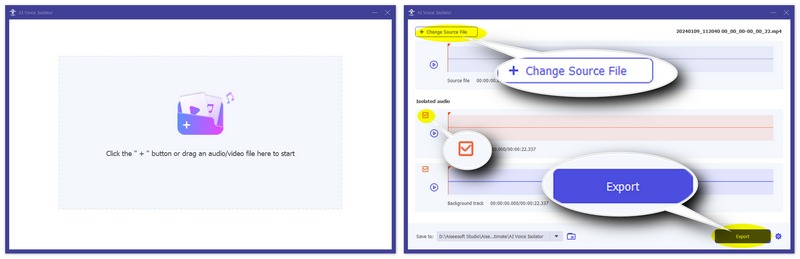
While Moises is a great AI vocal remover for musicians, sometimes you may prefer a quick, reliable tool to isolate vocals from a video or song. Before committing to a Moises Premium/Pro subscription, you can try using a top-tier alternative: Aiseesoft Video Converter Ultimate. It designs a dedicated AI Voice Remover to remove vocals with ease.
100% Secure. No Ads.
100% Secure. No Ads.
Question 1. Can I use Moises for free?
Yes, you can use the Moises app for free, whether for its desktop or mobile app. It operates on a freemium model. However, the free tier comes with some features and export limits.
Question 2. Can the Moises app extract vocals from a song?
Yes, besides the vocal removal, Moises allows you to extract vocals from a song with ease. As mentioned above; after uploading a track, the Moises AI will separate it into distinct stems. When you need to extract vocals, you can isolate the vocal track from the instruments, mute all the instruments, and keep only the separated vocal track.
Question 3. Does Moises support vocal removal from videos?
Yes, Moises allows you to add a video file and then directly remove the vocals from it. The advanced AI can separate the audio tracks just as it does with audio files.
Conclusion
Moises remains the gold standard for musicians, producers, and audio creators who need a feature-rich practice tool. However, if you are a casual user, creator, or editor who prefers an easier solution, turn to the Moises AI vocal remover alternative, Aiseesoft Video Converter Ultimate.
 Top 9 Vocal Removers - Free, Online, AI, and Desktop Apps
Is the Ultimate Vocal Remover Online free? What is the best software to remove vocals from a song using AI? Check the review of the 9 best vocal remover tools.
 How to Remove Echo from Audio Using 5 Helpful Editor Tools
Why is my audio output echoing? How do you clean up echo in audio and fix echoey audio? What AI can get rid of echo in audio? Learn 5 ways to remove audio echo.
 5 Best Apps to Remove Background Noise from Audio Files Like a Pro
With the best apps to remove background noise from audio, you wouldn't need to worry if the audio clip that you have a noisy background. Read this to know more!
About AMV
1.1 Best AMV Maker Apps 1.2 How to Make AMV on Computer 1.3 How to Make AMV on iPhone/iPad 1.4 How to use Windows Movie Maker 1.5 AMV - What Is AMV 1.6 Best AMV Editor Apps 1.7 Top 5 AMV Converters
Video Converter Ultimate is excellent video converter, editor and enhancer to convert, enhance and edit videos and music in 1000 formats and more.
100% Secure. No Ads.
100% Secure. No Ads.

*Required field
*Please enter a valid email

