Contents
The main reason for people to set up a screen password or pattern lock is to keep private data like messages, photos, videos, and more from being accessed by friends or strangers. What if you cannot get access to your phone because you forgot the PIN or the pattern lock?
How to unlock an Android phone without a password?
This guide helps you bypass the Android lock screen and regain access to your device. Whether you want to unlock the phone without losing data or perform a factory reset as a last resort, there is a suitable method for you. If you forgot your Android screen lock password, try the 5 proven methods below.
How We Tested
We tested the five methods on Samsung S23, OnePlus 12, and Google Pixel 8.
For most users: Try Android Unlocker first. Samsung users: Find My Mobile.
Quickly choose:
| Situations | Methods |
| For most users | Try Android Device Manager or Find Hub first. |
| For Pattern Lock | Use Google Login. |
| Samsung users | Find My Mobile is the ideal option. |
| For guaranteed success without data loss | Aiseesoft Android Unlocker is the most reliable choice. |
| Do not retain mobile phone data | Try a factory settings reset. |
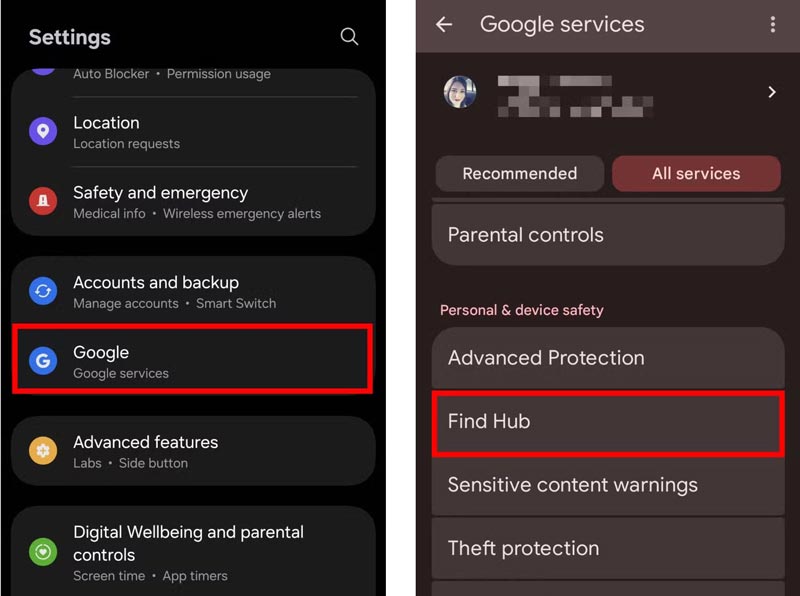
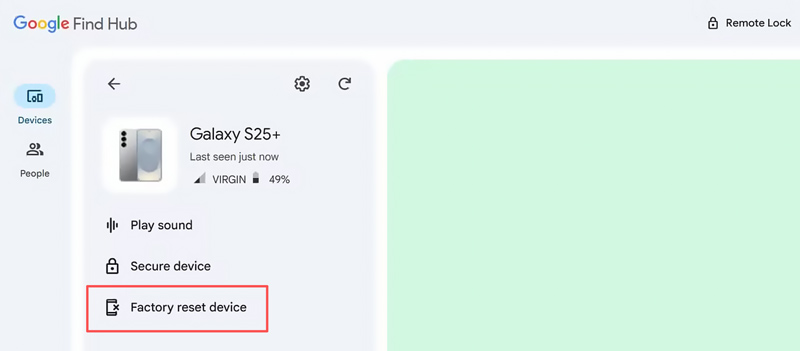
Android Device Manager (ADM) is a professional Android device service provided by Google Inc. It enables Android users to remotely ring, lock, locate or even erase their phone or tablet. Google has replaced the ADM service with Find Hub. It is mainly used to find, lock and erase your lost Android device. When you cannot access your device, you can use it to erase the Android phone and remove the lock.
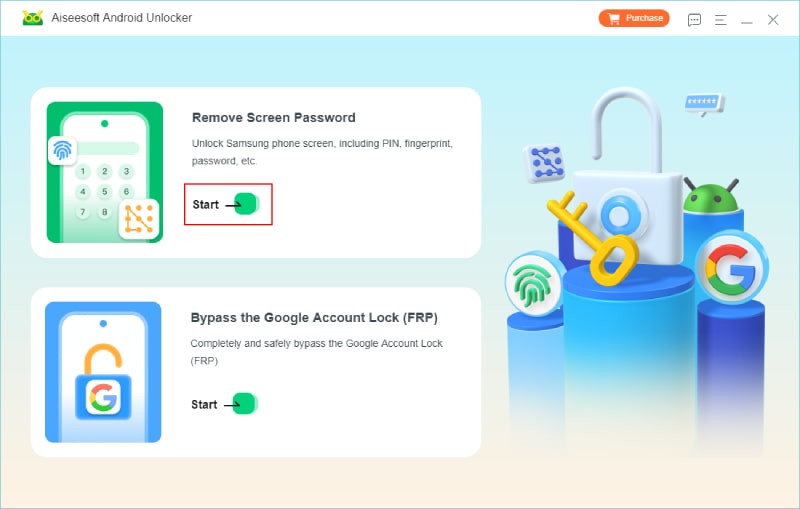
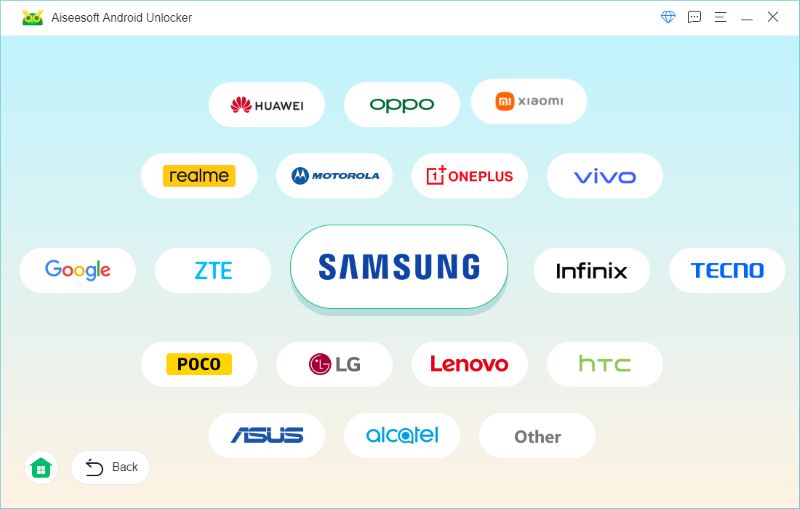
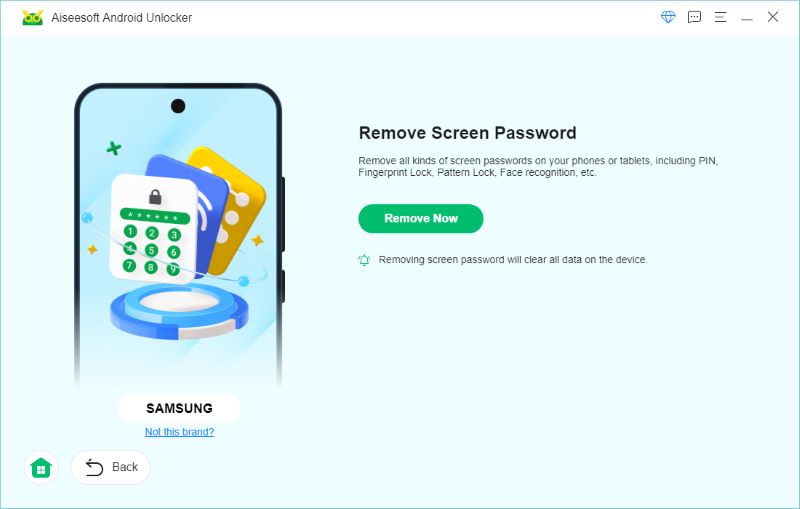
If you are looking for the most reliable way to unlock an Android phone, Aiseesoft Android Unlocker is your best bet. This professional password removal tool can remove all types of screen locks, including pattern, digital password, PIN, fingerprint, and Face ID. It works on all commonly used Android devices and versions. It does not require previous USB debugging setup.
Android Unlocker provides a safe way to unlock Android phones without losing data. You can follow the steps below to easily remove the screen lock without a password.
 100% Secure. No Ads.
100% Secure. No Ads.
Pro Tip: Before performing any factory reset operation, you should back up your data first. Create a new backup file that contains your contacts, messages, photos, and other important files before proceeding.
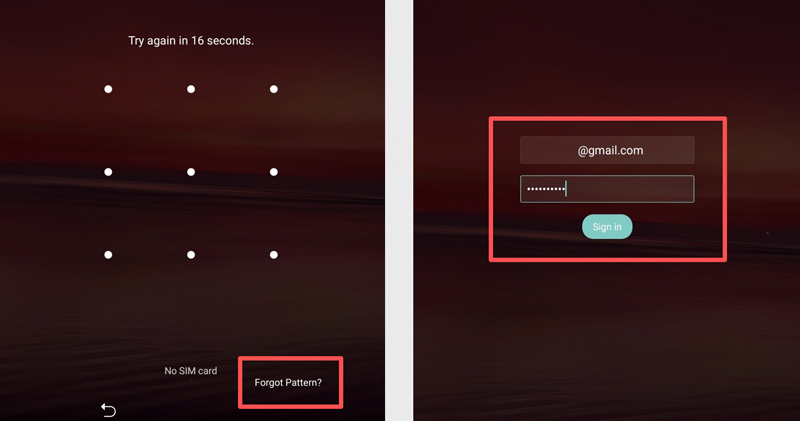
Forgot the lock screen pattern on your Android phone? Then you can bypass the forgotten Android pattern lock with your Google login.
Find My Mobile is Samsung’s official remote tracking and management service for Galaxy phones. Like Find My for Apple devices, it helps you locate, control, and protect your Samsung devices if they are lost or locked. Find My Mobile is now integrated into SmartThings Find. It lets you remotely wipe your Galaxy phone and bypass Samsung lock without a Google account.
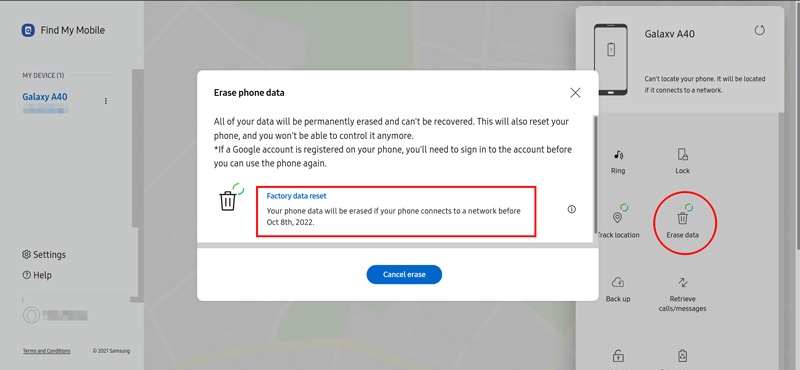
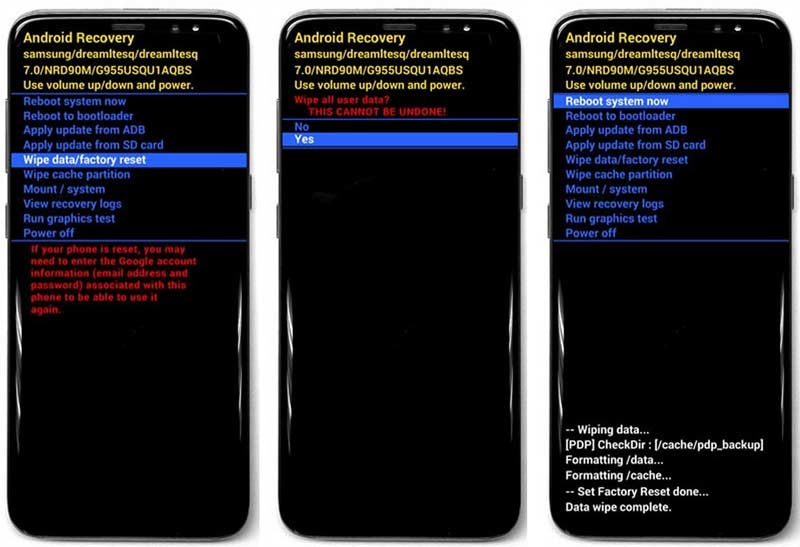
This method lets you access your Android phone again under the circumstance that all your files like messages, photos, videos and more are removed.
1. How to unlock Android phone SIM card?
In order to unlock the SIM card of your Android phone, you must first get IMEI number, which is the unique identifier to your phone. Go to Settings > About Phone > Status > IMEI to find this code. Then give this IMEI code to the operator.
2. Can I unlock my phone through Google?
Yes, you can bypass the forgotten Android pattern lock with your Google login. But you need to note that this way is only applied for Android 4.4 and earlier versions.
3. What to do if I forgot lock screen password on Android phone?
If you forgot the lock screen password on your Android phone, there are ways to re-access to your Android phone. You can try the above methods mentioned in this page to lock your phone with Android Manager Device, Google, Find My Mobile, ADM, or factory settings reset.
4. How to unlock an Android phone without losing data?
Yes, you can unlock an Android phone without losing data. However, this largely depends on proactive setup. If you have a recent backup that contains all the important files on your phone, you can use the methods above to erase the device and then perform a backup restore. Google Find My Device (for Android 7.1.1 and below) and Samsung SmartThings Find (for Galaxy users) are excellent free solutions that remotely remove screen locks.
5. How to unlock Android phone without Google account?
It is possible to unlock an Android phone without a Google account. You can use a third-party tool like Android Unlocker to bypass both screen and FRP locks without account details.
6. Can I unlock my Samsung phone without a Samsung account?
Yes, you can unlock a Samsung Galaxy phone without a Samsung account. When you forgot the screen lock passcode, you can choose to perform a factory reset through Recovery Mode. To bypass Factory Reset Protection (FRP), use a third-party tool like Anock to remove the Google or Samsung account lock.
Conclusion
In this article, we mainly discuss how to unlock an Android phone when you unfortunately forget the password, PIN, or lock screen pattern. Hope you can manage to access your Android phone or tablet again.
 Forgot iPhone Passcode? 4 Ways to Unlock a Disabled/Locked iPhone Without Data Loss
Is your iPhone disabled for forgetting iPhone passcode? How do you unlock an iPhone without iTunes and data loss? Learn 4 ways to unlock a locked iPhone without a passcode.
 4 Foolproof Ways to Unlock Android Phone Password with a Factory Reset
Find the most convenient and efficient methods to unlock Android phone passwords without a factory reset. Detailed steps are in here.
 PassFab Android Unlocker Review: Good Android Removal Tool?
Check out this PassFab Android Unlock review to learn all about its features, pros, cons, etc., and decide if it is the right tool to unlock Android devices.
 Leave your comment and join our discussion
The best Android Data Recovery software to recover deleted files like SMS, contacts, call logs, documents, etc. from Android phone/SD card/tablet on Windows/Mac.
100% Secure. No Ads.
100% Secure. No Ads.

*Required field
*Please enter a valid email

