Facebook is one of the most popular social media where you can share interest with strangers and making friends and chat with them. There is a common problem on Facebook: how can I recover deleted Facebook messages if I made wrong operation by accident or system crush. This article will give 4 methods with detailed guide for Android users.
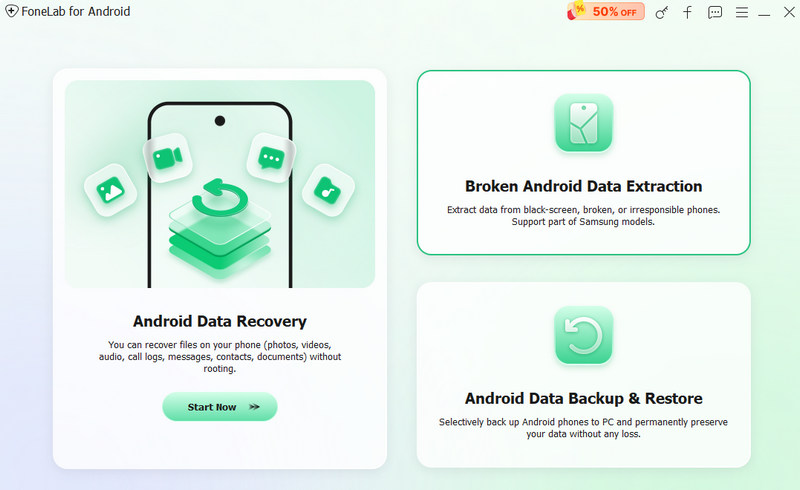
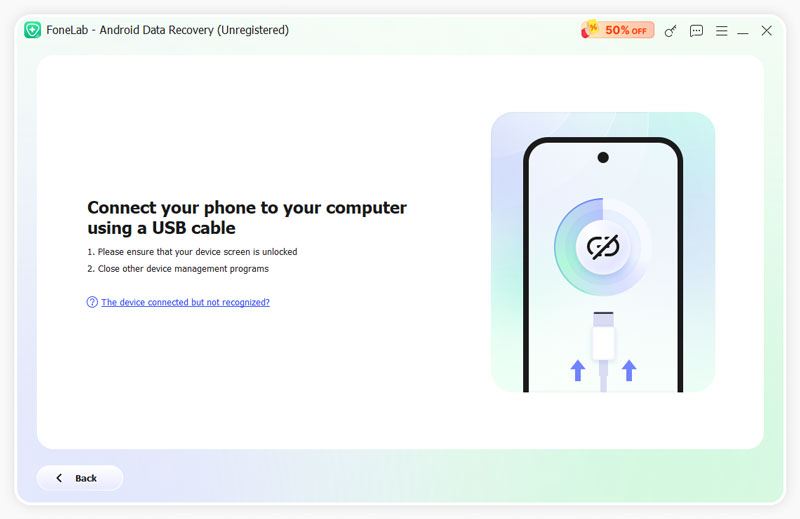
At first, you can try to use the professional data recovery tool Aiseesoft FoneLab for Android to help explore all your Facebook messages and recover the deleted ones. This software will scan and demonstrate the existing and deleted items and then you can select the wanted messages to save to your PC/Mac. Not just for Facebook messages, it can also help recover lost calls, text, and document even without a backup. Firstly, you need to download to your PC or Mac, and then install and launch it on your PC/Mac.
 100% Secure. No Ads.
100% Secure. No Ads.
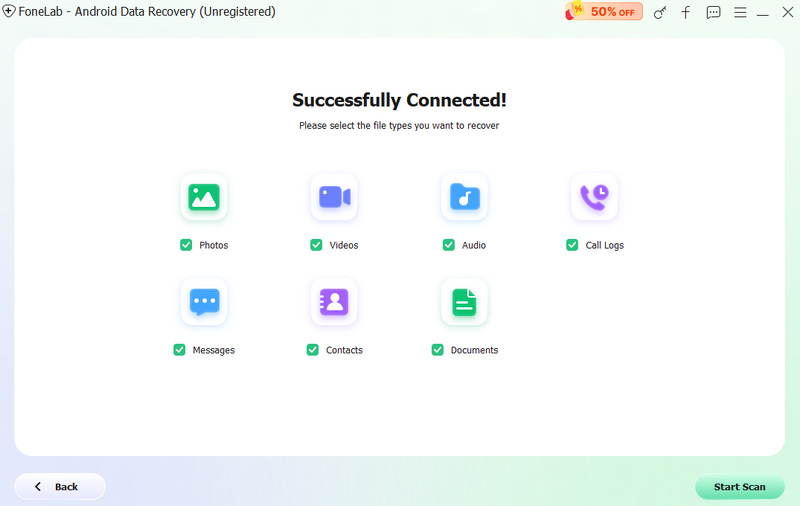
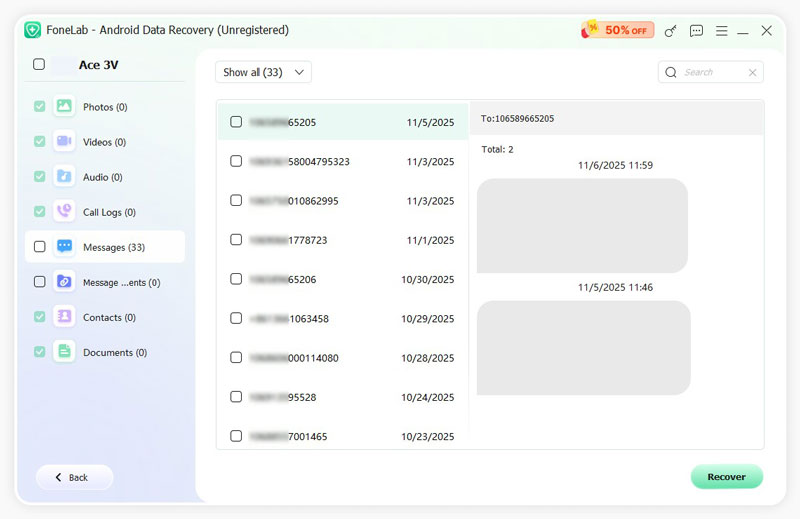
If you choose text messages, then you are able to recover SMS on Android. Similarly, you are also capable of recovering deleted photos, contacts, etc. If you have some data on your SD card, you could also recover deleted file from SD card with the help of this software.
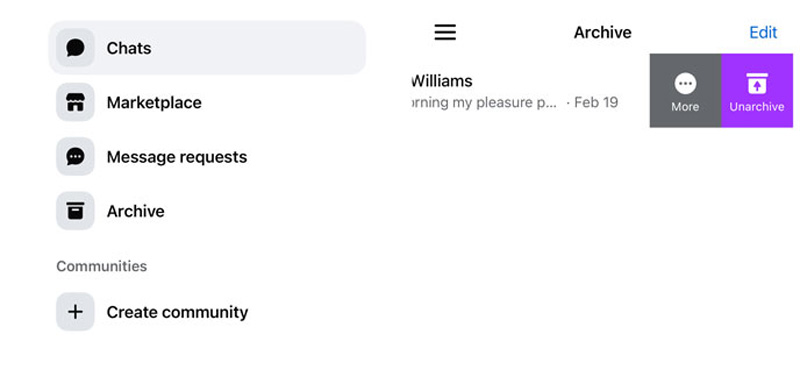
Are your Facebook messages really deleted or you just fail to find them? In fact, you probably just archived the Facebook messages so they disappeared from your Facebook Messenger Inbox until next time you chat or remove from archive box. Now, you just need to follow the steps as following to retrieve messages on Facebook Messenger.
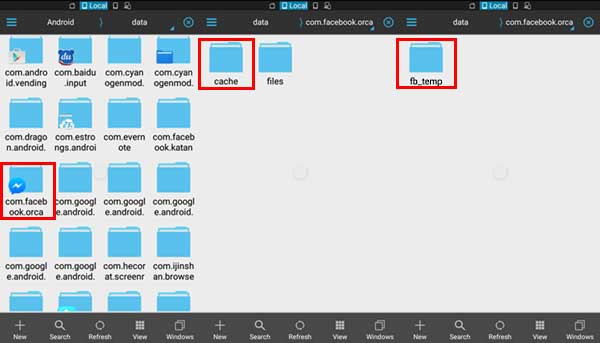
When you search for "how to recover deleted Facebook messages" on the internet, you may notice File Explorer to find your cache with a certain way. For recovering Facebook messages on your phone, this way also functions well. You can search for any File Explorer on Google Play like EJ File Explorer, ES File Explore, etc. Here we take ES File Explorer as an example.
You could also get back your Facebook photos, contacts, etc. in this way,
As Facebook allows you to save data like messages, emails, followers, friends, chats and more on computer or Android device, you can easily recover Facebook messages from downloaded Facebook data. How to copy the Facebook messages data for recovering? Here is the step-by-step guide to help you.
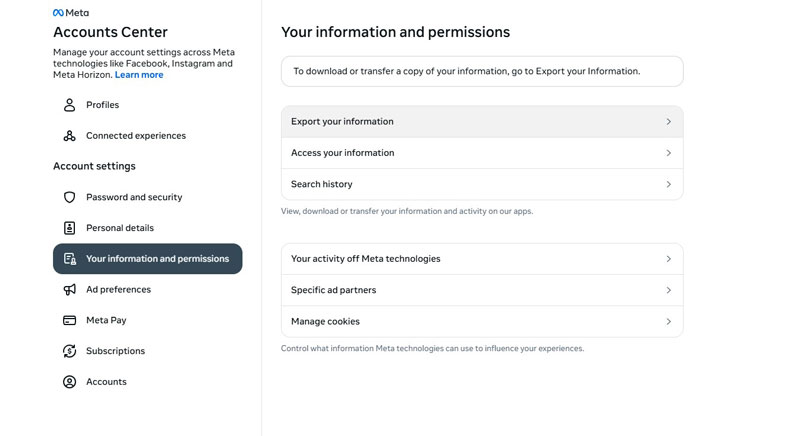
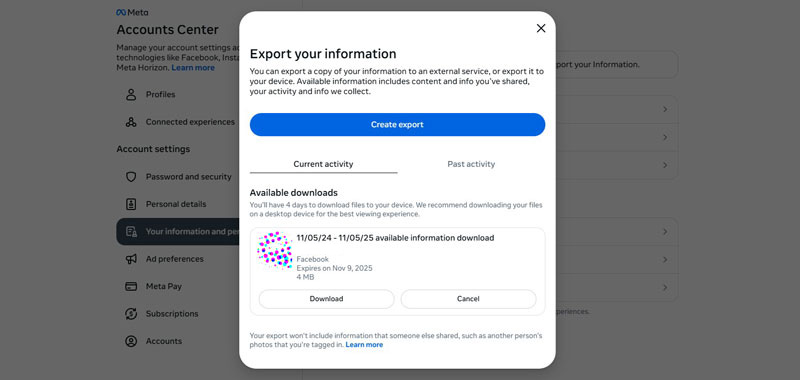
Note: You can find the Facebook messages from the file if you have the old copy. If you do not copy the information before deleting the messages, you will be unable to retrieve them as they are not included.
Where is Messenger data stored on Android?
You can go to Files > Storage/SD card > Android > data. Find the folder com.facebook.orca > cache > fb_temp, and find Facebook Messenger data on Android device.
How to see old messages in Messenger?
You can open a chat and scroll up to explore the old messages. You can also search some keywords of your conversation to locate quickly. If you can not find the chat history or deleted then already, you can use recovery tool to restore the old messages.
Are messages permanently deleted on Facebook Messenger?
It depends on different operation. If you choose Delete for you, the message will be removed from your view. But if your use Unsend of Delete for everyone, the message will be deleted from both sides.
Conclusion
No matter what for what kind of reason and how your deleted you Facebook messages from your Android, there is always a perfect way for you to recover Facebook Messages on Android. At first, check your archived box and this is the easiest method to recover the hidden message. For deleted messages, you can check from the android storage by file explore and your older Facebook backups. If none of these methods help, you can use Aiseesoft FoneLab for Android to recover the deleted Facebook messages on Android. It's fast, easy with high success rate. Try it now!
 How to Recover Deleted Facebook Messages by Default & Alternative Way
How to recover deleted Facebook messages? We have found the seven ways you can recover or retrieve deleted messages from Facebook and gain access to it again!
 5 Simple Ways to Fix Facebook Notifications Not Working on iPhon
Not getting Facebook notifications? Why are my Facebook notifications not showing up on iPhone? This post shares 5 simple ways to help you fix the Facebook notifications not working on iPhone issue.
 How to Delete Facebook Messenger Messages
Facebook messages takes up big space? Then delete unwanted messages on Facebook right now.
 Leave your comment and join our discussion
Facebook Messages
1.1 Recover Deleted Facebook Messages
1.2 Recover Facebook Messages on Android
The best Android Data Recovery software to recover deleted files like SMS, contacts, call logs, documents, etc. from Android phone/SD card/tablet on Windows/Mac.
100% Secure. No Ads.
100% Secure. No Ads.

*Required field
*Please enter a valid email

