iPhone Data Recovery
 100% Secure. No Ads.
100% Secure. No Ads.
Disk Drill is often a top recommendation for recovering lost and deleted iPhone data. The software is known for its iOS data recovery capability and high success rates.
When you search for a reliable solution to rescue your iPhone files, such as photos, videos, or messages, you will easily find the Disk Drill iPhone Data Recovery software in the results. However, before the recovery, you definitely want to know more about the tool.
Is Disk Drill iPhone recovery safe? Can Disk Drill restore permanently deleted files? Is it worth the price? You can learn all the necessary information in our Disk Drill iPhone Recovery review.
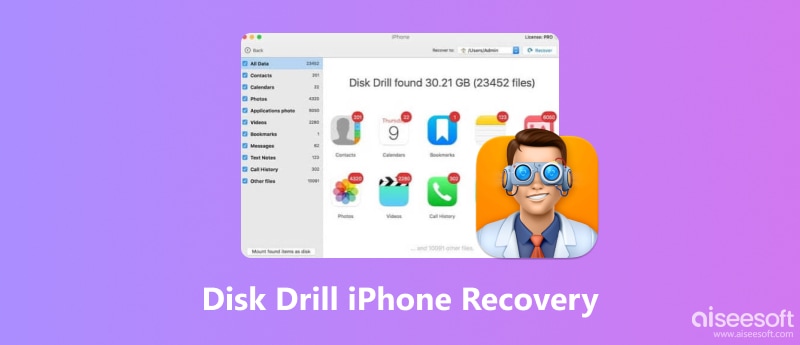
How We Test and Review
We evaluate the Disk Drill software based on five criteria: supported file types, performance, user experience, safety, and price.
We tested the Disk Drill software across different iPhone models and iOS versions. The installation, compatibility, scanning speed, interface, and limits are also included. We also checked user feedback from related platforms.
Disk Drill iPhone Recovery is a popular tool designed to restore all types of iOS files, including photos, videos, messages, contacts, and chats. This iOS data rescue tool is developed by CleverFiles. This desktop software (for Mac and Windows) can scan your iPhone or its computer backups to find and restore lost files.
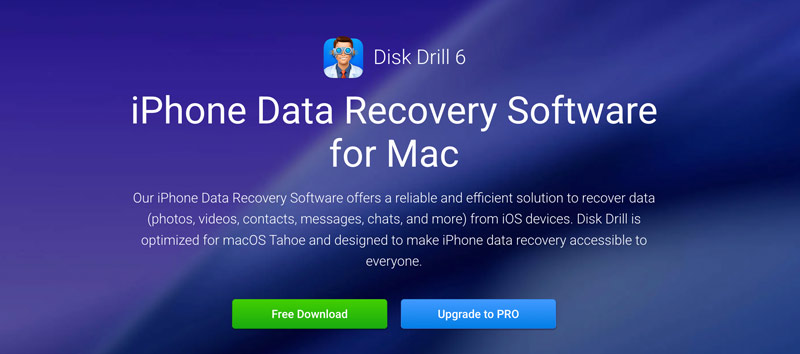
Disk Drill is optimized for macOS and Windows for quick iPhone data recovery. It is ideal for most casual users who want an all-in-one suite for different data recovery needs. It claims to make iPhone data recovery accessible to everyone. Besides, it is a good choice for users who need to recover files from a computer.
PROS
CONS
The latest Disk Drill iPhone Recovery version (Disk Drill 6) supports all commonly used iPhone models and iOS versions. Whether you are using an iPhone 17 Pro Max or an older model like iPhone 6, you can use it to recover deleted iOS files with ease. Moreover, it works with all iOS versions, ranging from iOS 5 to the newest iOS 26.
1. iPhone Backup Recovery. The core feature of Disk Drill is its iOS data recovery. It can recover various data from both iPhone/iPad devices and backups. Disk Drill can scan your local Finder or iTunes backup to find the target files you want to restore.
2. Deep Scan Technology. Disk Drill iPhone Recovery adopts advanced Deep Scan algorithms to guarantee high success rates. The software lets you easily locate and retrieve deleted photos, contacts, notes, call histories, and various app files.
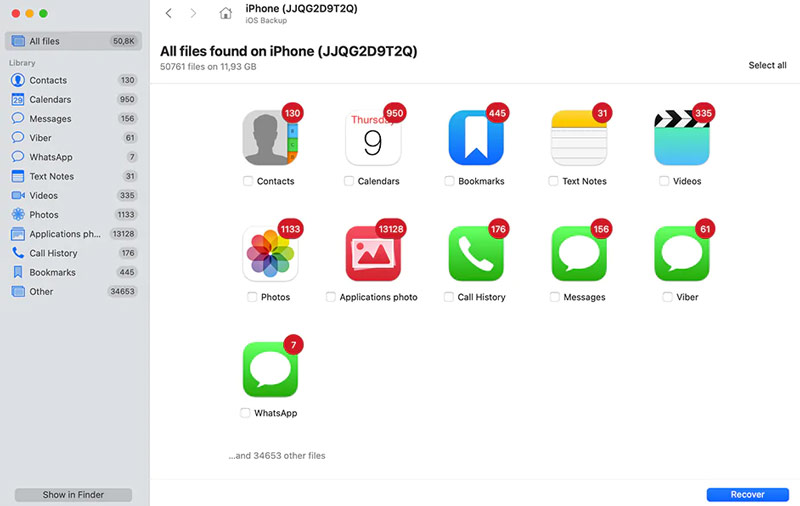
3. Preview Before Recovery. Disk Drill includes a convenient Preview function that lets you view photos, read text messages, and listen to audio files before performing a recovery or purchasing a license. That also ensures your iPhone data can be restored.
4. Recovery Vault Protection. Built-in filters are designed to quickly locate the target files you want to recover. You can sort all types of iOS data by date, file type, and name. In addition to full iPhone data recovery, Disk Drill lets you select only the necessary items and restore them. Moreover, it will prompt you to select a safe destination for the recovered files.
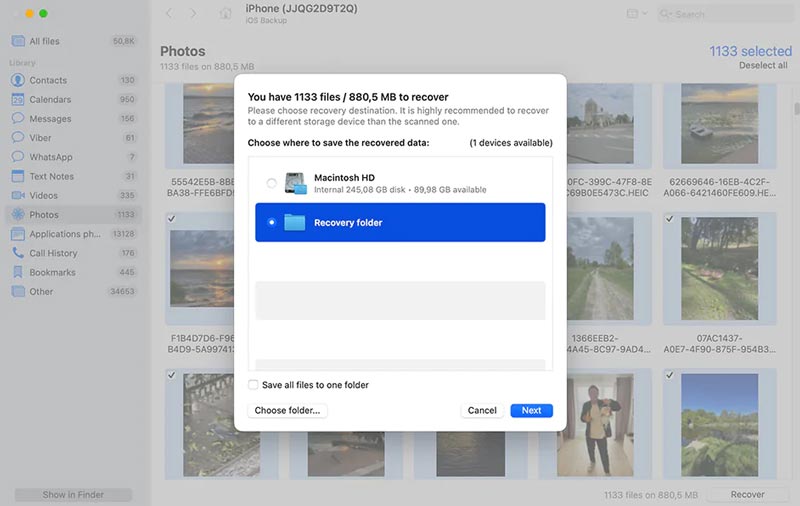
Whether you want to use Disk Drill iPhone Recovery on a Mac or Windows PC, you can enter the official website and click the Free Download button.
1. Software Compatibility
The software is highly optimized for macOS, mainly for Apple Silicon (M1/M2/M3 chips). Follow the onscreen instructions to install a free trial version on your computer.
2. Recovery Performance Testing
In our tests, Disk Drill 6 can easily find recently deleted contacts, notes, and messages. It successfully recovered 90%-95% of recently deleted iPhone data. When it comes to media recovery, such as photos and videos, the success rate was lower. In some cases, Disk Drill 6 only restored compressed, blurry versions of image files. The success rate dropped to around 75% for high-resolution 4K videos.
3. User Experience and Ease of Use
The current version of Disk Drill 6 features a modern, concise interface. All features are easy to access and use, even for complete beginners. You can easily recover your iPhone data.
4. Safety and Privacy Review
The Disk Drill iPhone Data Recovery software requires your permission to access your iPhone data and scan backups. It does not need a network connection to perform the recovery. Your personal iPhone data will not be transmitted over the internet. That guarantees privacy remain 100% intact.
5. Pricing and Value Assessment
The trial version only allows you to preview deleted iPhone data. If you want to upgrade to the Pro version, you may find that Disk Drill is not a budget tool. It is not suitable for general users who only want to recover several iOS files.
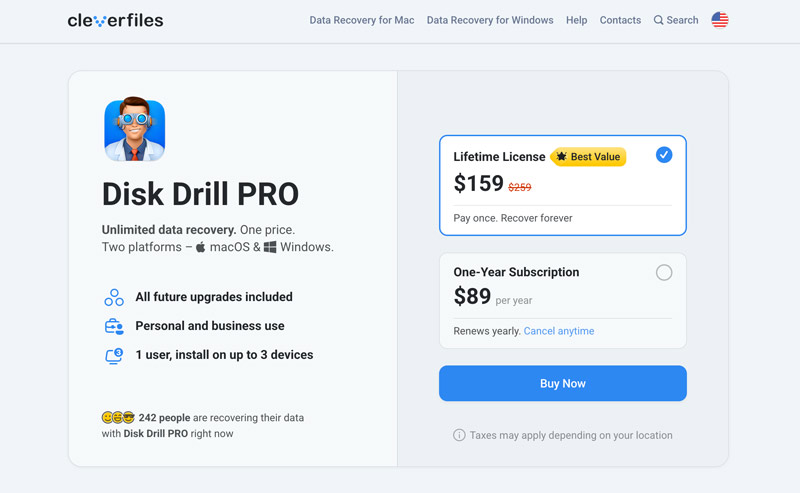
Disk Drill is a powerful and safe recovery tool for rescuing all types of iPhone files. It is ideal for users who frequently handle desktop and mobile data recovery tasks. In our tests, it delivered high success rates of text-based files. However, if you only need an iOS-only tool and want to save money, consider a better alternative: Aiseesoft FoneLab.
100% Secure. No Ads.
100% Secure. No Ads.
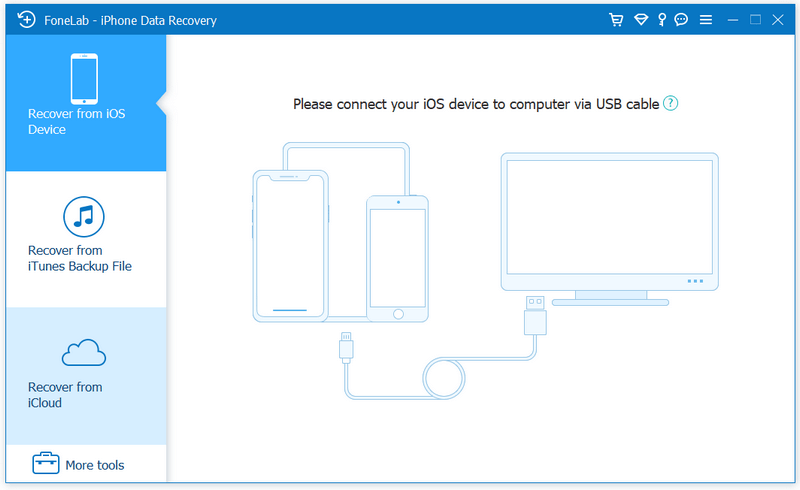
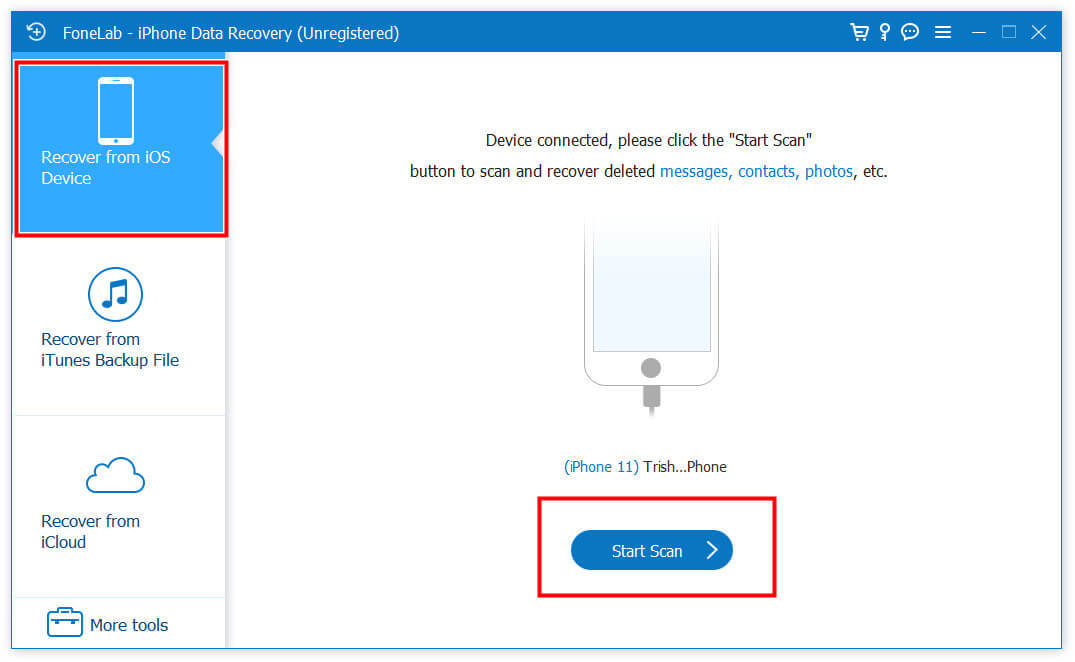
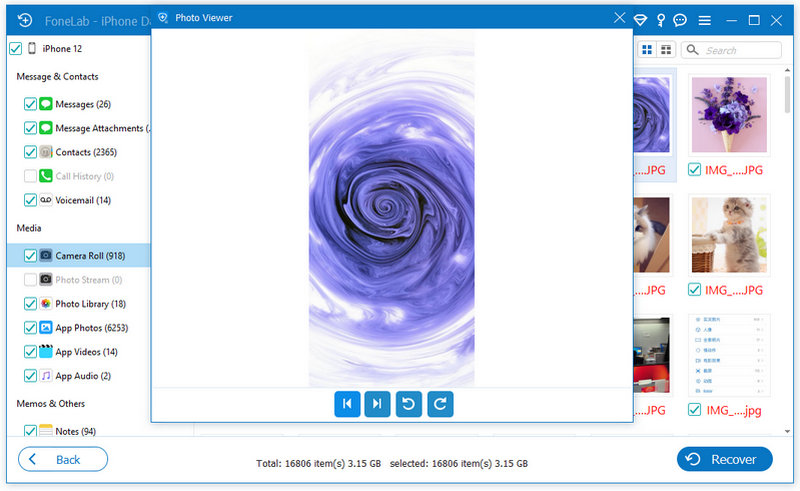
Aiseesoft FoneLab is a powerful toolkit specially designed to retrieve lost files from Apple mobile devices. As a Disk Drill alternative, it supports more iPhone data types and often delivers a higher success rate. FoneLab excels at restoring media and app files. It works with more third-party apps, including the backup and restore of WhatsApp, WeChat, Kik, Line, Viber, and Facebook Messenger.
FoneLab can recover data from the iPhone device or an iTunes/Finder backup. Moreover, it allows you to retrieve deleted iPhone files from an iCloud backup (Disk Drill does not support this). Like Disk Drill, the alternative tool lets you preview recoverable data before the recovery. In addition, it can export recovered files in your preferred format for easy viewing or printing.
Is Disk Drill iPhone Recovery safe to use?
Yes, Disk Drill iPhone Data Recovery is safe to use. A reputable company develops the software. It requires your permission to access your personal data. The software does not contain malware or spyware. In addition, the recovery process is read-only. All your iOS files are secured and will never be uploaded to the internet or used by CleverFiles’ servers.
Can Disk Drill repair corrupted iPhone photos?
No, Disk Drill is not designed to repair corrupted photos on an iPhone. It is a dedicated data recovery tool that finds and restores lost/deleted iOS files from your iPhone or iTunes/Finder backups.
Can Disk Drill recover from a broken iPhone?
If your iPhone is successfully detected by Disk Drill, the related iOS data stored on the device is often recoverable. Disk Drill can scan the device and extract all types of files. However, if the hardware is too damaged to connect, you can use Disk Drill to recover deleted iPhone data from a previous iTunes or Finder backup.
Conclusion
You can learn everything through the comprehensive Disk Drill iPhone Recovery review. You are advised to start with its trial version to test its recovery capabilities. It can be a good choice for users who want an all-in-one data recovery suite for both mobile devices and computers. However, if you only need to restore iOS data and prefer a cheaper recovery tool, Aiseesoft FoneLab is highly recommended.
 Recover Deleted Files on Your Mac with 5 Proven Solutions
Can I recover permanently deleted files on my Mac after Trash is emptied? How do you recover accidentally deleted files? Learn to recover deleted files on a Mac.
 How to Recover Data from a Broken iPhone Without Backup
Has your iPhone been damaged or broken? Learn how to recover data from a dropped, dead, or broken iPhone with or without any backups.
 Top 5 iPhone Photo Recovery for Windows and Mac [2026 Updated]
In this iPhone photo recovery software review, we compare features and pros in detail to help you choose the best option. Check the top 5 iPhone photo recovery tools together!
 Leave your comment and join our discussion
The best iPhone data recovery software ever, allowing users to safely recover lost iPhone/iPad/iPod data from iOS device, iTunes/iCloud backup.
100% Secure. No Ads.
100% Secure. No Ads.

*Required field
*Please enter a valid email

