Aiseesoft Screen Recorder
 100% Secure. No Ads.
100% Secure. No Ads.
By now, webcam recording is no longer just for casual video chats. Whether you're joining hybrid meetings, creating tutorials, livestreaming, or sharing content on social media, more people need smooth webcam capture with clear audio, 4K quality, and features like AI background blur or noise reduction.
Still, many users run into the same issues: built-in camera apps feel too basic, online tools may raise privacy concerns, and not every recorder can capture both your webcam and screen at the same time. That’s why choosing the right webcam recorder matters.
In this guide, you'll learn how to record a video with a webcam and explore the best free and paid webcam recorders for online use and on Windows/Mac. Whether you need a quick browser-based tool or a professional webcam video recorder for work and content creation, you’ll find the right option here.
How We Test and Review Webcam Software
Our expert team evaluates webcam recorders based on:
| Software/Tool | Best For | Highlight Feature | Score |
| Aiseesoft Screen Recorder | Professional Content Creators | AI Audio Boost & 4K/8K Sync | 5/5 |
| OBS Studio | Pro Streamers | Virtual Camera & Scene Switching | 4.5/5 |
| Movavi Screen Capture | Quick Tutorials | Built-in High-End Editor | 4/5 |
| 123APPS Video Recorder | Casual Users | Online & Direct Cloud Save | 3/5 |
| Bandicam | Low-End PCs | High Compression Ratio | 4/5 |
| Logitech Capture | Logitech Hardware Users | Multi-Source Optimization | 3.5/5 |
Choosing between a desktop app and an online webcam recorder depends on your specific needs for quality, security, and editing features. Today, desktop software typically offers superior 4K stability and AI features, while online tools prioritize instant access for one-time tasks.
Explore the distinct advantages of each type below to find your perfect match.
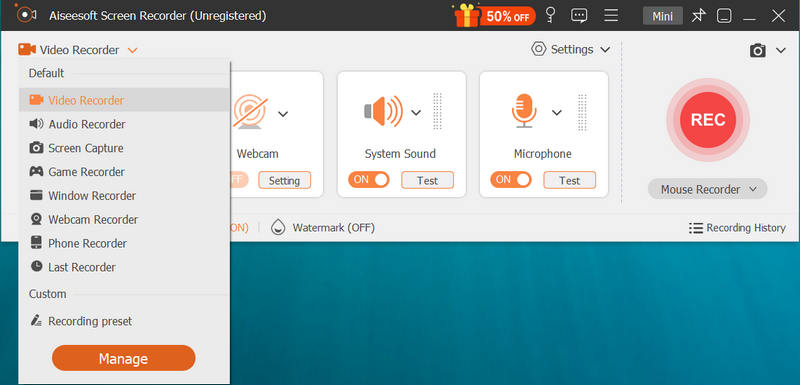
Aiseesoft Screen Recorder is the webcam recorder that allows you to record webcam video as well as screen on your computer monitor. You need to download this app, and make sure your webcam is on, and then launch this software on your Windows computer orderly. You are allowed to select webcam recording area, set system audio or microphone audio, video quality, and choose MP4 or WMV to capture video from webcam. Also, it supports multi-monitor record when you have more than one computer at hand. You will be given to preview the webcam video and save it to your PC quickly because of real-time coding compression.
PROS
PROS
100% Secure. No Ads.
100% Secure. No Ads.
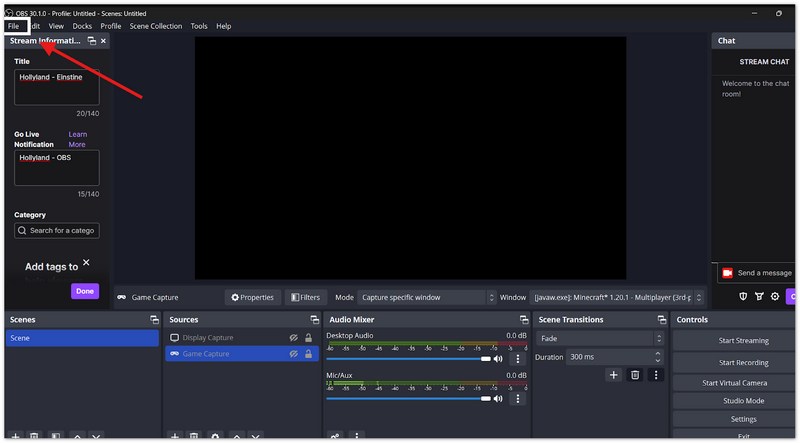
OBS Studio is the top choice for creators who want total control over their video. As a free, open-source tool, it works like a professional TV studio on your computer. OBS screen recording allows you to mix multiple cameras, add custom graphics, and create complex layouts. While it is incredibly powerful, it is designed for users who don't mind spending a little time learning how to master its many features.
Pros
Cons
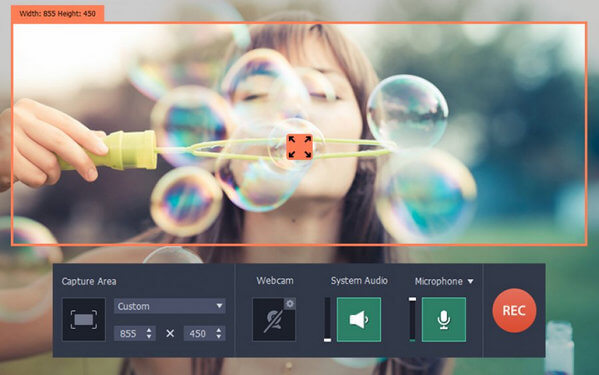
Movavi Screen Capture is an advanced webcam video recorder for Windows and Mac. You need to download this app from its official page and install on your PC or Mac. After launching it, you can click "Record Video" to start webcam capture directly or get capture settings like video resolution, audio and video capture device, file saving location, etc. After stopping recording webcam video, you can save the file directly or back to its editor to edit your webcam recorded video. It provides other editing features like transitions, titles, filters, crop, audio/video-added, audio fade-in/fade-out to adjust your video effects.
Pros
Cons
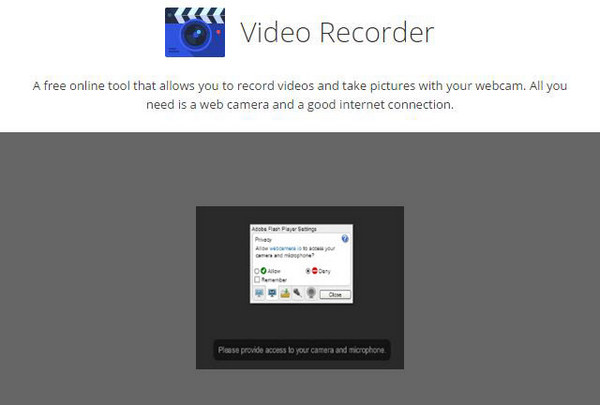
Video Recorder from 123APPS is another free online tool that allows you to record videos from webcam, and take pictures right in your browser. The interface is simple as they can be to let the fresh hand capture webcam video easily.
In its permission pop-up interface, you could get flexible settings for microphone audio, file storage on your computer or Google Drive or Dropbox. You are allowed to choose its recording area as full screen or mirror. And the video quality is available for your selection.
Pros
Cons
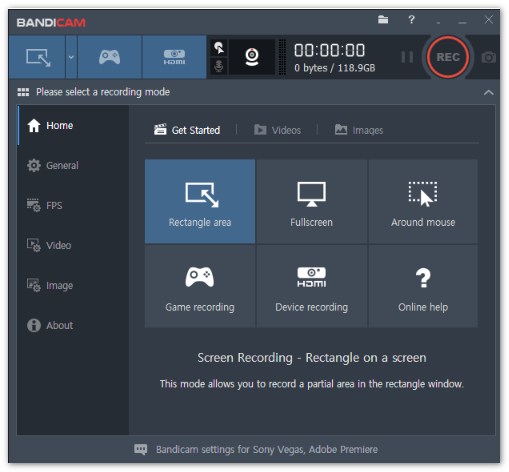
Bandicam is one of the world's most famous screen recorders for low-end pc or less powerful computers. It uses high compression to record high-quality video without making your PC lag. It is the perfect "set it and forget it" tool for users who want great performance on a budget.
Pros
Cons
100% Secure. No Ads.
100% Secure. No Ads.
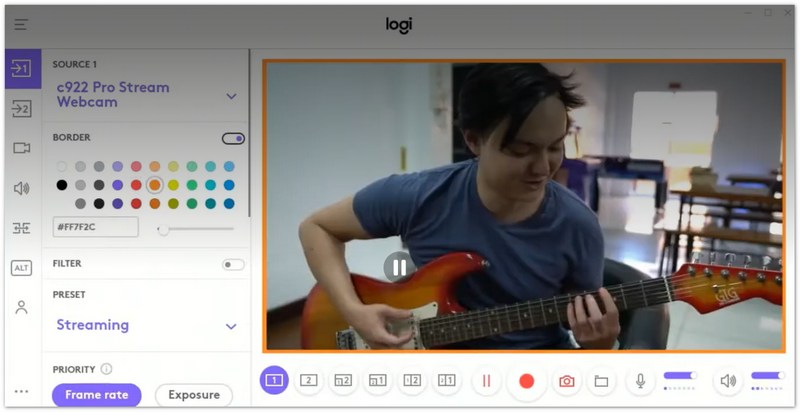
Logitech Capture is a dedicated tool designed to help you get the most out of your Logitech webcam. It is famous for its "multi-source" feature, which lets you record your screen and your camera (or two cameras) at the same time in one clean layout. It is perfect for unboxing videos and presentations.
Pros
Cons
100% Secure. No Ads.
100% Secure. No Ads.
From the above webcam recorder, you must have found what webcam capture software is the exact one you need. Now in this part, we will take one Screen Recorder as an example, and show you how to record video from webcam with it. Firstly, you need to download this software to your PC at first.
Before you record a video with web capture software, you need to make sure you have connect your USB camera or turn on camera on your laptop.
After downloading this webcam capture software to your PC, install and launch it instantly. Choose Video Recorder, then set the recording area, audio source as well as other settings.
Then, you need to specify the recording area and choose the audio source you want to capture. To record webcam, you need to enable Webcam. After making all necessary settings, click the REC button to start the webcam recording. Click the Stop button to preview and save your recording to PC.
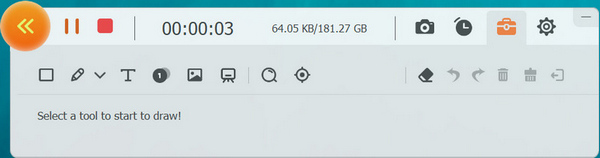
When you use this webcam record to take webcam video recording, the following points you should pay attention to:
1. You need to select recording area manually to get the exact webcam video as you want, when you record Skype videos or record Hangouts call, etc.
2. This Windows webcam recorder lets you also capture extra screen on your computer monitor to show other info that you want to show to others.
3. Not only microphone audio, you can still record system audio from your computer to add your webcam video, like record music online.
4. It lets you capture any video show on your computer monitor, like live gameplay, etc.
A brief conclusion can be made from the above description that, you should choose the suitable webcam recorder to record your video with webcam.
How do I use my webcam to record video on my computer?
You can make use of a webcam video recorder like Aiseesoft Screen Recorder to help you record videos from your webcam and save them to your computer.
Can I record my Logitech webcam?
Yes. You can just connect your Logitech webcam to your computer, and then run a webcam recording tool you'd like to use. Then, you can start recording a webcam video.
How do I take photos with webcam on Mac?
If you want to take a photo with webcam on your Mac, follow the link below and read the guide.
Read the guide to take photos with webcam on Mac
Conclusion
The best webcam recorder is the one that fits your hardware and creative goals. For professional 4K video with AI audio sync and ease of use, Aiseesoft Screen Recorder is the most reliable choice.
100% Secure. No Ads.
100% Secure. No Ads.
Meanwhile, OBS Studio remains the powerhouse for streamers, and Bandicam is ideal for low-end PCs. Pick your tool today to ensure high-quality, lag-free recordings for your audience!
 Top 5 Best Free/Paid Audio Recorder
If you have any need to only record webcam audio, then you can try to read this post.
 Top 5 Best Screen Recorders Apps for Recording Screen
Not webcam recording, you still can learn from this article to know the top five screen recorders.
 Top 6 M4A Audio Editor (Free & Paid) to Edit M4A Files as a Pro
When you want to edit M4A audio files, an M4A editor is needed. This article shows 6 best M4A editing software to edit your M4A files on Windows and Mac easily.
 Leave your comment and join our discussion
Aiseesoft Screen Recorder is the best screen recording software to capture any activity like online videos, webcam calls, game on Windows/Mac.
100% Secure. No Ads.
100% Secure. No Ads.

*Required field
*Please enter a valid email

