
Best for: Best all-in-one recorder for capturing system audio and microphone.
Best 8K Screen Recorder for PC
 100% Secure. No Ads.
100% Secure. No Ads.
If you don't have time to read the full review, here are some short recommendations by use:
Best All-Rounder PC/Mac: Aiseesoft Screen Recorder
Best Free Open-Source: Audacity
Best No-Installation Online Tool: Aiseesoft Free Audio Recorder Online
Best Industry Standard: Adobe Audition

Whether recording a podcast, capturing a Zoom meeting, creating an online course, or simply saving a quick voice memo, choosing the right tool is critical. In 2026, a "good" audio recorder isn't just about hitting a red button; it's about AI noise cancellation, system sound capture, and multi-track editing.
In order not to waste your time, we tested more than 20 tools on Windows 11 and macOS Sonoma to give you a conclusive top 10 list of the best audio recorders available today.
What Matters in an Audio Recorder
| Software | Platform | Price | System Sound | Best For |
| Aiseesoft Screen Recorder | Win / Mac | Free Trial / Paid | √ | High Quality: Meetings & Streaming |
| Audacity | Win / Mac / Linux | Free | Setup Req. | Editing: Podcasts & Long-form |
| Adobe Audition | Win / Mac | Subscription | √ | Professional: Restoration & Mixing |
| QuickTime Player | Mac | Free | Mic Only | Mac Users: Quick Memos |
| WavePad | Win / Mac | Free / Paid | √ | Beginners: Easy Effects |
| Aiseesoft Online | Web | Free | √ | Privacy: Quality Web Recording |
| 123Apps Recorder | Web | Free | Mic Only | Simple: Quick Trimming |
| Voice Spice | Web | Free | Mic Only | Fun: Voice Morphing |
| Clipchamp | Win / Web | Freemium | √ | Creators: Video & AI Speech |
| SpeakPipe | Web | Free / Paid | Mic Only | Business: Audience Feedback |
Desktop audio recording software utilizes your local CPU, offering higher stability and support for lossless formats (WAV/FLAC) compared to browser-based tools. Here are the 5 best audio recorder recommendation.
Best for: Best all-in-one recorder for capturing system audio and microphone.
Score:5/5
Aiseesoft Screen Recorder is a multifunction recorder software for PC and Mac. It has a separate recording feature to record audio, video and take a screenshot. As an audio recorder, it lets you record audio from system sound and microphone like other desktop audio recording software. Different from others, it enhances audio recording by reducing audio noise. Besides, you can start an audio test recording before starting it. The exported audio file can be saved as MP3, M4A, WMA, and AAC. Many recorders struggle to capture system audio cleanly on Windows 11 due to driver restrictions. Aiseesoft handles this natively. If you need to record a Zoom meeting where you want to hear both yourself and the other person clearly, this is the tool to get.
Downloads
100% Secure. No Ads.
100% Secure. No Ads.
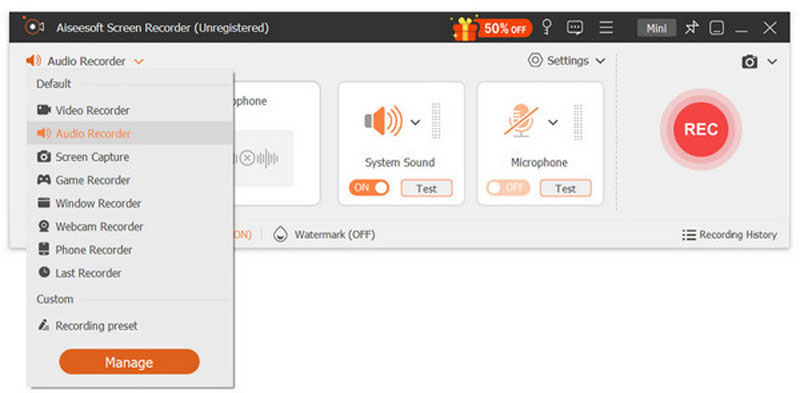
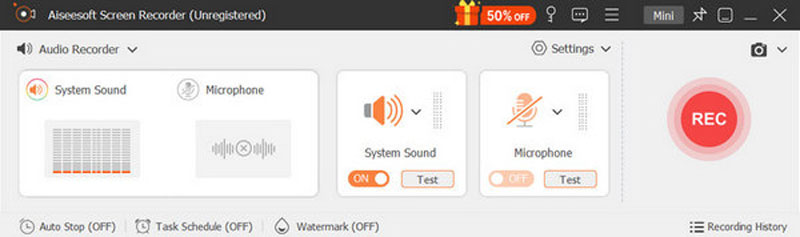
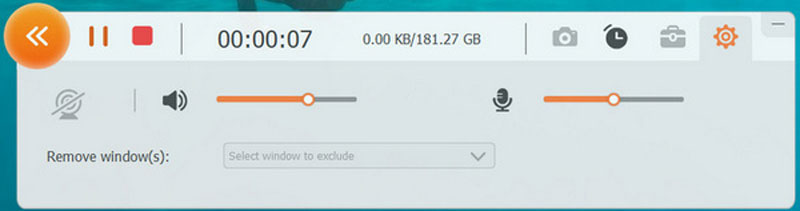
The captured audio will keep the exactly the original sound quality, you won't need to worry about the quality loss. Moreover, the recorded audio can be saved in any popular audio format like MP3, AAV, M4A, FLAC, and more according to your need.
Best for: The industry standard for professional audio restoration and mixing.
Score:5/5
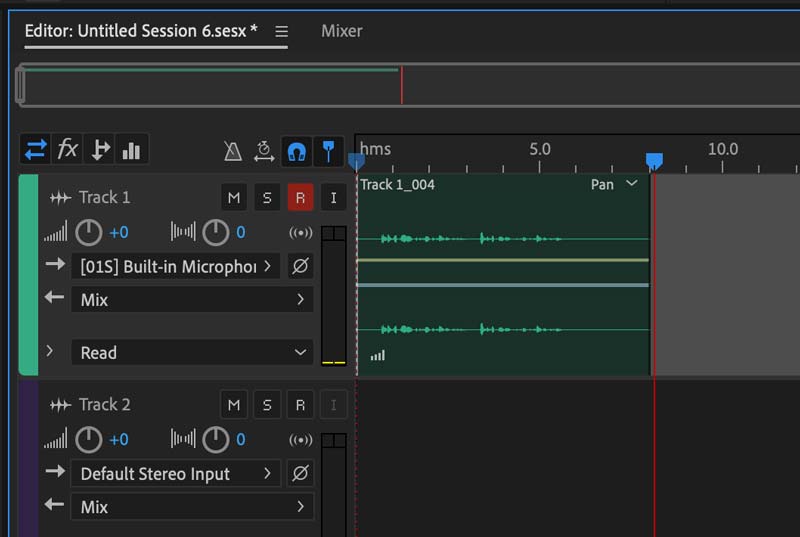
If you are producing content for broadcast, film, or high-stakes media, Adobe Audition is the best choice for professionals. While it is an exceptional multi-track recorder, Audition offers deep editing tools. It utilizes AI to automatically balance volume levels and background music behind dialogue. If you record a podcast in a noisy cafe, Audition’s DeNoise and DeReverb tools are the only ones you trust to make it sound studio-quality.
Major problems of Audition are high subscription fee and steep learning curve. You may not consider it if you are used for basic recording.
Best for: The best free, open-source workstation for multi-track editing.
Score:4.5/5
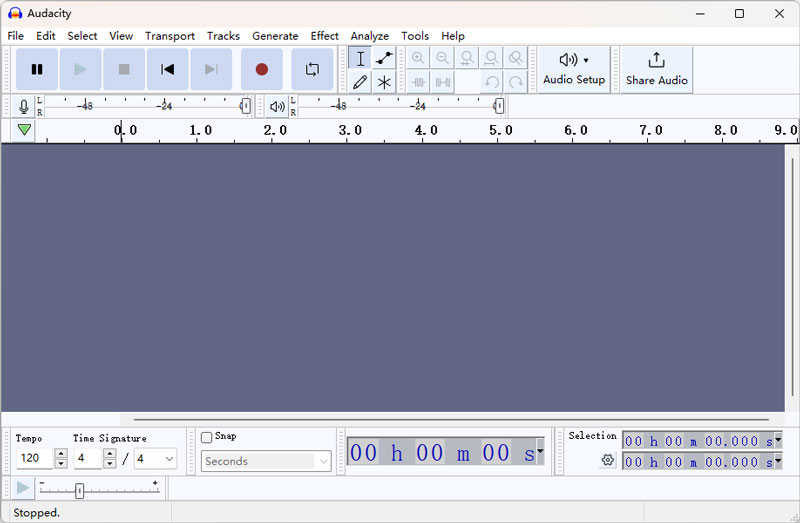
Audacity is a completely free and open-source audio recording program on Windows, Mac, Linux and GNU. It is a professional audio recording tool, which can record sounds from microphone and computer system.
Different from other audio recorder, Audacity features its powerful editing features, Besides, its plug-in manager handles plug-in installation and addition/removal of effects and generators from the menus.
However, its interface looks dated and requires WASAPI configuration to record system audio. As a beginner, you will spend some time learning how to use it.
Best for: The most convenient built-in utility for instant Mac voice notes.
Score:4.0/5
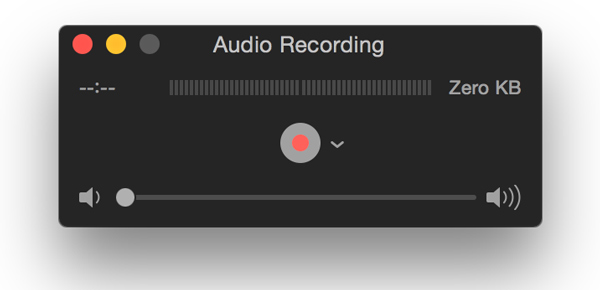
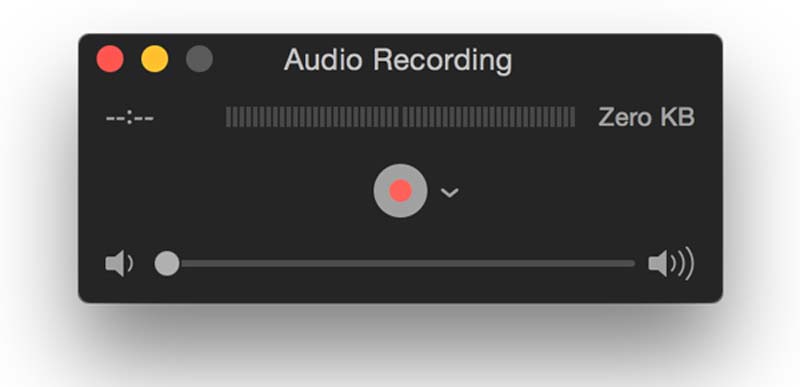
QuickTime, which Mac users are familiar with, is the built-in media player on Mac computer. Here, it works as audio capture software to record sound from microphone. It is similar to Voice Recorder on Windows when it comes to simplicity. To start an audio recording, you just need to run QuickTime and choose audio recording. Better than Voice Recorder, it offers more settings to customize the audio volume and recording quality. The only drawback is QuickTime is only available for Mac users, and Windows users cannot access it.
Best for: A beginner-friendly editor with professional batch-processing tools.
Score:4.0/5
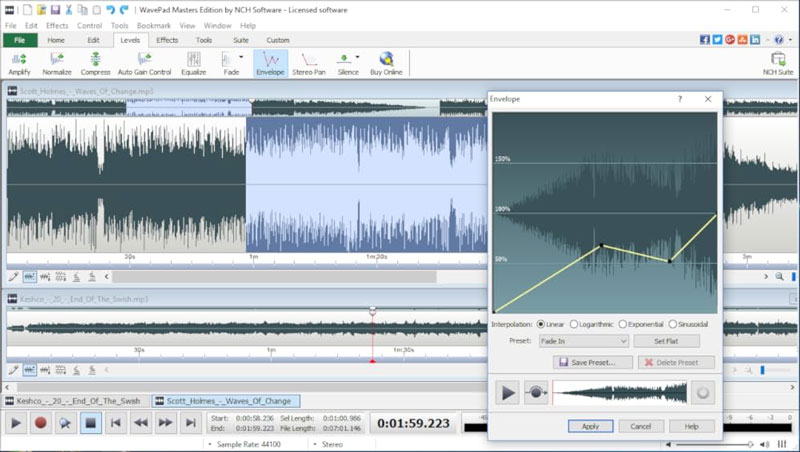
WavePad is a full-featured professional audio and music editor for Windows and Mac. It can record single and multiple tracks simultaneously. Similar to Audacity, it offers you various editing effects like EQ, compression, reverb, and more to create a great sound effect. It also includes a royalty-free sound effect and music library with hundreds of clips in your audio production. Its plug-in support for LADSPA, LV2, Nyquist, VST, and Audio Unit will help create a wonderful audio effect.
This audio recorder is not free to use, you should pay to enjoy the full features.
Best for: High-quality browser recorder that captures system sound without installation.
Score:4.5/5
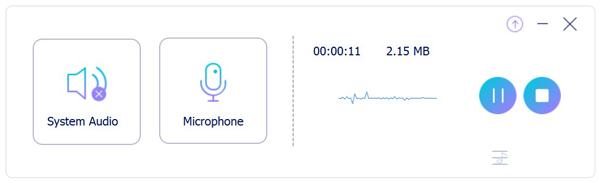
Free Online Audio Recorder is a simple online tool that records your voice from a microphone and computer system sound. It is completely free to record audio as long as you like without a time limit. All the audio recording files will be saved locally on your computer and this site stores no data to protect your privacy. The audio recording file will be saved as MP3 and you can use it conveniently on almost all players.
Best for: A minimalist web tool for recording and trimming simple clips.
Score:4.5/5

123Apps Online Voice Recorder is a free simple application which records sound from microphone and save it as an MP3 file. Apart from the basic audio recording function, 123Apps Online Voice Recorder could automatically detect silent fragments at the beginning and the end of your recording and delete them for your convenience, which is very appealing. After the recording is complete, you can crop it to the section you actually need.
123Apps Voice Recorder can satisfy you at a basic level, but if you need more functions, you might want to turn to other audio recording software.
Best for: Fun web recorder for voice changing and instant social sharing.
Score:4.0/5
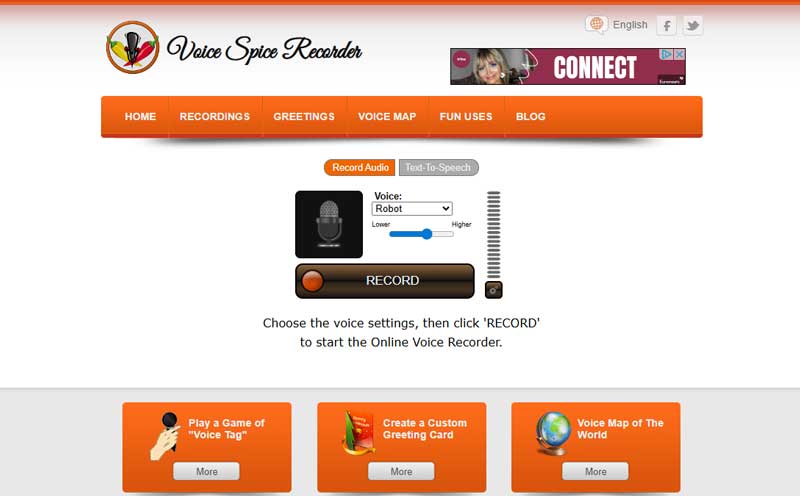
Voice Spice is a free online audio recorder and message sharing site. Compared with 123Apps, Voice Spice add more function like ai voice changer, you can record your original voices or change your sound to other types like "Hell Demon", "Robot", "Space Squirrel", etc. You can also use the AI text to speech function to get more professional and quick recording.
The voice spice is better for casual fun recording is stead of meeting or education project. Because if can only record mic.
Best for: Best for content creators needing AI voiceovers and audio visualization.
Score:4.0/5
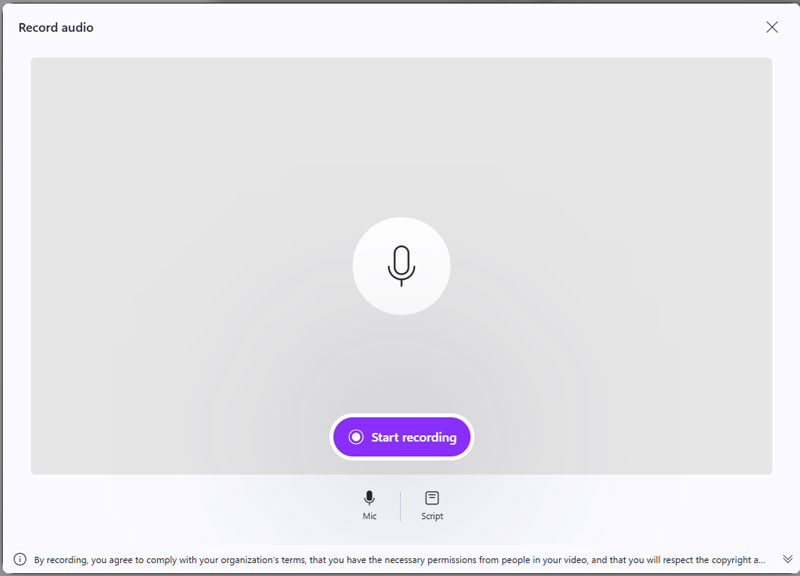
While the Clipchamp app is normally recognized as the default video editor for Windows 11, it also makes an outstanding app for people who nonetheless need more than audio recording.
Apart from basic recording of sounds and audio using any of your microphones that are attached to your computer, Clipchamp also allows users to make their own voiceover audio using an artificial intelligence text-to-speech voice generator that boasts of more than 100 human-sounding voice overs by artificial intelligences. This recording can then be combined with any of your free stock audio or any audio visualizer that automatically draws charts for your voice recordings to make them exciting videos for social media like YouTube and TikTok.
However, it is primarily geared towards video production, so you cannot export the audio as an MP3 easily. It is also a web-based app in the form of a PWA (Progressive Web App) and can be laggy on old computers.
Best for: The essential widget for collecting voice messages from your audience.
Score:4.0/5
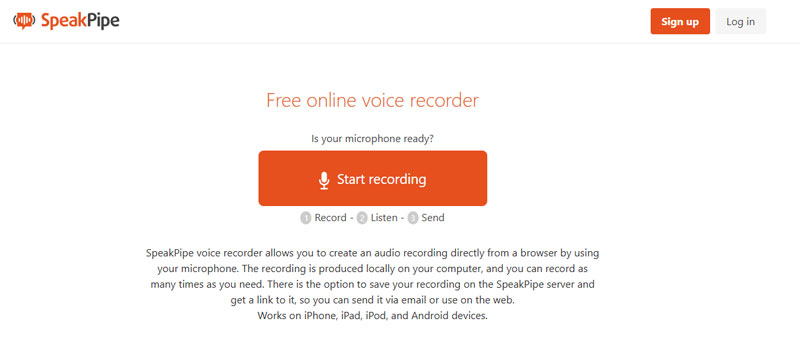
SpeakPipe is an online voice recorder that works not only on your PC/Mac, but also compatible with iOS devices and Android devices. It is a good way to increase interaction with audience for your own website. SpeakPipe provides an option to save your audio recording on the SpeakPipe server and get a link to it, so you can send it via email or use on the web. Visitor could also send voice mails to you with a few clicks in reverse.
SpeakPipe offers a free plan after signing up and installing the widget, with max duration of 5 minutes. For website managers, it'll be better to pay for the pro version with $12 per month.
The above 5 online audio recorders are free to use. However, the pros and cons of the free online voice recorders are what you should also remember.
Pros
Cons
What is the best-hidden voice recorder?
Voice Recorder is the best-hidden audio recorder on Windows and QuickTime is the best-hidden audio recording program on Mac.
Is there a voice recorder on iPhone?
Yes. Voice Memos is the built-in app on iPhone, which can record voice from microphone on iPhone.
Is it legal to record someone without their knowledge?
In the US, audio recording is permitted with the consent of all the parties involved. There are some exceptions to the two-party consent rules.
Is QuickTime capable of recording the system audio on the Mac?
Not by default. QuickTime only provides a recording of the microphone input by default. To record audio from the system, you have to use it in combination with a third-party plugin such as BlackHole or Soundflower!
Is WavePad Better Than Audacity?
WavePad is considered easier to use than Audacity, primarily for its interface design called a ribbon interface, though Audacity is free and completely open-source. WavePad wins for quick edits and batch processes, while Audacity wins for budget processes for more in-depth and/or complex edits.
Which recorder should be used with Zoom meetings?
However, I recommend Aiseesoft Screen Recorder. It records both voices clearly—your own and the voices of the other people— separately or in combination, unlike normal voice memo apps that do not quite record the voices and sound of the other party clearly.
Conclusion
We have talked about some best audio recorder tools on this page. 5 great audio capturing apps are recommended for you to capture any sound on your computer. What's more, we also introduce you to 5 online audio recorders to help you record audio without installation. What's more, we also introduce you to one more professional audio recorder to help you record audio without microphone. Leave us a message if you still have any puzzles.
 Screen Recorder for Low-End PC: Tested Reviews of the Best Software
Looking for the best screen recorder for a low-end PC? This detailed review will help you discover which software works best for your system!
 How to Record System Audio on Mac (Big Sur/Catalina/Mojave …)
Read and get 3 easy ways to record system audio on Mac with or without soundflower. Here you can quickly record internal audio on all Mac operating systems.
 10 Best Free Screen Recorder without Watermark
Here we identify and list top 10 free screen recording software with no watermark for Windows 10/8/8.1/7, Mac OS X, iPhone, iPad and Android users to capture their screens.
 Leave your comment and join our discussion
Record Audio
Best Audio Recorder Record Audio on Mac/PC Record Audio on iPhone Record Vonage Phone Calls Record Voice Greeting for Jive Record Voicemail on Nextiva Record Voice Recordings on Sansa Fuze Record System Audio Mac Record Internal Audio on Windows Free Online Mic Recorder Record Audio from Mac/PC/iPhone/Android
Aiseesoft Screen Recorder is the best screen recording software to capture any activity like online videos, webcam calls, game on Windows/Mac.
100% Secure. No Ads.
100% Secure. No Ads.

*Required field
*Please enter a valid email
