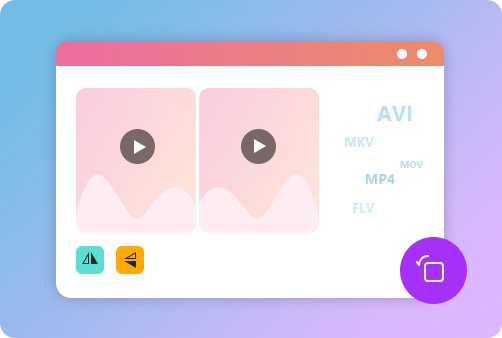
Easily, quickly, and free to rotate and flip videos based on your needs.
Download App to enjoy more features without limits!
Rotate & Flip Video in 3 Simple Steps
1Rotate & Flip Video in 3 Simple Steps
2Turn your video 90 degrees or other in one click.
3Save the rotated or flipped video after previewing it.
Left/Right Rotate Your Video with Ease
Aiseesoft Video Rotator is an excellent video editing tool. When you use your smartphone to take videos and want to view them on the computer, but you find some orientations of these videos do not fit the computer, you can use this video rotator. This tool can enable you to left rotate or right rotate your video with various degrees, including 90 degrees and 180 degrees.
Horizontal/Vertical Flip Videos for Free
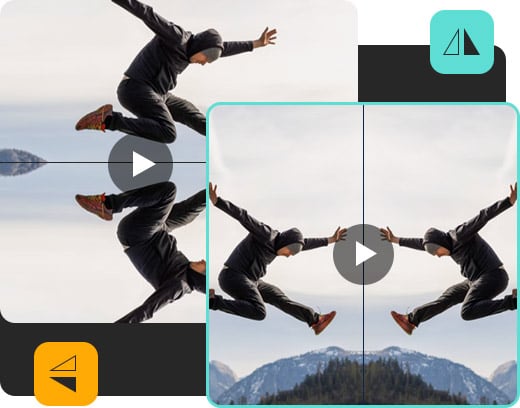
Apart from rotating videos, you can use Aiseesoft Video Rotator to flip your videos horizontally and vertically. For example, if objects in your videos are pointing up, you can let them point down in one click using this video rotator. With this feature, you can make your videos more interesting and share them online.
Support Almost All Common-used Video Formats
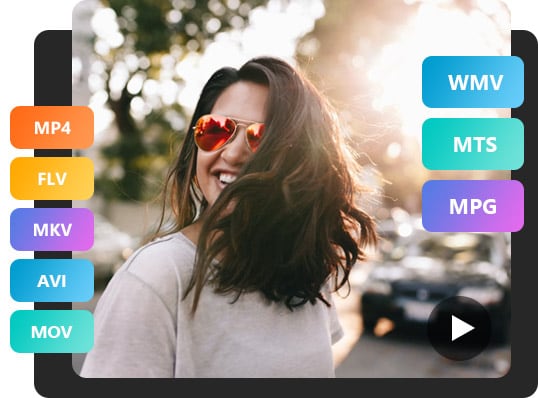
Aiseesoft Video Rotator supports almost all popular video formats, like MP4, FLV, MKV, AVI, MOV, WMV, MTS, MPG, etc. Therefore, you do not need to worry about you can not use this tool because of the video format limitation.
Full of Great Features
Aiseesoft Video Rotator is an easy-to-use video editing tool. It is also your first choice to rotate and flip your videos.
Multi-degrees Rotating
You can use this tool to rotate your videos with various degrees, like 90 and 180 degrees.
Live Preview
After rotating or flipping your videos, you can check the result before saving them.
Secure
The videos you uploaded are highly protected and will not be revealed.
Watermark Free
You can use this tool to rotate and flip videos without any watermark.
Absolutely Online
Aiseesoft Video Rotator does not need you to download software on a desktop.
Export Original Video
After using Aiseesoft Video Rotator on videos, you can get files without quality loss.
Can I use this Video Rotator to rotate videos for TikTok?
Yes, you can use Aiseesoft Video Rotator to rotate videos and upload them to TikTok as long as TikTok supports your video formats.
How do you rotate a video on Android?
Choose Videos and select the video you need to rotate. Then you need to tap on the slider bar icon and choose Rotate. You can also use Aiseesoft Video Rotator to rotate videos for Android.
How do I turn a video from horizontal to vertical?
Enter Aiseesoft Video Rotator, click Upload File and select the video you want to edit. Then you turn a video from horizontal to vertical by clicking 90 degrees.
How to rotate videos on Windows computers?
You can use Aiseesoft Video Rotator without the platform limitation, so you can use it to rotate videos on Windows computers.
Can I flip videos using Aiseesoft Video Rotator?
Of course, you can. Aissesoft Video Rotator supports rotating and flipping videos.
What Our Users Say
Anna
This video rotator has options for various angles of rotating and flipping, which is great!
Monica
With this excellent tool, I can change the angle of my video as I like with ease. It helps me a lot.
Jack
What I like best about this video editing tool is that it does not require me to download or install anything on my computer.






 DOWNLOAD NOW
 DOWNLOAD NOW