
Best for: Users who regularly transfer all types of files in large batches or need to move media libraries smoothly.
Contents
You can handily transfer files from a Windows PC to an Android phone. Similarly, the data transition between a Mac and an iPhone is simple. However, when you want to add your Mac files to an Android device, you may feel confused. You are not allowed to directly connect two devices and start the transfer. What’s more, the official Android File Transfer app is no longer available. Then, how to transfer files from Mac to Android? This guide covers the three best alternatives available in 2026.
First, let’s be clear: there are still multiple methods and tools for transferring files from a Mac to an Android device. As mentioned, Google’s official solution, Android File Transfer, is no longer available.
The official Android File Transfer app was discontinued in May 2024. You must turn to alternatives to transfer files from a Mac to an Android device.
Best for: Users who regularly transfer all types of files in large batches or need to move media libraries smoothly.
There are faster, more reliable ways to add files from a Mac to an Android phone. If you need to move large volumes of data quickly, the answer is often third‑party desktop software, such as Aiseesoft MobieSync. It stands out for its stability and batch‑handling capability. The transfer speeds average 25‑50 MB/s over USB 3.0. Moreover, it handles batch transfer of photos, videos, music, contacts, documents, and other commonly used files.
 100% Secure. No Ads.
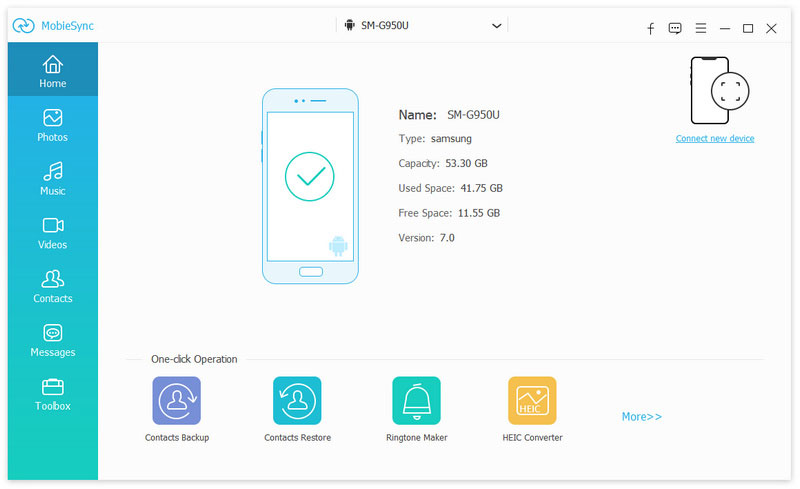
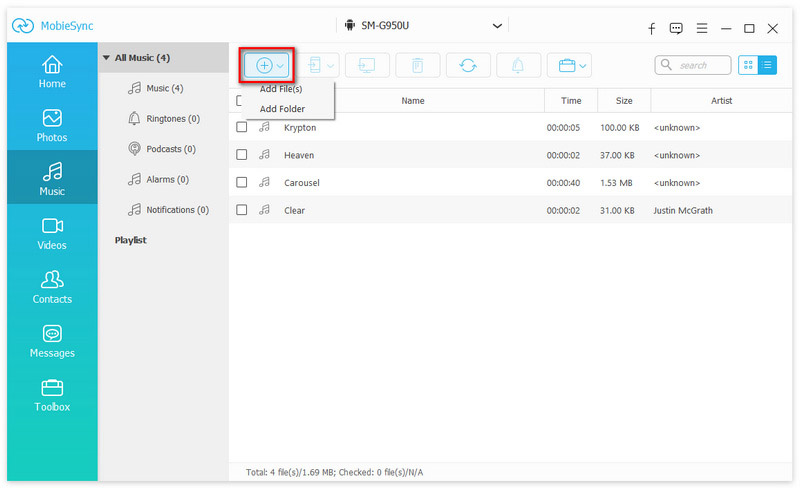
Confirm and wait for the transfer to complete. For around 20GB of mixed media, it took about 8 minutes. MobieSync is a professional data transfer tool designed to move files between mobile devices (iOS and Android) and computers (macOS and Windows). It offers a stable solution for users who need to manage photos, music, contacts, messages, and other important data. You can download it and start a free trial.
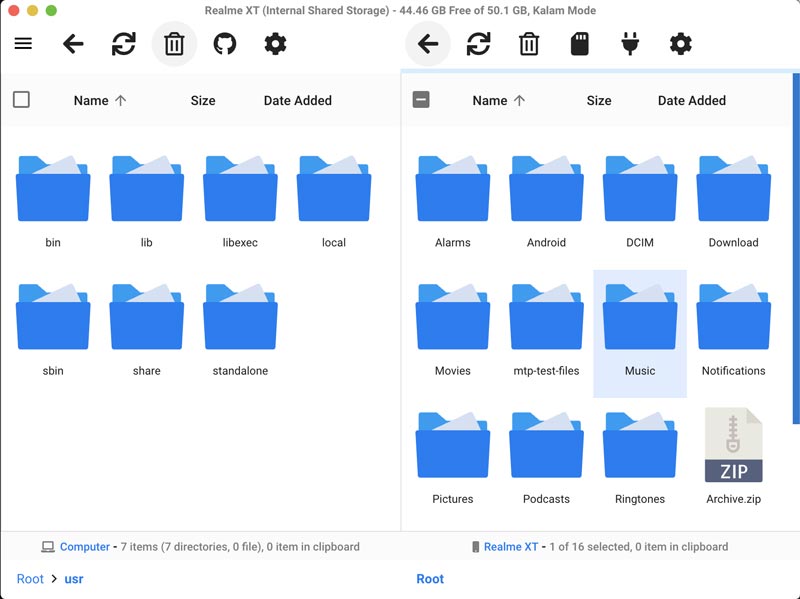
If you prefer a free, open‑source solution to transfer your Mac files to an Android phone, two reliable tools deserve your attention: OpenMTP and LocalSend. This section takes the popular OpenMTP as an example.
OpenMTP is a reputable, open‑source file transfer for Mac. It is primarily designed to replace Android File Transfer. The software offers a quick way to move files between Mac and Android devices.
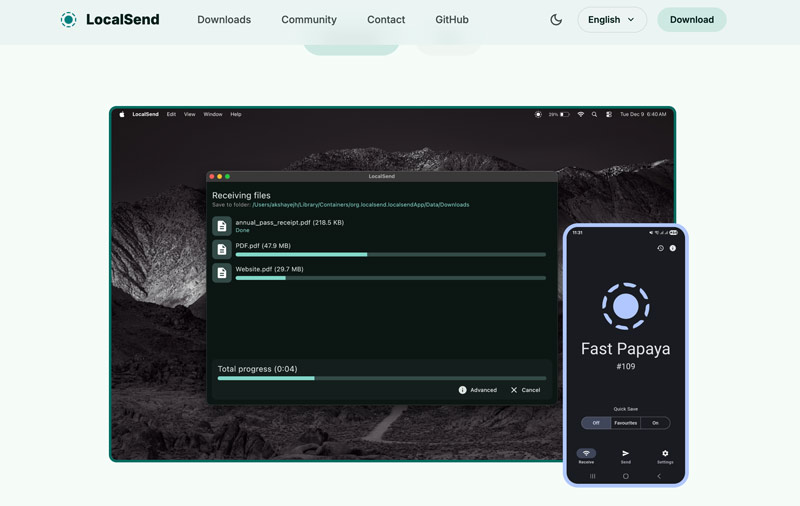
If you prefer a wireless file transfer like AirDrop, turn to the open‑source LocalSend app. As a cross‑platform data transfer tool, it works on Android, macOS, Windows, Linux, and iOS. You can install LocalSend on both your Mac and Android phone, connect them to the same Wi‑Fi network, and then make the transfer.
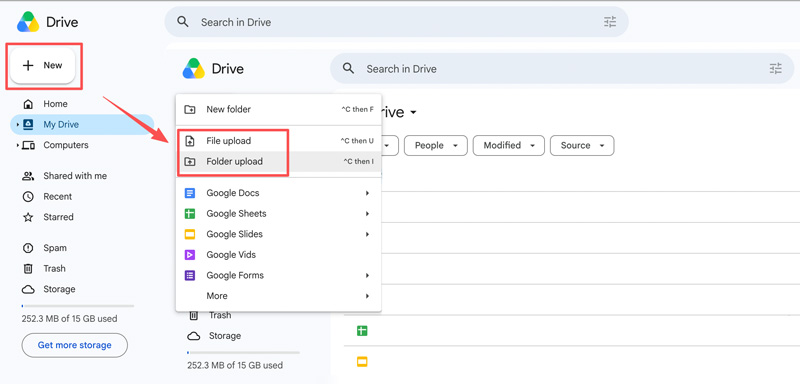
If you prefer a cloud‑based way to sync files from a Mac to an Android phone, try the reliable Google Drive app. It is pre‑installed on most Android phones and can be accessed on a Mac through the web. It can be the most accessible way to copy files from a Mac to an Android device without specialized software.
Can I transfer data from my Mac to my Android phone with Android File Transfer?
Technically, yes. Even though Google no longer offers Android File Transfer for download, you can still install the app from other sources. However, in practice, I would not recommend it. You should turn to an alternative to better transfer and manage your files safely.
Does Android Quick Share support Mac?
No, Quick Share does not work natively on macOS. You need to use third‑party alternatives, such as Aiseesoft MobieSync or LocalSend. If you prefer a seamless way to handle your files wirelessly, you can try LocalSend.
Is MacDroid the best alternative to Android File Transfer?
MacDroid is a paid alternative that improves on Android File Transfer by offering better stability and a more intuitive interface. MacDroid is a solid choice if you prefer a dedicated Mac utility, but it is not the only option. Actually, compared to MacDroid, Aiseesoft MobieSync offers faster speeds and more features.
Conclusion
In this post, you can learn three methods to transfer files from Mac to Android. The best method depends entirely on your goal. If you want stable, batch transfers, MobieSync is a good option. If you prefer free, open‑source software, OpenMTP and LocalSend are solid replacements for Android File Transfer. For cloud sync, Google Drive is a good app for transferring files from a Mac to an Android device.
 How to Copy and Paste on Mac Devices Using ShortCut Keys & More
How to copy and paste on Mac using the shortcut keys? Or the other way around? All of the information that you want to know is here.
 Top 5 Wi-Fi File Transfer Apps for Android
How do you transfer files via Wi-Fi? Just check the 5 best Wi-Fi file transfer apps for Android to achieve the goal with easy process.
 3 Easy Ways to Transfer Photos from Mac to External Hard Drive
This post tells how to transfer photos from Mac to external hard drive in 3 efficient methods. We also offer a solution to recover lost photos from HDD on Mac.
 Leave your comment and join our discussion
Erase iPhone Data
The professional iPhone/Android data manager and transfer to transfer various files between iOS/Android phone and computer and between two mobile phones in 1 click.
100% Secure. No Ads.

*Required field
*Please enter a valid email
