
Best for: Windows users primarily needing cold backups of files, archiving movie ISO images, or burning lossless audio CDs.
It seems convenient that we are likely to save our files with mobile iPhone/Android phone, or other easy platform like iCloud, Dropbox, etc. But choosing to store videos or other large files into a DVD is also a useful way. Most importantly, DVD is also very portable and convenient to carry, share and present.
For commercial DVD burning programs, you need to pay for them. Also, most of them have the large file sizes. In that case, you may consider to find free DVD burning software through the internet. And in this article, we would like to list lfour free DVD burning programs. In addition, a professional DVD burning program is highly recommended for your reference.
| Software | Platform | Free scope | DVD menus |
| BurnAware Free | Windows | Data / ISO / audio discs | No (Premium) |
| CDBurnerXP | Windows | Data / audio / ISO / bootable | Basic slideshow |
| DVDStyler | Win / Mac / Linux | Full DVD-Video authoring | Yes (full) |
| Ashampoo Burning Studio Free | Windows | Burning + basic video DVD | Basic |
Best for: Windows users primarily needing cold backups of files, archiving movie ISO images, or burning lossless audio CDs.
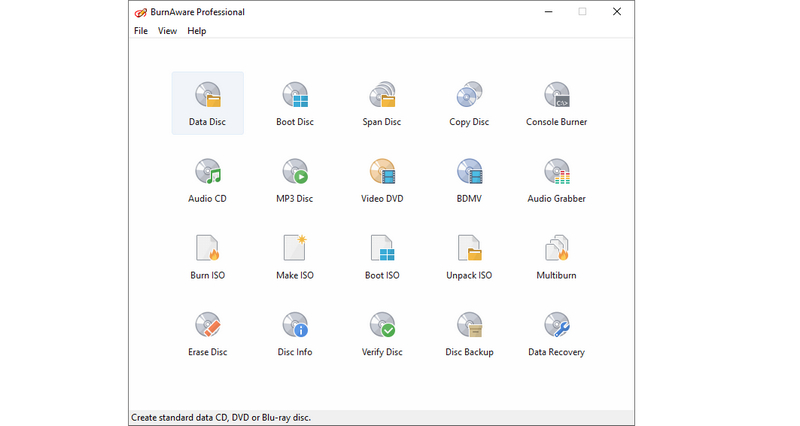
BurnAware Free is one of the most frequently updated and maintained free tools available today. In testing, it proved to be fast and stable. Beyond handling standard CD, DVD, and Blu-ray data discs and ISO copying, it notably offers free support for M-Disc long-term archival media and 100GB BDXL high-capacity Blu-ray discs—specifications usually reserved for high-end paid software suites.
Pros
Cons
Best for: Mac, Linux, and open-source enthusiasts who need to create interactive menus for videos without spending money.
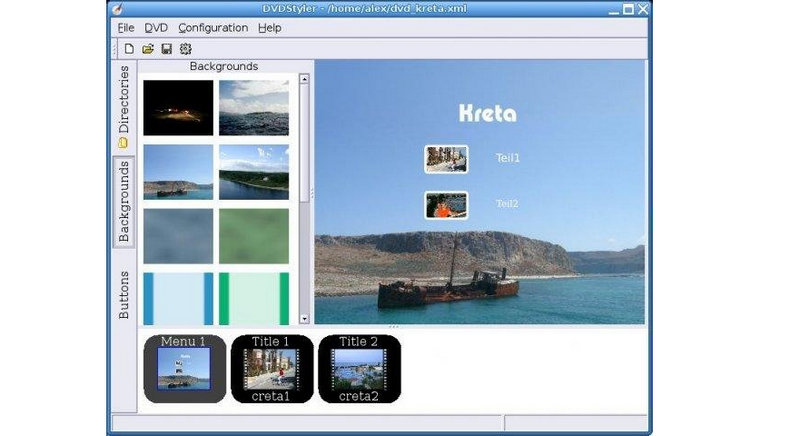
Unlike tools that merely burn "data discs," DVDStyler focuses on converting standard video files into DVD-Video discs playable on traditional DVD players. It offers immense flexibility, supporting fully customizable interactive menus, button layouts, chapter markers, external subtitles, and multi-audio track switching, all while being cross-platform compatible.
Pros
Cons
Best for: Beginners or casual home users who prefer step-by-step guidance over configuring complex parameters.
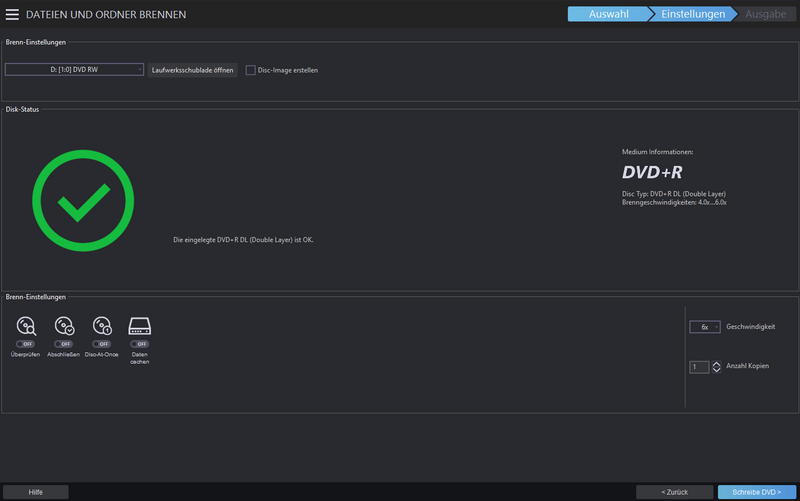
The free version of Ashampoo retains the modern UI style of its commercial counterpart. Testing revealed an exceptionally smooth wizard-driven workflow: tasks ranging from data backup, audio ripping, and ISO burning to basic video disc creation are broken down into clear "Next" steps, leaving virtually no room for user error.
Pros
Cons
Best for: Experienced Windows users seeking a "one-stop solution" for all disc-related needs and requiring multilingual support.
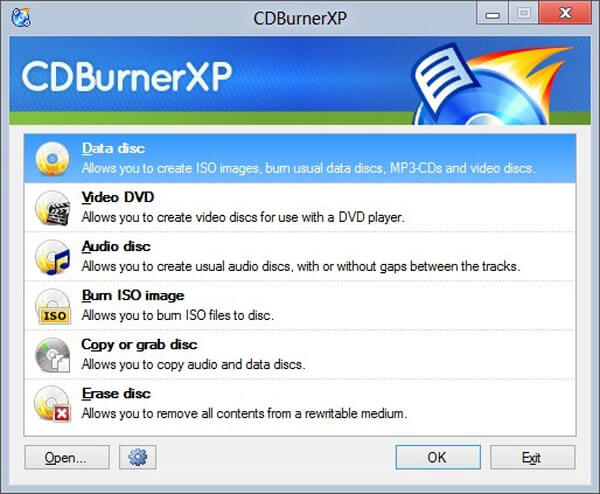
CDBurnerXP is a long-standing staple in the free burning software landscape. It covers virtually all common disc-related scenarios: data discs, audio CD ripping and burning, ISO generation/burning, bootable disc creation, and disc erasing. It even thoughtfully includes a built-in tool for printing disc covers. Although the interface retains an older Windows aesthetic, the software runs reliably on Windows 10 and 11.
Pros
Cons
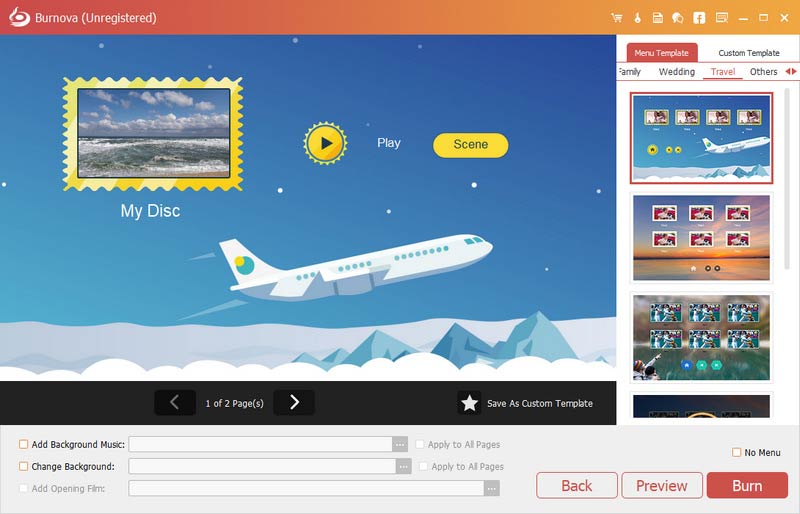
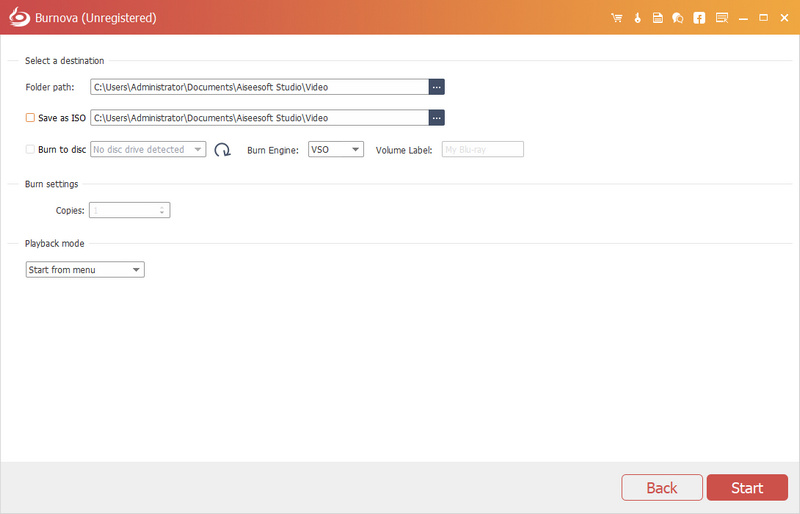
In case you want to find a professional DVD burner software to burn video files to a DVD disc/folder/ISO image file, we would like to highly recommend the most excellent DVD/Blu-ray burning software - Burnova. With this program, you are able to easily burn any video to various DVD types, like DVD-R, DVD+R, DVD-RW, DVD+RW, DVD+R DL, DVD-R DL, DVD-5, DVD-9,etc. First, free download Burnova on your computer.
 100% Secure. No Ads.
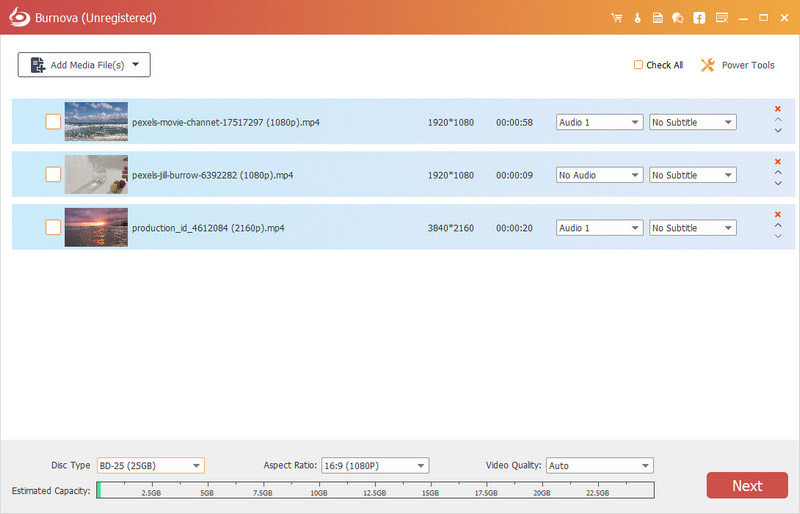
Are there still free software options for burning DVDs?
Yes. BurnAware Free and CDBurnerXP is completely free. For advanced dynamic menu templates, customized editing, Blu-ray production, and hardware-accelerated features, Aiseesoft Burnova is best choice.
Can you burn DVDs on Windows 11?
Yes. If your computer has a built-in or external DVD burner dive. You can use the software mentioned above to create DVD from your local file with ease.
Conclusion
We have reviewed four excellent free DVD burning programs, each with its own unique features. If you need a free, simple, and practical tool for data backups or ISO burning, CDBurnerXP remains a top recommendation. However, if you wish to burn home videos or movies onto discs for playback on a DVD player or to share as cherished keepsakes, we recommend Aiseesoft Burnova; it helps you easily manage and expand your physical disc collection.
 Burn DVD with Windows DVD Maker
This article tells you how to download Windows DVD maker, and how to burn a DVD with the best Windows DVD maker alternative.
 Best DVD Burner/Drive for Mac or Windows
Look for an External DVD Burner/Drive? You can find the best external DVD Burner or DVD Drive for Mac or Windows computer.
 Top Best Free DVD Player for Windows
Want to find the free DVD player for Windows 10/8/7? We lists 3 great free DVD players to help you play DVD on your Windows PC.
 Leave your comment and join our discussion
DVD Burner
DVD Burner DVD Burner for Mac DVD Burning Software External DVD Burner DVD Authoring Software Video to DVD Transfer DVD Label Maker DVD Menu Creator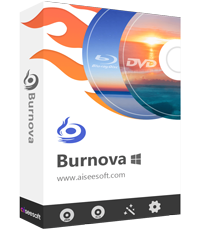
Burnova is the professional DVD/Blu-ray burner to burn videos from your computer to DVD or Blu-ray disc/folder/ISO file, and edit videos before burning.
100% Secure. No Ads.

*Required field
*Please enter a valid email
