
Video Converter Ultimate
 100% Secure. No Ads.
100% Secure. No Ads.
Merging audio files is a common need in all types of creation, editing, and conversion tasks. Considering that, having a reliable audio joiner, combiner, or merger is essential. Luckily, many related audio merging tools are available, both desktop software and online editors.
With countless options offered on the market, finding the perfect fit often requires at least several trials and tests. If you don’t want to waste your time on exploration, check the seven audio combiner recommendations in this article. We explain our testing methodology and give a detailed review of these audio-merging tools. You can compare them and make an informed choice.
How We Test and Review Audio Joiner Tools
| Audio Joiner | Best For | Platforms | Key Highlights |
| Aiseesoft Video Converter Ultimate | Users seeking efficiency and batch processing of multiple formats | Windows, macOS | One-click batch merging Supports 1000+ formats Integrated advanced editing/enhancement features AI-powered tools |
| Audacity | Users needing free and fine control | Windows, macOS, Linux | Open-source and free Powerful audio editing/recording features Professional crossfade capabilities |
| DaVinci Resolve | Professional video/audio post-production | Windows, macOS, Linux | Hollywood-grade audio processing Integrated with world-class video editing software Unparalleled functionality |
| Clideo (Audio Joiner) | Light users who want quick operations | Online (Web) | Clean modern interface Direct import from cloud storage Highly intuitive workflow |
| Audio-Joiner.com | Beginner users needing simple and free audio merging solution | Online (Browser) | Extremely simple Supports 300+ formats Basic crossfade and format selection |
| Kapwing (Merge Audio) | Creators needing all-in-one studio for audio and video processing | Online (Browser) | Multi-track timeline editing Integrated video editing, subtitle generation All-in-one creation platform |
As mentioned, there could be different reasons why you may search for an audio merger tool. For users who seek high performance, advanced features, or often need to handle large files, the desktop audio joiner is the ideal choice. When you want to combine two or multiple audio fragments into one on your computer, start with the software below.
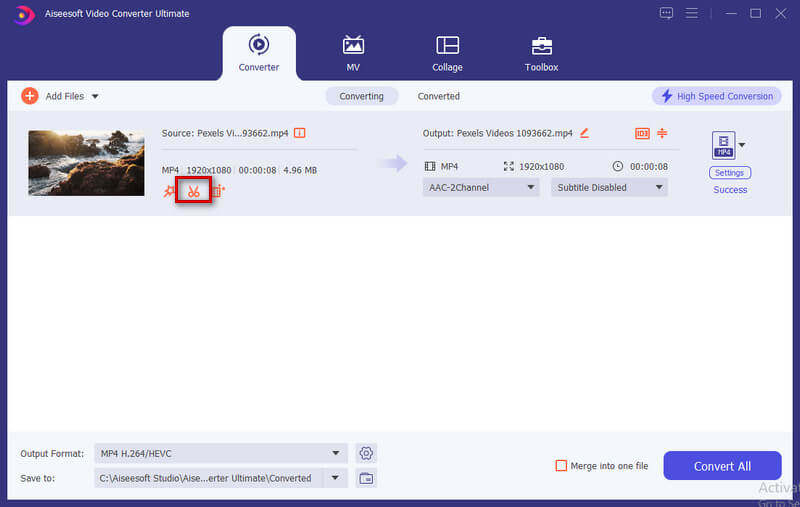
Aiseesoft Video Converter Ultimate is a reputable multimedia editing, enhancement, and conversion tool that performs excellently in audio merging. It supports over 1,000 audio and video formats. That means you can directly load several audio clips, even with different formats, and combine them.
100% Secure. No Ads.
100% Secure. No Ads.
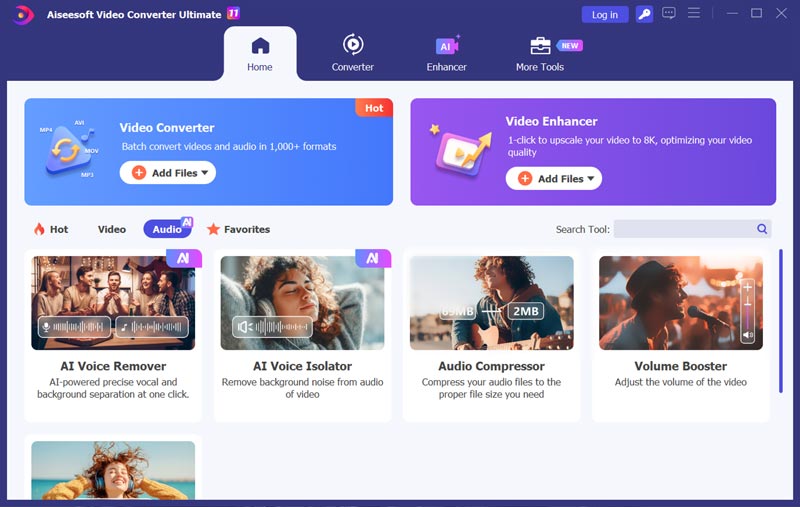
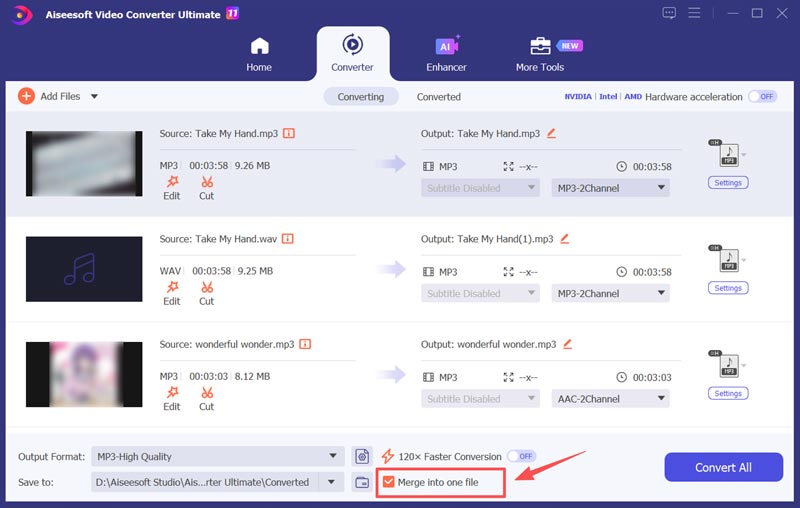
This audio joiner lets you merge dozens of audio files into one complete file with ease. All you need to do is manage their orders. Additionally, it includes necessary features for editing and enhancement. For instance, it allows you to freely trim and combine audio, adjust volume, remove background noise, and improve the overall sound quality. You can fine-tune individual audio files before merging.
PROS
Cons
How to Merge Audio Using Aiseesoft
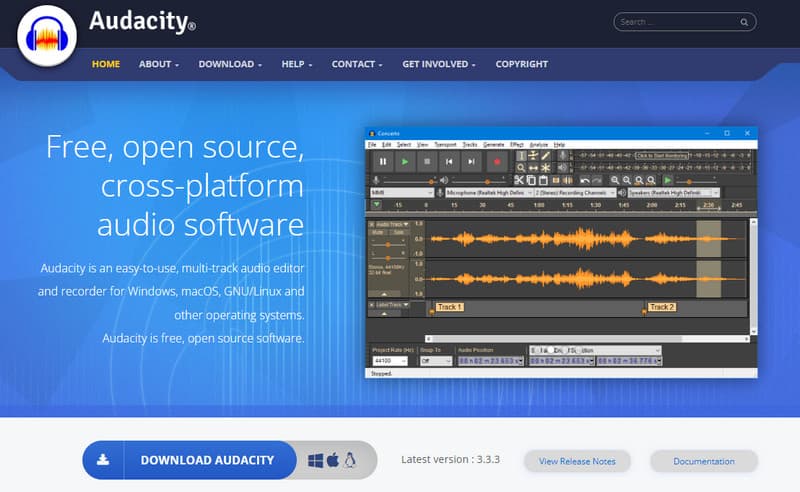
Audacity is a popular audio editor mainly designed for recording and conversion needs. This free, cross-platform software can handle most audio processing tasks. It can combine two or more audio tracks into one file. Its advanced crossfade features ensure high-quality audio processing.
PROS
Cons
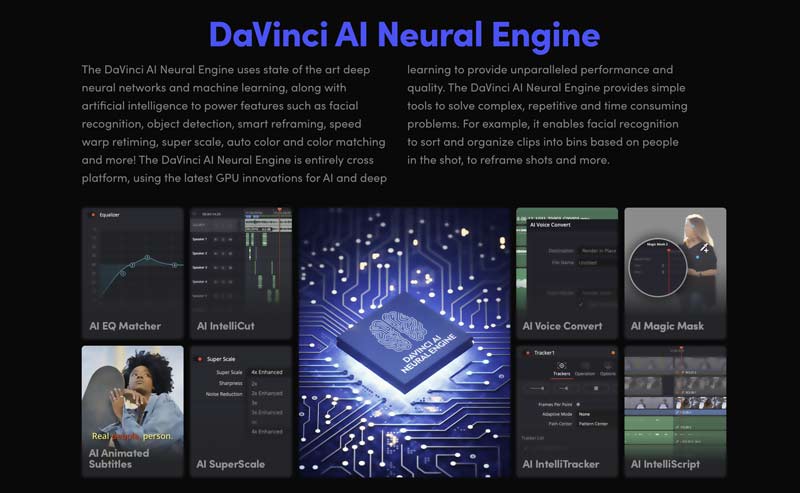
DaVinci Resolve is a famous, professional-grade audio and video editing program. It is widely used by professionals and serious content creators. Its advanced Fairlight audio workstation is known for its industry-leading capabilities. The software provides all the features for audio merging, restoration, mixing, and more.
PROS
Cons
If you do not often combine audio clips or prefer a quick way to handle some audio merging tasks, online tools become ideal choices. They work directly in your browser, with no software installation required.
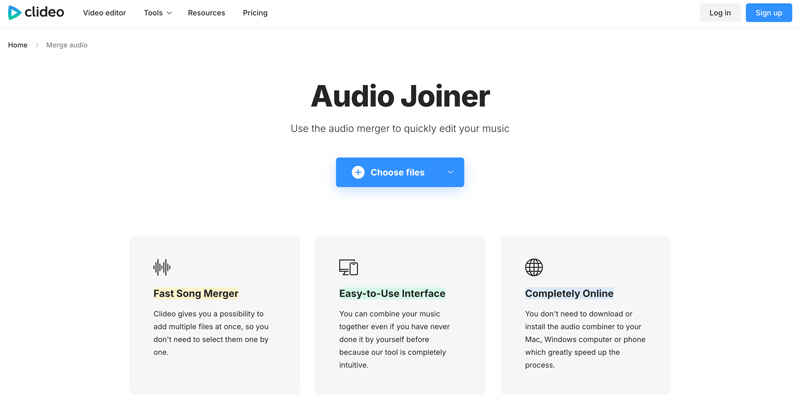
Clideo is a popular online multimedia processing platform that collects various video/audio creation and editing tools. It has a dedicated Audio Joiner for you to merge audio files online. Clideo supports uploading files from your local storage, Google Drive, or Dropbox. You can handily upload your audio files, arrange their order, select the output format, and then confirm the merging.
PROS
Cons
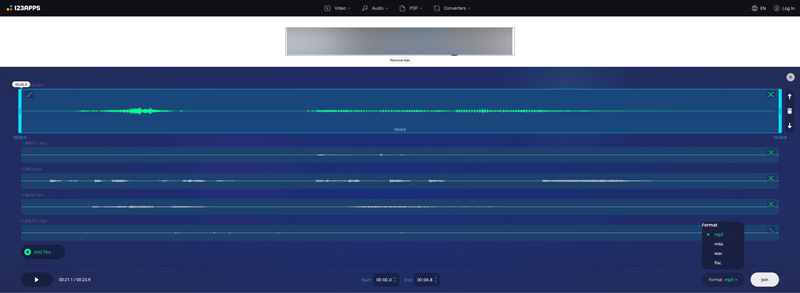
Audio-Joiner.com is a single-purpose website designed to help you combine several audio clips together. It sets no limit on the number of audio tracks you can merge. Moreover, this online audio combiner app supports more than 300 audio formats. It lets you freely adjust the silence duration or crossfade intensity between your audio segments.
PROS
Cons
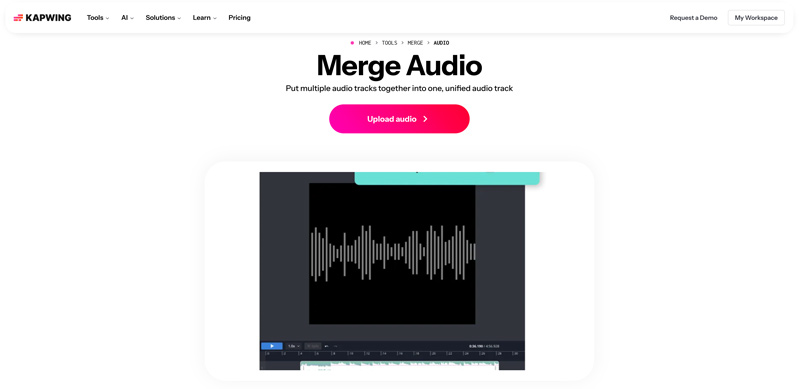
Kapwing is an all-in-one content creation and editing platform that offers multiple video and audio tools. It has an individual Merge Audio page for you to put multiple audio tracks together into one. This powerful audio joiner offers a true multi-track timeline editor to handle your video.
PROS
Cons
Question 1. What is the free tool to combine audio files?
When you need a free tool to combine your audio files, you can select a preferred audio joiner introduced above. Generally, if you don’t often handle audio processing, start with an online tool, such as Clideo or 123Apps. If you prefer high-quality audio merging and advanced functions, try using the powerful Aiseesoft. The software allows you to combine audio for free.
Question 2. What is the best MP3 merger?
As mentioned, there are many MP3 merger and audio editor tools that can combine two or multiple audio clips into one file easily. The “best” MP3 joiner depends heavily on what you need. Figure out your goal - whether you are looking for a free tool, a quick online solution, or need advanced editing features. Then, select a desired audio combiner that best suits your needs.
Question 3. How do I combine several audio segments using iMovie?
Launch iMovie on your Mac and import the audio files you want to merge. Drag them to the timeline with your preferred order. To merge separate clips into one, you can select these clips by holding Shift, go to Modify, and choose Join Clips.
Conclusion
In many daily situations, you need a good audio joiner to combine audio clips, from common projects to creative and professional workflows. Choosing the right audio merging tool based on your specific needs. If you are seeking professional efficiency for both audio and video processing, Aiseesoft Video Converter Ultimate is a reliable choice. If you need quick edits and want a tool ready to use immediately, start with an online audio joiner like Clideo. We hope this review helps you easily get the right tool for seamless audio creation.
 How to Convert MP4 to Audio Using 2025 Desktop/Online Tool
Some soundtracks you hear online are only taken from certain videos. You can also extract audio from MP4 using these powerful desktop and online solutions.
 100% Working Methods to Combine MP4 Files with HandBrake
Can you combine MP4 video files with HandBrake? This article will answer this question in detail and tell you the best ways to join your videos quickly.
 Best 10 Video Sound Editors for Windows/Mac/iPhone/Android Devices
Read and get your best video sound editor for Windows, Mac, iPhone, and Android. You can choose any tool to edit the audio track of your video on a desktop or mobile device with ease.
About AMV
1.1 Best AMV Maker Apps 1.2 How to Make AMV on Computer 1.3 How to Make AMV on iPhone/iPad 1.4 How to use Windows Movie Maker 1.5 AMV - What Is AMV 1.6 Best AMV Editor Apps 1.7 Top 5 AMV Converters
Video Converter Ultimate is excellent video converter, editor and enhancer to convert, enhance and edit videos and music in 1000 formats and more.
100% Secure. No Ads.
100% Secure. No Ads.

*Required field
*Please enter a valid email

