
99.8% Success Rate: Windows/Mac Data Recovery
 100% Secure. No Ads.
100% Secure. No Ads.
Quick Summary: The Best Free Data Recovery Software in 2026
Today, we almost save everything on our digital device, such as laptops and PCs. That makes accessing information much easier than ever before. However, every coin has two sides. Digital files are vulnerable and easy to be damaged or deleted. Is it possible to recover lost files from our hard drives? What we can do if a file is corrupted or removed?
A free data recovery tool is able to get back files lost due to various reasons. Considering it is difficult to discover the best free data recovery software, we will share the top 10 lists to recover lost data without paying a penny.
| Software Name | Free Allowance / Limit | Best For (User Scenario) | Scan Speed | System | Rating |
| Aiseesoft Data Recovery | Free scan & preview | Deep scanning, corrupted drives | Deep & Slow | Win | ⭐⭐⭐⭐⭐ |
| Recuva | Unlimited recovery (basic) | Simple / small deletions, USB, Recycle Bin | Fast | Windows | ⭐⭐⭐⭐ |
| Puran File Recovery | Unlimited recovery | Accidental deletes, FAT/NTFS drives | Medium | Windows | ⭐⭐⭐⭐ |
| Glary Undelete | Unlimited recovery | Casual users, quick undelete | Fast | Windows | ⭐⭐⭐ |
| Wise Data Recovery | Up to 2GB free | Quick scans, recently deleted files | Fast | Windows | ⭐⭐⭐⭐ |
| Disk Drill | 500MB free (Windows) | Mac users, mixed data loss | Medium | Win / Mac | ⭐⭐⭐⭐ |
| EaseUS Data Recovery | 2GB free | Guided recovery, beginners | Medium | Win / Mac | ⭐⭐⭐⭐ |
| Lazesoft Mac Data Recovery | Free scan & preview | Mac disk issues, formatted drives | Deep & Slow | Mac | ⭐⭐⭐ |
| TestDisk for Mac | Unlimited (CLI-based) | Lost partitions, boot issues | Deep & Slow | Mac | ⭐⭐⭐⭐ |
| PhotoRec | Unlimited (CLI-based) | Photo/video recovery, damaged media | Deep & Slow | Win / Mac | ⭐⭐⭐⭐ |
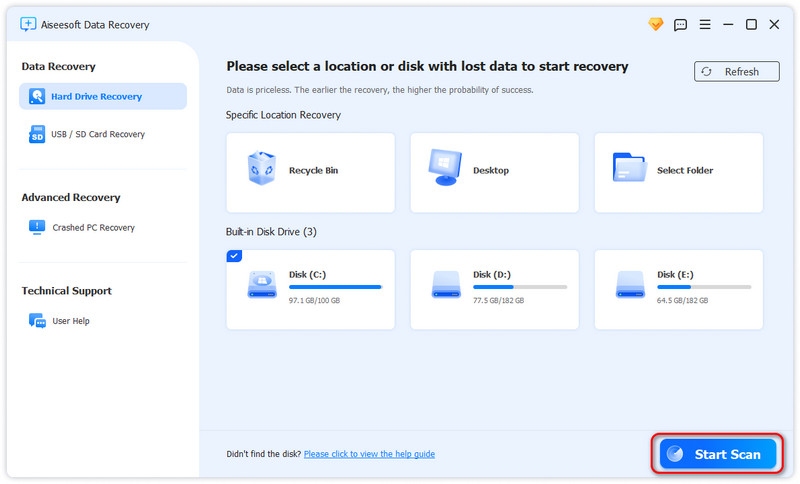
Free recovery tools work for simple mistakes, but Aiseesoft Data Recovery is built for situations where the data truly matters. In our tests, it consistently delivered a higher recovery success rate on formatted, corrupted, and RAW drives—making it the editor’s top pick based on results, not just price.
While Aiseesoft’s free version focuses on scanning and previewing, this is a critical safety step—not a drawback. Unlike fully free tools that may restore files only to find them corrupted or empty, Aiseesoft lets you preview files in full before recovery, confirming they are 100% intact. This reduces risk, especially for RAW images, large 4K videos, and work-critical files.
100% Secure. No Ads.
100% Secure. No Ads.
Key Features
• Recovers from formatted partitions and accidentally erased drives.
• RAW hard drive recovery, including damaged or unreadable volumes.
• Crashed PC recovery, even when Windows fails to boot.
• One-click Scan with automatic switch from Quick to Deep Scan.
• Filter by file type (photos, videos, documents) for faster validation.
PROS
Cons
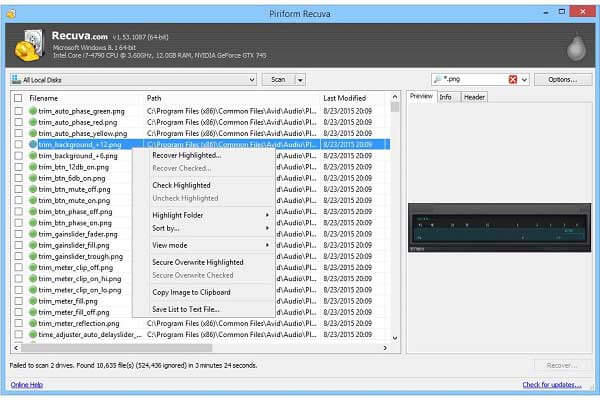
On the top of the Windows list is Recuva, it’s a user-friendly free recovery tool but also has many advanced features. Recuva is ideal for both beginners and experienced users. It can recover files from multiple storage devices like hard drives, external drives, memory cards, BD/DVD/CD discs, and even iPods.
PROS
Cons
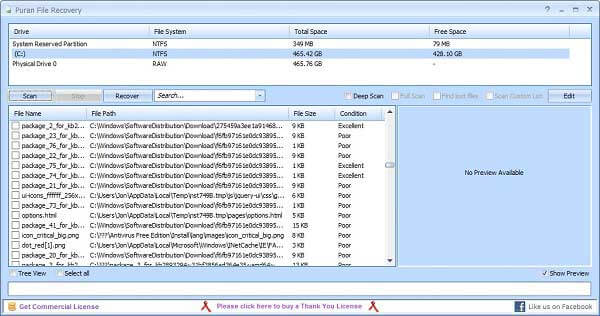
In addition to Recuva, Puran File Recovery is a good data recovery software free that you can’t miss. Though the interface design may be outdated, it’s easy to use. Puran is special because it can detect more files from our test computers than other tools. That means it can recover files from lost partitions, even they haven’t been overwritten yet.
PROS
Cons
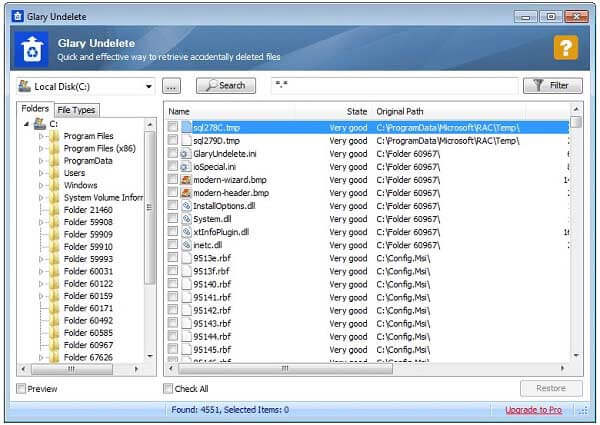
To undelete files, Glary Undelete is also a great choice. This freeware is designed to retrieve files for FAT and NTFS file systems. It supports restoring files deleted by bugs, crashes, and viruses. Even if you have cleaned your Recycle Bin, Glary Undelete can restore your lost files.
PROS
Cons
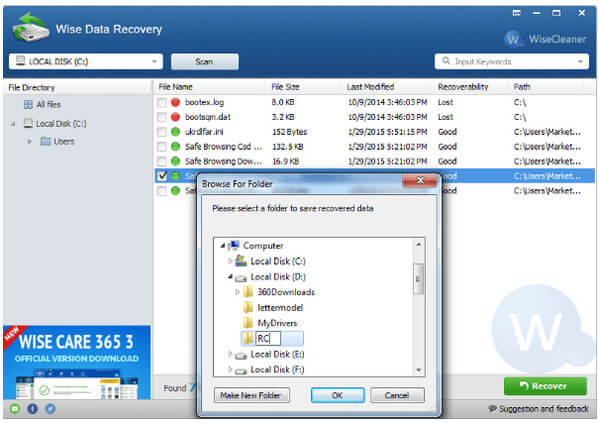
The last one is Wise Data Recovery. It’s simple, quick, and smart. According to our test, the scanning speed of Wise Data Recovery is the fastest among all software in this list. You can also customize how deep you want to scanning to go. However, the biggest drawback of Wise Data Recovery is that it can’t recover files larger than 2GB.
PROS
Cons
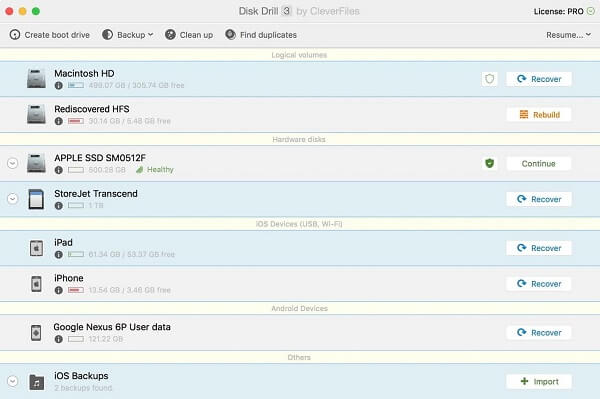
Disk Drill is one of the most famous data recovery software in the market. It has both macOS and Windows versions. For Mac users, Disk Drill is simple and has a high success rate. It’s convenient for supporting previewing files for specific recovery by size or date. However, it may not be perfect for its 500 MB recovery limit.
PROS
Cons
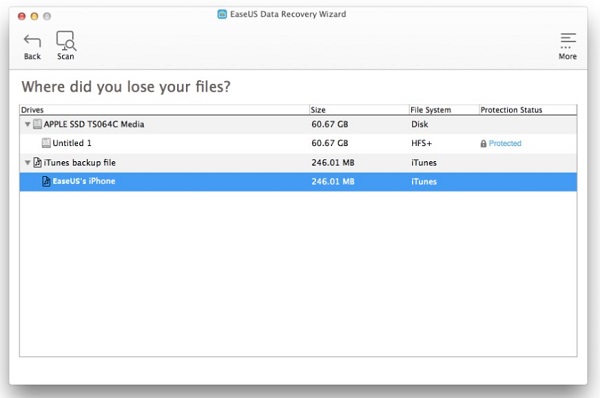
EaseUS has been devoting itself to data recovery for years, thus, it also offers a free program to recover deleted files. EaseUS Data Recovery Wizard Free has a great interface design, which looks like a professional file explorer. This free program can undelete files from iOS devices, hard drives, memory cards, optical drives, and more. Yet, this also has a recovery limit of 512 MB.
PROS
Cons
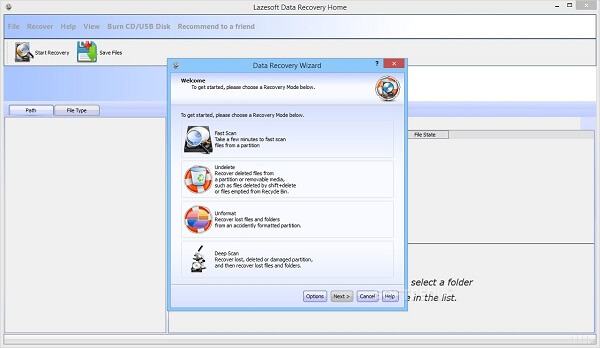
Mac users can also adopt Lazesoft Mac Data Recovery. This application allows you to save a specific range of sectors to a file for backup purposes. Meanwhile, it supports recovery during scanning, which will obviously improve recovery efficiency. But you need to note that Lazesoft’s maximum recovery size is 50 MB per file by default.
PROS
Cons
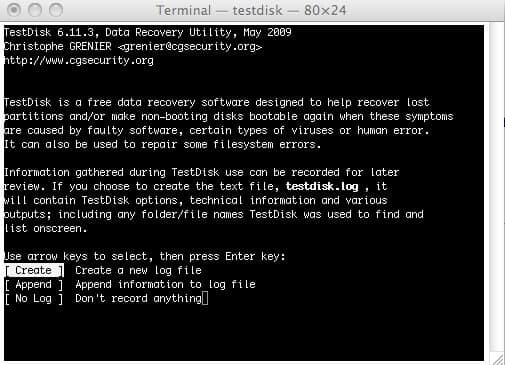
Developed by Christophe Grenier, TestDisk for Mac is a completely open-source program for Mac data recovery. According to the developer, TestDisk is mainly designed to recover lost partitions and get non-booting disks operational again. But you need to note that this tool can only be applied to general recovery, instead of specific recovery tasks.
PROS
Cons
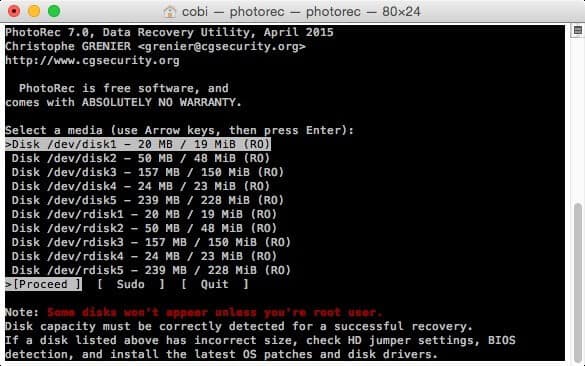
As you can see from this program’s name, PhotoRec is good at recovering image files on camera memory, hard drive, and CD-ROM. Also, this open-source and free data recovery software can undelete files with more than 480 file extensions. You need to note that the recovered files will be written to the PhotoRec directory, not the damaged medium you want to recover from.
PROS
Cons
Is there any truly free data recovery software?
Yes, Recuva and TestDisk are completely free, but they may lack advanced features for corrupted drives. Tools like Aiseesoft offer free scanning to verify data before purchase.
How to recover files larger than 2GB for free?
Most free trials limit recovery to 500MB or 2GB. For large video files, we recommend using professional software like Aiseesoft to ensure file integrity.
Conclusion
This post has shared the top 10 free data recovery software to help you get back lost, deleted, or corrupted files from Windows and macOS. You can pick your favorite tool based on our reviews. In addition, if you are looking for a professional and powerful way to get back your data, Aiseesoft Data Recovery is the best option.
 How to Recover Deleted Files on Mac: 7 Ways [Updated]
How to recover deleted files on Mac? Can you recover Trash on the Mac after emptying it? This guide will show you 7 solutions to achieve them effortlessly.
 [Updated] 2025 Top 5 Hard Drive Recovery Software
This article provides the best 5 hard drive recovery tools in 2025. Check our post and discover the most appropriate one to recover your data from hard drives.
 [Updated] 2025 Top 5 Hard Drive Recovery Software
This article provides the best 5 hard drive recovery tools in 2025. Check our post and discover the most appropriate one to recover your data from hard drives.
Recover Various Data
1. Free Data Recovery Software
2. Recover Deleted Files in Windows
3. Recover Deleted Files from Recycle Bin Windows
4. Recover Permanently Deleted Emails
Aiseesoft Free Data Recovery is a free and one-stop recovery tool for PC, which recover lost/deleted images, videos, documents, etc. from various devices in a few clicks.
100% Secure. No Ads.
 Leave your comment and join our discussion
*Required field
*Please enter a valid email

