Have you ever erased pictures or videos from your devices by accident? Even worse, have you ever lost important images or videos from your SD card after formatting it? Actually, you are too fortunate if you have never encountered one of the circumstances mentioned above. As you know, digital files can easily be lost, and without proper recovery software, they can be permanently erased. But don’t be worried since, in today’s post, you’ll learn about one of the best data recovery software, Stellar Photo Recovery, which can help you recover your precious images at any time.
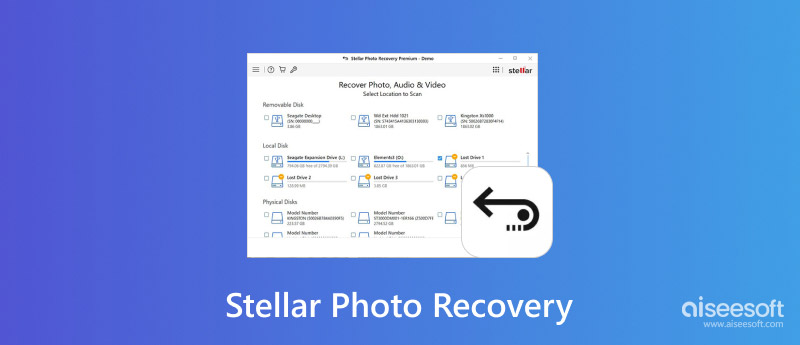
Stellar Photo Recovery is a powerful tool for effortlessly restoring your lost photos, no matter how they were lost. It allows you to recover images from various devices such as USB, SSD, HDD, SD cards, memory cards, smartphones, cameras, and more. Stellar Photo Recovery has a user-friendly interface and is easy to use. You can quickly recover lost photos with three steps. Before recovering, you can preview image, video, and audio data. To better recover lost files, a RAW Recovery mode can do a deep scan. With Stellar Photo Recovery, you do not need to worry about lost photos a lot. Read on to learn more details about it.
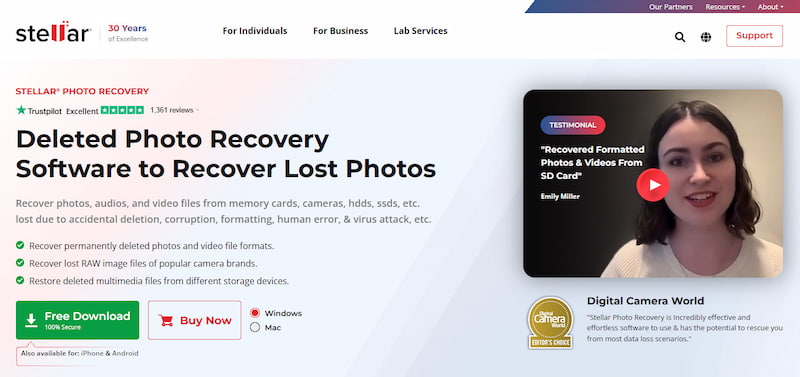
Let’s look at the features, pros, cons, pricing, and verdict of Stellar Photo Recovery.
Features:
• Recover photos from a wide range of devices: HDD, SSD, USB, SD card, memory card, flash drives, smartphones, cameras, etc.
• Support various photo formats: JPEG, JPG, TIFF, HEIC, GIF, PNG, PSD and more.
• Able to repair corrupted or damaged photos.
• Support video recovery: MOV, MXF, AVI, ASF, WMV, MP4, 3GP, etc.
Pros
Cons
Pricing:
Stellar Photo Recovery has three paid versions in total.
• $49.99 for a Standard version.
• $59.99 for a Professional version.
• $69.99 for a Premium version.

Overall, Stellar Photo Recovery is suitable for both beginners and professionals who use photo recovery tools. If you lost your photos accidentally and they are not too large, you can try the accessible version of Stellar Photo Recovery to make them back. If you want to recover large-size images, you may turn to the professional version, but it’s a little expensive. Besides, you should note that sometimes the deep scan mode can be slow in Stellar Photo Recovery.
After learning details about Stellar Photo Recovery software, it’s time to learn how to master it to restore your attractive photos quickly.
Step 1. Download, install, and run Stellar Photo Recovery.
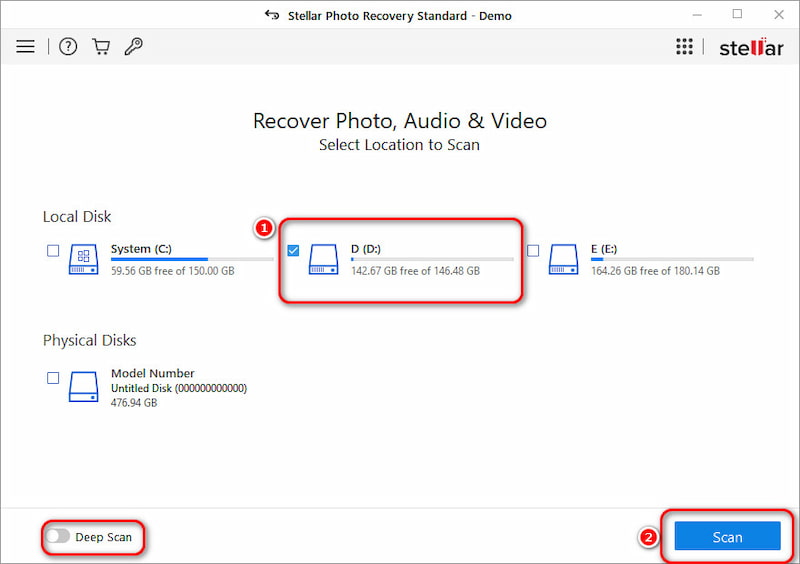
Step 2. The program will show all disks on your computer. Choose the one you want to recover photos from, and Click the Scan button. You are also offered a Deep Scan option.
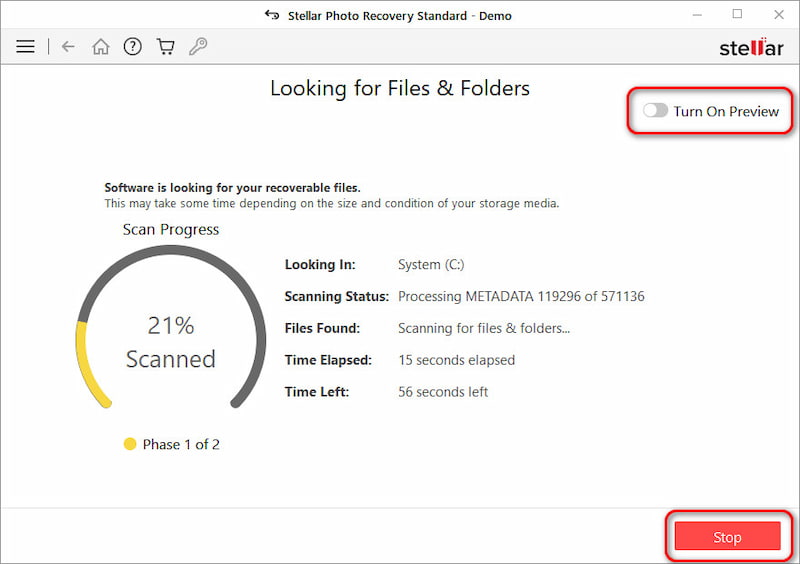
Step 3. This program begins to scan the disk data automatically. During the scanning process, you can Stop at any time as well as turning on the preview mode.
Step 4. The scanning is complete. You can also enjoy a deep scan mode now. If you can find the lost photos now, read on.
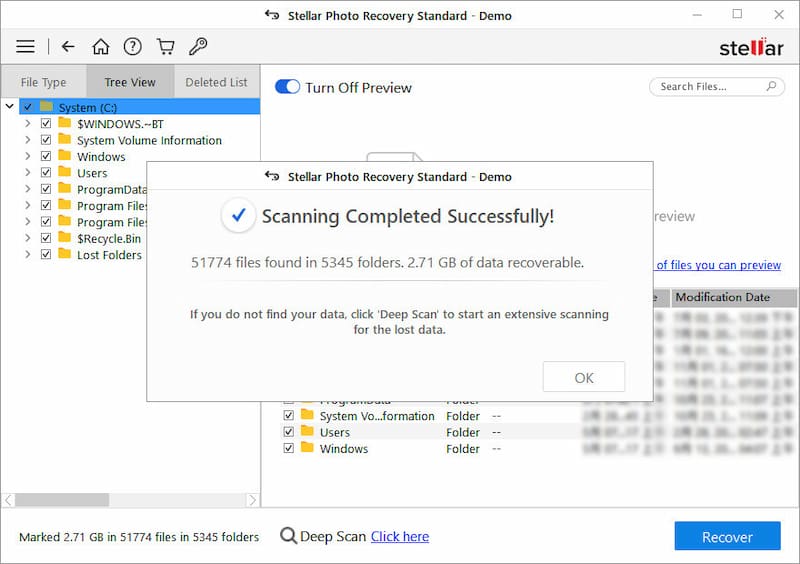
Step 5. Find and select the photos you want to restore, then click the Recover button. You can also choose a preview mode.
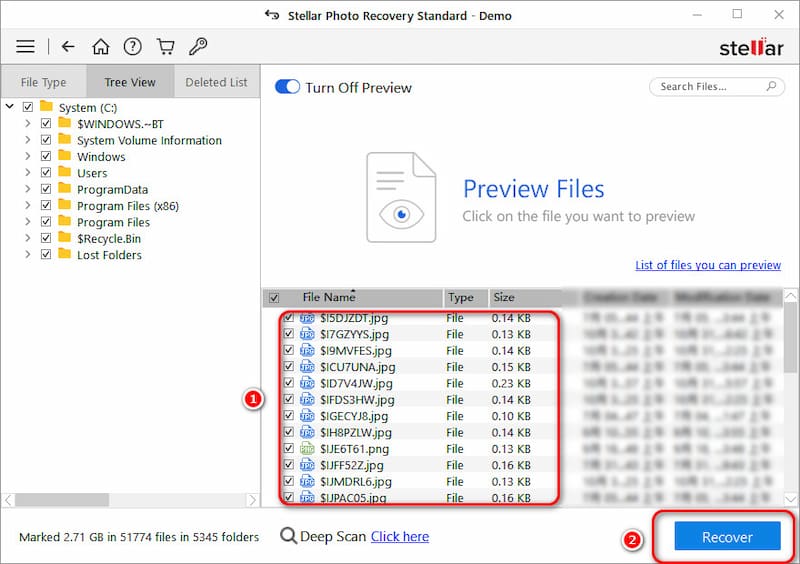
Wait for a few minutes, and your photos will be successfully recovered with Stellar's help.
Although Stellar Photo Recovery is a well-known tool for recovering deleted and lost photos, it is not the only option. Besides, the software has some shortcomings. Through our tests, it sometimes scans slowly, and the recovery performance is not that good. Before confirming a purchase, you definitely want to try some other recovery tools.
Is there a reliable alternative to the Stellar Photo Recovery software?
For those seeking a powerful and easy-to-use alternative, Aiseesoft Data Recovery stands out as a top contender. It provides an all-in-one solution to find and restore your lost photos safely.
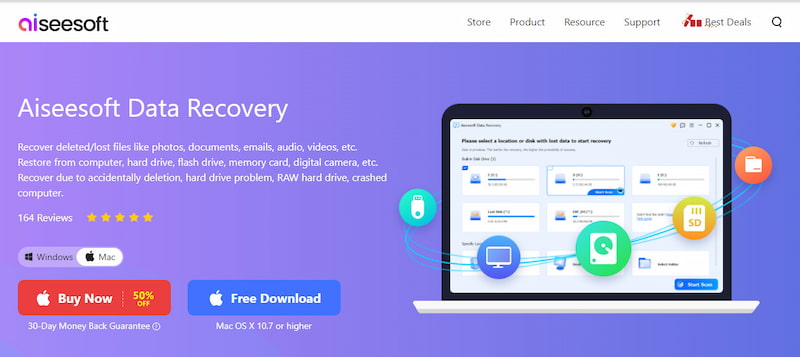
The most attractive feature is that this Stellar alternative can repair your broken and blurry thumbnails with the help of advanced AI technology. Moreover, it offers a really high 99.8% success rate for recovering different data types, including photos, videos, documents, audio files, and others. Download this alternative and test its photo recovery capabilities through a free trial.
 100% Secure. No Ads.
100% Secure. No Ads.
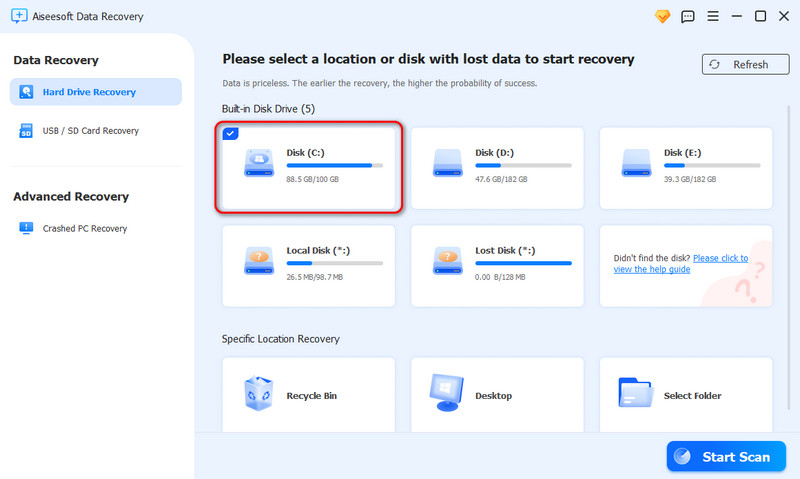
Step 1. Launch this photo recovery software on your computer and select the specific disk or external hard drive/SD card where you want to restore lost photos from. Click the Start Scan button to start a quick scan on the selected path.
Step 2. Click Images to check all types of image files. You can quickly find target photos through their file paths, formats, or the built-in Filter feature. Select all the necessary photos you want to retrieve.
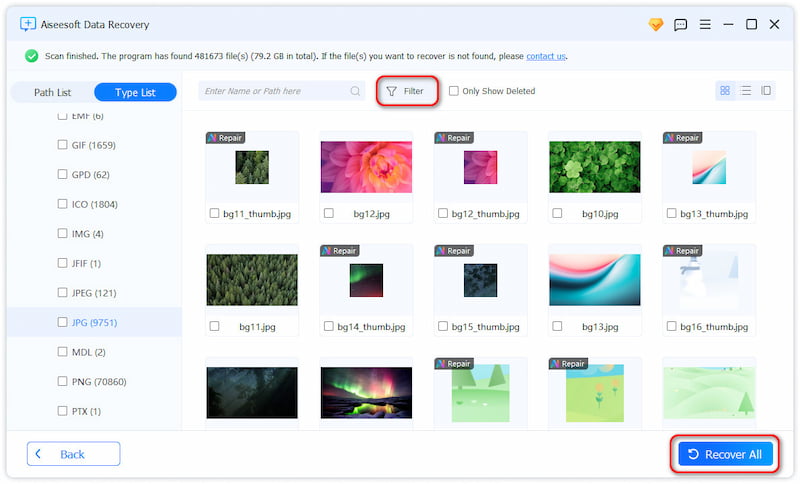
Step 3. Finally, click the Recover All button.
Besides computer disks, Aiseesoft Data Recovery can help you recover deleted files from SD cards and USB drives. It effectively handles various data loss situations, including accidental deletion, disk formatting, system crashes, and more. This alternative also offers a Deep Scan function to guarantee the highest possible recovery rate.
Is Stellar Photo Recovery free?
No, it’s not totally free, but it provides a free trial. If you want to use advanced features, you need to pay for it for at least $49.99.
What is the best software for photo recovery?
Both Stellar Photo Recovery and the recommended Aiseesoft Data Recovery are good choices for many users. However, the “best” recovery software often depends on your specific situation. When you select a tool to recover your deleted/lost photos, you should figure out your technical comfort level, budget, the severity of the data loss, and other personal factors. Besides the two photo recovery tools above, other top contenders include Disk Drill, R-Studio, and Recuva.
How much does Stellar Photo Recovery cost?
• $49.99 for a Standard version.
• $59.99 for a Professional version.
• $69.99 for a Premium version.
Conclusion
After reading this comprehensive review of Stellar Photo Recovery, you can learn all the necessary information about this tool. You can start a free trial to test its recovery capabilities. If you are unsatisfied with it or prefer a more efficient, cheaper photo recovery software, try the alternative introduced here: Aiseesoft Data Recovery. For anyone who has lost meaningful photos and needs a reliable tool to recover them, this Stellar alternative is highly recommended.
 How to Recover Photos from Android/iPhone/Windows/Mac [2025 Updated]
Accidently delete some valuable pictures? Find the best photo recovery tools to help you recover deleted/lost photos from this post.
 Reviews of Top 10 Photo Recovery Software and Apps in 2025
What is the best photo recovery software for Android? Is there any free photo recovery application? Check the full review of the ten top photo recovery tools.
 Google Photos Recovery Within and After 60 Days
Can I retrieve all my deleted Google Photos? How do you recover deleted photos from Google Photos? Check and learn several proven Google Photos recovery ways.
 Leave your comment and join our discussion
Recover Various Data
1. Free Data Recovery Software
2. Recover Deleted Files in Windows
3. Recover Deleted Files from Recycle Bin Windows
4. Recover Permanently Deleted Emails

Aiseesoft Data Recovery is the best data recovery software to recover deleted/lost photos, documents, emails, audio, videos, etc. from your PC/Mac.
100% Secure. No Ads.
100% Secure. No Ads.

*Required field
*Please enter a valid email

