
Video Converter Ultimate
 100% Secure. No Ads.
100% Secure. No Ads.
When you search for a vocal remover online, you may easily access related X-Minus recommendations. This AI-powered audio tool is widely used by karaoke enthusiasts, music producers, and casual users who want to create instrumental tracks. However, with more and more AI vocal removal tools being brought to the market, claiming to offer more advanced functions and unprecedented quality, is the X-Minus Vocal Remover still a good choice?
To help you get a deeper understanding of the AI stem separation tool, this article gives you a quick X-Minus Pro review. You can learn its core functions, pros, cons, and other associated information. Moreover, a powerful vocal remover alternative is introduced for higher-quality results.
How We Test & Review
X-Minus Pro is a versatile audio utility mainly used for vocal removal. This web-based platform is more than a vocal remover; it also offers other functions to handle instruments, echo, and other background sounds.
PROS
PROS
X-Minus is a web-based AI vocal remover. So, you are suggested to visit its website and start a quick, free trial on your own. If you face some issues while using it or prefer to check others’ reviews about X-Minus, pay attention to this section.
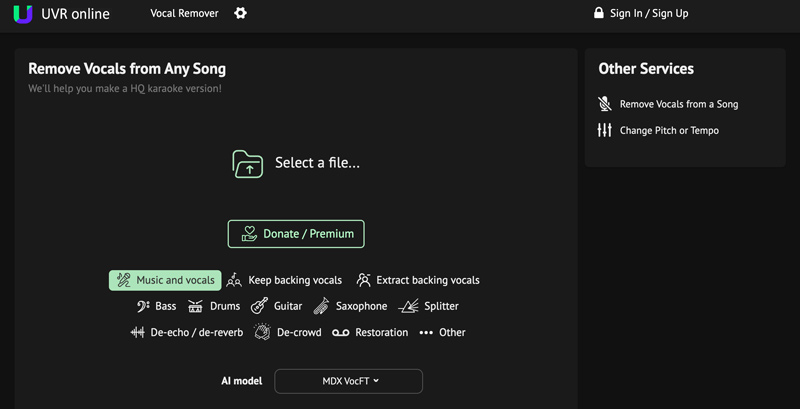
Simple Interface and Ease-of-Use. As a dedicated vocal removal tool, X-Minus Pro does not have too many features. That ensures the whole interface is clean and simple. You can easily access the specific option you need. You can upload a file and let AI do the vocal removal job.
Processing Time. We tested X-Minus Vocal Remover with three songs (3:30 - 4:00 minutes), and it took around one minute to complete the stem separation. That is a relatively fast speed for an online remover.
Audio Quality. X-Minus delivered a high-quality separation result in our tests, especially for clean pop tracks. However, it is not ideal for handling complex background sounds and bass/drums in rock music. The AI failed to remove artifacts from the instrumental track clearly. (Tips: Here are some tips to remove background noise from recording.)
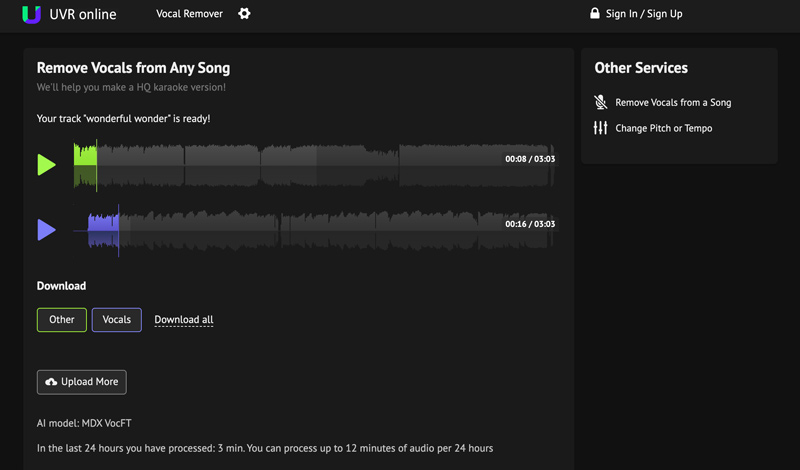
Feature Limits. As mentioned above, X-Minus does not support large files of over 70MB. Also, it cannot process a song longer than 8 minutes. When you try uploading that kind of file, you will face an error.
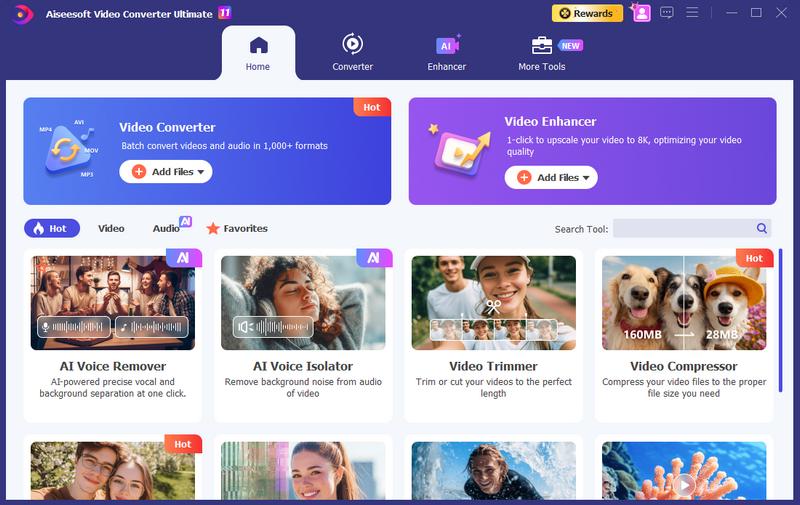
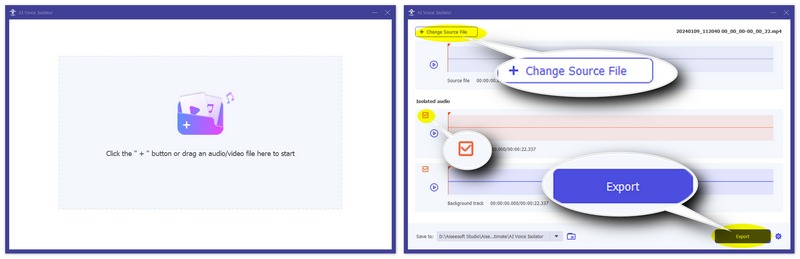
If you are unhappy with the limitations of X-Minus Vocal Remover, many powerful alternatives are available on the market. Among them, one standout option is the built-in AI Voice Remover tool from Aiseesoft Video Converter Ultimate. It offers a more modern approach to AI-powered vocal removal.
100% Secure. No Ads.
100% Secure. No Ads.
Question 1. Can I use X-Minus Pro for free?
Yes, you can use X-Minus Pro to remove vocals from a song for free. However, the free version comes with file upload and export limitations.
Question 2. Is X-Minus Vocal Remover safe to use?
Yes, X-Minus.pro is a well-established vocal removal website. Your uploads are safe with the platform. However, as with any web tool, you should avoid uploading sensitive or private audio/video files.
Question 3. Can I change the pitch of a song with X-Minus Pro?
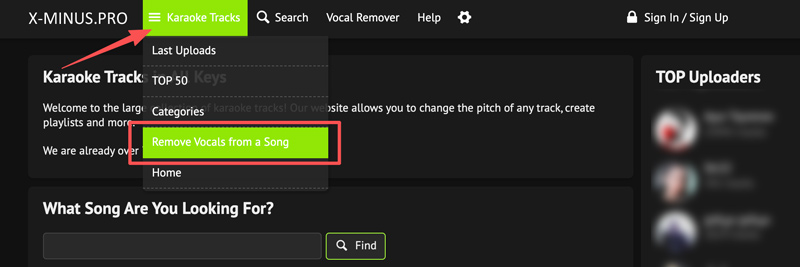
Yes, as mentioned above, X-Minus Pro offers a dedicated “Change Pitch or Tempo” feature for you to adjust the pitch and tempo of your uploaded track.
Conclusion
X-Minus Vocal Remover remains a popular choice for casual users who want a quick way to remove vocals from a song. Moreover, it allows you to freely change the pitch of a track. It offers several advanced AI models for you to isolate the vocals and create your own remixes. However, if you are a serious content creator, a professional producer, or someone who values high-fidelity audio without restrictions, the Aiseesoft Video Converter Ultimate is a better choice.
 How to Remove Echo from Audio Using 5 Helpful Editor Tools
Why is my audio output echoing? How do you clean up echo in audio and fix echoey audio? What AI can get rid of echo in audio? Learn 5 ways to remove audio echo.
 Compress Audio: Reducing Audio Media Size on Desktop and Mobile
Discover some of the superb compressors in this post and learn to compress audio files while preserving sound quality effortlessly.
 How to Mute Videos and Remove Audio Tracks from Videos
How can I mute videos on Instagram on my iPhone? How do you silence videos on TikTok? This post shares five apps to remove audio from your videos and mute them.
About AMV
1.1 Best AMV Maker Apps 1.2 How to Make AMV on Computer 1.3 How to Make AMV on iPhone/iPad 1.4 How to use Windows Movie Maker 1.5 AMV - What Is AMV 1.6 Best AMV Editor Apps 1.7 Top 5 AMV Converters
Video Converter Ultimate is excellent video converter, editor and enhancer to convert, enhance and edit videos and music in 1000 formats and more.
100% Secure. No Ads.
100% Secure. No Ads.

*Required field
*Please enter a valid email

