What to do if your iPad is locked for years? It is impractical to wait for the entire duration.
Besides the ordinary digital passcode, you can use your Face ID or Touch ID to unlock an iPad. However, in some cases, you are required to enter the device password. If you keep using the wrong passcodes to unlock it, your iPad will be temporarily disabled and will ask you to wait for a required time before trying again. After multiple failed attempts, your locked iPad will be permanently unavailable. It requires a connection to a computer for restoring. If your iPad is locked for years or permanently unavailable, follow the guide below to unlock it.

After each failed attempt, the iPad lockout time increases exponentially. Five wrong passcode attempts will trigger the 1-minute lockout. Then, the device will be unavailable for increasing time intervals, such as 5 minutes, 15 minutes, 30 minutes, and 60 minutes. Generally, 10 or more failed attempts will cause your iPad to be permanently disabled. You must connect it to a computer and use iTunes/Finder to restore it.
Some users reported that their iPad is locked for an extremely long time. For instance, an iPad shows try after 25,679369 minutes. The iPad locked for years issue is often caused by multiple consecutive incorrect password attempts. In many cases, it is due to children or accidental input. Sometimes, you may forget the lock screen passcode and repeatedly try to guess it. That may cause your iPad to be locked for decades.
If your iPad is completely disabled or locked for years, use the powerful iPad Unlocker to regain access to the device. It provides an individual Unlock iOS Screen function, allowing you to reset the forgotten lock screen password and access your iPad.
 100% Secure. No Ads.
100% Secure. No Ads.
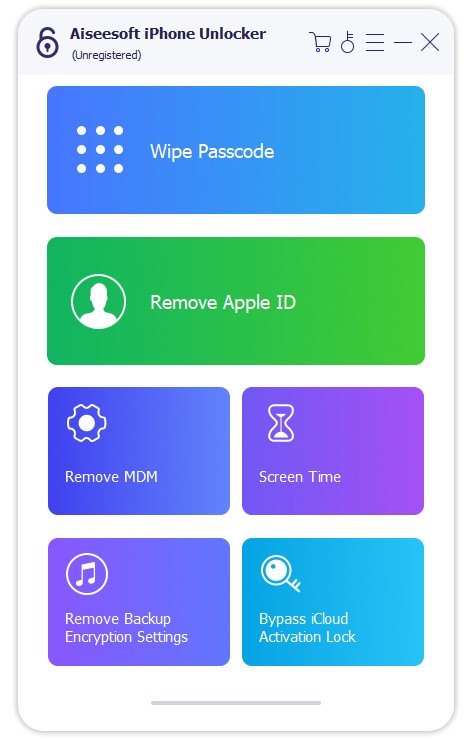
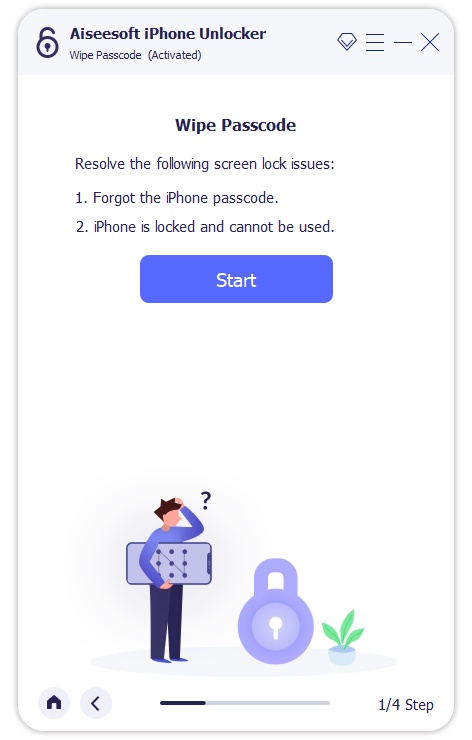
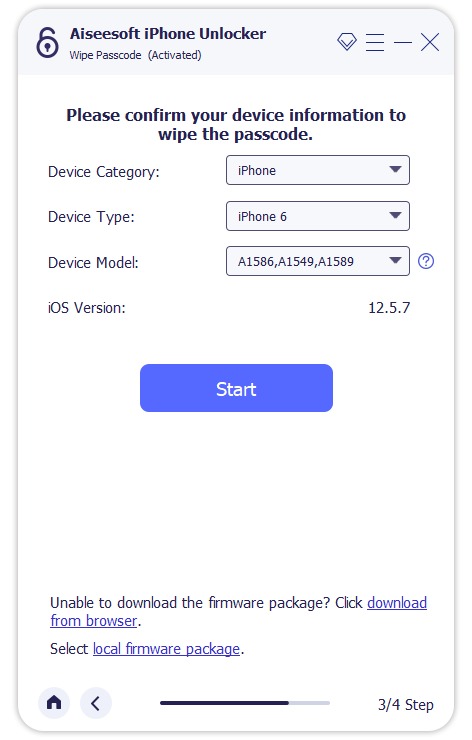
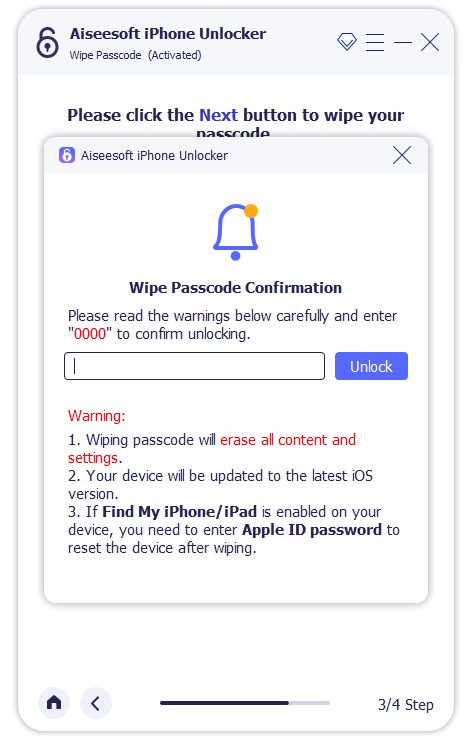
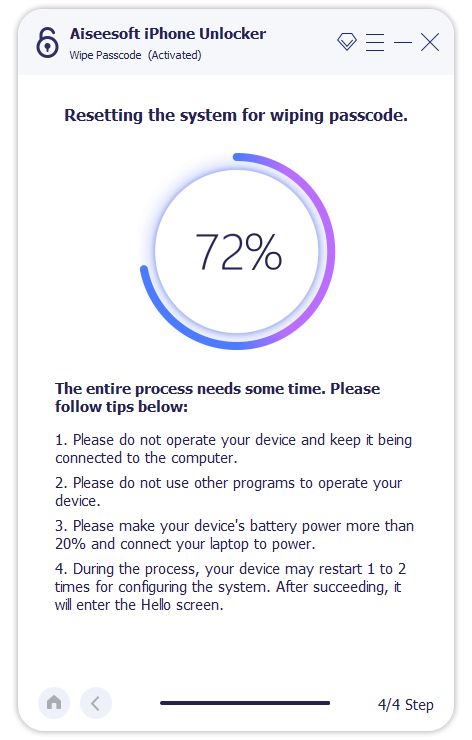
This iPad unlocking software provides a straightforward way to regain access to a disabled device and remove the forgotten password. As you can see, it also carries other functions to remove your Apple account and password, bypass MDM, get rid of Screen Time restrictions, bypass the iCloud lock, jailbreak an iPad or iPhone, and more.
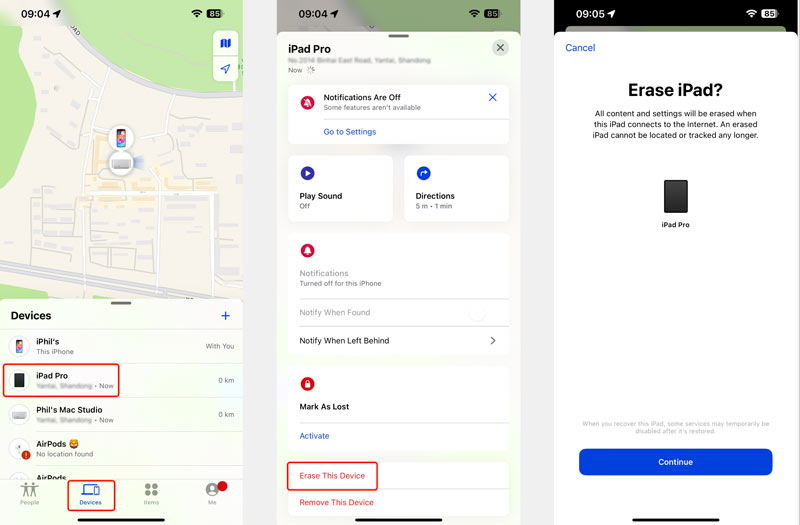
Considering that the Find My feature has been enabled by default, you can erase your locked iPad using iCloud. That will wipe the current password and unlock the device.
Go to the iCloud website on another device and log in with the same Apple ID. Choose Find My and then display all associated devices. Select the target iPad and then choose Erase iPad. Please proceed with your operation to remotely wipe all data and factory reset it. You can also open the Find My app on your iPhone or another iPad to erase the locked device.
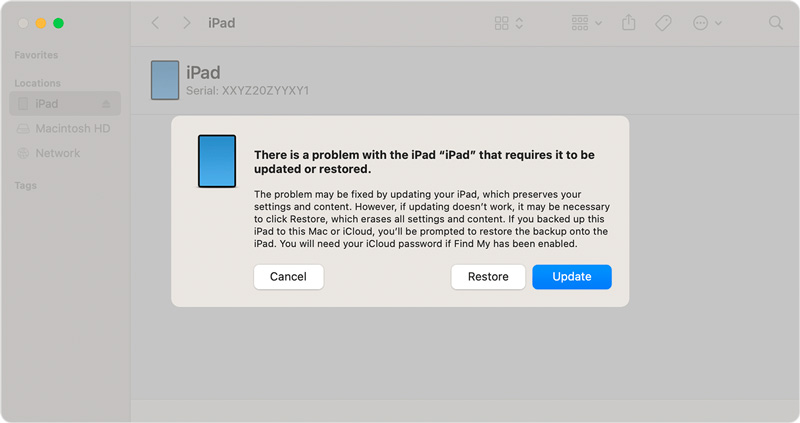
You will be prompted to restore your disabled iPad using iTunes, as it prompts on the screen. Connect the device to a computer with iTunes or Finder installed. You’d better upgrade iTunes/Finder to the latest version and then start restoring.
Your locked iPad won’t be recognized. You need to put it into Recovery Mode to detect it successfully. Once the iPad is in the mode, iTunes or Finder will display a popup with the Restore and Update options. Click the Restore button and follow the steps to proceed with your action.
Question 1. Can a factory reset unlock a disabled iPad?
No, a factory reset will not unlock a disabled iPad if the Find My feature is enabled before. The reset operation will erase the iPad’s content and settings. However, it cannot remove the iCloud Activation Lock. When it restarts, it will still be linked to the original owner’s Apple ID. You need a dedicated tool like iPhone Unlocker above to bypass the iCloud lock. If the iPad is disabled due to too many wrong passcode attempts, it can be restored with iTunes or Finder. This action will erase the device and remove its passcode.
Question 2. How do I unlock an iPad after too many wrong passcode attempts?
When your iPad is disabled due to too many wrong passcode attempts, you will be prompted to connect to iTunes and restore it. That helps you regain access with ease. You can also factory reset the device using iCloud Find My. After the process is complete, set up your iPad as new or restore from a backup.
Question 3. How do you override iPad lockout?
If you forget your iPad’s current device password, you can connect the device to a computer and restore it to factory conditions using iTunes or Finder. This is the standard way to override an iPad lockout. Besides, you can rely on the introduced iPad unlocking tool above to wipe your forgotten passcode and regain access to the device.
Conclusion
The iPad locked for years condition is a result of too many incorrect password attempts. The only practical solution is to erase and restore the device. You can use the three methods above to unlock your iPad. All these methods will result in data loss unless you have a backup. There is no way to unlock a disabled iPad without erasing it. To avoid this, you should ensure your iPad is regularly backed up.
 [Solved] iPhone is Disabled? Top 5 Simply Ways to Unlock iPhone
How do you unlock a disabled iPhone? The post shares the top 5 methods to fix a disabled iPhone without losing data with or without iTunes, iPhone 16 included.
 [100% Done] 4 Ways to Unlock Disabled iPad without Password
How to unlock iPad with password? This post shares 4 ways to unlock the disabled iPad Pro, mini, Air, and more, whether you forgot the passcode or enter the passcode for many times.
 Learn to Unlock a Disabled iPad Using 3 Proven Methods
How can I unlock my disabled and offline iPad Pro? How do you unlock a disabled iPad if you forgot the password? Learn three ways to unlock your disabled iPad.
 Leave your comment and join our discussion
iOS Unlock Tips
Unlock iOS Screen
Bypass iOS Activation Lock
Recover iOS Data

To fix iPhone screen locked, wiping password function can help you a lot. And you also can clear Apple ID or Screen Time password easily.
100% Secure. No Ads.
100% Secure. No Ads.

*Required field
*Please enter a valid email

