Imagine a world in which your cell phone provides limitless freedom—no longer bound by the constraints of one single network anymore. With the modern globalized era, the key to embracing convenience, affordability, and flexibility has arrived in the form of SIM card unlocking from the network lock status. Whether organizing the next globe tour or choosing a provider based on the cost factor, SIM card unlocking can change the way in which one remains connected.
This article discusses the rudimentary processes and innovative ways of unlocking SIM cards from network locks, providing a basis for informed decision-making in a highly competitive telecom business sphere. We will explore the benefits of breaking free from carrier domination, how SIM card unlocking can boost your global communication, and guide you through the smooth transition in a secure setup. Prepare for challenging the status quo with knowledge combining technology and day-to-day uses, transforming a locked phone into a doorway towards endless possibilities. Welcome to an era of endless communication.
SIM (Subscriber Identity Module) card refers to a small chip inserted in cell phones containing important subscriber information, such as a one-of-a-kind phone number and carrier information stored safely. As a portal for wireless communication, the SIM card provides access to calls, text, and information services. Carriers lock SIM cards in a bid to bind a unit to their service as a measure of building retention as a client and protecting investments. The causes for network lock can be various. Several common reasons are listed below.
After knowing what it is and the reason why it happens, let’s check out the methods to fix it.
To unlock your network-locked SIM card, the first step is to place a call to your network carrier. Carriers typically permit eligible customers to request an unlock after they have met certain requirements, such as contract term completion or minimum usage. You can reach customer care via a call, email, or web chat using a phone and have your account information and device details handy. The procedure can differ, but the carriers typically give direct instructions on eligibility and the next steps. Direct communication with your carrier can efficiently resolve issues, paving the way for greater freedom in your connections and greater flexibility with your mobile phone. Free your connection today for freedom.
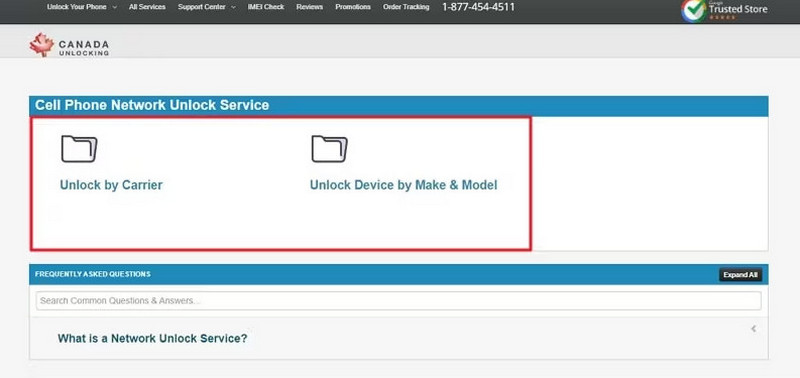
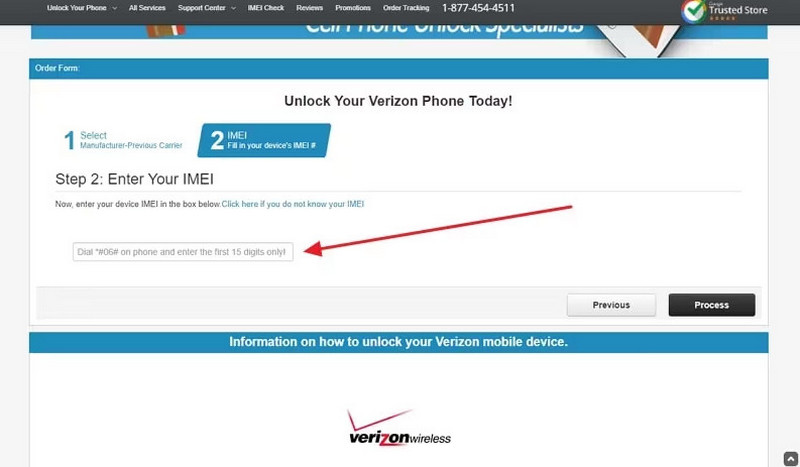
There are various online tools to unlock your network-locked SIM card. We will use Canada Unlocking as an example this time.
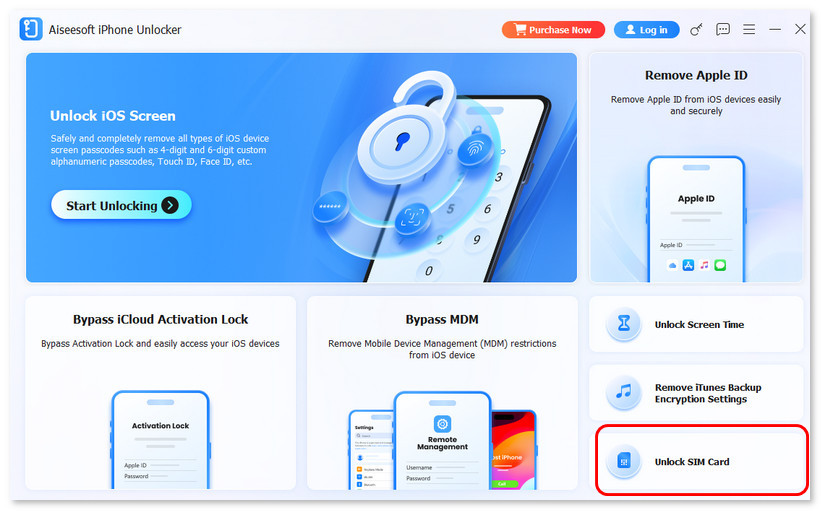
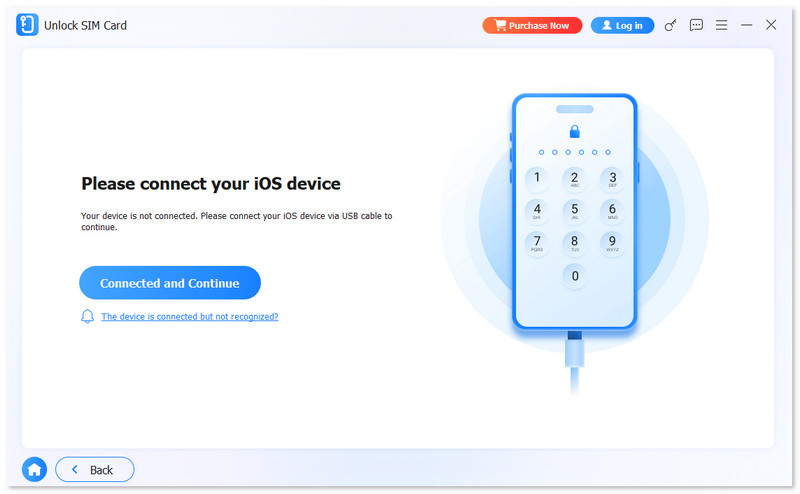
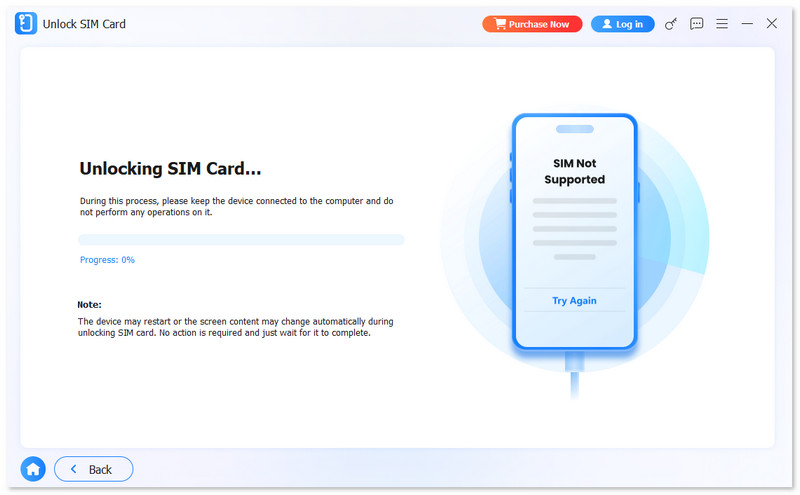
If you are an iPhone user, you might as well take a look at this all-in-one iPhone unlocker. It doesn’t require any complex steps or professional knowledge, but a few clicks. Aiseesoft Unlockeris a game-changing software that will free your iPhone from such constraints. This new unlocking mechanism has a safe and simple process that is specifically for iPhones. With its user-friendly interface and simple, step-by-step guides, Aiseesoft Unlocker turns what used to be a complicated process into an effortless, trouble-free one. In addition, its function is not restricted only to SIM unlocking. It also supports removing screen lock, Touch ID, and Face ID.
Supported by strong security features, Aiseesoft Unlocker protects your personal data during the process so that your private data will never be disclosed. Whether you are a high-mileage road warrior or simply want the liberty to choose the carrier of your preference as your needs change, this unlocker puts complete command of the mobile experience in your hands. Take advantage of the latest technology and enjoy the freedom of a completely unlocked, multi-carrier iPhone. See innovation at work and enter a realm in which your communications possibilities are as unlimited as your aspirations.
 100% Secure. No Ads.
100% Secure. No Ads.
Will removing the SIM lock erase data?
No, the SIM lock is designed to restrict users from using the allowed network. Therefore, removing the SIM lock won’t delete any data on your device. However, if you accidentally delete or encounter a data loss on your iPhone, you can try FoneLab iPhone Data Recovery to recover your iPhone data.
How do you know if your SIM card is locked?
For iPhone, follow Settings > General > About and find Carrier Lock. If it shows No SIM restrictions, your SIM is unlocked.
Which is the simplest and quickest method?
Aiseesoft iPhone Unlocker. It doesn’t need any professional knowledge or complicated steps, but it takes a few clicks to remove your SIM lock.
Conclusion
In today’s tutorial, we have shown you 3 of the most effective solutions to unlock a network-locked SIM card. You can unlock it by contacting the network carrier or using online unlock tools. If you think those methods are too complicated, you can also count on unlocker Aiseesoft iPhone Unlocker. The network-locked SIM card will be unlocked with just a few clicks. All of these solutions offer a unique way. You can choose one depending on your situation. Meanwhile, if you have more questions or tips you want to share with us, you can get in touch with us via email. Also, you can view more of our posts below to find your answers.
 How to Check If Android or iPhone is Unlocked Without SIM
If my phone says no SIM restrictions, is it unlocked? How to know if iPhone/Android is locked to a certain carrier. Here will tell you how to check without SIM.
 Insert or Remove SIM Card on iPhone Easily with Tips & Tricks
To insert or remove a SIM card on iPhone, you will need to identify first the SIM type, tools to use, and ways to avoid data loss while changing it here.
 How to Fix 'Your SIM Sent a Text Message' - 7 Ways to Stop the Prompt
Your SIM sent a text message' appears when update to iOS 8? You can learn how to fix 'Your SIM sent a text message' on iPhone 16/15/14/13/12/11/XS/XR/X/8/7.
 Leave your comment and join our discussion
iOS Unlock Tips
Unlock iOS Screen
Bypass iOS Activation Lock
Recover iOS Data

To fix iPhone screen locked, wiping password function can help you a lot. And you also can clear Apple ID or Screen Time password easily.
100% Secure. No Ads.
100% Secure. No Ads.

*Required field
*Please enter a valid email

