Aiseesoft iPhone Unlocker
 100% Secure. No Ads.
100% Secure. No Ads.
Hi! If you’re here, you probably feel that familiar pang of frustration. Maybe you’re planning a trip abroad and need a local SIM, or maybe you just spotted a better deal on another network and your MetroPCS phone is sitting there, locked down like a fortress. The good news? Getting your phone unlocked is totally achievable, and in most cases, it's completely free!
You see, carriers like MetroPCS (which is part of T-Mobile, by the way) use a lock to ensure you stick with them for a certain period. But once you meet their requirements, your phone is yours to use anywhere. Ready to learn how to unlock a MetroPCS phone like a pro? Let's dive into the two easy ways to get your MetroPCS phones unlocked.
If you meet MetroPCS's requirements, this is your best option. It’s free, guaranteed to work, and straightforward. For most modern MetroPCS phones, you don't even need a complicated 16-digit code, and you just use a pre-installed app.
Before you start, check if your phone is ready for its big escape. To qualify for a free unlock MetroPCS phone service, you generally need to meet these two main criteria:
1. Time served: Your phone must have been active on the MetroPCS network for at least 180 days (sometimes 90 days for specific devices or military service members). This is the big one!
2. Paid off: The device must be fully paid for. If you purchased it on an installment plan, make sure those payments are done.
The process is surprisingly simple, especially since most MetroPCS Android devices come with the "Device Unlock" app built-in.
The above steps are also applied when you want to unlock carrier for Android phone.
You can easily check your eligibility using the phone itself. Open the Device Unlock app on your phone.
If you open the app and it says "Not Eligible," don't panic! First, make sure you know your service start date. Wait a few more days and try again. If the deadline is months away, skip down to Section 2 for the paid fast-track. If you have any doubt, you can always call MetroPCS to unlock phone by speaking to a customer service rep.
On your MetroPCS phone, navigate to:
• Settings -> Connections (or General) -> More Settings (or About Phone)
• Look for the Device Unlock app (or a setting simply called Device Unlock).
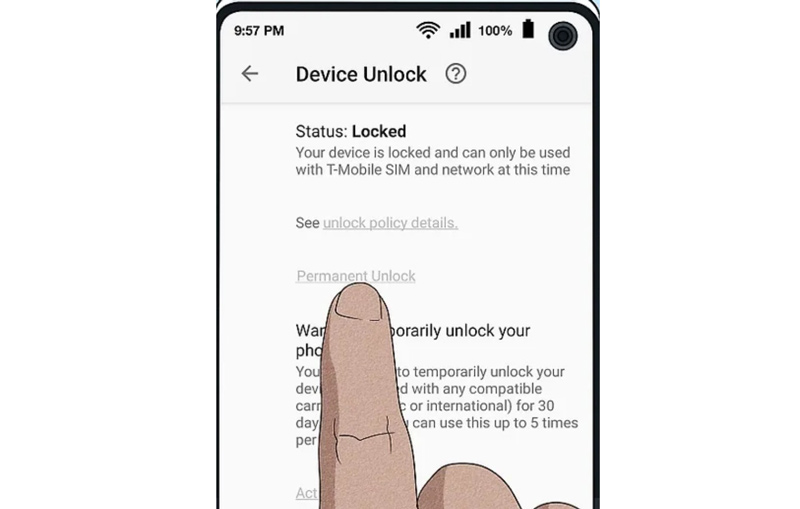
Once the app loads, you'll usually have two options:
1. Temporary unlock: This is useful for international travel (like a two-week vacation). It keeps your phone unlocked for a short period (usually 30 days) before it automatically locks again.
2. Permanent unlock: This is the one you want! Choosing this option will grant you the permanent, glorious freedom to use your phone on any compatible GSM network forever. This is how to permanently unlock MetroPCS phone for good.
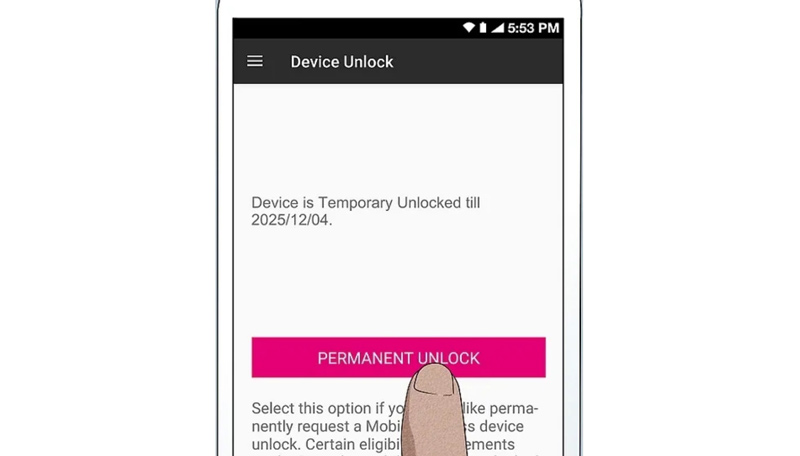
Select Permanent Unlock. The app will connect to the MetroPCS server to verify your eligibility. If you’re good to go, you’ll see a success message! You'll then be prompted to restart your phone to finalize the process.
• Click "Restart" and wait for your phone to reboot.
• Once it powers back on, your MetroPCS phone is officially unlocked!
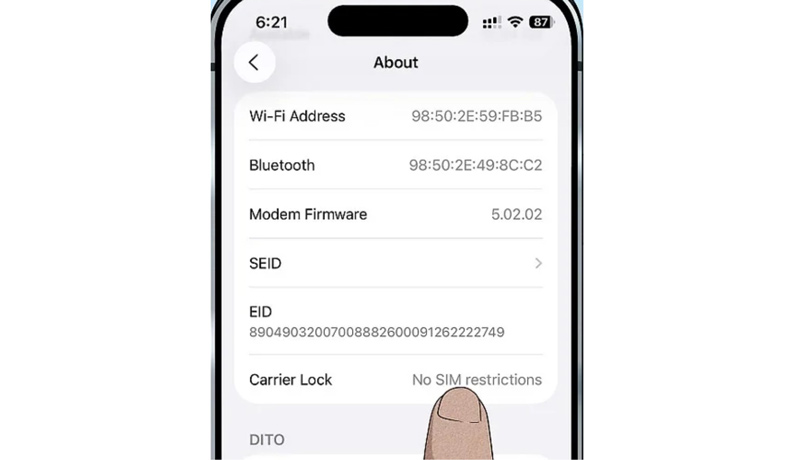
To 100% confirm the unlock worked, try inserting a SIM card from another network (like AT&T, Verizon, or an international carrier) and see if the network name pops up and you can make a call. Success!
Summary:
The official route is your best bet for a guaranteed and free unlock. It's the easiest and safest way to achieve permanent phone freedom.
So, what happens if you’re trying to unlock MetroPCS phone before 90 days free? Or maybe the app keeps throwing up that annoying "Not Eligible" error, and you need a solution now. This is where a reputable third-party IMEI unlocking service comes in.
This method is specifically for people wondering how to unlock a phone online not eligible for unlock free right now. Since it's outside the carrier's official process, you'll have to pay a fee, but it can save you a long wait.
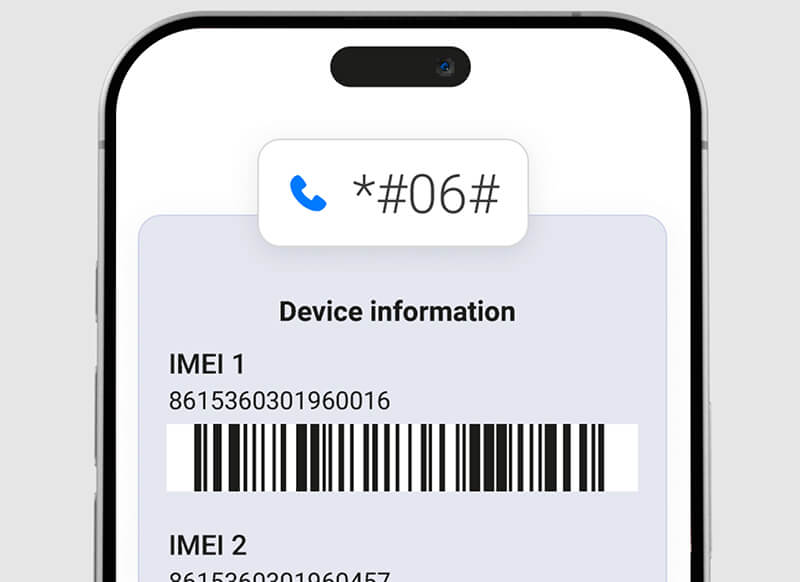
The IMEI (International Mobile Equipment Identity) is your phone's unique fingerprint. You need this to proceed.
• The easiest way is to open the Dialer app and type: *#06#
• Your 15-digit IMEI number will pop up immediately. Write it down!
A quick Google search will show dozens of services. Reputation is key! Look for services with a high volume of positive, recent reviews on sites like Trustpilot. Do not just use the first result you see.
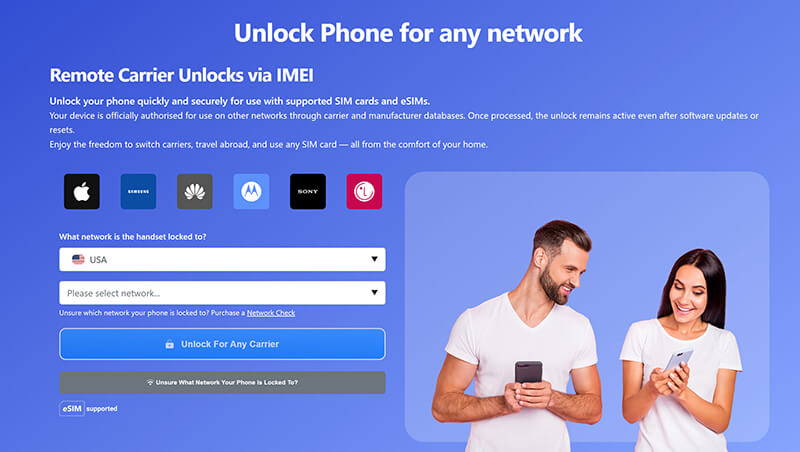
You should know the hard way that not all online services are legit. Look for a service that guarantees a refund if the unlock fails. If the price seems too good to be true, it probably is. Invest a few extra dollars for a well-reviewed service to avoid headache later.
On the service's website, you will:
1. Enter your phone’s brand and model (e.g., Samsung Galaxy S20, LG K51).
2. Enter the 15-digit IMEI number you just retrieved.
3. Select MetroPCS as the current carrier.
4. Pay the required fee (prices vary widely, usually $20-$100 depending on the phone model and how fast you need it).
After payment, the company will process your request. This can take anywhere from a few hours to a few days. They will email you either:
• A specific Unlock Code to manually enter into your phone.
• Confirmation that the phone has been unlocked remotely via the Device Unlock app (similar to the official method).
Follow their instructions carefully. If they send a code, insert the new non-MetroPCS SIM, and the phone should immediately ask for the "SIM Unlock PIN." Enter the code, and congratulations, you know how do I unlock a MetroPCS phone using the fast-track!
Summary:
This method offers a quick fix when you're in a hurry or are currently ineligible. Remember it costs money, but it buys you time and convenience.
While the MetroPCS carrier lock is a pain, there are other types of locks we run into. If you have an iPhone and have dealt with a forgotten Apple ID password, a disabled screen, or activation lock, you know the frustration is next level.
This is where specialized software like Aiseesoft iPhone Unlocker comes in handy. It’s designed to tackle those deep-level iOS security issues that even Apple support can be slow to resolve.
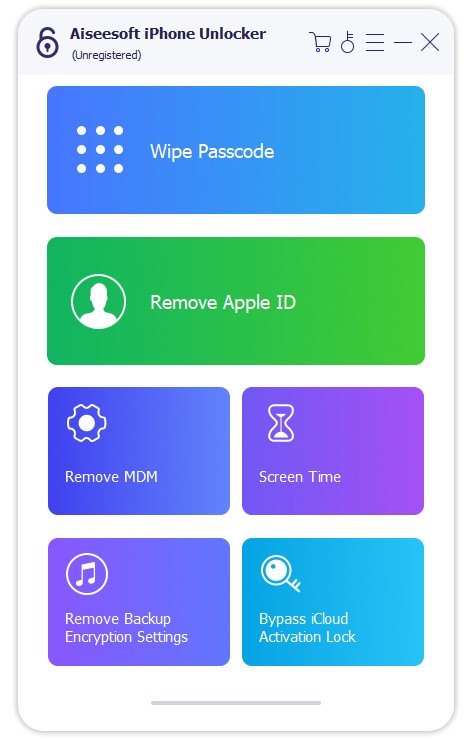
This tool isn't for the carrier lock on your MetroPCS phone, but for the other locks you might encounter on an iPhone. Think of it as a safety net for when you forget your password or buy a used device that's still linked to the previous owner.
• Wipe screen passcode: Instantly remove 4-digit, 6-digit, Touch ID, and Face ID passcodes if you forget them or if the screen is disabled.
• Remove Apple ID: If you buy a second-hand iPhone and the previous owner's Apple ID is still logged in, this tool can remove it without the password (with certain conditions).
• Remove Screen Time passcode: If your parents (or you) set a Screen Time restriction and forgot the password, this feature saves the day.
• Bypass MDM (Mobile Device Management): Essential for removing corporate or school-level restrictions on devices.
It's a powerful tool to have in your digital toolbox for when things go wrong on an Apple device!
100% Secure. No Ads.
100% Secure. No Ads.
Is unlocking my phone legal?
Absolutely. In the U.S., it has been legal to unlock your MetroPCS phone to any carrier since 2014, as long as you fulfill the terms of your contract (like the 180-day rule).
Will unlocking my phone void my warranty?
For the official, carrier-approved permanent unlock (Method 1), the answer is generally no. You are simply using their own mechanism. For third-party unlocks (Method 2), the process itself won't void the warranty, but tampering with the device software or hardware might. Stick to the IMEI method, which is a remote process.
What if I have an older, non-Android MetroPCS phone?
Older phones often require a manual unlock code. You will still call MetroPCS to unlock phone or use the online chat/support portal. They will provide the code directly, which you'll enter when you insert a new SIM card.
Can I get my MetroPCS phones unlocked and sell it for more money?
Yes! MetroPCS phones unlocked are significantly more valuable on the resale market (eBay, Swappa, etc.) because they are ready to use for any customer. It’s worth the effort to get the phone unlocked before listing it.
Conclusion
Whether you went the free unlock MetroPCS phone route by hitting your 180-day mark or decided the paid fast-track was necessary to unlock metropcs phone before 90 days free, you’ve successfully accomplished your mission. But remember, while you’ve tackled the carrier lock, phone frustrations don't end there. If you ever find yourself locked out of an iPhone; be it a forgotten screen passcode, a disabled device, or a nagging Apple ID lock, then you need a reliable backup plan. That’s where tools like Aiseesoft iPhone Unlocker truly shine. It’s the ultimate solution for dealing with those internal locks that keep you out of your device entirely.
 How to Get Samsung Galaxy S6/S5/S4 Unlocked With Ease
Want to get Samsung Galaxy S6/S5/S4/Note 4 unlocked? You can check this article and find the suitable solution. Also, a reputable Broken Android Data Recovery is recommended here.
 Unlock Samsung: Break Samsung Phone Factory Restrictions
What is bootloader? How to unlock the bootloader on a Samsung Galaxy phone? Learn from this article about Samsung bootloader unlock.
 [100% Done] 7 Ways to Unlock an iPhone without Passcode
You recently changed your passcode on your iPhone, and you forgot it already. You can still access it with these solutions on how to get into a locked iPhone.
 Leave your comment and join our discussion
iOS Unlock Tips
Unlock iOS Screen
Bypass iOS Activation Lock
Recover iOS Data

To fix iPhone screen locked, wiping password function can help you a lot. And you also can clear Apple ID or Screen Time password easily.
100% Secure. No Ads.
100% Secure. No Ads.

*Required field
*Please enter a valid email

