iPhone Data Recovery
 100% Secure. No Ads.
100% Secure. No Ads.
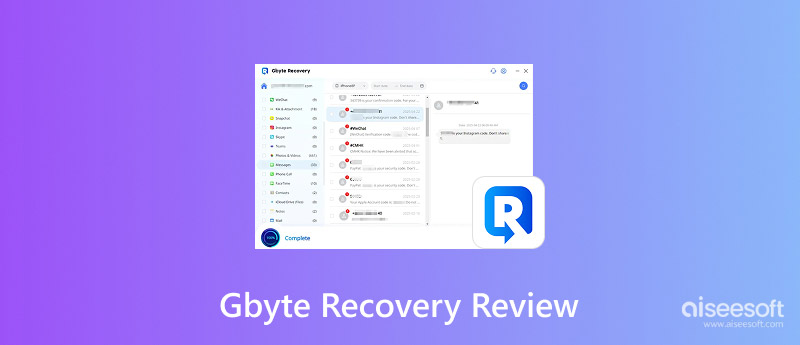
We have all lost important files at least once, something that is really frustrating and unpleasant. The first thing that comes to your mind is the way to restore them quickly and safely. So, this is the reason why I decided to explore one of the tools that people are talking about recently. I intend to cover my experience and thoughts with the help of the product in this review. I have devoted my time to getting acquainted with the features of the software, putting it through the test of various scenarios, and being concerned about its safety when using it. If at the moment you are looking for a trustworthy method to get back the deleted data, here you will get the right information to make the decision whether Gbyte Recovery is the solution for you or if you will be better with an alternative.
How We Test and Review
To provide a trustworthy review, I carried out several tests with software in real scenarios - for example, retrieving deleted pictures, missing files, and formatted data from various hardware. I also assessed the convenience of the user interface, the speed of the scan, and the efficiency of the recovery process. Besides that, I investigated safety, pricing, and overall user experience to deliver a sincere assessment based on usage only, not mere assertions. This way, our Gbyte Recovery reviews can stand for what users can really hope for.
Main Features
Some lessons learned from practical experience with the application include the following:
Pros
Cons
There are still a lot of people who are wondering whether Gbyte Recovery is legit or not, since the results may differ from case to case.
As far as I could tell from my observations, the performance was quite good, although there is definitely room for improvement. In terms of the quick scan, it does a great job at identifying recent deletions and gives the user an answer extremely quickly. However, the deep scan process takes forever, and sometimes even fails to retrieve files that have been overwritten.
Free Version
Monthly Subscription Cost (estimated)
Annual Subscription Cost (estimated)
Lifetime Subscription Cost (estimated)
Begin with the free version and check whether it can locate your lost files.
Generally, GByte Recovery is safe to use, especially if you get it from the official site. There have been no serious malware attacks reported, and it usually operates in read-only mode, whereby it does not alter data during the scanning function.
However, response and user comments vary, and since it may need permissions to your device or backups, you should exercise care when dealing with confidential files.
So, is Gbyte Recovery safe? Yes, it's fairly safe, but it's advisable to try out the program first before depending on it for critical data.
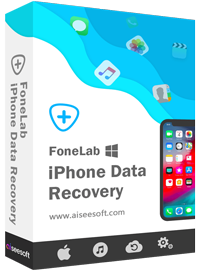
If GByte Recovery isn't exactly what you need, a good fallback that you can check out is Aiseesoft FoneLab iPhone Data Recovery. It is a popular program that aims to retrieve erased or missing data from iPhones, iPads, and iPod touch devices. Besides, it can recover data from the device itself, or from iTunes and iCloud backup files, thus providing more recovery options and increasing the probability of data restoration.
Downloads
100% Secure. No Ads.
100% Secure. No Ads.
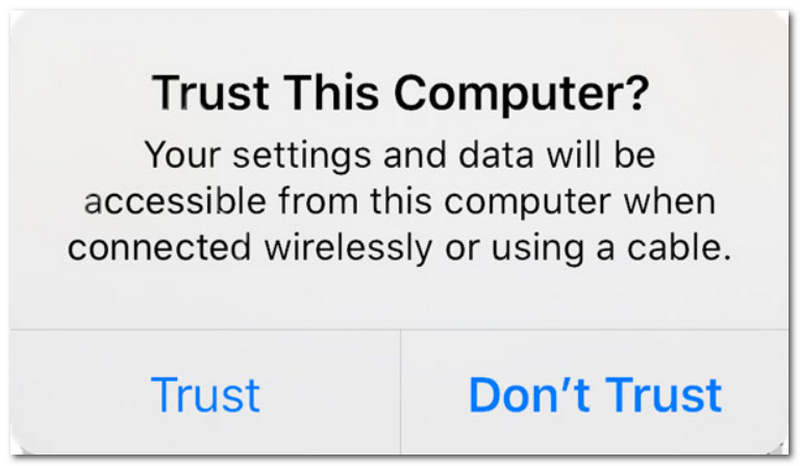
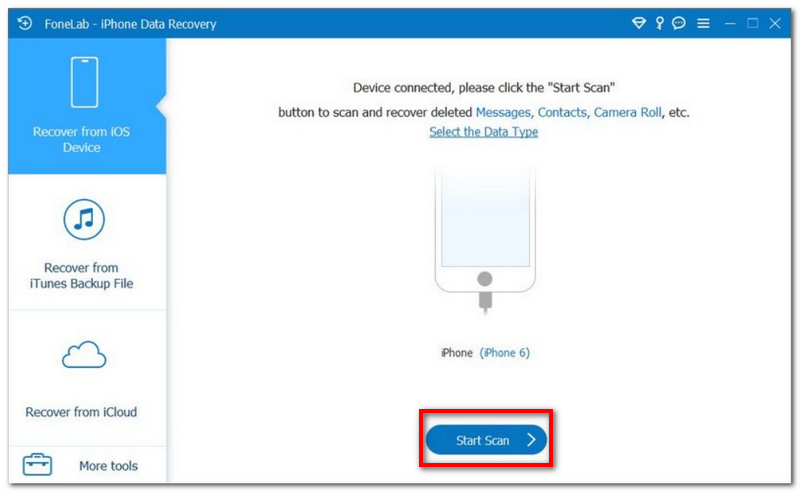
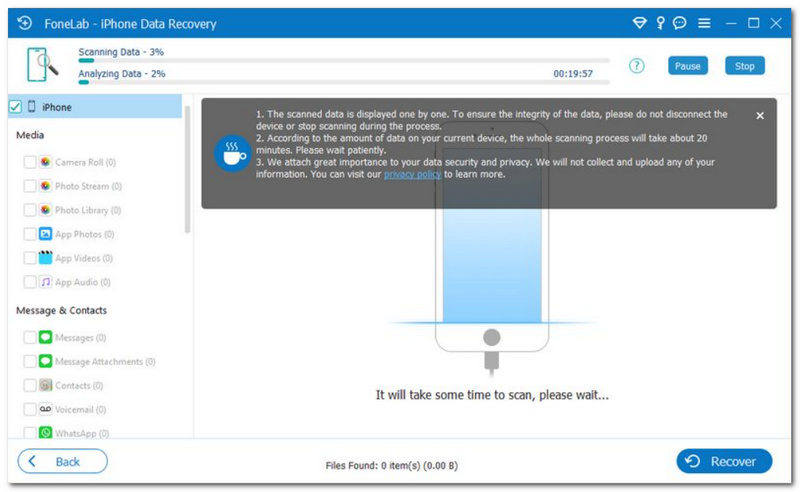
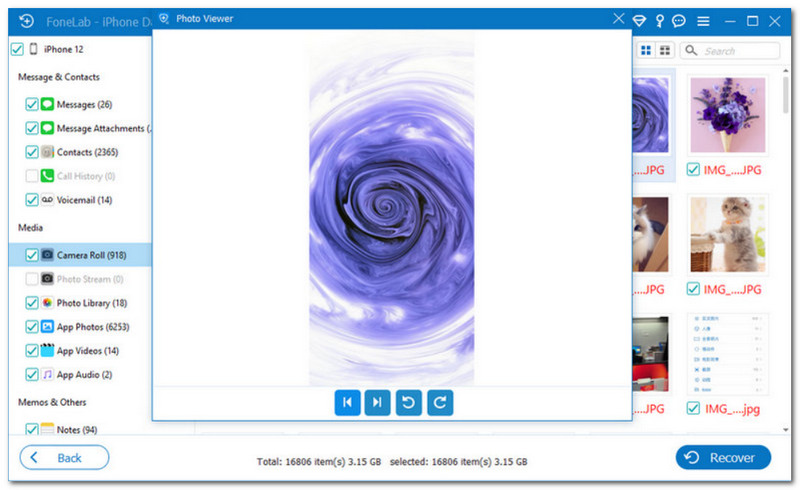
In conclusion, these factors make Aiseesoft iPhone Data Recovery better than Gbyte Recovery.
How long does Gbyte Recovery take?
The time required to perform the Gbyte Recovery program depends on the scanning method used and the size of the data. Scanning the deleted files takes around 2-10 minutes in case of a shallow scan, whereas a deeper scan may take up to half an hour or even several hours.
Does GByte Recovery require an internet connection to work?
No, the recovery process itself works offline after installation, but downloading and activation require the internet.
Is it possible for Gbyte Recovery to recover data from a broken or damaged device?
It depends on how badly the device is damaged. If the computer can still detect the device, there is hope of recovering some data.
Conclusion
Having used and analyzed Gbyte Recovery, I can say that it is quite an easy tool to use for basic data recovery, especially if you have just erased some of your files recently. Nevertheless, in case the data loss is serious or complicated enough, it may not perform well enough, and thus one will need a subscription service to achieve the result he expects. I must admit that this application is good enough for basic file recovery, but not the best option out there.
Having evaluated all aspects regarding Gbyte recovery reviews, here are my conclusions regarding this topic.
 10 Ways to Fix Bad Pool Header Error in Windows 11/10/8/7 [Solved]
What is a bad pool header? How do I fix the Windows error stop code: bad pool header? Here we offer 10 solutions, each with detailed steps.
 How to Recover CHKDSK Orphaned File to Fix Ruined Drive
What does recovering orphaned file mean? How to deal with it when you get the recovering orphaned file? Learn how to recover CHKDSK orphaned files and bring your computer to normal condition here.
 [Full Fix] Why Won't My iPhone Backup to iCloud? Here's 5 Fixes
iPhone won't backup to iCloud, how to fix it? Learn why won't my iPhone backup to iCloud and how to backup iPhone in this post.
 Leave your comment and join our discussion
Recover Data from iPhone/iPad/iPod
Recover Deleted Photos from iPhone Recover Deleted Notes on iPhone Recover Deleted Voicemail on iPhone Recover Deleted Messages from iDevice Recover Deleted Voice Memos from iDevice WhatsApp Recovery on iPhone Recover Deleted Contacts on iPhone Retrieve Deleted Text Messages from iPhone Recover Permanently Deleted Photos from iPhone Best iPhone Data Recovery Software Recover Deleted Emails on iPhone How to Recover Calendar from iPhone Best iPhone Photo Recovery Best iPhone Message Recovery App
The best iPhone data recovery software ever, allowing users to safely recover lost iPhone/iPad/iPod data from iOS device, iTunes/iCloud backup.
100% Secure. No Ads.
100% Secure. No Ads.

*Required field
*Please enter a valid email

