Last week, my friend texted me in a panic: “I forgot my Facebook password, and now I’m locked out.” Within 10 minutes, we had it reset. But for others, the situation is worse - someone else might have changed their password. Let me walk you through both scenarios.
Facebook account recovery is not a one-size-fits-all solution. This guide shares 7 proven methods to reset or recover your account. Whether you have forgotten your login credentials, suspect your account was hacked, or need to reset access without your email and phone, here is exactly what to do.
How We Tested These Solutions
Over a week, we simulated 2 scenarios on an active Facebook account (created in 2019, with 2FA enabled):
1. Forgotten password with email or phone access - Reset completed in 2 minutes
2. Account compromise simulation - Full recovery via Facebook’s identity verification in 15 minutes
All methods were verified on iPhone 15 Pro (iOS 26) and Windows 11/macOS.
Just don’t remember your Facebook password? Or suspect someone else hacked your Facebook account and changed the password?
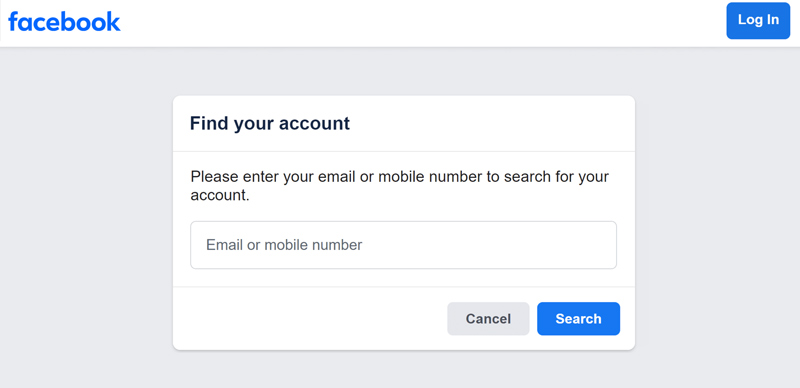
If you have forgotten your password but still have access to the email address or phone number linked to your Facebook account, you can easily reset it on the login page. This is the quickest path to reset a forgotten Facebook password.
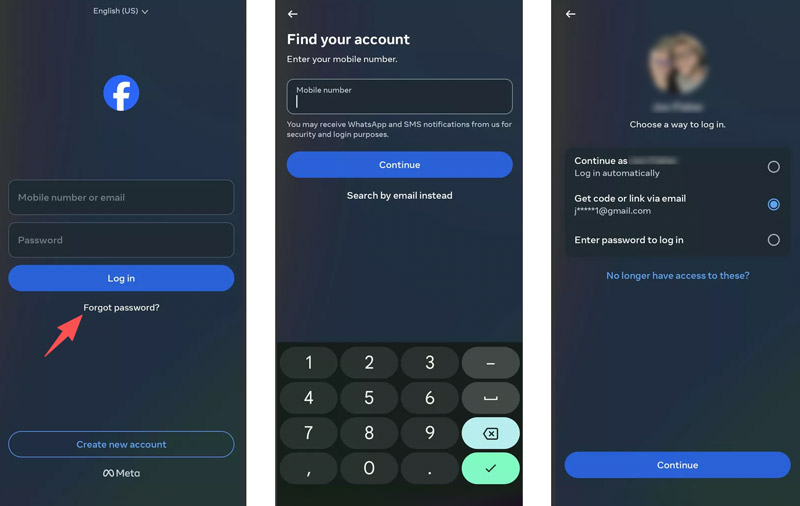
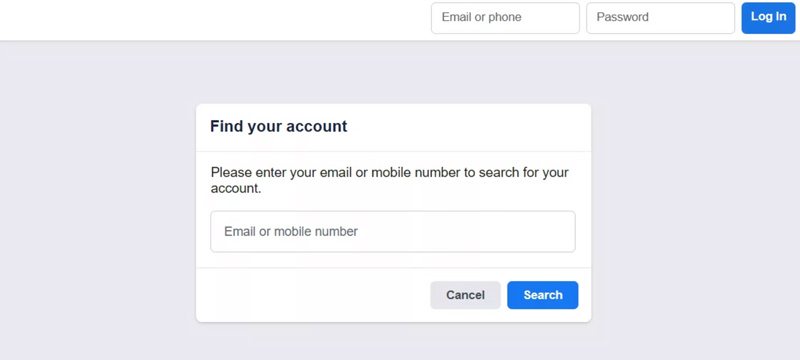
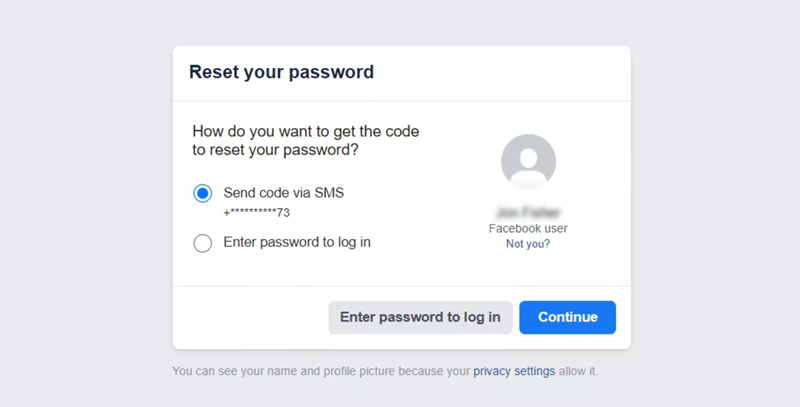
Now let’s look at what happens when you don’t have access to your linked email or phone. Or worse, someone has hacked your account and changed the source passcode.
If you lost access to your registered email and phone number, you can still rely on alternative official ways to confirm your identity.
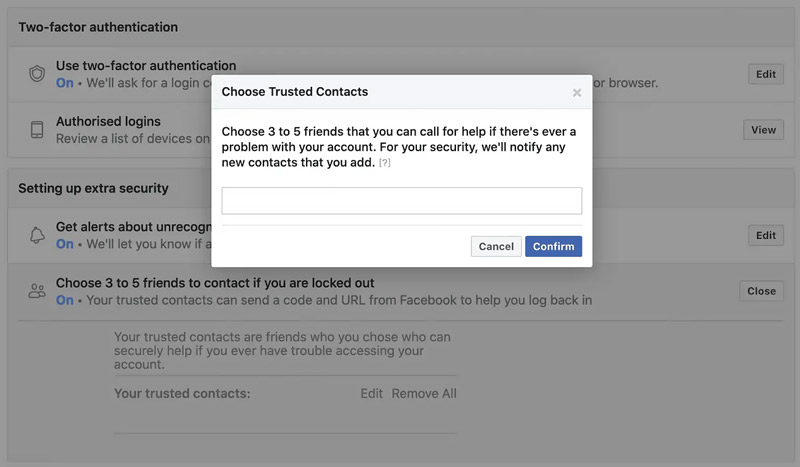
If you previously set up Trusted Contacts, they might help you reset your forgotten Facebook password by sending you codes. However, Meta has phased out the feature in many regions. It is no longer available as a recovery option in many accounts. What’s worse, many users reported being required to enter their password to contact their trusted contacts.
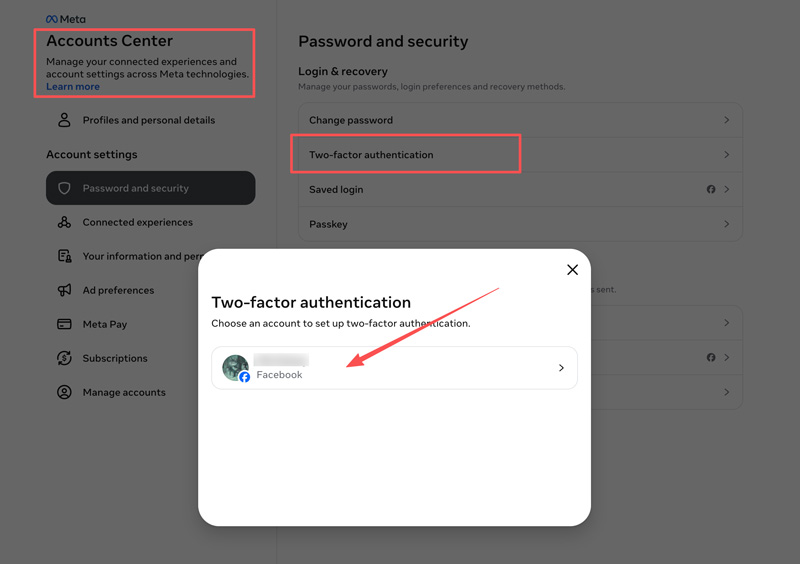
Facebook now recommends other security measures instead. For instance, you are advised to keep your email and phone number up to date. Enable Facebook Two-factor authentication and Login Alerts. Moreover, you should often use Facebook’s Security Checkup tool.
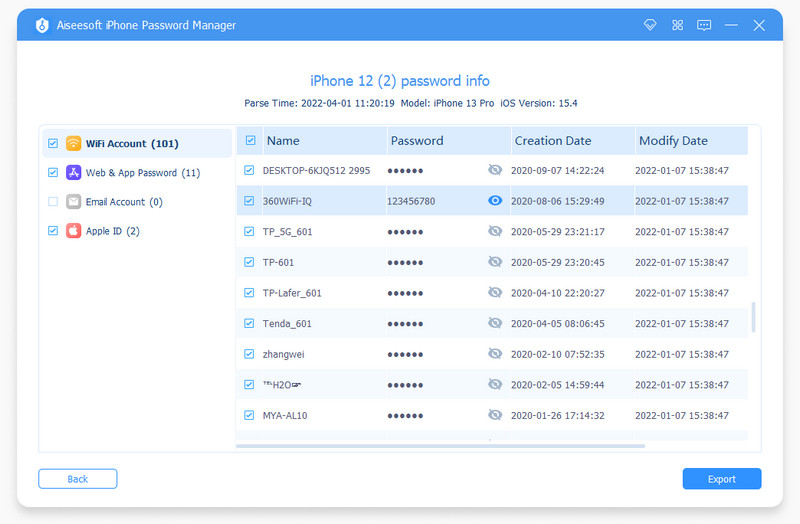
Sometimes, using a reputable password manager to store and manage your account passwords is also a good choice.
If you have a device/browser with your Facebook account recently signed in, you can log in to your account and reset your password.
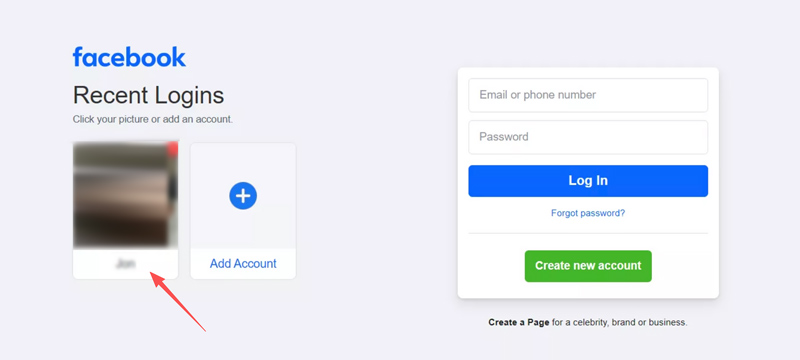
When you see your profile, select it to log in automatically. You do not need to know your phone number or have access to your email to do this.
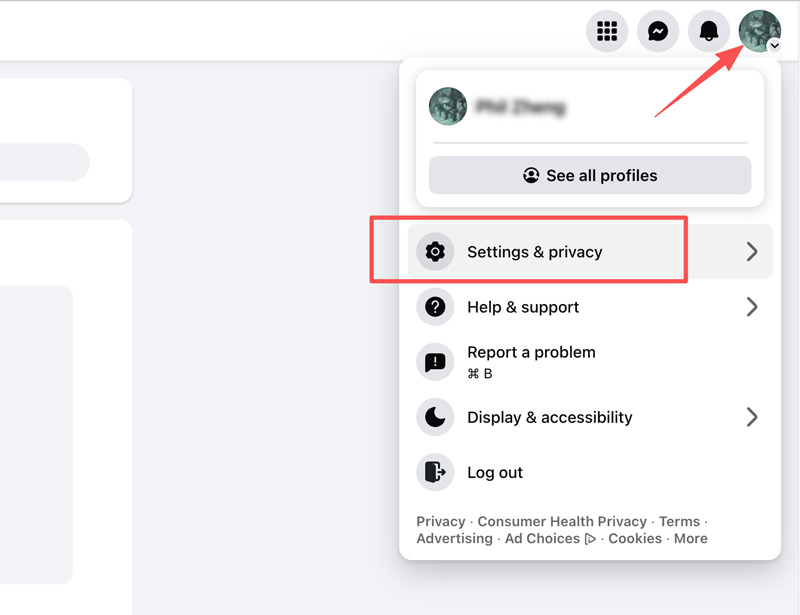
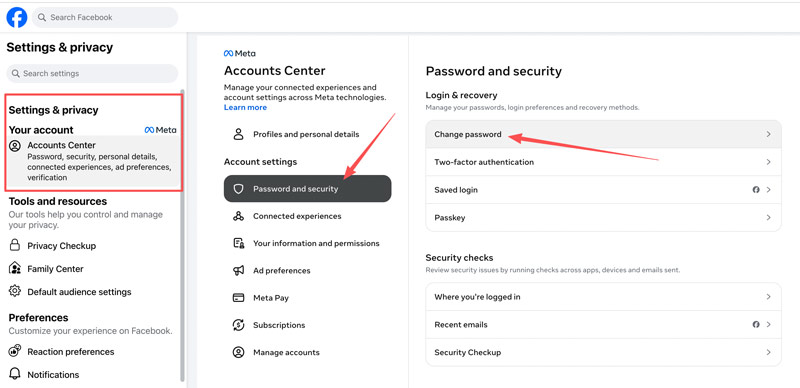
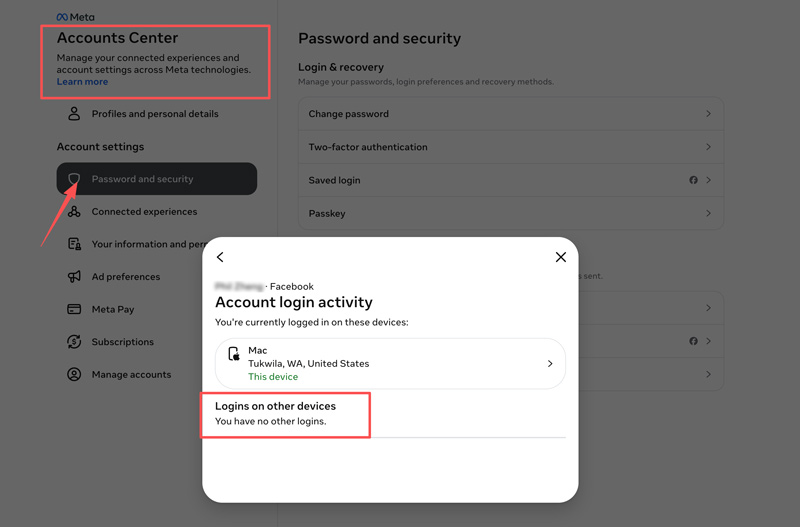
If you suspect someone else has changed your Facebook password or hacked your account, you should act immediately to recover it.
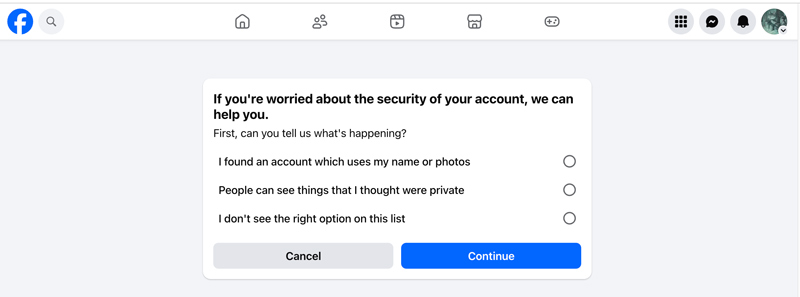
If you’re unable to reset a forgotten Facebook password or recover your account, or find yourself in a complex situation and don’t know what to do, you can visit the Facebook Help Center, where various solutions are available for account recovery.
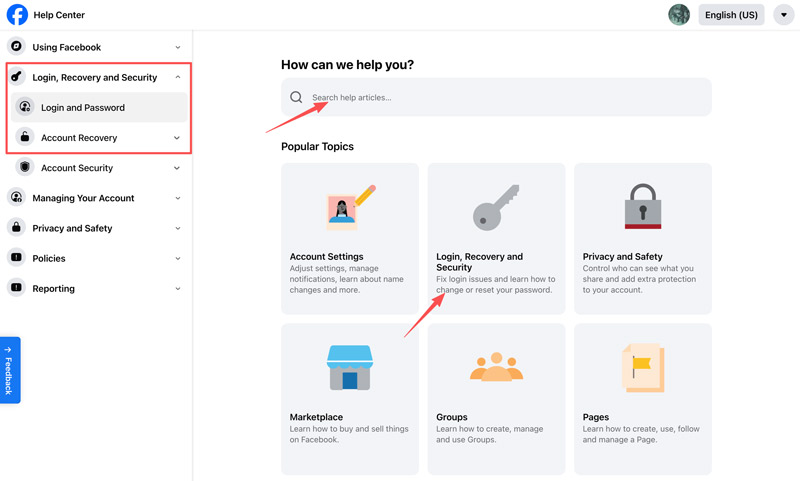
You can start with the Login and Password or Account Recovery. Also, you can describe your current situation and what you need directly. Facebook has a Meta AI support assistant to help you resolve various issues.
As we always share what we are living or thinking on Facebook, someone else may maliciously access our Facebook. How can they hack a Facebook account or crack a Facebook password? We will introduce 3 common ways hackers often use to hack a victim’s Facebook account or password.
Hackers can easily reset your Facebook password and hack your Facebook, especially when your friends or intimates are the hackers. They can stalk your public info and manipulate the password reset system. Since you may use your birthday or anniversary date as the passcode, they can figure it out. Or they clearly know your Facebook login email, so they can simply get through the hacking.
The hacker visits the login page, clicks “Forgotten your password”, and enters your email. If they don’t have email access, they click “No longer have access to these”. They may attempt to exploit the Trusted Contacts feature. As mentioned, this is a recovery pathway provided by Facebook that allows a user to choose 3 to 5 friends to receive a special recovery code.
A clever hacker may create fake profiles or manipulate your actual friends into handing over those codes. If you ever need to use Trusted Contacts to recover your own profile, you must call your friends directly to get the codes.
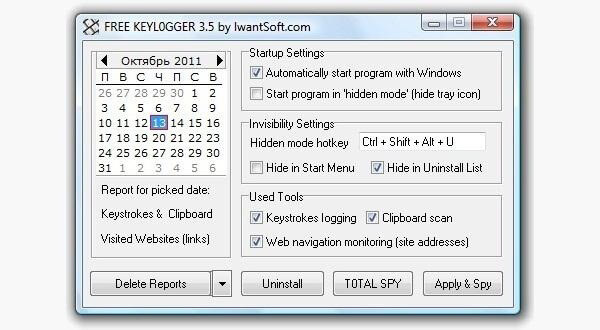
Some hackers will use hacking software to crack your Facebook password. They will download such software onto your computer and start capturing keystrokes when the computer is active. The software will email you a summary of all keystrokes when it finishes analyzing.
Keylogger is a known type of software. Once installed, it runs silently, capturing every keystroke you make and sending a summary to the hacker. You will not notice until your account is locked out.
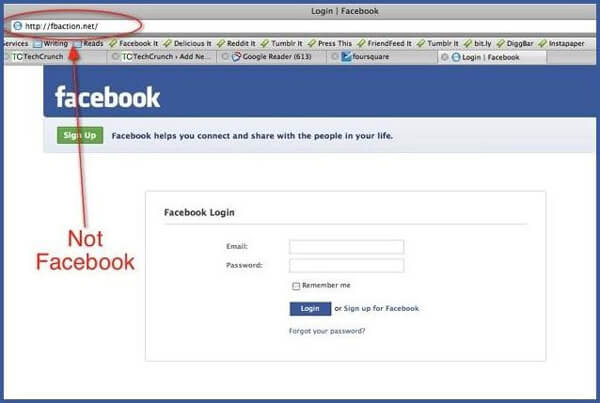
Phishing is another common method to hack someone’s Facebook account. The most common type of phishing is to counterfeit a Facebook login page. A hacker sends an email or text message, claiming your account will be suspended. The page will look exactly like the official login webpage. If you enter your Facebook ID and password, such information will be sent to the hacker instead of to Facebook.
Question 1. Will I lose my Facebook messages if I reset my password?
In most cases, resetting your Facebook password will NOT erase any of your messages. Your messages, chat history, photos, posts, and other files are tied to your account itself. The password reset will not cause you to lose data. However, if you mistakenly choose Delete Account, your messages will be removed. Learn to recover deleted Facebook messages on Android.
Question 2. How long does it take to reset a Facebook password?
The time it takes to reset your Facebook password depends on your specific situation. It can range from a few minutes to several days. If you have forgotten your current password but still have access to the email or phone number linked to your account, you may reset it within a few minutes. However, if you cannot access your email or phone or if your Facebook account is hacked, the recovery time will be much longer.
Question 3. What if someone changed my Facebook password and recovery email?
When someone changes your Facebook email, Meta will automatically send a notification to the original email address with a special link. This is the fastest chance to reverse the attack. Otherwise, you should go to Facebook’s hacked account recovery page.
Conclusion
If you have access to your linked email or phone number, you can easily recover your Facebook account. What if you don’t have the access?
Whether you forgot your password or someone hacked your account, you can follow the guide to regain full control with ease. If you want to reset a forgotten Facebook password without email and phone number, pay attention to the methods in this guide. You should know that the best recovery is prevention. Turn on Two-factor authentication and Login Alerts, run Security Checkup regularly, and follow other tips to protect your account.
 How to Clear Facebook Search History? Best Tips Here
How to clear Facebook search history? Worry about some search history that might be found by others? Here we show you how to delete Facebook search history.
 How to Sync Facebook Contacts to iPhone/Android Phone
Want to make Facebook contact sync? This article shows you how to sync Facebook contacts to phone (iPhone/Android).
 How Do I Delete A Facebook Page on Phone or Computer?
Want to delete an old or unwanted Facebook page? Here we will provide step-by-step guide to help you delete a Facebook page permanently whether you want to delete the page on mobile phone or computer.
 Leave your comment and join our discussion
iPhone Password Manager is a great tool to find all passwords and accounts saved on your iPhone. It also can export and back up your passwords.
 100% Secure. No Ads.
100% Secure. No Ads.

*Required field
*Please enter a valid email

