
Best For: Users who want an all-in-one, powerful desktop editor to handle watermark removal in multiple ways (AI erase, blur, crop, cover), along with other editing, enhancement, and conversion needs.

Video Converter Ultimate
 100% Secure. No Ads.
100% Secure. No Ads.
Contents
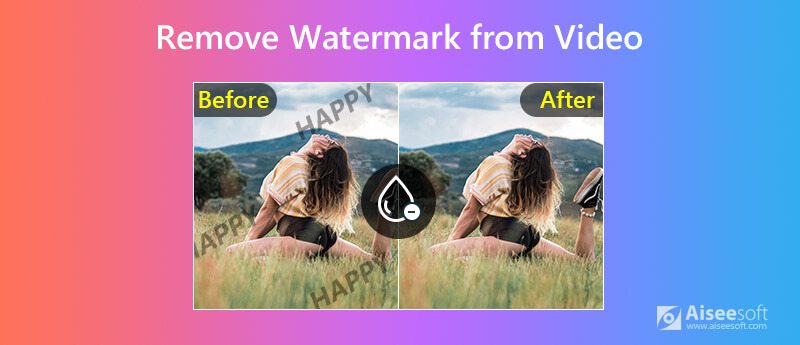
Watermark is created to protect content from abuse, serving a vital purpose. However, sometimes, the large logo or text ticker can be a visual distraction. It will easily distract you from the video and may obscure important details. You need effective, accessible tools to remove it from the footage.
This guide shares four efficient methods to remove watermark from a video and restore a clean, professional look without blur. You can select a desired watermark removal tool to do that on your computer or mobile phone. Whether you want to hide, cover, or remove the watermark, you can easily achieve it.
Before we delve into specific watermark removal solutions, it is crucial to touch on legality. You should only remove a watermark for personal use, not for disguising the source creator’s ownership.
| Video Watermark Remover | Best For | Price | Success Rate | OS |
| Aiseesoft Video Converter Ultimate | All-in-one desktop solution for precisely removing, blurring, cropping, or covering watermarks on any file | Freemium (Free & Subscription) | High Accurate & Natural | Windows, macOS |
| Adobe After Effects | Professional-grade, seamless removal of complex watermarks from moving footage | Subscription (via Adobe Creative Cloud) | Very High (with technical skills) | Windows, macOS |
| InShot | Quick watermark removal via cropping on mobile devices for social media sharing | Freemium (In-app purchases) | Medium | iOS, Android |
| Media.io | Beginners needing a simple way to remove watermarks online | Freemium (Free & Credits) | Medium | Web, iOS, Android |
Best For: Users who want an all-in-one, powerful desktop editor to handle watermark removal in multiple ways (AI erase, blur, crop, cover), along with other editing, enhancement, and conversion needs.
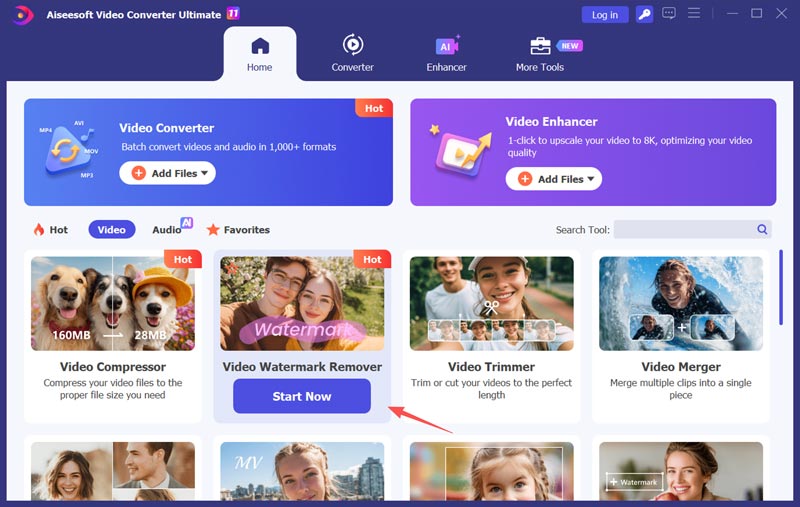
If you are searching for a watermark removal tool, especially an AI-driven one, that can accurately clean your footage without degrading the video quality, Aiseesoft Video Converter Ultimate is a strong contender. It designs a dedicated Video Watermark Remover in its Toolbox. This AI-powered tool provides three distinct methods to erase unwanted objects from videos. It is specially designed for users who need precision and control without the steep learning curve of professional software.
PROS
Cons
100% Secure. No Ads.
100% Secure. No Ads.
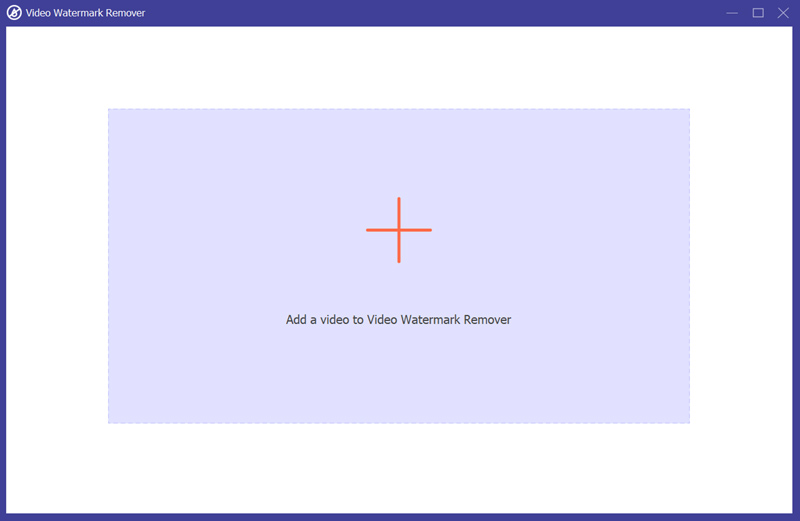
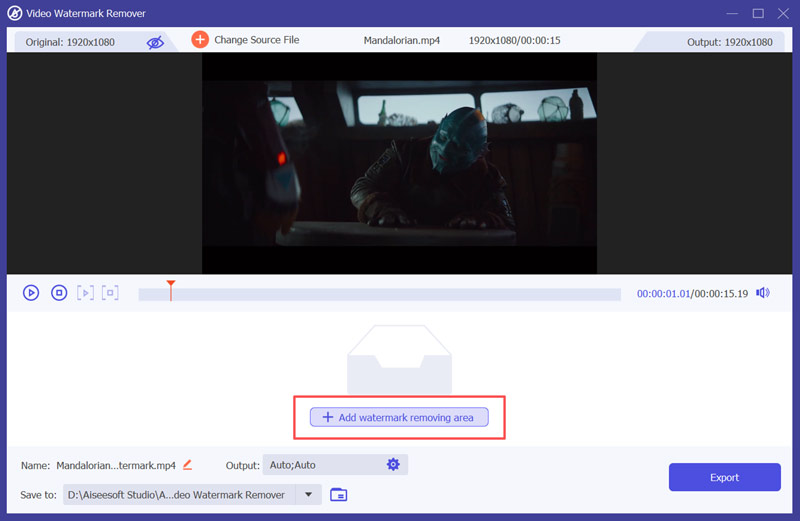
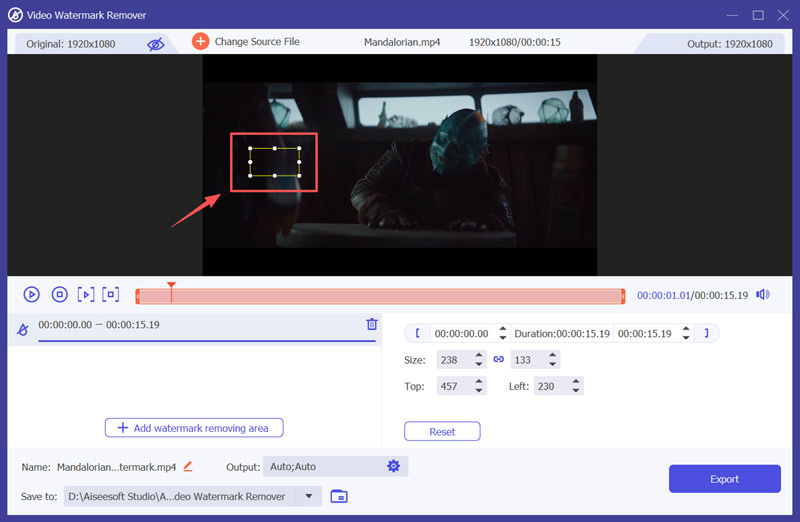
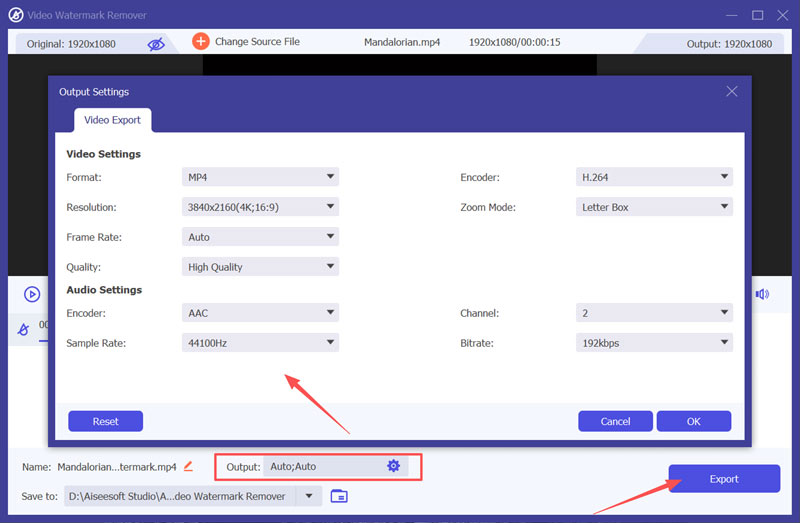
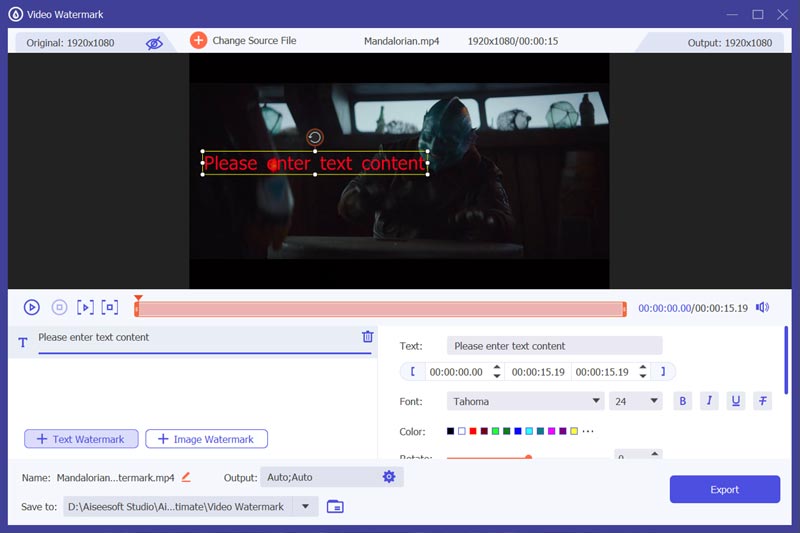
As mentioned, this all-featured video watermark remover offers several ways to get rid of unwanted elements. It also allows you to add a new image or text to cover the source watermark. You can use its Video Watermark tool.
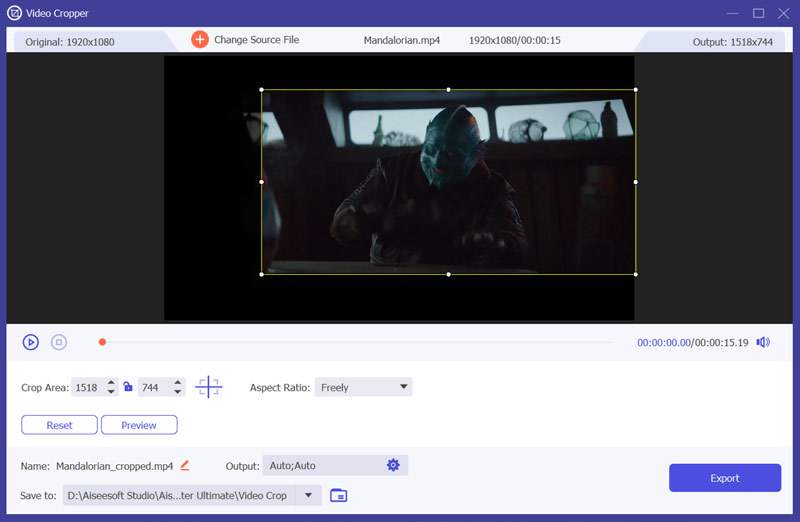
If covering or blurring isn’t ideal, you can effectively remove the old watermark from your video by cropping. Turn to its Video Cropper tool and use it to remove a watermark. This method works best when the unwanted logo or text is located near the edge of the video.
Best For: Professionals and serious creators who often deal with various editing tasks and need to remove complex watermarks from videos.
Adobe After Effects is a professional-grade tool for visual effects and motion graphics. Compared to Premiere Pro, its advanced functions, like Content-Aware Fill, are more suitable for video watermark removal.
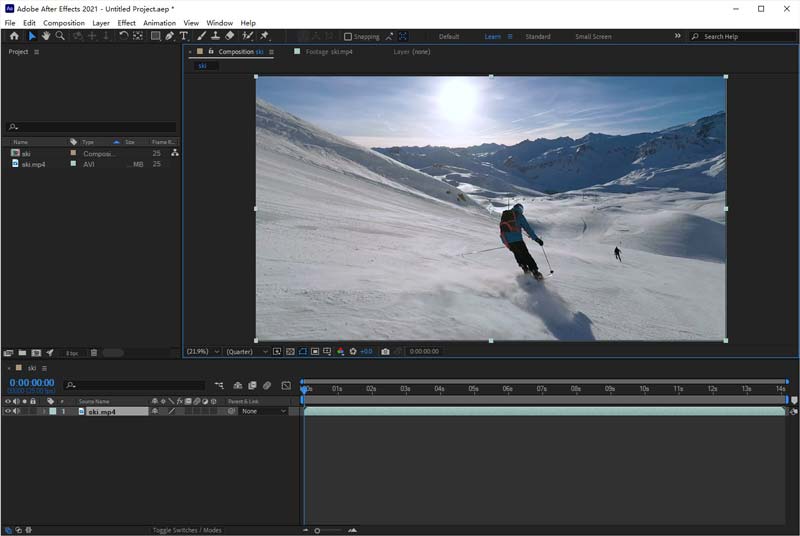
PROS
Cons
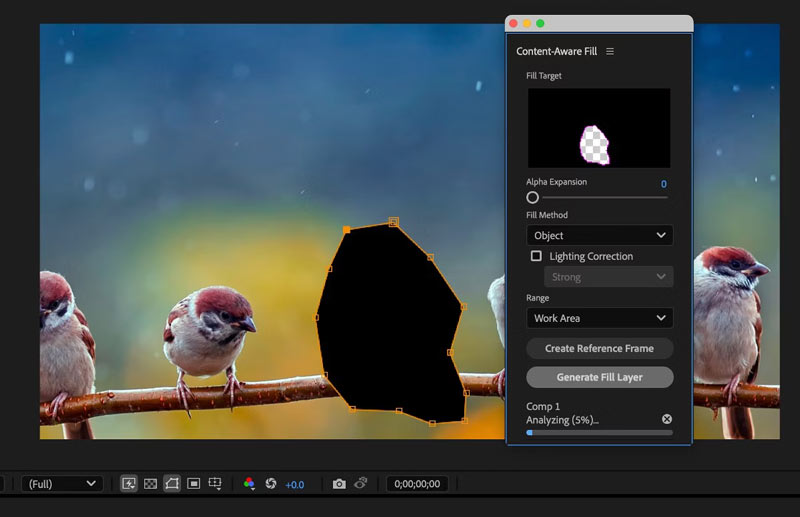
Best For: Android and iOS users who want to directly remove a watermark from a video on their phone for instant sharing on social media platforms.
InShot is a popular mobile video editor for iOS and Android. It is designed to handle various basic edits. Besides commonly used editing functions, the app offers AI-powered tools to enhance your videos and photos. It can work as a watermark remover app to erase a video watermark via its cropping tool. Moreover, its advanced tracking function allows you to add a sticker and let it cover the source watermark.

PROS
Cons
Best For: Social media creators and general users who want to quickly remove simple or small watermarks from videos without installing software.
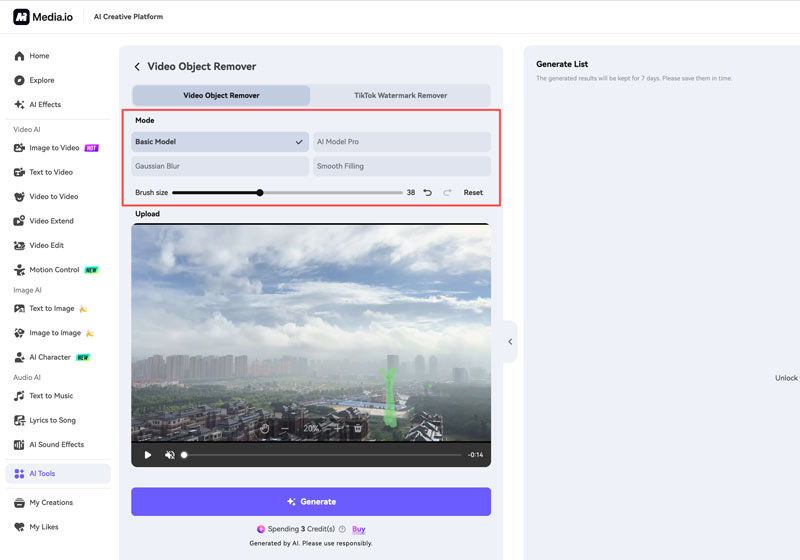
If you prefer a quick, web-based solution that can easily remove the watermark from a video without technical expertise, Media.io’s AI Watermark Remover is a top recommendation. It is an all-in-one platform that provides various tools for different editing needs. This dedicated watermark remover uses AI to replace the watermark area with suitable pixels. It can also accurately remove TikTok watermarks.
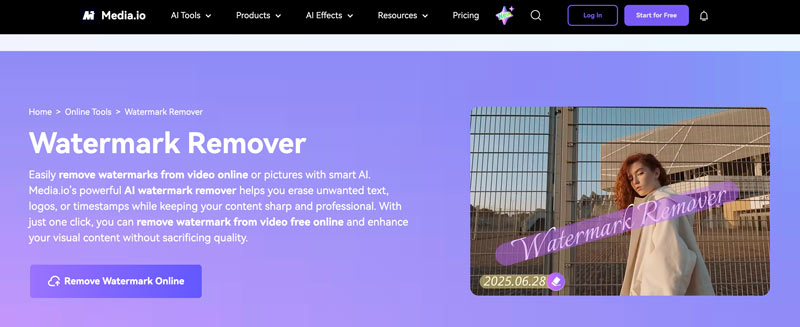
PROS
Cons
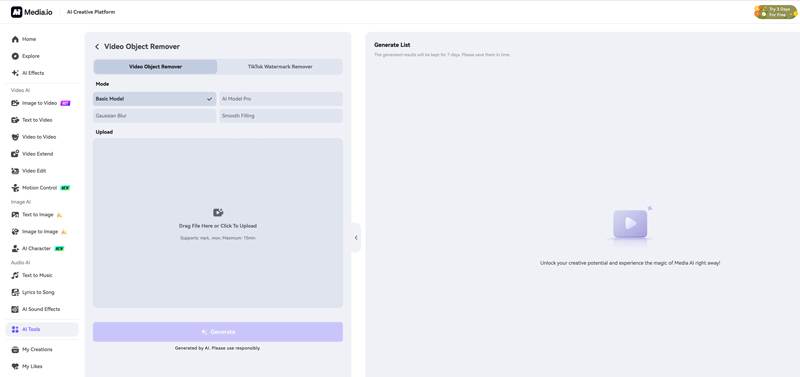
Question 1. Is it illegal to remove a watermark from a video?
It is illegal to remove the watermark from a video to disguise the infringement. However, if you want to remove the large logo or letter watermark that blocks your movie playback, it is OK without sharing or republishing the video for commercial use.
Question 2. Can iMovie remove a watermark from a video?
Yes. You can use iMovie to crop a video for watermark removal. It does not have a dedicated AI tool or feature to remove a watermark from the video.
Question 3. Is it possible to remove a filter from a video?
There is no direct way to remove a filter from a video, unless you have the source file and editing software, and know which filter you have added. However, you can apply a new filter or adjust effects to generate a result that seems like the filter is removed.
Conclusion
It is common that your saved video comes with an unwanted visual element. This could be a logo, a text overlay, or a timestamp from a camera. You can learn four helpful methods to remove watermark from a video. Start with Aiseesoft or After Effects if you need to remove complex, moving watermarks from footage seamlessly. If you want to erase a video watermark on your phone, try using the InShot app. To remove a watermark from a short video clip online, you can use the popular Media.io tool. Again, you should only remove the watermark for personal use.
 Top 5 Video and Image Watermark Removers You Must Use 2025
Do you need a watermark remover because you are annoyed with the watermark in your video and image? Then read this article to know what to use.
 3 Workable Ways to Remove Movavi Watermark from Videos
Looking for ways to delete the Movavi watermark from your videos? Check this out and learn how to get this done quickly.
 How to Remove Watermark in Final Cut Pro Quickly
Does Final Cut Pro leaves a watermark? To answer will be revealed once you completely read this article so click it now!
About AMV
1.1 Best AMV Maker Apps 1.2 How to Make AMV on Computer 1.3 How to Make AMV on iPhone/iPad 1.4 How to use Windows Movie Maker 1.5 AMV - What Is AMV 1.6 Best AMV Editor Apps 1.7 Top 5 AMV Converters
Video Converter Ultimate is excellent video converter, editor and enhancer to convert, enhance and edit videos and music in 1000 formats and more.
100% Secure. No Ads.
100% Secure. No Ads.

*Required field
*Please enter a valid email
