
Best for: people who want to clear junk files, uninstall apps, delete large files, and compress photos with one software.
A new iPhone can always give you a smooth experience when you just bought it. As time passes by, however, it works more and more slowly. Is there anything you can do to lengthen this process? The answer is absolutely yes. You can clean up your iPhone and free up the space of your iPhone storage. Here we concluded the 4 best iPhone cleaning apps for you to clean your iPhone.
How We Tested These Cleaners
We evaluated every app on four criteria: actual storage reclaimed, safety (no surprise deletions), price and ease of use. Each app ran on the same iPhone 17 (128 GB, 82 GB used) and iPhone 15 (256 GB, 190 GB used).
| App | Best for | Platform | Price | Storage freed in our test |
| Aiseesoft iPhone Cleaner | Deep clean: junk files, apps, large files, photos | Windows + iPhone (via USB) | Free trial | 8.2 GB |
| Smart Cleaner | Photo & video clutter, 100% free core | iPhone only | Free | 6.4 GB |
| Clever Cleaner | Privacy: encrypted secret vault + cleaning | iPhone only | Free with IAP | 5.1 GB |
| Boost Cleaner | All-round: photos, contacts, ad-blocker | iPhone only | Free with IAP | 4.8 GB |
Best for: people who want to clear junk files, uninstall apps, delete large files, and compress photos with one software.
Score:4.5/5.0
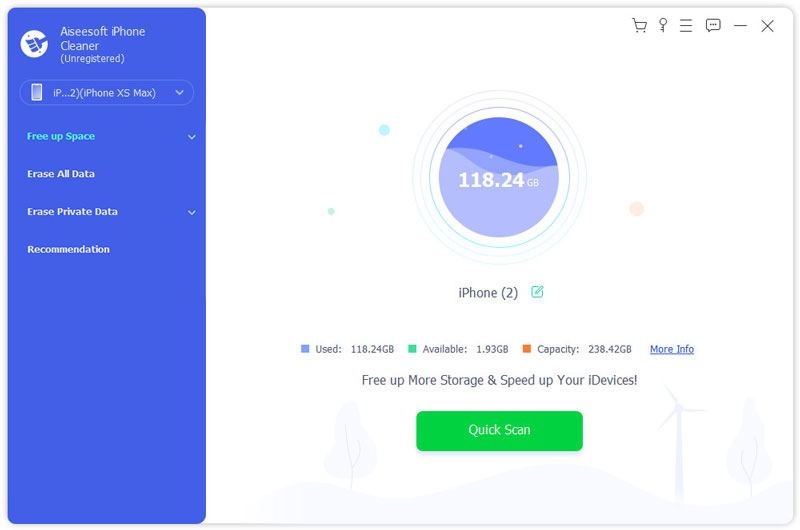
Aiseesoft iPhone Cleaner is absolutely the most powerful iPhone cleaner you can find on the market. It works on your Windows and operates on your iPhone via iTunes. Thus, you do not need to worry about the safety and privacy. With one click, it will scan and present you with the junk files, space-consuming applications, large files, and photos.
Downloads
 100% Secure. No Ads.
Best for: users who want to hide private photos, videos, and contacts — and clean up storage at the same time.
Score:4.0/5.0
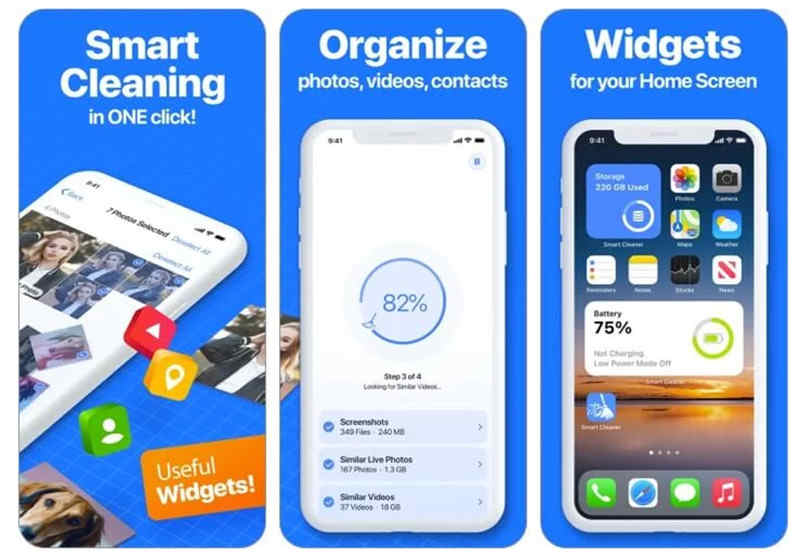
Smart Cleaner is also an all-in-one iPhone cleaner app. The most outstanding feature of it must be the secret vault which allows you to hide some private photos, videos, audios, contacts, and documents.
Key Features
1. Two modes for you to choose from: smart cleaning and manual cleaning
2. Easy-to-use interface guides you to whatever task you want to conduct.
3. Smartly scan and present occupied storage and duplicate photos.
4. Secret vault for you to store private media and contacts.
Best for: anyone who refuses to pay a subscription just to delete some duplicate photos.
Score:4.0/5.0
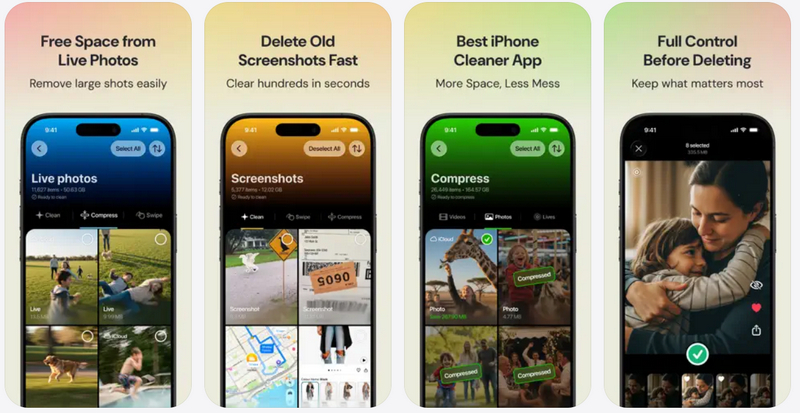
Clever uses on-device AI to detect duplicate photos, similar shots, blurry images, and old screenshots, then lets you review everything before deleting. You can also compress large videos right on the phone.
Key Features
1. Deep on-device AI scan.
2. Delete similar photo, video and screen shots.
3. Find hidden large videos.
4. Convert live photo to still image.
Best for: people who want photos, contacts, network tools, and an ad-blocker in one free app.
Score:4.0/5.0
This is an all-round iPhone cleaner to clean your iPhone and improve your album and contacts. The ad-blocker is also handy if you are often obsessed with webpage advertising.
Key Features
1. One-stop cleaner to clear up all your unwanted photos and videos.
2. Present to you and delete the duplicate photos, videos and contacts.
3. View how much storage of your iPhone has been taken.
4. Test out your network speed and check your network connection.
5. Handy ad-blocker prevents you from advertisements when using Safari.
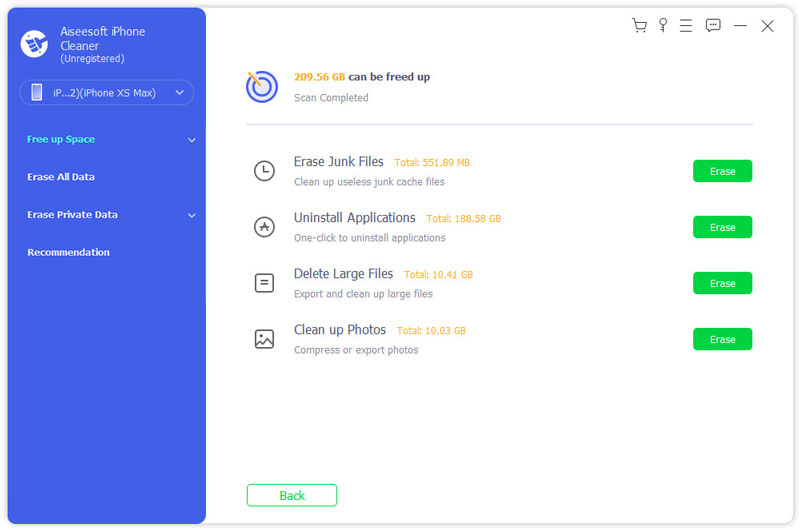
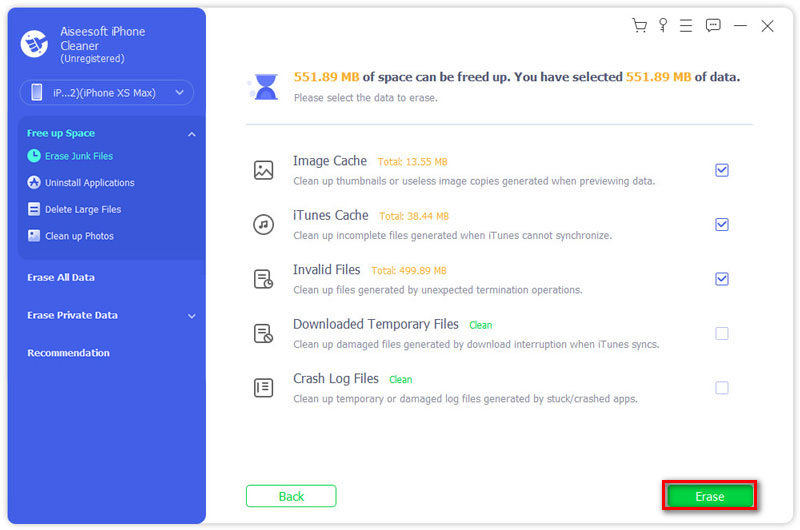
Erase Junk Files: It is safe to clean all the five types of caches and files you see in the interface. Check the five boxes for them and click Erase.
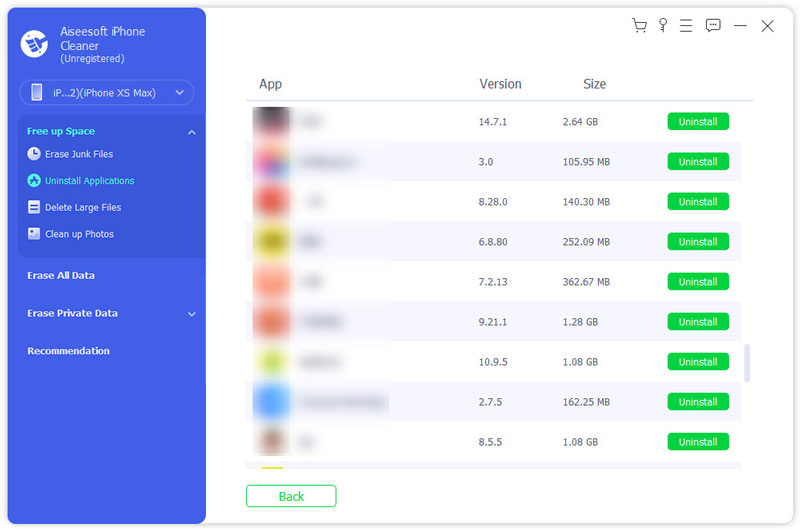
Uninstall Applications: Here you can view how much size is occupied by each single app. If you want to remove any of them, just click the Uninstall button on its right side and click confirm.
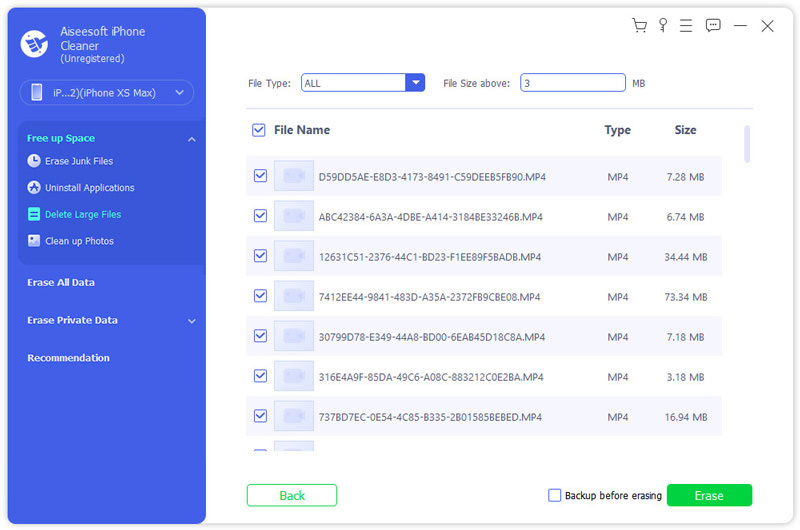
Delete Large Files: Check the boxes of the files that you want to clean. Then you can click the Erase button to clear them. If you want to backup them before erasing, you can check the box of Backup before erasing on the left of the Erase button.
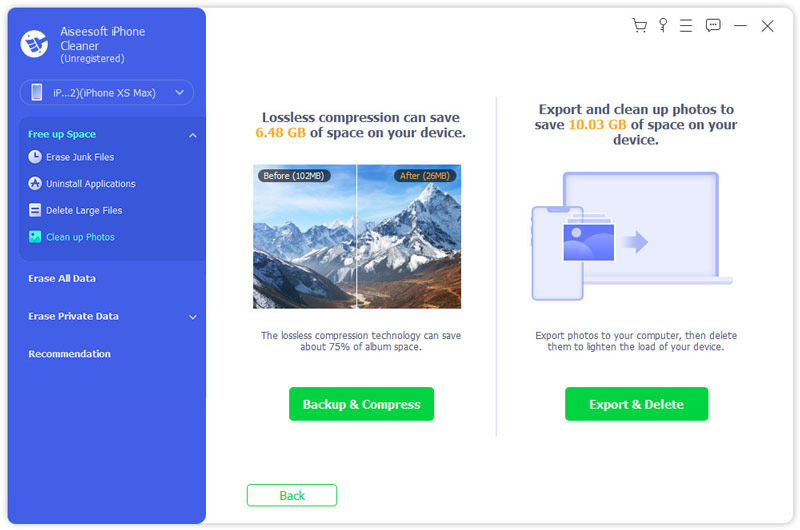
Clean up Photos: For this function, you have two options: backup & compress and export & delete. The former allows you to compress all your photos and videos by 75% in size without losing any quality. The latter can move all your photos to your computer and delete them from your iPhone.
What is the app cache on iPhone?
An app needs to load its cache every time it opens. Most apps save their cache in the storage of your iPhone so that they can load more quickly next time. However, this takes up space from your storage quickly and makes other apps work slowly. That's why you may need to clear it.
What other junk files can I clean on iPhone?
Voice memos, message attachments, call history, and completed reminders in the reminder app.
If you want the deepest, safest clean, Aiseesoft iPhone Cleaner is the clear winner — it reaches junk files, apps, and large files that App Store apps simply cannot touch. Other App can also help to clean the photo, video, contact, etc. to help your free up your iPhone storage. Just review this article and pick the best one your need.
 How to Clear Safari Cache and Private Cookies on iPhone
Want to clear browsering history on iPhone? Read this article, you can permanently delete browsing history and cookies (Google/other web history) on Safari.
 How to Clear Documents and Data on iPhone
In this post, we will show you not only what documents and data on iPhone is but also how to clear unwanted data from iPhone.
 [Solved] How to Clear Instagram Cache on iPhone with 3 Easy Ways
What does clear Instagram cache mean? How do I clear my cache on Instagram? What happens if I clear Instagram cache? This post will show you how to clear Instagram cache on iPhone with 3 effective methods.
 Leave your comment and join our discussion
Cleaner App
Cleaners for Android iPhone Cleaner Clean Master for iPhone iPhone Storage Cleaner CleanMyPhone Alternative Free Mac Cleaner Mac Cleaner Junk File Cleaner Best iPhone Cleaner Clean My Phone Alternative Best iPad Cleaner iMobie PhoneClean Review Mobikin Cleaner for iOS Review Cisdem iPhone Cleaner Review iMyfone Umate Pro Review
iPhone Cleaner can clean up useless data on your device selectively. You can also use it to wipe your private data and keep your iPhone/iPad/iPod Touch fast and safe.
100% Secure. No Ads.
100% Secure. No Ads.

*Required field
*Please enter a valid email
