
Best For: All-in-one sound and image recording solution (system audio, microphone, and screen) for most users, educators, and professionals.
Aiseesoft Screen Recorder
 100% Secure. No Ads.
100% Secure. No Ads.
In many cases, you are not allowed to directly download audio, especially for streaming and copyright-protected content. Instead, you choose to use an MP3 recorder to capture music, lectures, podcasts, and more.
This guide reviews the top 7 desktop software and mobile apps available today. If you are searching for a good recorder for capturing high-quality audio specifically in the MP3 format for music, lectures, podcasts, interviews, and even calls, keep reading and find the best MP3 recorder for your needs.
How We Test and Review
If you need an MP3 recorder for a Windows PC or Mac and often need to capture various audio content, pay attention to this section. Compared to mobile apps, desktop software offers more advanced functions and more stable performance. They are mainly designed for music production, podcast creation, long-form webinars, and other serious recording tasks. Below are the top four desktop MP3 recorders.
Best For: All-in-one sound and image recording solution (system audio, microphone, and screen) for most users, educators, and professionals.
Score: 4.8/5.0
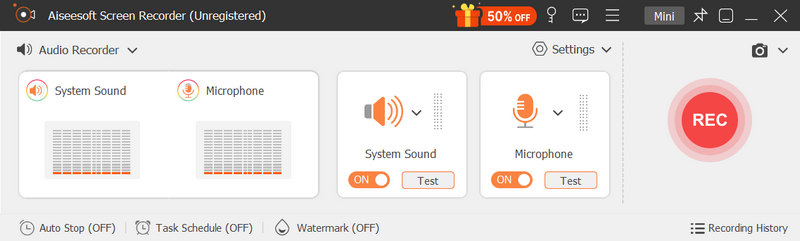
Aiseesoft Screen Recorder offers a dedicated Audio Recorder for you to capture any sound played on your computer. It can record audio from the internal system sound, microphone/external speaker, simultaneously or separately. It is ideal for recording online meetings, music, soundtracks, podcasts, and streaming audio. Besides MP3, this MP3 recorder allows you to save your recording as any lossless or lossy audio format.
100% Secure. No Ads.
100% Secure. No Ads.
Pros
Cons
Best For: Budget-conscious users like general creators, podcasters, and musicians needing multi-track audio recording and editing.
Score: 4.7/5.0
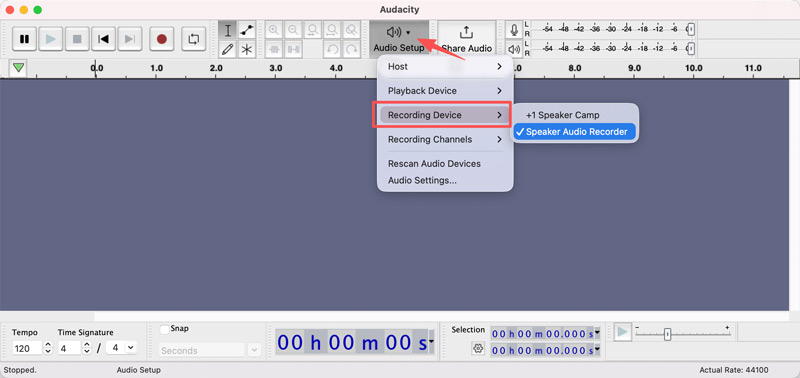
Audacity is a reputable, open-source audio recorder known for multi-track handling capabilities. It has been a reputable tool for audio creators, podcasters, and many casual users. As an MP3 recorder, it allows you to capture live audio through a mixer or microphone. Moreover, the software enables you to layer multiple tracks, apply sound effects, and do basic edits.
Pros
Cons
Best For: Video tutorial creators and users who often need to record and export voiceover.
Score: 4.5/5.0
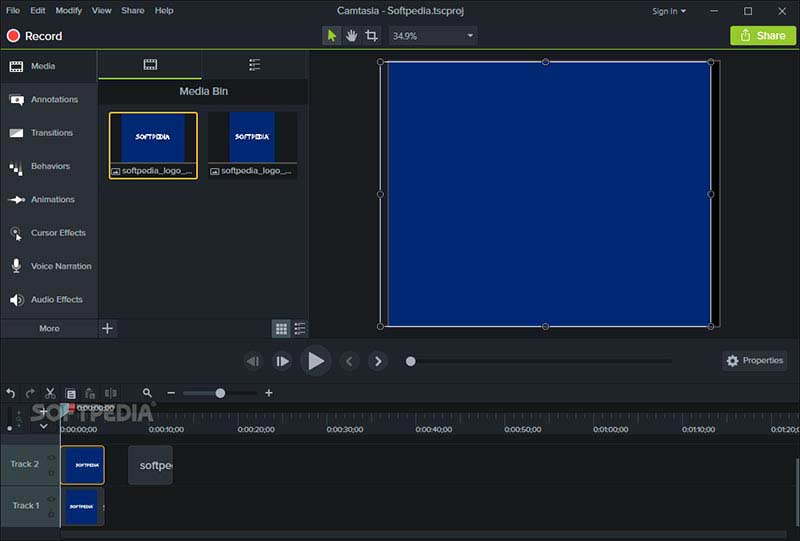
Camtasia Screen Recorder by TechSmith is primarily designed as a video editing and screen recording suite. The software offers audio recording, screen capture, editing, noise suppression, and other helpful tools in a single workflow. Like Aiseesoft, Camtasia allows capturing from a microphone or system audio. As an MP3 voice recorder, it supports voiceover and music mixing.
Pros
Cons
Best For: Serious users like audio professionals, sound designers, and broadcast-level podcasters.
Score: 4.7/5.0
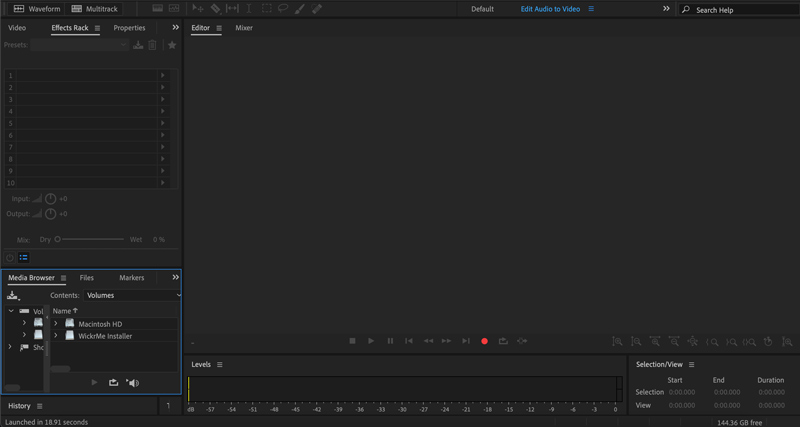
Adobe Audition is a professional audio recording, mixing, and restoration tool. Like other Adobe programs, Audition can be the industry standard for professional audio recording and editing. The software is widely used by radio stations and music studios. This audio recorder provides a non-destructive, multitrack recording environment. That ensures a non-destructive, multitrack recording environment.
Pros
Cons
Modern smartphones are equipped with capable microphones to capture voices. Actually, with the right app, you can turn your phone into a fine recording studio. If you often need to capture a lecture, interview, or some daily soundtracks on the go, and prefer to directly record audio using your phone, mobile apps are indispensable.
Best For: Professionals, students, and most casual users who need a reliable, no-nonsense daily MP3 recorder.
Score: 4.7/ 5.0
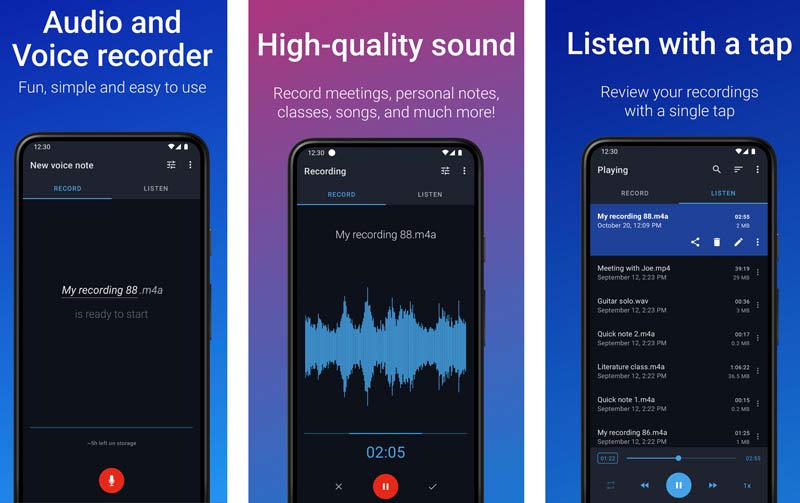
Easy Voice Recorder offers a quick, reliable way to capture your voice and save it as an MP3 file. You can simply open the app and tap the massive microphone button to start the recording. It is specially optimized for long-form recordings. That makes Easy Voice Recorder the perfect companion for students to record lectures and professionals to capture long meetings. This app can run stably in the background without interrupting your other operations on the phone.
Pros
Cons
Best For: Android users who often need to record voice memos and notes, interviews, lectures, business meetings, and others.
Score: 4.6/5.0
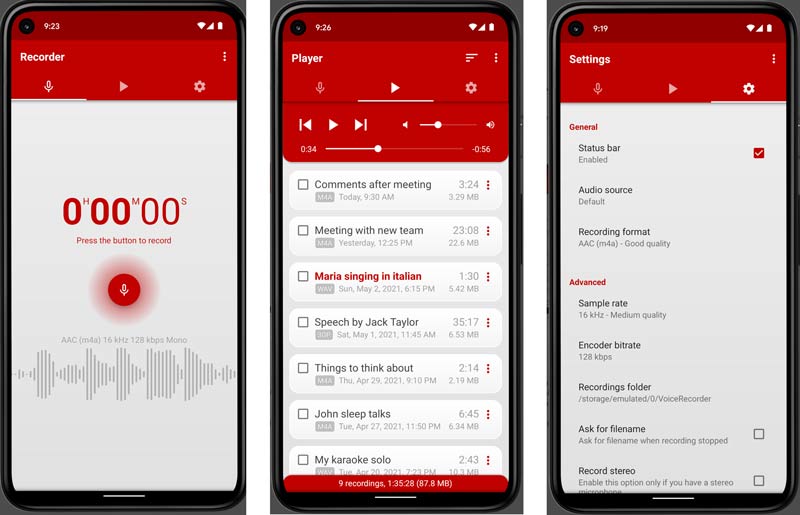
Voice Recorder Pro by Splend Apps is a popular MP3 voice recorder app for Android devices. It offers a convenient way to capture audio seamlessly in the background with the screen turned off. Moreover, it allows users to encode audio directly into four distinct formats: MP3, WAV, AAC, or AMR. It also provides a built-in media player and file manager to better organize your recordings.
Pros
Cons
Best For: Podcasters, musicians, singers, and social creators who want to capture instant, studio-quality sound without manual mixing.
Score: 4.4/5.0
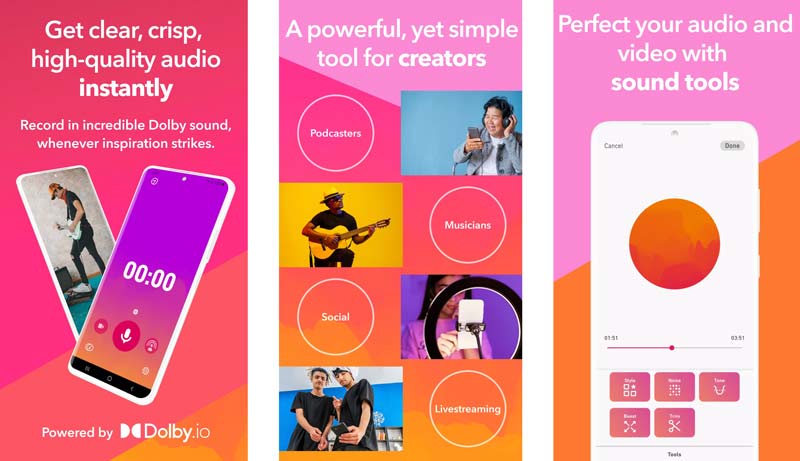
Dolby On is a mobile audio recording app designed to capture your songs and videos or go live to your fans with amazing Dolby sound. It is designed by the audio pioneers at Dolby. This MP3 recorder app allows you to record your voice or instrument and instantly add desired studio effects. Dolby On carries various advanced functions, including noise reduction, dynamic EQ, compression, stereo widening, and others. It turns your iPhone or Android phone into a professional recorder for capturing audio in MP3.
Pros
Cons
Question 1. What is the best MP3 recorder online?
Many web-based MP3 recorders allow you to capture your voice or surround sound through your device’s microphone. The best one depends heavily on your specific needs. Popular options include 123Apps Online Voice Recorder, Aiseesoft Free Audio Recorder, Vocaroo, VEED MP3 Recorder, and Canva’s free online voice recorder.
Question 2. Can my iPhone’s default Voice Memos app record in MP3?
No. The default Voice Memos app on Apple devices can only capture audio in M4A. The audio format can deliver excellent sound quality. However, compared to MP3, M4A does not have the same universal compatibility. If you need to record audio in MP3, you should turn to a third-party recorder app.
Question 3. How can I convert my audio recordings to MP3?
Many audio converters can help you make an MP3 conversion with ease. For instance, the recommended desktop software, like Audacity or Adobe Audition, allows you to import an M4A, WAV, or FLAC recording and then export it as an MP3 file.
Question 4. Is free audio recording software powerful enough?
Yes. For most casual users and recording needs, many free tools are powerful enough. For instance, you can use the free Audacity to handle most audio recording and editing tasks. As mentioned above, it supports multi‑track recording, noise removal, and effect application. If you only need to capture the main content of a lecture, interview, or conversation, most voice recorders are sufficient.
Conclusion
Whether you need to record high‑quality podcasts, capture important lectures, or save your daily notes and ideas, you can select a suitable MP3 recorder from the top seven recommendations above.
You can find the perfect recorder based on your specific needs and your preferred working environment. If you are a professional podcaster or musician who needs surgical precision, turn to the powerful Adobe Audition. You can also start with Audacity and test its overall multi‑track recording and mixing capabilities. For most general users, Aiseesoft Screen Recorder offers a simple way to capture your voices, music, lectures, interviews, and online streams effortlessly.
 Top 10 Voice Recorders for Windows 11/10 in 2026 [Free & Paid]
Does Windows has built-in voice recorders? Which voice recording software can record both system and microphone sound? This article shows top 10 Windows voice recorders for you.
 8 Samsung Voice Recorders You Can Use to Record Calls and Voice Easily
How to record a phone call on Samsung? You can use the built-in feature on Samsung to record calls, but there are apps that you can use for recording.
 8 Best Free Online Mic Recorders for Unlimited Voice Recordings
CRead and get the top 8 online mic recorders. You can record your voice through a microphone on Windows and Mac for free with simple steps quickly.
 Leave your comment and join our discussion
Recorder
Cinch Audio Recorder 1.1 Screen Recorder 1.2 Screencast Software 1.3 Video Capture Software 1.4 Screenflow Software 1.5 Top 6 M4A Audio Editor (Free & Paid) to Edit M4A Files as a Pro 1.6 MP3 Recorder 1.7 Android Screencast 1.8 Android Voice Recorder 1.9 Cassette Recorder
Aiseesoft Screen Recorder is the best screen recording software to capture any activity like online videos, webcam calls, game on Windows/Mac.
100% Secure. No Ads.
100% Secure. No Ads.

*Required field
*Please enter a valid email
