 For Windows

 For Mac
 PDF Solutions
 Data Manager
 Other Tools
 Free Online Solutions
 Free Image Tools
 Desktop Freeware
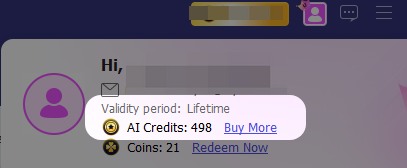
To check how many AI credits you have left and their expiration date, please follow these steps:
Step 1. Log in to your Aiseesoft software with your email account.
Step 2. Click the Profile button.
Step 3. In the pop-up window, you can view your detailed AI credits balance and validity period.