
 For Windows

 For Mac
 PDF Solutions
 Data Manager
 Other Tools
 Free Online Solutions
 Free Image Tools
 Desktop Freeware
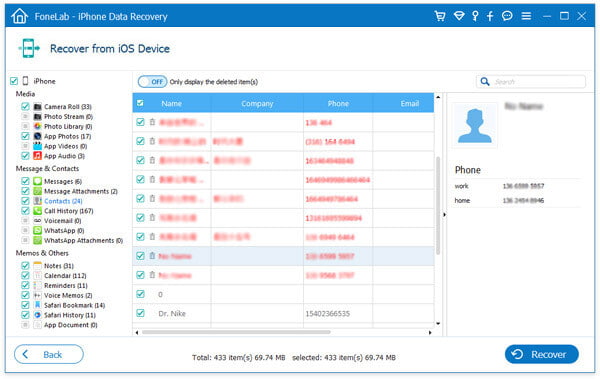
Step1. Connect iPhone to computer and run this program. Choose "Recover from iOS Device" Then click "Start Scan" button. The program will scan your iPhone to find all the data.
Step 2. Preview and recover iPhone data, all the data on the device can be found and listed on the left. Click Contacts and select what you want to export. The deleted files will be marked in red. Then click "Recover" button to selectively retrieve and export them to your computer.
Reference: /https://www.aiseesoft.com/support/get-iphone-contacts-back.html



