 For Windows
 For Mac
 PDF Solutions
 Data Manager
 Other Tools
 Free Image Tools
 Desktop Freeware
Convert any video and audio files with various editing features.
Monthly: $29.00 $14.50

 Free Online Solutions

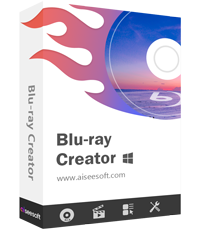
Buy now with 50% OFF!
Monthly: $24.90 $12.45
 BUY NOW50%OFF
BUY NOW50%OFF
BUY NOW50%OFF
BUY NOW50%OFF
BUY NOW50%OFF
30-Day Money Back GuaranteeIf there is a quality problem within 30 days after purchasing, we can promise you a refund.

All-in-one Bundle - Up to 83% OFF
Blu-ray Player + DVD Creator + Data Recovery + FoneTrans + PDF Converter Ultimate + Screen Recorder + Android Data Recovery + iPhone Data Recovery + Video Converter Ultimate + iPhone Cleaner
Price: $314.85 $69.00
Price: $659.60 $119.00
 BUY NOW77%OFF
BUY NOW77%OFF
BUY NOW77%OFF
BUY NOW77%OFF
BUY NOW77%OFF
30-Day Money Back GuaranteeIf there is a quality problem within 30 days after purchasing, we can promise you a refund.
BUY NOW77%OFF
BUY NOW77%OFF
BUY NOW77%OFF
30-Day Money Back GuaranteeIf there is a quality problem within 30 days after purchasing, we can promise you a refund.
BUY NOW83%OFF
BUY NOW83%OFF
BUY NOW83%OFF
30-Day Money Back GuaranteeIf there is a quality problem within 30 days after purchasing, we can promise you a refund.
BUY NOW83%OFF
BUY NOW83%OFF
BUY NOW83%OFF
30-Day Money Back GuaranteeIf there is a quality problem within 30 days after purchasing, we can promise you a refund.
10-Second Start Complete User Guide
01 Add Video Files
Run this program. Register with the required information to enjoy all the functions. Click Add Files button to load video files you want to burn to the disc.
READ THE FULL GUIDE HERE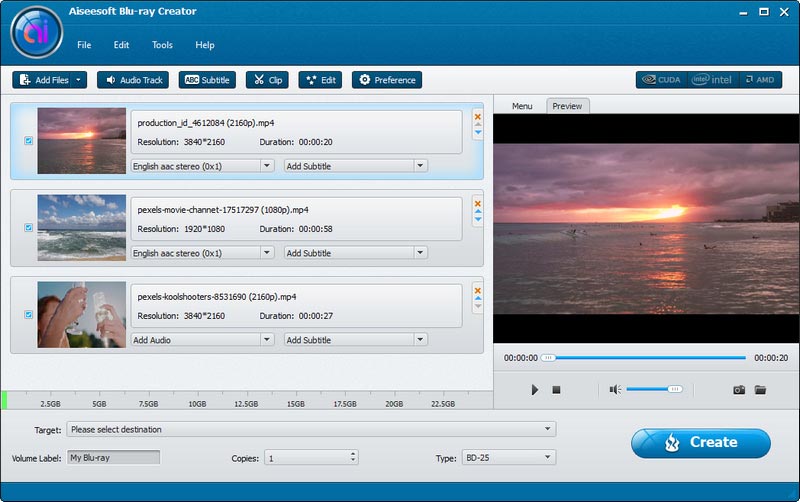
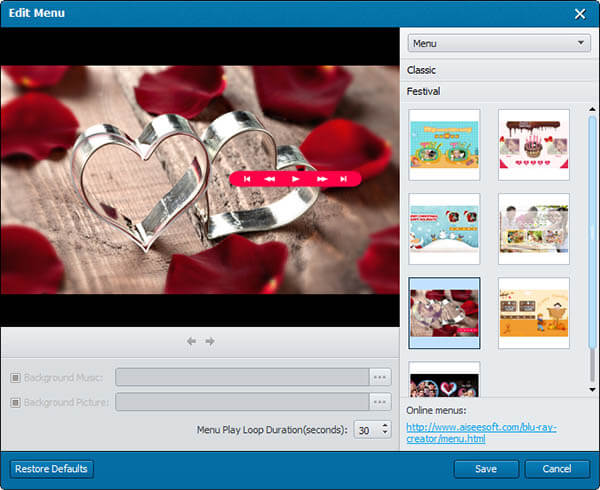
02 Edit Menu
Select a video file and click Audio Track or Subtitle button. You can add, delete and edit audio tracks and subtitles in the open window.
READ THE FULL GUIDE HERE03 Edit Audio/Subtitle and Start to Burn
Select a video file and click Audio Track or Subtitle button. You can add, delete and edit audio tracks and subtitles in the open window. When it's done, click "Creator" button on the main interface to start to burn your video files to disc.
READ THE FULL GUIDE HERE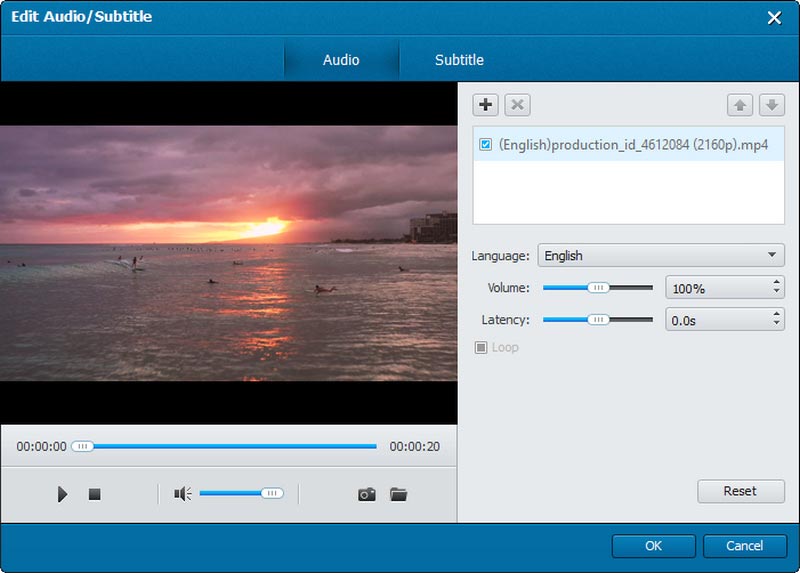


*Required field
*Please enter a valid email


