
 For Windows

 For Mac
 PDF Solutions
 Data Manager
 Other Tools
 Free Online Solutions
 Free Image Tools
 Desktop Freeware
Aiseesoft Video Converter Ultimate enables you to modify the video image's brightness, contrast, saturation, and other settings easily. To change video effects, you can:
1) Click “Edit” to choose the “Effect & Filter” window.
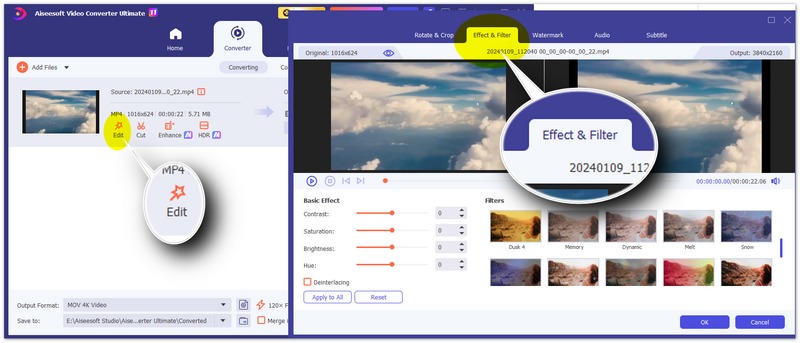
2) Here, you can adjust the basic effects like “Contrast”, “Saturation”, “Brightness”, and “Hue”, and select different filters such as “Memory”, “Dynamic”, and more to make your video vivid.
3) Click “OK” to apply the effect.